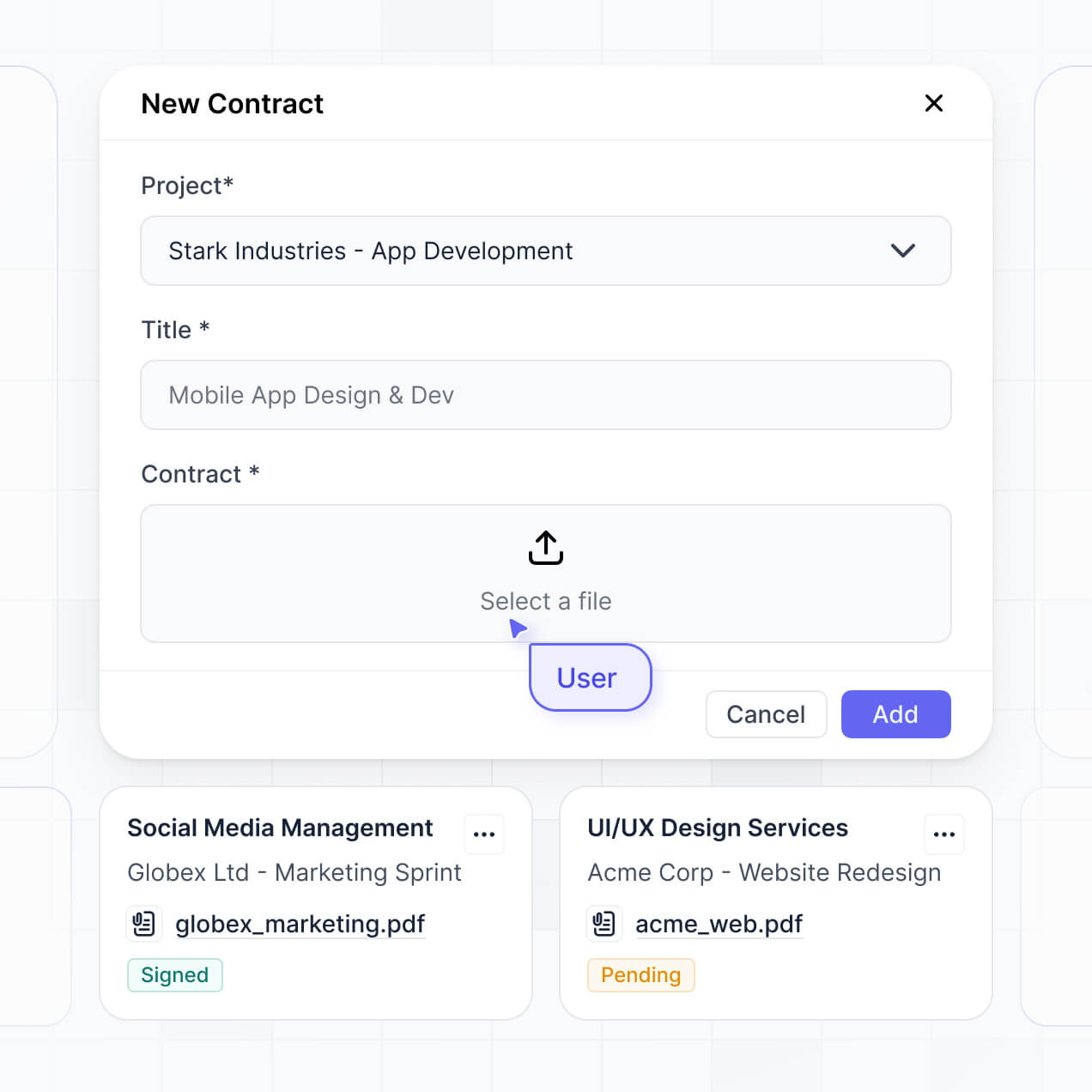
Organize records, manage approvals, and track file compliance in an AI-powered system built with AI to fit your school's workflow.
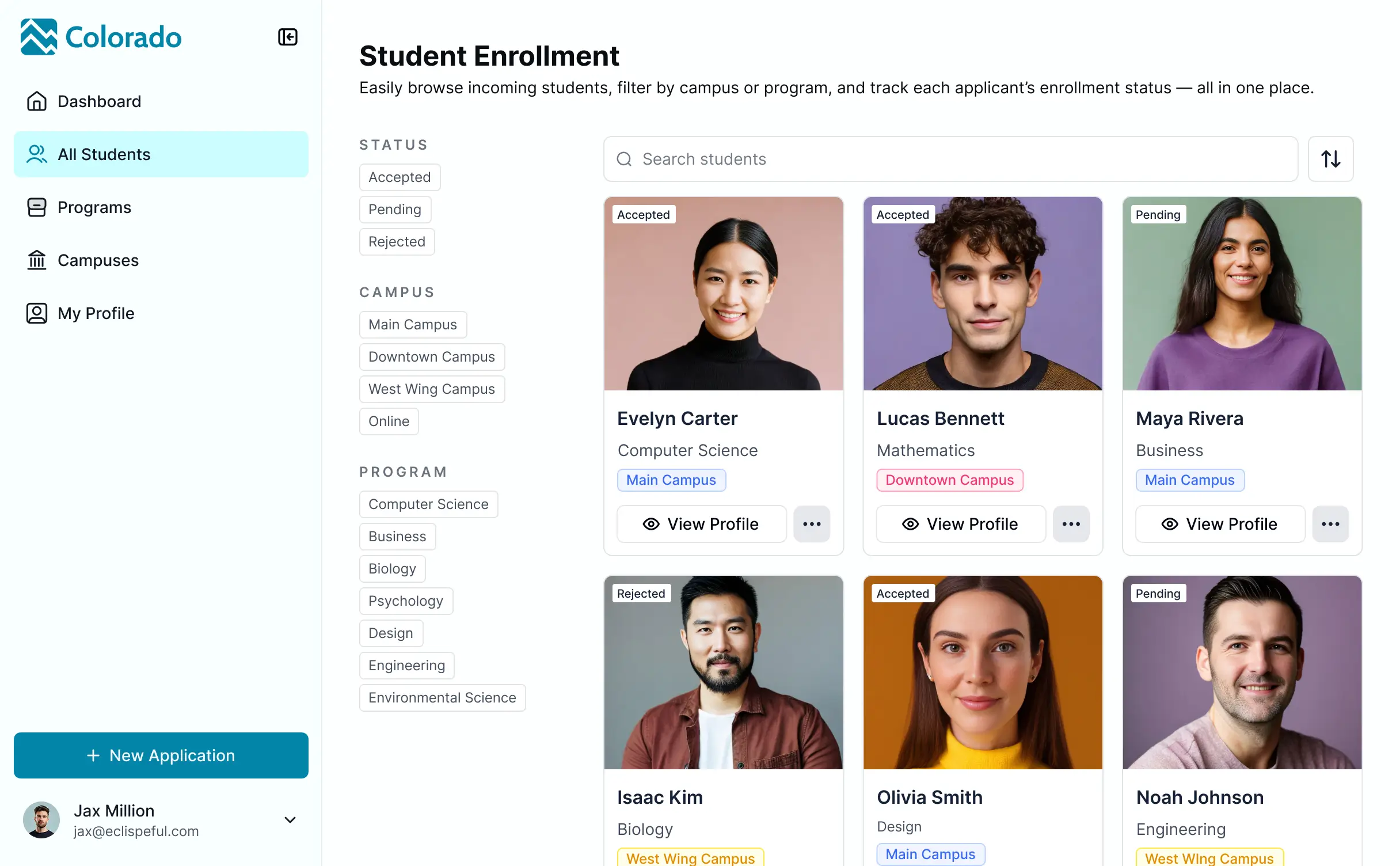

Customize your setup with the exact approval steps and file views your faculty needs. Add features as compliance rules evolve—no code needed.


Connect student records, faculty curriculum, and compliance data from multiple tools—or manage everything in Softr Databases. Create one integrated system for updates.
Give each faculty member and administrator the right access in a branded portal. Set up secure logins, user groups, and document permissions in minutes.
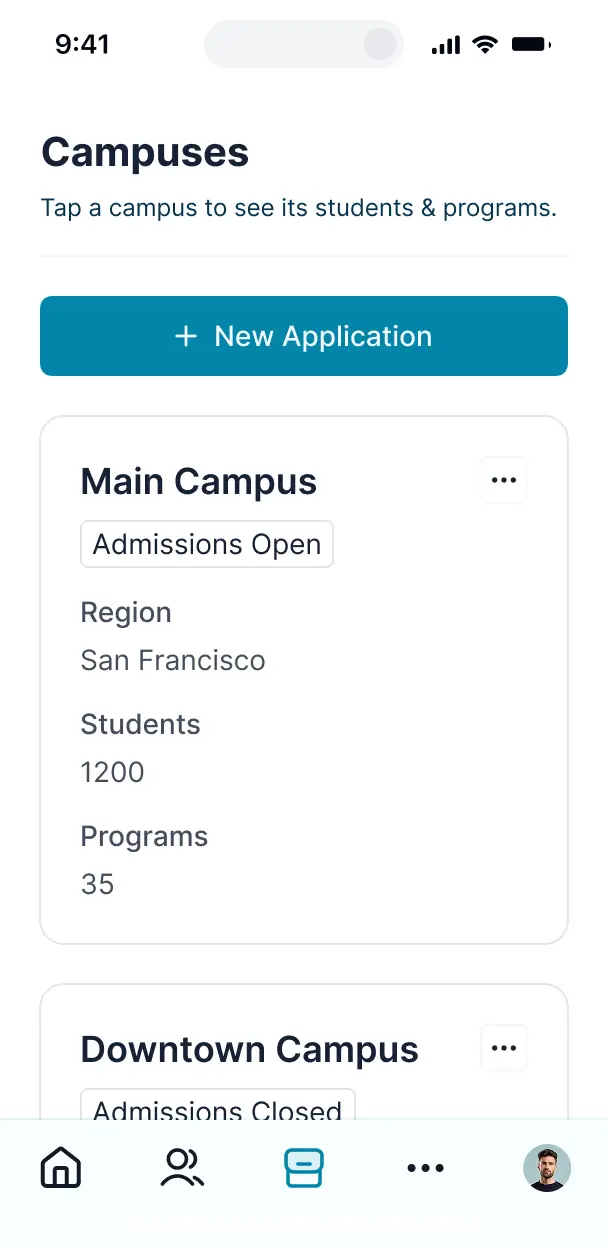
Softr apps are mobile-ready by default. Access your documents from the classroom or office using a downloadable app with Softr's PWA.
Build native automations with Softr Workflows to handle document status updates, approval notifications, and compliance alerts automatically.
Provide separate logins for faculty and administrators, ensuring each group only sees the sensitive files and records relevant to their role.
Apply rules for different user levels. Customize who can view, edit, or approve documents at even the most granular level to ensure data integrity.
Protect sensitive student and training information from security threats. Softr is fully compliant with SOC2 and GDPR regulations.
No more one-size-fits-all tools or costly custom builds. Softr is easy to use and fully customizable, so you can launch faster, adapt as you grow, and skip the complexity of traditional software.

Build your education document management in minutes with AI—no manual setup or complex configuration needed.

Add features like automated approvals, faculty dashboards, or custom folders as your needs grow—no rebuild needed.

Start with document management, then add student portals, dashboards, or forms—all in one place with no extra tools.
Co-build with AI
Simply describe what you need. Let Softr handle everything - Interface, database, workflows.
Iterate with AI or visually
Control most critical parts of your app yourself - roles, permissions, security.
Ship the same day
Invite team members or external clients and partners right away. No developer handover.
Use drag-and-drop blocks to build a portal that looks sleek and modern out of the box. Add only the features you need, and iterate as your workflows evolve.




An education document management system is a secure digital space where schools, universities, and training centers can organize academic materials such as lesson plans, student transcripts, research papers, and administrative forms. It centralizes all institutional resources in one location, eliminating the need to search through fragmented email chains or physical filing cabinets. This makes it easier for faculty, students, and administrators to stay organized and ensures a seamless experience for the entire educational community.
Softr is the first AI-native platform for building business software, making it ideal for creating an education document management system that fits your institution's specific academic workflows. You can describe your unique filing needs to the AI Co-Builder to instantly generate your library structure, document categories, and permission logic—all fully connected and secure.
You don't need to code to build a professional system. Use the AI to generate the foundation, start with a template, or build from scratch using Softr Databases or external sources like Airtable, Google Sheets, or HubSpot. You have total control to visually adjust layouts, manage access for different departments, and brand the portal with your institution’s colors and logos. It is fast to deploy, easy for non-technical staff to update, and scales as your student enrollment grows.
You can include a wide range of features in your system, depending on whether you are managing curriculum assets or student records. A great education document management app combines classic functional blocks with AI-driven intelligence:
- AI-Powered Intelligence – Use Ask AI to let staff query archived research papers conversationally, or set up Database AI Agents to automatically summarize long academic transcripts or categorize incoming student applications.
- Vibe Coding Blocks – Build custom UI elements—like an interactive syllabus viewer—using the AI Code block to "vibe code" the exact visual experience you want for your students.
- Softr Workflows – Build native automations (like an approval flow for faculty grant proposals) that trigger notifications whenever a document is uploaded or reviewed.
- Student & Faculty Portals – Securely manage logins so students only see their course materials and grades, while administrators maintain a global view of all institutional files.
- Forms & Data Collection – Capture information with custom enrollment forms, assignment uploads, and scholarship applications using conditional logic.
- Resource Dashboards – Visualize your document repository metrics, such as storage usage by department or the number of processed diplomas, with real-time charts.
- Lists & Advanced Filtering – Display and manage your library with searchable tables for research metadata or kanban boards for tracking the progress of curriculum reviews.
Everything is built using Softr's drag-and-drop blocks, and if you need a tailored component, you can use the Vibe Coding block to generate it with AI.
Vibe coding is about moving from an idea to a functional document system instantly using AI. You can "vibe code" your education document management solution by describing your requirements—such as a student portal that displays personalized financial aid docs—to the AI Co-Builder. Softr then generates a production-ready application on top of a stable foundation.
While other tools might give you complex, unmanaged code, Softr handles the critical infrastructure like document encryption, user authentication, and folder-level permissions natively. This means you get the speed of AI generation without the risk of managing fragile code yourself. You describe your filing needs, Softr builds the interface, and your students or faculty can start uploading and viewing documents immediately.
Yes. You can manage multiple schools, departments, or student cohorts in a single management portal. Each user only sees the specific documents, lecture notes, or administrative records assigned to them based on their login and role. This is ideal for school districts or large universities where different stakeholders need restricted access to specific data sets.
Yes, you can. You don't need to have a pre-existing cloud storage setup to begin. If you are starting from scratch, you can use Softr Databases, which is built into the platform and allows you to store and organize document metadata and files perfectly within your application.
If you already have document records in tools like Airtable, Google Sheets, HubSpot, or SQL, you can connect those as well. You can also use the REST API to pull in academic records from other student information systems (SIS). Regardless of the source, you have complete control over how your files are structured and displayed to users.
Softr Databases is the recommended native data source for education document management. It is designed for high-performance apps, offering instant triggers for document approvals and a fast experience since the file storage is native to the platform.
If your academic data lives elsewhere, Softr connects to over 17 external sources including Airtable, Google Sheets, HubSpot, and BigQuery. You can even combine sources—for example, pulling syllabus files from Softr Databases while syncing student financial records from HubSpot. Changes made in the app or the data source stay in sync automatically through two-way synchronization.
Yes, Softr gives you full authority over how students and faculty interact with your document portal. You can customize the page layouts and navigation to match your school's portal design. Each block or document link can be shown or hidden based on user roles, ensuring a freshman only sees their year-one materials while professors see faculty-only memos.
You can define roles such as Student, Professor, or Dean, setting specific view and edit rights for each. For instance, students might have read-only access to a course syllabus but edit access to their own assignment submissions. This granular customization ensures your system remains organized, secure, and perfectly tailored to every user's academic status.
Yes, you can fully white-label your document management portal in Softr. You can apply your school's logo, color palette, and specific typography, and host it on a custom domain (e.g., documents.university.edu) to make it a seamless part of your digital campus. You can also remove all Softr branding so that students and staff see only your institution’s identity.
Yes, Softr provides extensive flexibility to control the visual and functional layout of your portal. You can adjust the themes, spacing, and page structures to build a professional academic environment. You choose where to place blocks and decide exactly what information is visible to different user groups.
To organize your educational content, you can use various specialized blocks:
- Table blocks – to show structured lists of grades, diplomas, or archived materials.
- List or Card blocks – to browse faculty profiles or course catalogs with thumbnails.
- Detail View – to present deep dives into specific research projects or student profiles.
- Forms – for collecting student feedback or document submissions.
- Charts – to visualize enrollment trends or submission completion rates.
- Calendar blocks – to keep track of academic deadlines and submission windows.
Updates can be made instantly in the visual builder whenever your departmental requirements change.
Security is a top priority for Softr, which is critical for sensitive student records and research. All data is encrypted in transit (TLS) and at rest, and your apps are hosted on world-class infrastructure. You have granular control over visibility through role-based permissions, ensuring that FERPA-protected or sensitive staff records are only accessible to authorized personnel.
When using Softr Databases, your data is stored in a secure environment in Germany with SOC 2 Type II compliance. For external links like Airtable or SQL, Softr typically displays the data in real-time without storing it on our servers. This architecture ensures you maintain total control over your intellectual property and student privacy at all times.
It is fully production-ready. While some AI tools produce "vibe code" that is unstable or difficult to scale for a large student body, Softr builds your education document management system on a hardened, business-grade foundation.
We provide native solutions for the complex parts—like secure student logins, file permissions, and cloud hosting—so you don't have to manage raw code. This avoids the common pitfalls of AI generation, giving you a secure, scalable tool that is ready for faculty and students to use for high-stakes document management from day one.
Softr is the first AI-native platform specifically for professional business and educational software. Unlike tools that require manual configuration and complex logic setup, or vibe-coding tools that create unmaintainable code, Softr’s AI Co-Builder generates apps on a secure, managed foundation.
It offers a hybrid advantage: use AI to generate your document categories and workflows in minutes, then use the intuitive visual editor for precise departmental customization. You get the speed of an AI assistant with the reliability of established enterprise features like SSO, role-based access, and SOC 2 hosting. It is built for educators who need to move from a concept to a functional campus tool without technical friction.
Yes. Softr supports powerful native workflows and numerous integrations, allowing you to connect your document portal to the rest of your school's tech stack. You can automate document notifications using Softr Workflows or sync with tools like Stripe for tuition payments. Softr also supports REST API and webhooks for advanced institutional integrations.
Whether you need to trigger an automated email when a diploma is ready or display student data from an external CRM, you can build these cross-tool connections directly into your portal without writing any code.
Describe what you need. Softr's AI builds your document portal in minutes with no code required.