Manage calendars, track instructor availability, and coordinate enrollments in an AI-powered system built with AI to fit your school.
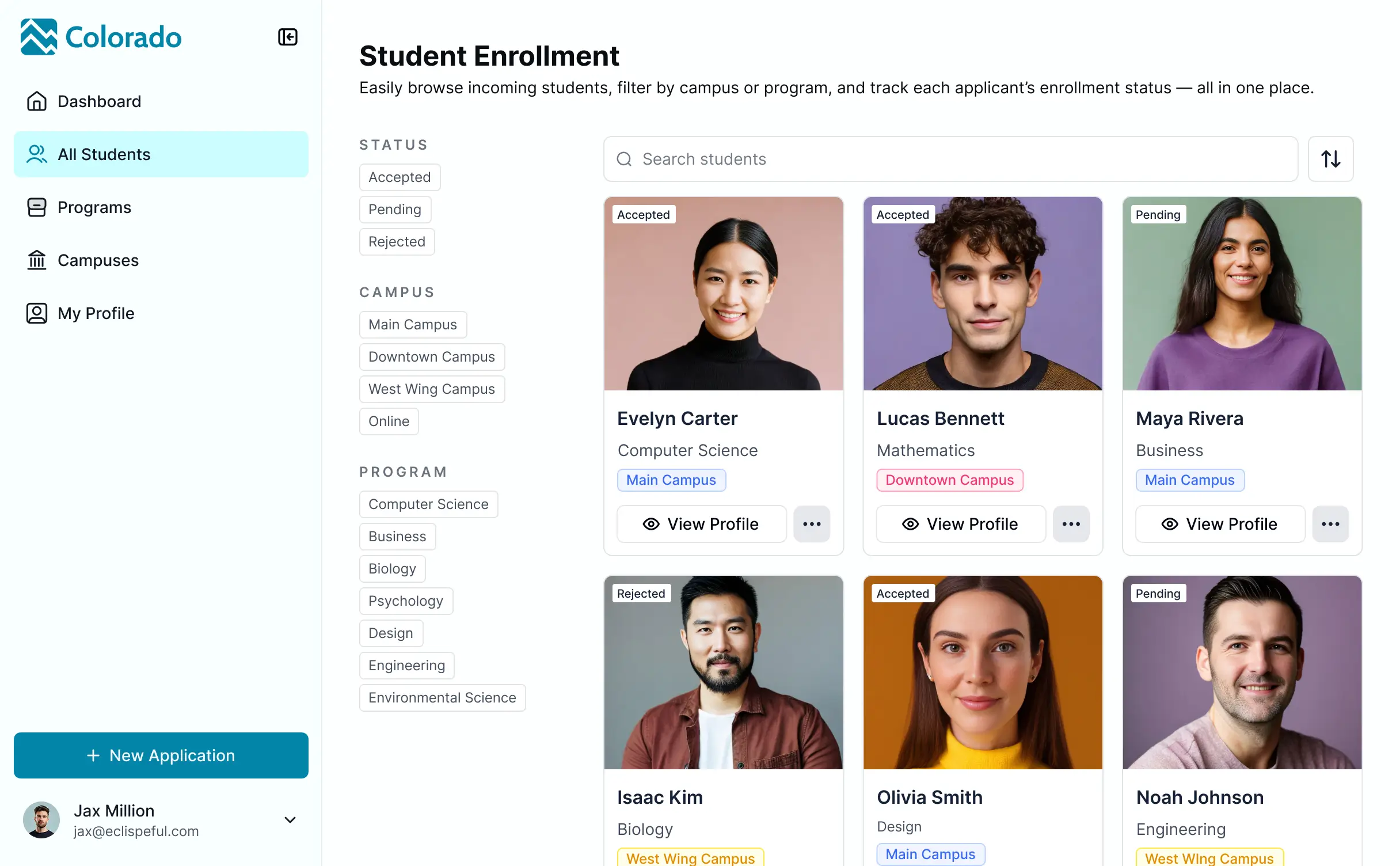
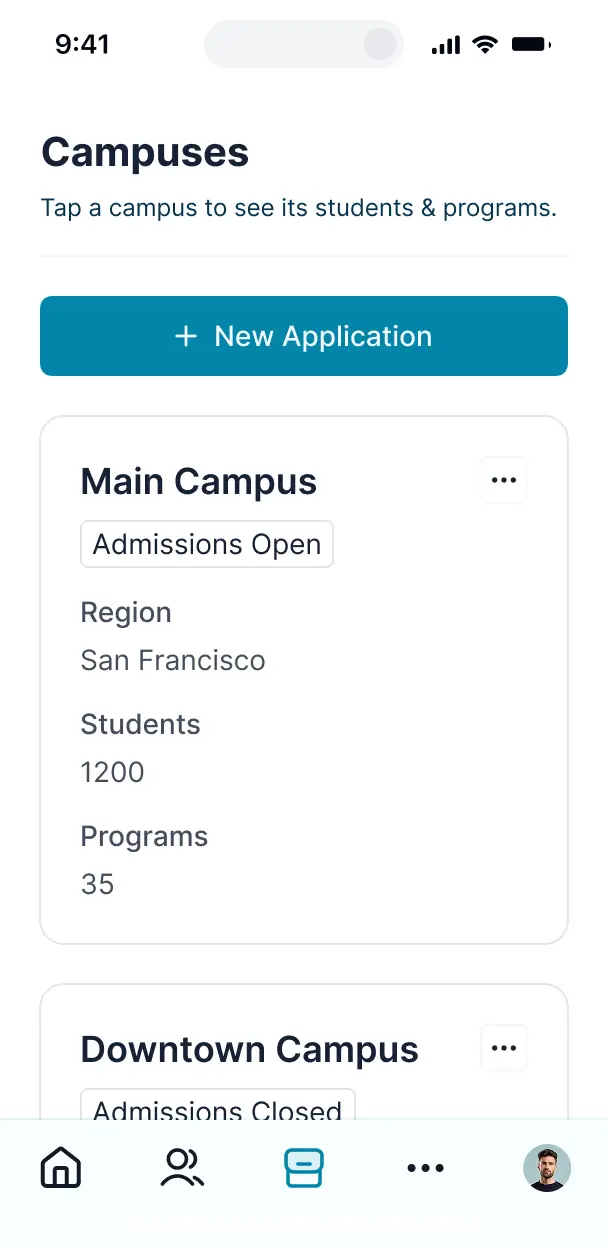

Customize your course scheduling system setup with the exact steps and views your team needs. Add features as processes evolve—no code needed.


Connect instructor lists, room availability, and student records with real-time sync—or manage everything in Softr Databases. Create a single source of truth for your school.
Give each teammate the right tools and access. Set up secure logins, user groups, and granular permissions—no IT support or dev work needed.
Give registrar staff, department heads, and instructors tailored access and dashboards, so each role sees just the schedules they need.
Streamline your scheduling with Softr Workflows. Trigger native notifications for room changes or enrollment updates to keep faculty and students informed.
Access and update your course scheduling system on the go. All calendars and availability trackers are mobile-ready out of the box.
Use Google, email, or SSO logins to give your faculty fast, secure access to their teaching schedules—no IT tickets needed.
Keep institutional data safe with SOC2 and GDPR compliance, plus fine-tuned access control to ensure student privacy at every level.
No more one-size-fits-all tools or costly custom builds. Softr is easy to use and fully customizable, so you can launch faster, adapt as you grow, and skip the complexity of traditional software.

Build your course scheduling system in minutes with AI—no manual configuration or manual entry required.

Add features like room conflict alerts, student portals, or automated notifications as your curriculum grows.

Start with a scheduling tool, then add student portals and resource dashboards—all in one place with no extra fees.
Co-build with AI
Simply describe what you need. Let Softr handle everything - Interface, database, workflows.
Iterate with AI or visually
Control most critical parts of your app yourself - roles, permissions, security.
Ship the same day
Invite team members or external clients and partners right away. No developer handover.
Use drag-and-drop blocks to build a portal that looks sleek and modern out of the box. Add only the features you need, and iterate as your workflows evolve.




A course scheduling system is a secure digital environment where educational administrators, instructors, and students can manage academic calendars, classroom assignments, and enrollment timelines. It centralizes all scheduling data in one place, eliminating the need for chaotic spreadsheets or manual email updates. This ensures that faculty and students stay synchronized with the most up-to-date course information and room availability.
Softr is the first AI-native platform for building business software, making it the ideal choice for creating a course scheduling system tailored to your school's unique curriculum. You can describe your specific requirements to the AI Co-Builder—such as semester dates, credit hour logic, and department roles—to instantly generate your database and scheduling pages.
You don't need any coding skills. You can generate the system with AI, start from a template, or build from scratch. Everything runs on Softr Databases, or you can link your existing data from Airtable, Google Sheets, or SQL. You maintain full control over the visual layout and permissions, ensuring staff can edit schedules while students can only view and register. It's fast to launch and flexible enough to scale from a single department to an entire university.
You can incorporate a variety of specialized features into your course scheduling system to streamline academic operations. A robust system typically combines interactive UI blocks with AI-driven functionality:
- AI-Powered Intelligence – Use Ask AI to let registrars query class capacity trends, or set up Database AI Agents to automatically suggest faculty assignments based on expertise and availability.
- Vibe Coding Blocks – Create custom UI components—like a drag-and-drop weekly timetable—using the AI Code block to build exactly the scheduling view your faculty needs.
- Softr Workflows – Set up native automations that trigger notification emails to students whenever a course time changes or a new section is added.
- Faculty & Student Portals – Securely manage logins so instructors only see their assigned lectures and students can only access their personal registration dashboards.
- Registration Forms – Capture enrollment data and student preferences with custom forms that include file uploads for prerequisites.
- Capacity Dashboards – Visualize enrollment numbers and classroom utilization with real-time charts and summaries.
- Course Lists & Filtering – Allow users to browse courses via searchable tables or calendar views filtered by department, professor, or difficulty level.
Everything is built using Softr’s intuitive blocks, and if you need a specific niche feature, you can vibe code it instantly with AI.
Vibe coding allows you to build a sophisticated course scheduling system at record speed using AI. You simply describe your academic workflow—identifying how courses, sections, and instructors relate—to the AI Co-Builder. Softr then generates a production-ready application that is secure and functionally sound.
Unlike standard AI generators that produce buggy raw code, Softr manages the critical structural elements—like student authentication, scheduling logic, and data security—natively. This provides the speed of vibe coding without the long-term maintenance burden. You describe the scheduling rules, Softr builds the interface, and your institution is ready to enroll students immediately.
Yes. You can manage multiple departments, faculties, or campus locations within a single system. By utilizing roles and permissions, you can ensure that a Department Head only manages their specific curriculum, while university admins maintain a bird's-eye view of all campus resources. Each user sees only the relevant courses and schedules based on their login credentials.
Yes, you can. You do not need an existing database to start building your course scheduling system. If you are starting from zero, Softr Databases is built directly into the platform, allowing you to create tables for courses, faculty, and room assignments that integrate perfectly with your app.
However, if your data currently lives in Airtable, Google Sheets, or a legacy SQL database, you can easily connect those sources. You can even use the REST API to pull in student records from other administrative systems. You have total creative control over how your course data is structured and displayed.
Softr Databases is the recommended native source for your course scheduling system, offering high performance and instant triggers for scheduling automations. Because the data is native, the experience for students browsing the course catalog is exceptionally fast.
Softr also connects to 17+ external sources including Airtable, Google Sheets, HubSpot, and BigQuery. You can even combine sources—for example, storing course descriptions in Softr Databases while pulling real-time student enrollment stats from a SQL database. Most connectors support two-way sync, so updates to a class time in Softr will reflect across your entire data ecosystem automatically.
Yes, Softr gives you granular control over the user experience. You can design the schedule layout and navigation to match your institution’s branding. Each page can be restricted based on user roles, ensuring that students only see their registered classes while faculty can edit syllabus links and lecture notes.
You can define roles such as Student, Instructor, and Registrar, setting specific edit permissions for each. For instance, an instructor can update a course description, but only a registrar can change the assigned classroom. You can also create personalized student views that filter the course list to show only classes relevant to their specific major.
Yes, you can fully white-label your course scheduling system. You can apply your institution’s logo, school colors, and custom fonts, and host the system on your own domain (e.g., schedule.university.edu). You can also remove all Softr branding to ensure students and faculty have a seamless, professional experience that feels like a native part of your portal.
Yes, you have complete flexibility over the design and layout. You can adjust the visual theme to fit your brand and determine exactly how course information is presented.
To display your schedules, you can utilize various functional blocks:
- Calendar blocks – to visualize class times, exam weeks, and academic deadlines.
- Table blocks – for structured views of course catalogs and faculty directories.
- List or Card blocks – to showcase featured courses or departmental highlights.
- Detail View – to provide in-depth information on a single course, including prerequisites and instructor bios.
- Forms – for course registration or feedback collection.
- Charts – to track enrollment trends and classroom capacity analytics.
Modifying the layout is simple via the visual builder, allowing you to update the system as each new semester approaches.
Security is a core priority for Softr. All data is encrypted using industry-standard protocols, and your course scheduling system is hosted on secure, SOC 2 Type II compliant infrastructure. You have full control over data visibility through role-based permissions, ensuring sensitive information like student grades or private faculty details is only accessible to authorized personnel.
For systems using Softr Databases, data is stored securely in Germany (Europe). If you connect to external sources like Airtable or SQL, Softr displays that data in real-time without storing it on our servers. You are always in command of your data and who has the right to view or modify scheduled records.
It is fully production-ready. While other AI tools might produce fragile scripts that are difficult to scale, Softr builds your course scheduling system on a stable, institutional-grade infrastructure.
By handling the essential technical requirements natively—such as user authentication, secure data sync, and complex permissions—we solve the "Day Two" problem of AI. You get the speed of an AI-generated prototype with the reliability and security of a professional software application, ready for students to use on day one.
Softr is the first AI-native platform designed for business and educational software. Unlike traditional no-code tools that require hours of manual setup or "vibe coding" tools that produce unmanaged code, Softr’s AI Co-Builder creates structured apps on a secure, managed foundation.
This hybrid approach allows you to use AI to generate your course database and registration logic in minutes, while still having visual tools to fine-tune the student experience. You get the agility of AI combined with the robustness of built-in authentication and roles, making it the fastest way for academic teams to go from an idea to a live scheduling system.
Yes. Softr supports native workflows and integrations to connect your course scheduling system with the rest of your educational tech stack. You can automate tasks like sending PDF syllabi via email or syncing student enrollments with a billing system like Stripe. Softr also supports webhooks and the REST API for advanced institutional integrations.
Whether you need to trigger a message in Slack when a class is cancelled or sync faculty hours with your HR system, you can build these powerful automations directly into your system without writing any code.
Describe what you need. Softr's AI builds it in minutes. Get started for free today, no code needed.