Track work orders, manage status, and automate notifications in an AI-powered system built with AI to fit your business workflow.
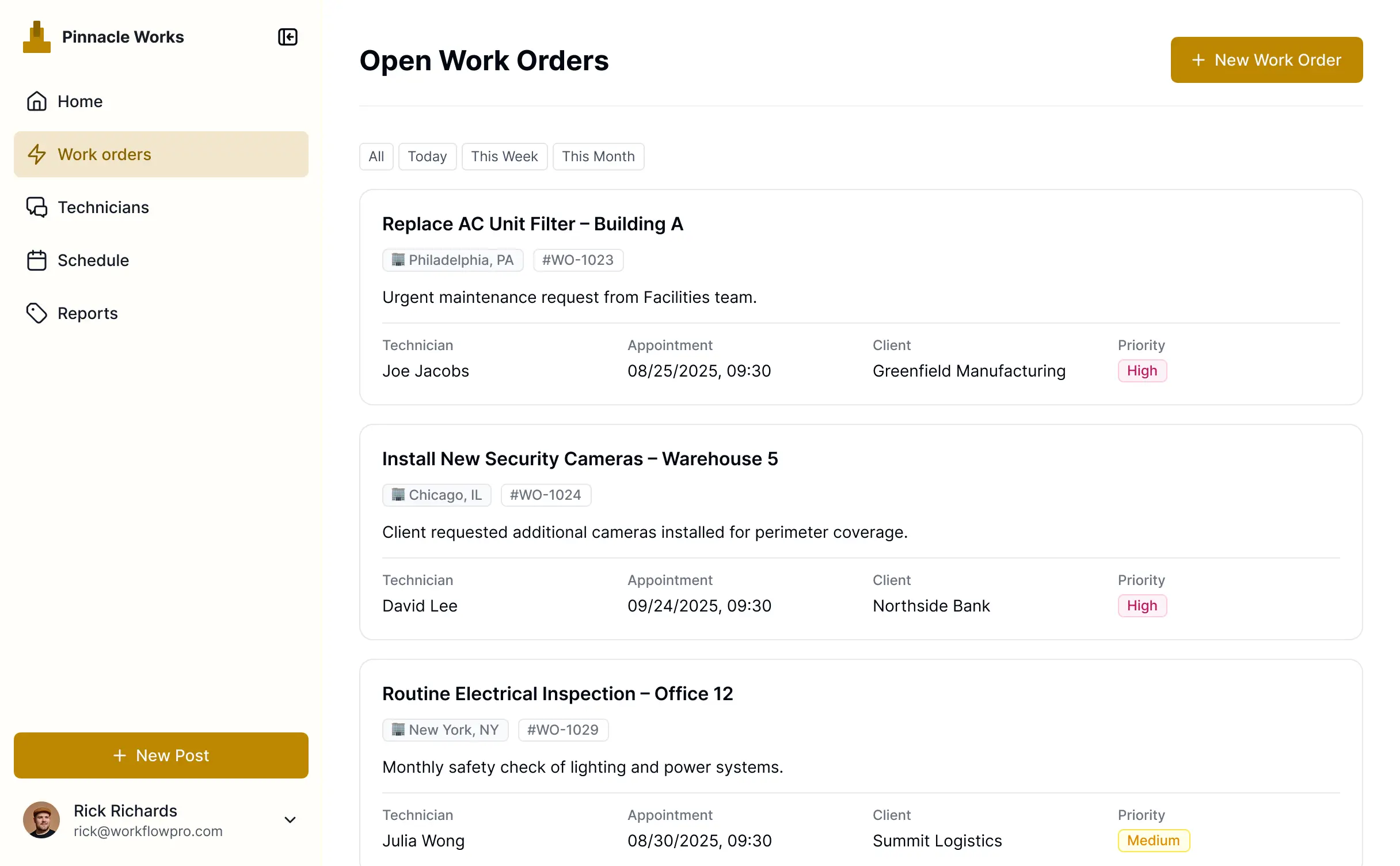
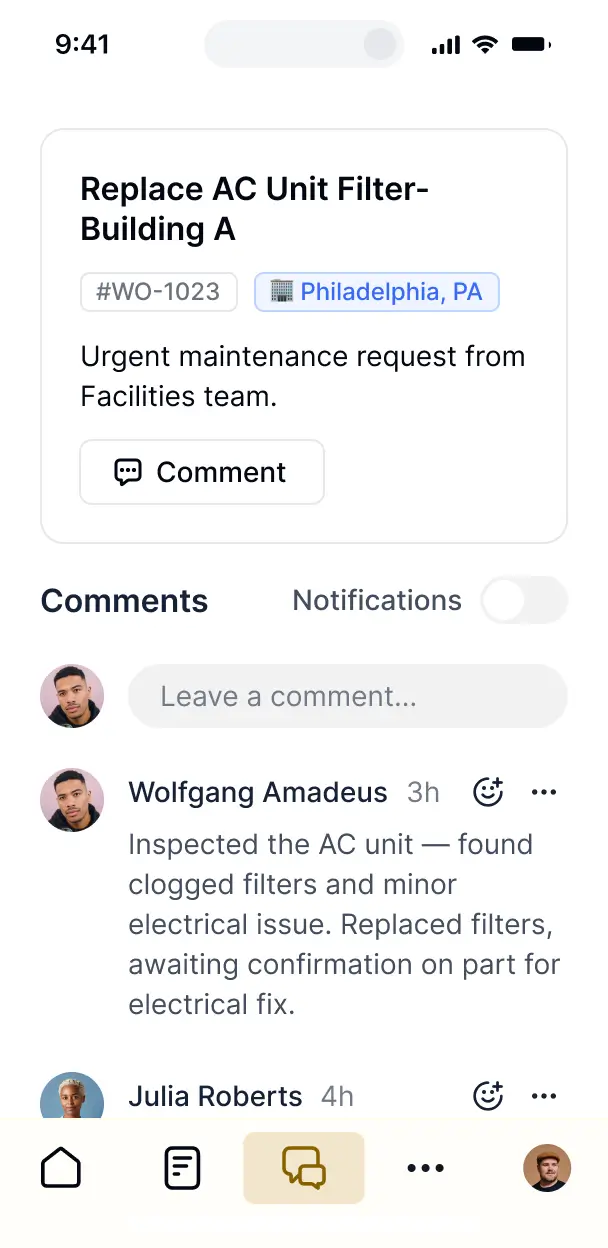



Customize templates with the exact steps and views your team needs. Add blocks like fulfillment dashboards and file uploads—no code needed.


Connect spreadsheets, order databases, and inventory systems with real-time sync—or manage everything in Softr Databases. Create one integrated system for updates.
Let technicians, managers, and customers log in to a fully branded portal. Set up permissions and personalized access in minutes—no code needed.
Automate your operations with Softr Workflows for status updates and client notifications that trigger instantly as orders are fulfilled.
Assign roles for order managers, field techs, or customers—ensuring every user gets access to only the order data they need.
Control who can view, assign, or complete work orders—right down to specific fields like budget, attachments, or fulfillment status.
Keep job data and client information safe. Softr is fully compliant with SOC2 and GDPR regulations to protect your business tools.
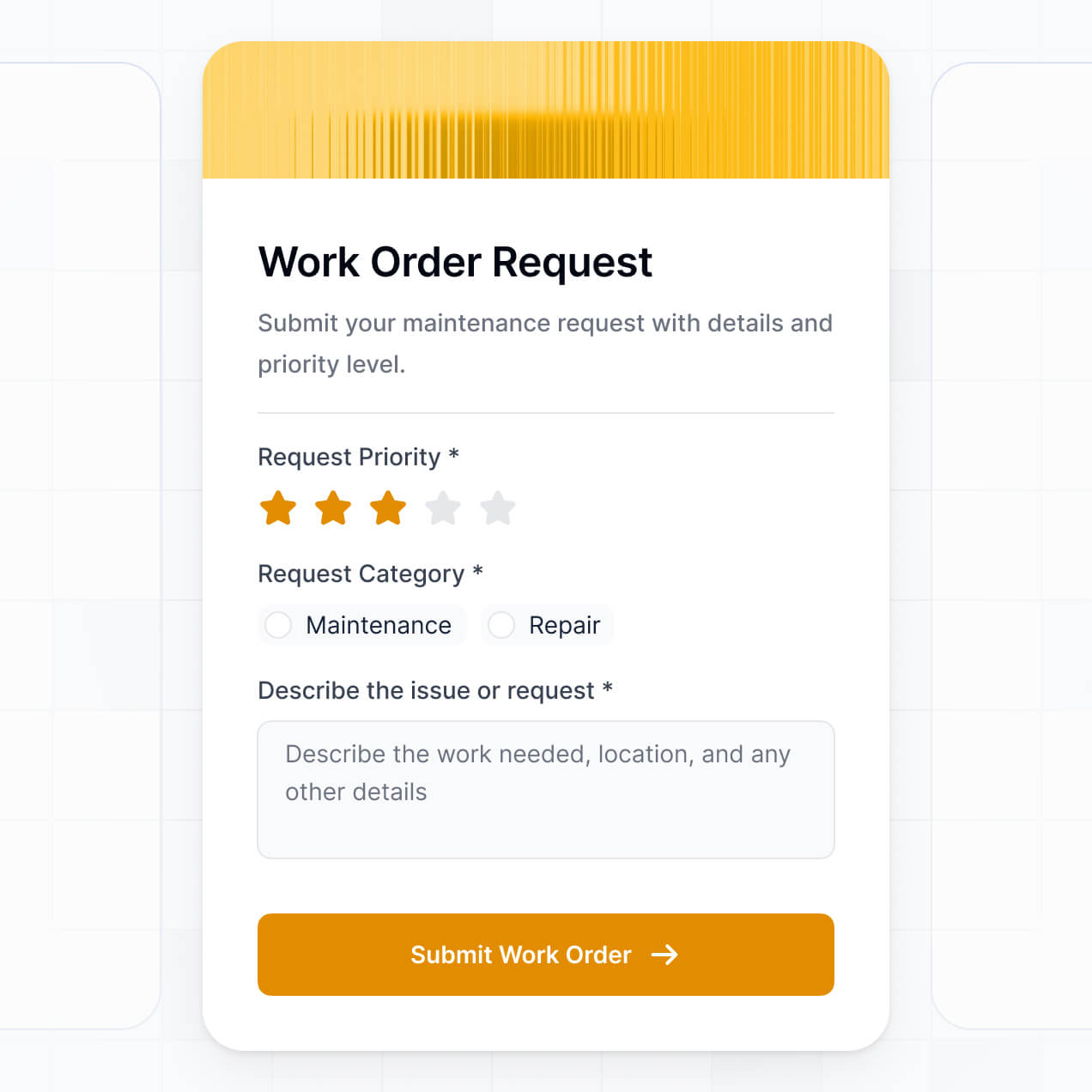
Capture order details, signatures, or photo inspections using flexible form blocks tailored to every specific type of job task.
No more one-size-fits-all tools or costly custom builds. Softr is easy to use and fully customizable, so you can launch faster, adapt as you grow, and skip the complexity of traditional software.

Build your free order management software in minutes with AI—no manual configuration or setup required.

Add features like real-time tracking, automated alerts, or custom status updates as your team's workflow grows.

Start with order management, then add client portals or vendor forms—all in one place with no extra costs.
Co-build with AI
Simply describe what you need. Let Softr handle everything - Interface, database, workflows.
Iterate with AI or visually
Control most critical parts of your app yourself - roles, permissions, security.
Ship the same day
Invite team members or external clients and partners right away. No developer handover.
Use drag-and-drop blocks to build a portal that looks sleek and modern out of the box. Add only the features you need, and iterate as your workflows evolve.




A free order management software is a secure digital workspace where you can track the lifecycle of every job, from initial customer request to final completion. It serves as a central hub for managing work orders, parts inventory, and technician schedules, eliminating the chaos of paper forms and unorganized emails. This ensures your operations remain transparent, organized, and efficient for both your dispatchers and field staff.
Softr is the first AI-native platform for building business software, making it possible to create highly professional work order tools without high costs. You can describe your specific intake and fulfillment needs to the AI Co-Builder to instantly generate your database, service request pages, and dispatch logic—all while keeping your data secure.
You don't need any coding experience to begin. You can start by generating with AI, using a pre-built work order template, or building from scratch. Everything runs on Softr Databases, a native relational engine, or you can leverage existing data in Airtable, Google Sheets, or HubSpot. You have complete control to customize the interface, set technician permissions, and brand the app to match your service company’s identity.
You can include a wide range of features in your work order system to match your specific operational flow. A robust order management app typically combines standard organizational blocks with AI-driven automation:
- AI-Powered Intelligence – Utilize Ask AI to let dispatchers query job histories or use Database AI Agents to automatically summarize service reports or categorize incoming work requests.
- Vibe Coding Blocks – Create custom UI components, such as a signature capture pad or a geo-fenced check-in button, using the AI Code block to "vibe code" exactly what your technicians need.
- Softr Workflows – Set up native automations, like sending an SMS notification to a customer once their work order status changes to 'Completed'.
- User Portals & Logins – Ensure technicians only see their assigned routes and job details while managers maintain a bird's-eye view of all pending orders.
- Forms & Data Collection – Record repairs, capture site photos, and document parts used with mobile-friendly forms.
- Dashboards & Charts – Monitor real-time performance metrics like average completion time and billable hours.
- Lists & Advanced Filtering – Manage your backlog with searchable tables, status-based kanban boards, and priority views.
Everything is built using Softr's drag-and-drop system, and you can always add custom components via the Vibe Coding block if your workflow grows more complex.
Vibe coding allows you to build a sophisticated service management system by simply describing how you want your orders to be processed. By telling the AI Co-Builder your requirements, Softr generates a production-ready application that is more reliable than raw script.
While other tools might give you unstable, custom-coded snippets, Softr manages the critical underlying infrastructure—including secure login for field staff and database relations—natively. This allows you to focus on the 'vibe' and functionality of your order flow without worrying about the technical debt of managing raw code. You describe the workflow, Softr builds IT, and your team can start closing tickets instantly.
Yes. You can manage multiple client locations or specialized maintenance teams within a single software instance. Using granular visibility rules, each client can log in to view only their own service history and current order status, while specific technician teams only see the jobs relevant to their skill set or territory. This is ideal for HVAC, plumbing, or property management companies handling diverse portfolios.
Absolutely. You don't need an existing database to start building your order management system. If you're starting fresh, you can use Softr Databases, which is natively integrated and designed to handle relational data like linking customers to specific service orders effortlessly.
However, if you already have job data stored in Airtable, Google Sheets, HubSpot, or SQL, you can connect those sources in seconds. You also have access to the REST API to pull in data from external inventory systems. You maintain total control over how your job records are structured and visualized for your team.
Softr Databases is the recommended relational data source for your work order management, offering peak performance and instant automation triggers directly within the platform.
If your data resides elsewhere, Softr connects to over 17 external sources including Airtable, Google Sheets, HubSpot, and BigQuery. You can even combine sources—for example, pulling customer contact info from HubSpot while managing active work orders in Softr Databases. Most connections support real-time, two-way sync, ensuring your technicians in the field and dispatchers in the office are always looking at the same information.
Yes, Softr provides deep control over the user experience of your order management tool. You can tailor the layout and navigation to mirror your specific fulfillment process. Every page or data block can be dynamically shown or hidden based on the user's role, so field workers see simple checklists while office admins see complex financial overviews.
You can define specific roles—such as Technician, Dispatcher, or Customer—and set precise viewing and editing rights for each. This ensures that a technician can update a 'Status' field but can't accidentally delete a 'Customer Record.' These personalized views keep the interface clutter-free and ensure your business data remains secure.
Yes, you can fully white-label your order management application. You can integrate your professional logo, brand colors, and custom fonts, and host the app on your own sub-domain to provide a consistent brand experience. By removing Softr branding, your customers and employees interact with a tool that looks and feels like proprietary software built specifically for your company.
Yes, Softr offers immense flexibility regarding the aesthetics and functional layout of your tool. You can adjust the visual styles and page structures to fit your brand. For displaying work orders, you can choose from various block types:
- Table blocks – for high-density views of upcoming jobs and due dates.
- Kanban boards – to move orders through stages like 'Pending,' 'In Progress,' and 'Completed.'
- Detail Views – to provide technicians with full job descriptions, manuals, and site notes.
- Forms – for field reporting and parts logging.
- Charts – to track monthly ticket volume and team productivity.
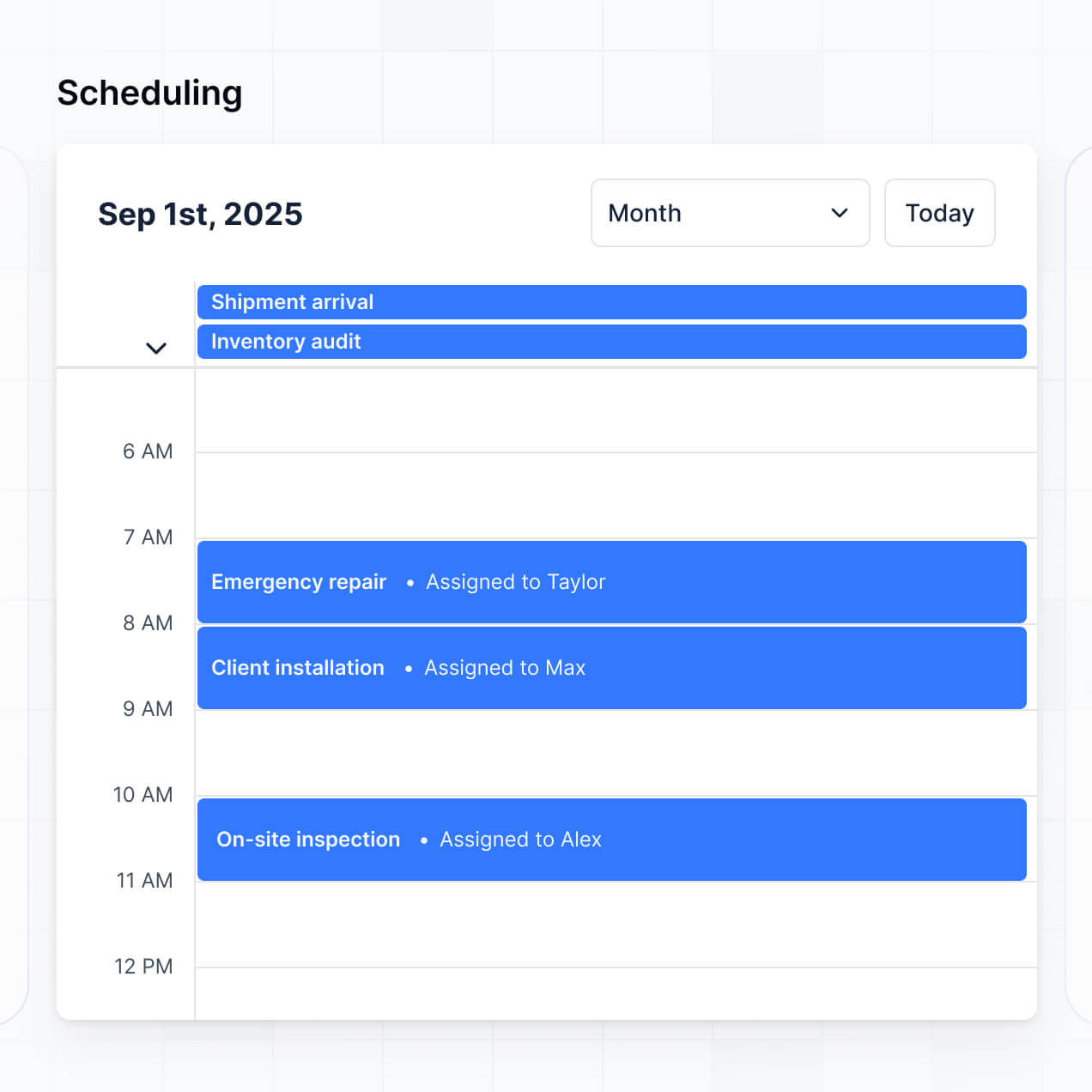
- Calendar blocks – to visualize technician schedules and appointment windows.
If your service offerings change, you can easily tweak the design in the visual editor without needing a developer.
Security is a core priority for Softr. All job data is encrypted in transit and at rest, hosted on reliable infrastructure. You have granular control over data access; through role-based permissions and visibility rules, you ensure that sensitive customer information is only accessible to authorized personnel.
For apps using Softr Databases, data is stored in a secure SOC 2 Type II compliant environment in Germany. If you connect external sources like Airtable or SQL, Softr displays that data in real-time through secure protocols without storing a secondary copy on our servers. You remain the owner and controller of your operational data at all times.
The AI-generated app is fully production-ready. Unlike experimental AI tools that produce unmanageable code, Softr builds your work order system on a battle-tested, business-grade infrastructure.
Softr handles the essential 'boring' aspects—like secure user authentication, mobile responsiveness, and database hosting—natively. This solves the reliability issues common with AI-generated software; you get an instant, functional tool that is scalable and secure for actual daily operations from the moment it is generated.
Softr is the first AI-native platform designed for business software. While other tools require complex manual setup or produce fragile 'vibe-coded' prototypes, Softr’s AI Co-Builder creates structured apps on a secure foundation.
It offers a unique hybrid advantage: the speed of AI for generating your initial database and interface, combined with the precision of a drag-and-drop visual editor for fine-tuning. It simplifies the transition from an idea to a live work order system by including built-in enterprise features like advanced permissions and native hosting that other no-code tools often treat as afterthoughts.
Yes. Softr allows you to build powerful native workflows and connect with your existing tech stack. You can automate repetitive tasks like generating an invoice in Stripe upon order completion or sending a Slack alert when a high-priority work order is submitted.
By supporting REST APIs and webhooks, Softr enables your order management software to communicate with inventory tools, CRM systems, and communication platforms. You can create a fully interconnected operations hub without ever writing a single line of code.
Describe what you need. Softr's AI builds your custom tool in minutes—no code or dev time needed.