Track vehicle repairs, assign tasks, and alert customers in an AI-powered system built with AI to fit your garage's service workflow.
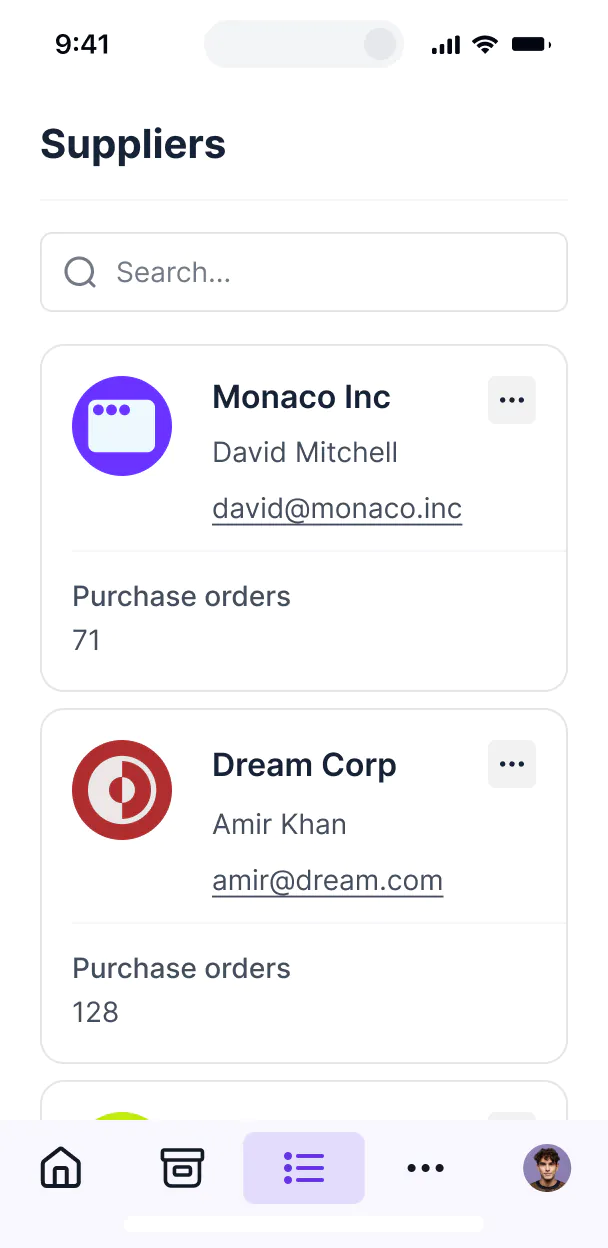



Customize an auto repair setup with the exact views your mechanics need. Add blocks for parts and status updates as your processes involve—no code.


Connect spreadsheets, parts catalogs, and customer lists with real-time sync—or manage everything in Softr Databases. Create a single source of truth for your shop.
Let mechanics, shop managers, and clients log in to a fully branded system. Set up permissions and personalized access in minutes—no code needed.
Automate your shop operations with Softr Workflows for repair status updates, low-stock parts alerts, and automated customer notifications.
Assign roles for mechanics, office staff, or customers—each user group gets access to only the repair data they need to see.
Control who can create work orders, edit labor hours, or view sensitive customer billing—down to the specific record level.
Keep vehicle history and customer data safe. Softr is fully compliant with SOC2 and GDPR regulations to protect your business.
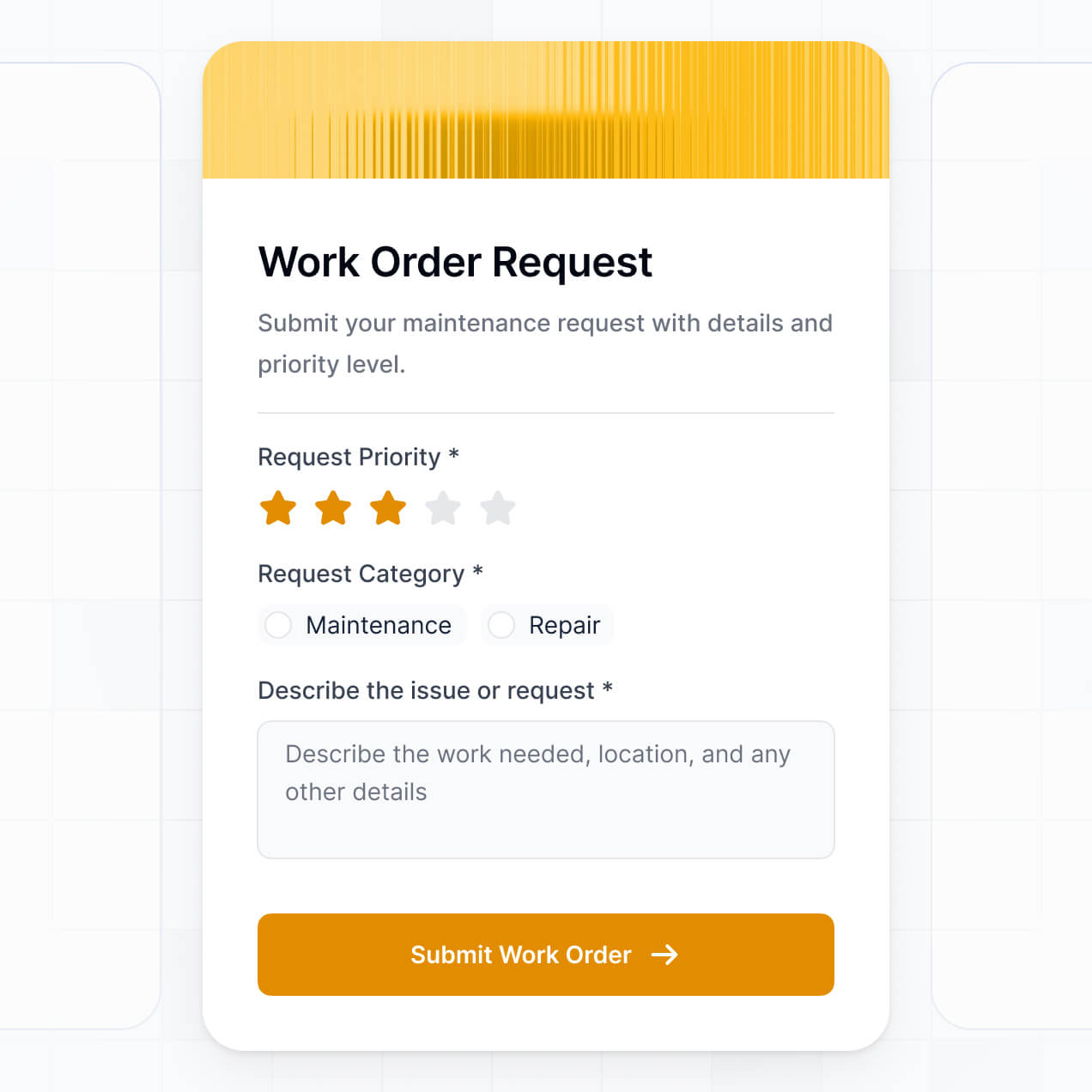
Capture service intake details, vehicle inspections, or customer approvals using flexible form blocks tailored to each specific job.
No more one-size-fits-all tools or costly custom builds. Softr is easy to use and fully customizable, so you can launch faster, adapt as you grow, and skip the complexity of traditional software.

Build your auto repair software in minutes with AI—no manual setup or complex configuration needed.

Add features like inventory tracking, repair logs, or automated alerts as your service grows—no rebuild needed.

Start with work orders, then add client portals, dashboards, or intake forms—all in one place with Softr.
Co-build with AI
Simply describe what you need. Let Softr handle everything - Interface, database, workflows.
Iterate with AI or visually
Control most critical parts of your app yourself - roles, permissions, security.
Ship the same day
Invite team members or external clients and partners right away. No developer handover.
Use drag-and-drop blocks to build a portal that looks sleek and modern out of the box. Add only the features you need, and iterate as your workflows evolve.




Auto repair work order software free is a secure digital hub where shop owners can manage service requests, track vehicle repairs, and streamline communication with customers. It consolidates job details, labor hours, and parts lists in one place, eliminating the chaos of paper tickets or messy spreadsheets. This helps your shop stay organized, ensures technicians know exactly what to work on, and provides a professional experience for your car-owner clients.
Softr is the first AI-native platform for building business software, making it the fastest way to create a work order system that matches your shop's specific workflow. You can describe your garage’s needs to the AI Co-Builder to instantly generate your service database, job tracking pages, and technician logic—all fully connected and secure from the start.
You don't need any coding skills to get started. You can use AI to generate the app, pick a workshop template, or build from scratch. Your data lives in Softr Databases, our native relational engine, or you can sync with existing tools like Airtable or Google Sheets. Softr gives you total control to customize the layout for mobile mechanics, set permissions for different staff roles, and brand it with your shop's logo. It’s built to launch quickly and scale as you add more bays and technicians.
You can build a wide variety of features to power your shop, depending on how you handle repairs. Effective work order software usually combines standard management tools with AI-driven efficiency:
- AI-Powered Intelligence – Use Ask AI to let staff query service history conversationally, or set up Database AI Agents to automatically summarize labor costs or suggest parts based on common vehicle issues.
- Vibe Coding Blocks – Create custom UI components, such as a vehicle inspection checklist or an interactive car diagram for damage reporting, using the AI Code block to build exactly what your mechanics need.
- Softr Workflows – Set up native automations, like sending a text notification to a customer when their car is ready or auto-generating an invoice when a work order is closed.
- Technician Portals & Logins – Securely manage access so mechanics only see their assigned repair tickets, while the shop manager maintains a full view of the garage's operations.
- Forms & Data Collection – Capture vehicle VINs, customer details, and repair requests with custom forms and photo uploads of car damage.
- Dashboards & Charts – Visualize shop performance, such as weekly revenue, average repair time, or common service types with real-time charts.
- Lists & Advanced Filtering – Manage your queue with searchable tables or kanban boards that categorize jobs by status like 'Pending,' 'In-Progress,' or 'Completed.'
Everything is built using drag-and-drop blocks. If your shop needs a specific tool like a tire-pressure log, you can use Vibe Coding to generate it. As your business grows, you can update the software instantly.
Vibe coding is about moving from an idea to a working shop management tool instantly with AI. You can "vibe code" your auto repair software in Softr by simply describing your shop's repair flow to the AI Co-Builder. Softr then generates a production-ready application that handles everything from customer intake to final approval.
While other tools might give you buggy code snippets, Softr handles the critical "boring 80%"—like secure logins for mechanics, the vehicle database, and user permissions—natively. This means you enjoy the speed of vibe coding without the technical debt of managing raw code. You describe your shop’s needs, Softr builds the interface, and your team can start logging work orders immediately.
Yes. You can manage multiple shop locations or specialized mechanical teams within a single portal. By using role-based access, technicians at 'Location A' only see the work orders assigned to their shop, while the franchise owner or general manager can view data across all locations. This is ideal for expanding auto repair businesses that need a centralized yet partitioned view of their data.
Absolutely. You don't need an existing database or spreadsheet to start building. If you are starting fresh, you can use Softr Databases, which is built directly into the platform. This allows you to define your vehicle lists, labor rates, and customer records from scratch within a secure, integrated environment.
However, if you already have customer lists in Airtable, Google Sheets, HubSpot, or even SQL, you can easily connect those as well. Softr gives you the flexibility to structure your garage data exactly how you want it, regardless of where it currently lives.
Softr Databases is the recommended native source for your auto repair software. It is optimized for speed and provides lightning-fast performance for mechanics on the floor and instant automation triggers for shop notifications.
If you prefer to keep your records elsewhere, Softr connects to over 17 external sources including Airtable, Google Sheets, HubSpot, and SmartSuite. You can even combine sources—for example, storing active work orders in Softr Databases while pulling customer contact info from HubSpot. Most sources support two-way sync, so when a mechanic updates a job status on their phone, it updates everywhere automatically.
Yes, Softr provides granular control over the user experience for everyone in your shop. You can customize the dashboard so that service advisors see intake forms, while mechanics see high-priority repair tasks. Each page or block can be visibility-controlled based on the user’s role.
You can define roles such as 'Mechanic,' 'Manager,' or 'Parts Specialist,' setting exact rules for who can view or edit specific record types (like parts pricing or customer phone numbers). For example, you can create a personalized list view for mechanics that only shows vehicles parked in their assigned bays. This keeps your shop's operations secure and the interface uncluttered for every user.
Yes, you can fully white-label your work order portal in Softr. You can add your shop’s logo, use your brand colors, and set up a custom domain (like service.yourgarage.com) to provide a professional, branded interface to both staff and customers. You can remove all Softr branding so that the tool looks and feels like proprietary software built just for your business.
Yes, you have complete flexibility over the design and layout. You can adjust the themes, typography, and spacing to make the software easy to use on tablets in the garage or desktops in the front office. You decide which data blocks are displayed for specific workflows.
To manage your repair cycles effectively, you can include:
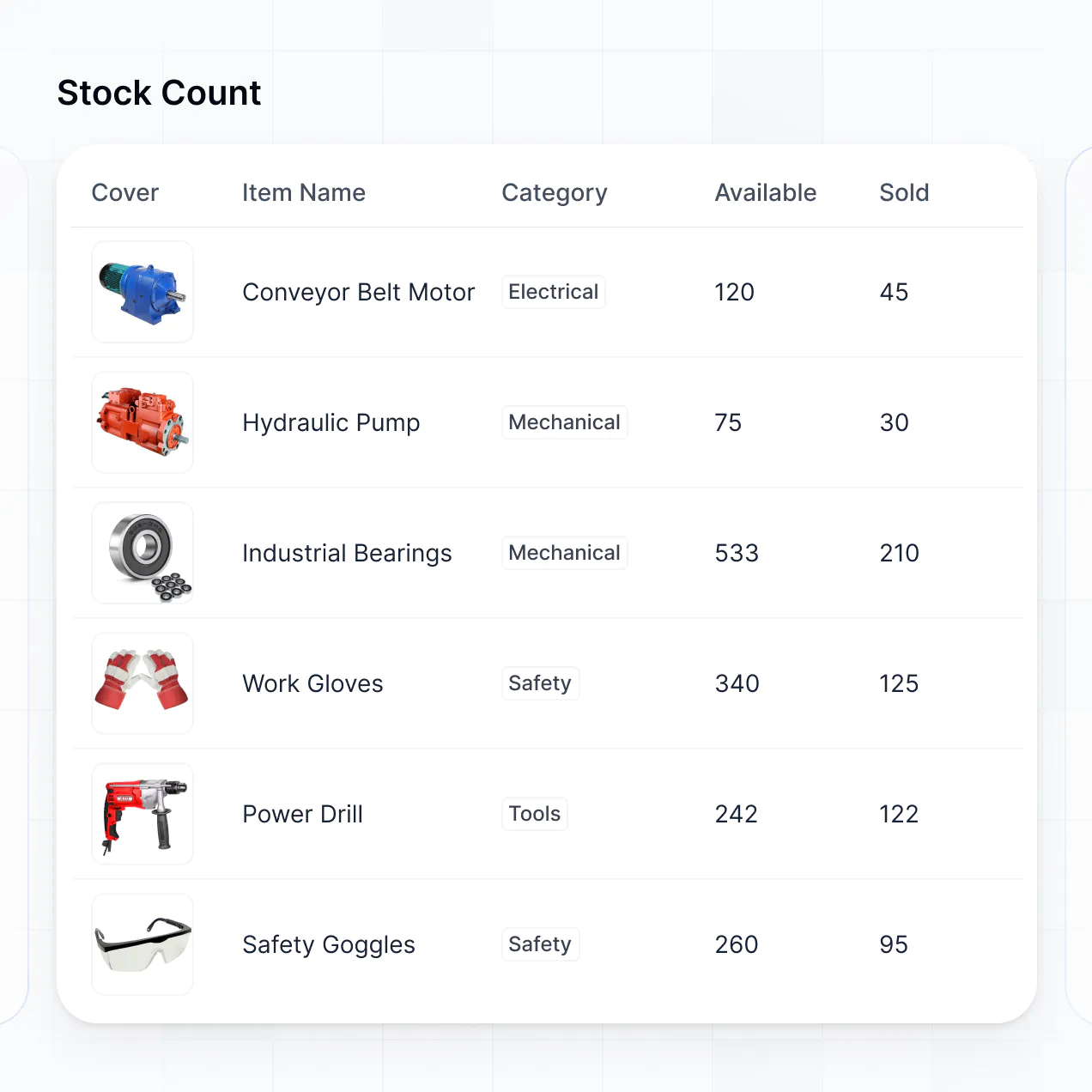
- Table blocks – to track parts inventory or daily service schedules.
- Kanban or List blocks – to move vehicles through stages like 'Diagnosis,' 'Parts Ordered,' and 'Ready for Pickup.'
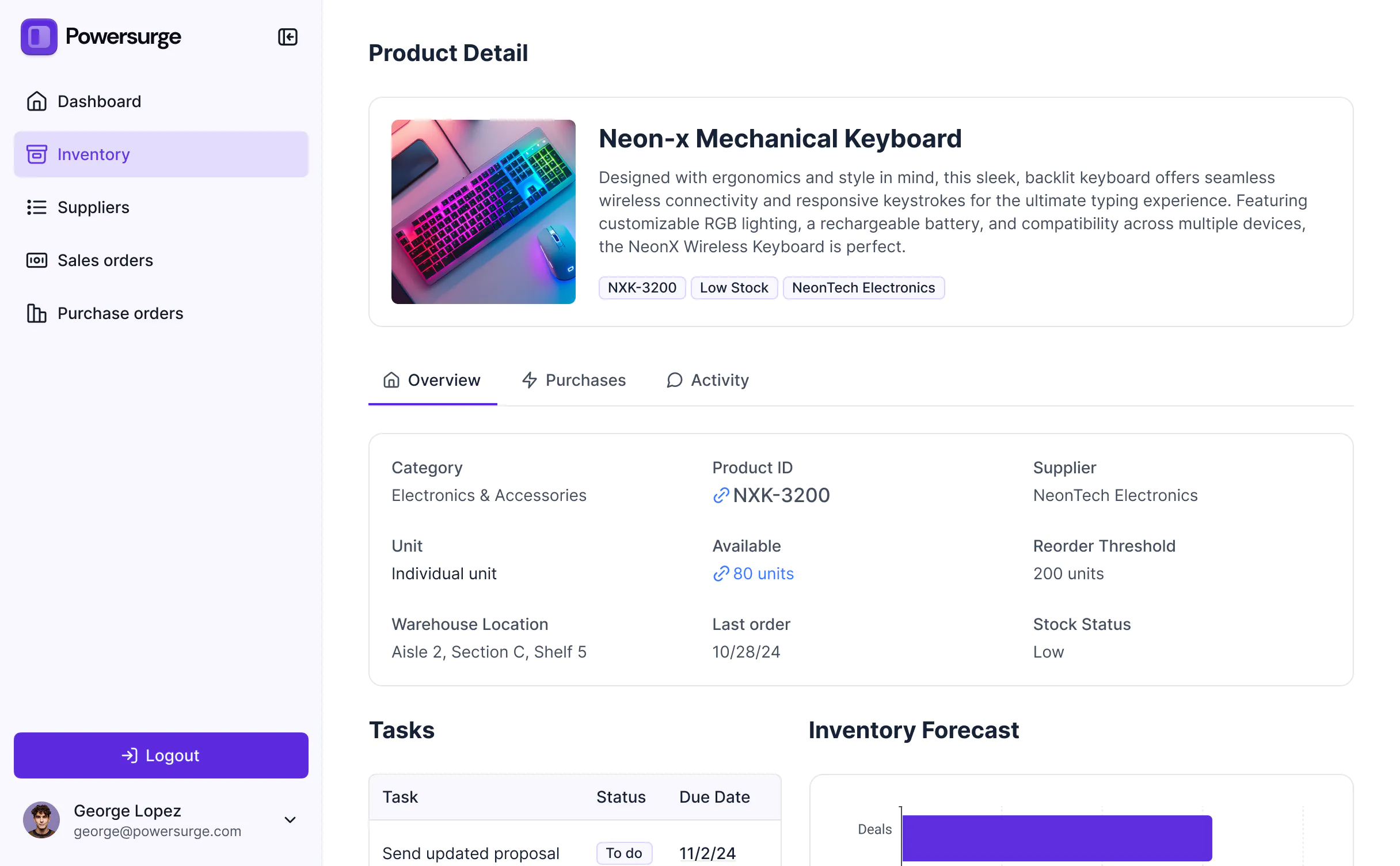
- Detail View – to see a comprehensive history of a specific vehicle or a single work order's details.
- Forms – for mechanics to submit digital multi-point inspections.
- Charts – to track monthly revenue or technician efficiency.
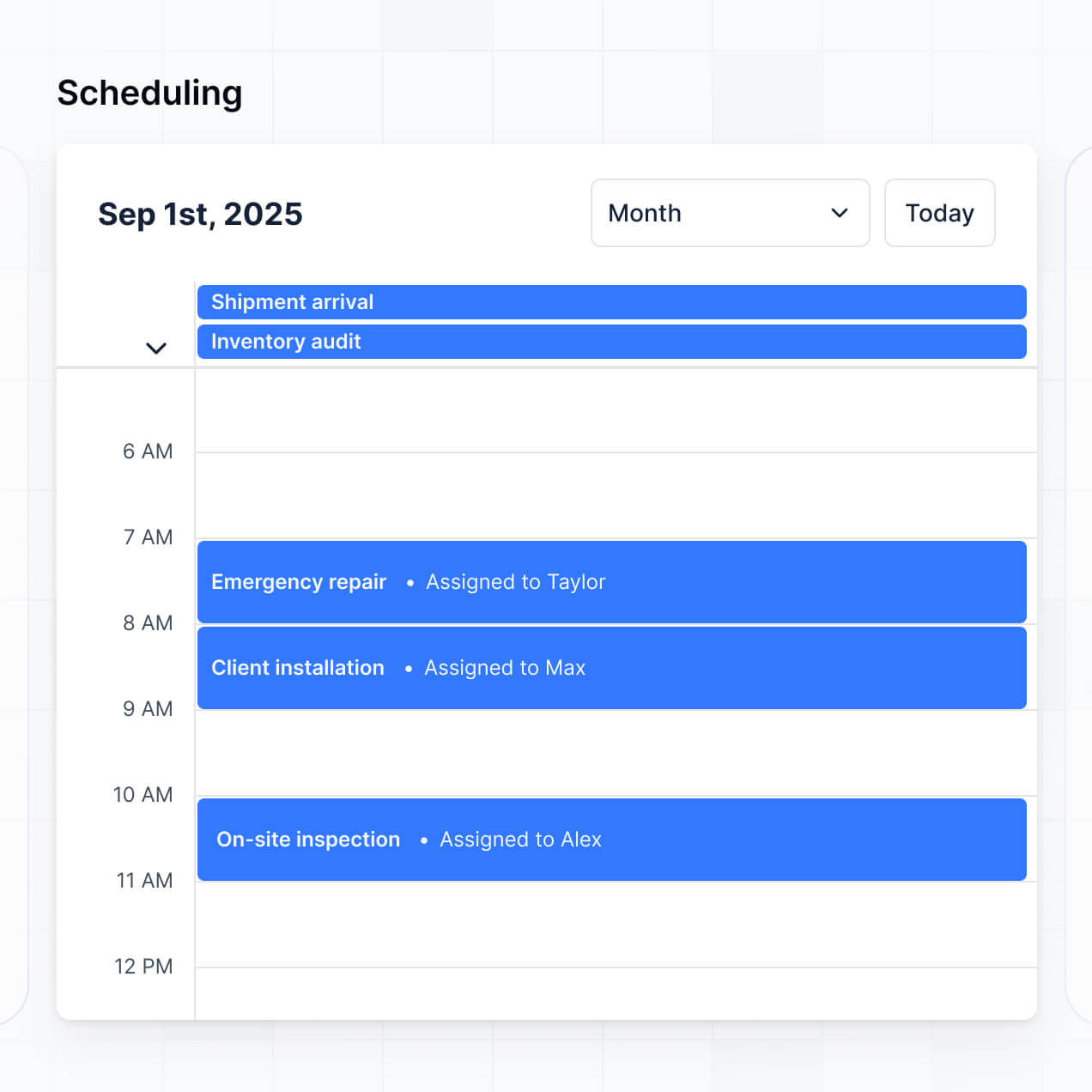
- Calendar blocks – to manage customer appointments and bay availability.
Any layout change can be made instantly in the visual builder without needing to take the system offline.
Softr is built with enterprise-grade security. All data is encrypted via TLS in transit and at rest, and apps are hosted on secure infrastructure. You have full control over data access, utilizing role-based permissions and visibility rules to ensure that sensitive customer data or financial info is only accessible to authorized managers.
If you use Softr Databases, your data is stored securely in Europe (Germany) with SOC 2 Type II compliance. If you connect to external sources like Airtable or SQL, Softr acts as a secure interface, displaying data in real time without storing it. You maintain ownership and control over who can view or modify your garage's records at all times.
It is fully production-ready. Unlike basic AI generators that just output fragile code, Softr builds your auto repair software on a robust, business-grade architecture.
We provide native handling for the 'boring 80%'—including secure technician authentication, hosting, and granular permissions—so you don't have to worry about maintenance. This eliminates the usual AI 'Day Two' problems; you get the benefit of instant creation with the reliability of a professional management system that is ready for your team to use in the shop from day one.
Softr is the first AI-native platform for business software. While other no-code tools require weeks of manual setup or complex logic building, Softr’s AI Co-Builder can generate your entire work order database and interface in minutes based on your description.
The advantage is our hybrid approach: you get the speed of AI generation paired with the reliability of professional infrastructure (roles, permissions, and native hosting). It is specifically designed for shop owners and non-technical managers who want to move from an idea to an active, production-ready garage management tool immediately.
Yes. Softr supports powerful native workflows and a vast range of integrations to connect your shop software to the rest of your tools. You can automate internal tasks using Softr Workflows, sync with Stripe for payments, or connect with Intercom for customer support.
Whether you need to trigger an email to a customer when their vehicle passes inspection or sync parts orders with an external accounting system via REST API and webhooks, you can build these automations directly into your portal without writing a single line of code.
Describe what you need. Softr's AI builds it in minutes. Get started free with no setup time or dev work required.