Centralize listings, manage inquiries, and track appointments in an AI-powered tool built with AI you adapt to fit your real estate team.



Customize your property listing management tool with the exact steps and views your team needs. Add features as processes evolve—no code needed.


Connect your listing databases, spreadsheets, and CRM data with real-time sync—or manage everything in Softr Databases. Create a single source of truth for your business.
Give each user the right views and access in a fully branded portal. Set up secure logins, user groups, and permissions in minutes.
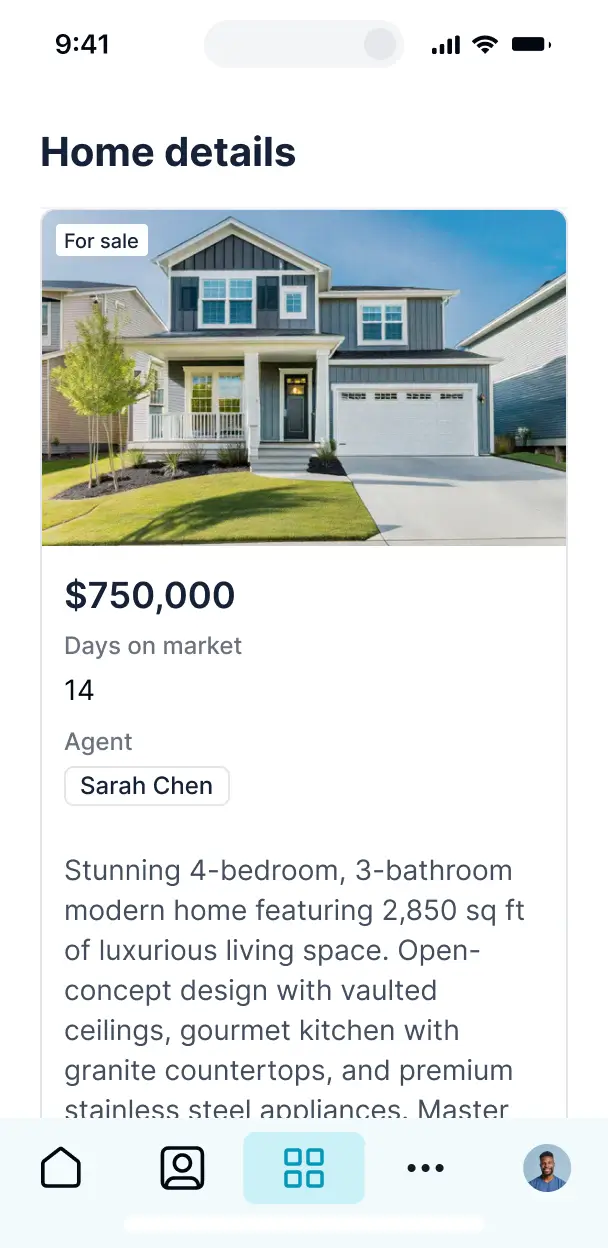
Softr apps are mobile-ready. Agents can manage listings and schedules in the field via a downloadable PWA—no extra design work required.
Build native automations to handle inquiry notifications, status updates, and data sync automatically whenever property records are changed.
Provide separate logins for agents and property seekers, creating personalized dashboards tailored to each person's role and search history.
Apply rules for different user groups. Customize who can edit listing details or view private owner notes at a granular level.
Protect property and client information from security threats. Softr is fully compliant with SOC2 and GDPR regulations for your peace of mind.
No more one-size-fits-all tools or costly custom builds. Softr is easy to use and fully customizable, so you can launch faster, adapt as you grow, and skip the complexity of traditional software.

Build your property listing management tool in minutes with AI—no manual configuration or complex setup needed.

Add features like showing schedules, inquiry forms, or automated status updates as your real estate team grows.

Start with property listings, then add client portals, dashboards, or agent tools—all in one place.
Co-build with AI
Simply describe what you need. Let Softr handle everything - Interface, database, workflows.
Iterate with AI or visually
Control most critical parts of your app yourself - roles, permissions, security.
Ship the same day
Invite team members or external clients and partners right away. No developer handover.
Use drag-and-drop blocks to build a portal that looks sleek and modern out of the box. Add only the features you need, and iterate as your workflows evolve.




A property listing management tool is a secure digital hub where real estate professionals and property managers can organize listings, photos, amenities, and pricing in a centralized directory. It eliminates the need for scattered spreadsheets or messy email chains by providing a single source of truth for all property data. This creates a more professional experience for agents who need to update details and for prospective buyers or renters seeking the most current information.
Softr is the first AI-native platform for building business software, making it the perfect choice to build a property listing management tool tailored to your specific real estate niche. By describing your requirements to the AI Co-Builder, you can instantly generate a searchable directory, detailed property pages, and administrative dashboards—all fully connected and secure from the start.
You don't need to write a single line of code. You can begin with an AI-generated prototype, a directory template, or build from scratch using Softr Databases or your existing data in Airtable, Google Sheets, or HubSpot. You have total creative control to refine the property filters, manage agent access, and brand the tool to match your agency’s aesthetic. It is designed to be deployed quickly, updated easily, and scaled as your property portfolio grows.
You can integrate various professional features into your property listing management tool to streamline your real estate operations. Effective directories usually combine standard listing blocks with AI-driven capabilities:
- AI-Powered Intelligence – Use Ask AI to let agents query listing data (e.g., 'show me all 3-bedroom units under 2k') or use Database AI Agents to automatically generate property descriptions from a list of amenities.
- Vibe Coding Blocks – Create custom UI components, such as an interactive floor plan viewer or a neighborhood map, using the AI Code block to 'vibe code' the exact visual experience you need.
- Softr Workflows – Set up native automations, like sending an automated Slack notification to a broker when a property status changes from 'Available' to 'Pending.'
- User Portals & Logins – Ensure agents can only edit their own listings while office managers maintain full oversight of the entire directory.
- Forms & Data Collection – Easily collect new listing submissions with custom forms including high-resolution photo uploads and location tags.
- Dashboards & Charts – Monitor your portfolio's performance with real-time charts showing vacancy rates, average days on market, or price trends.
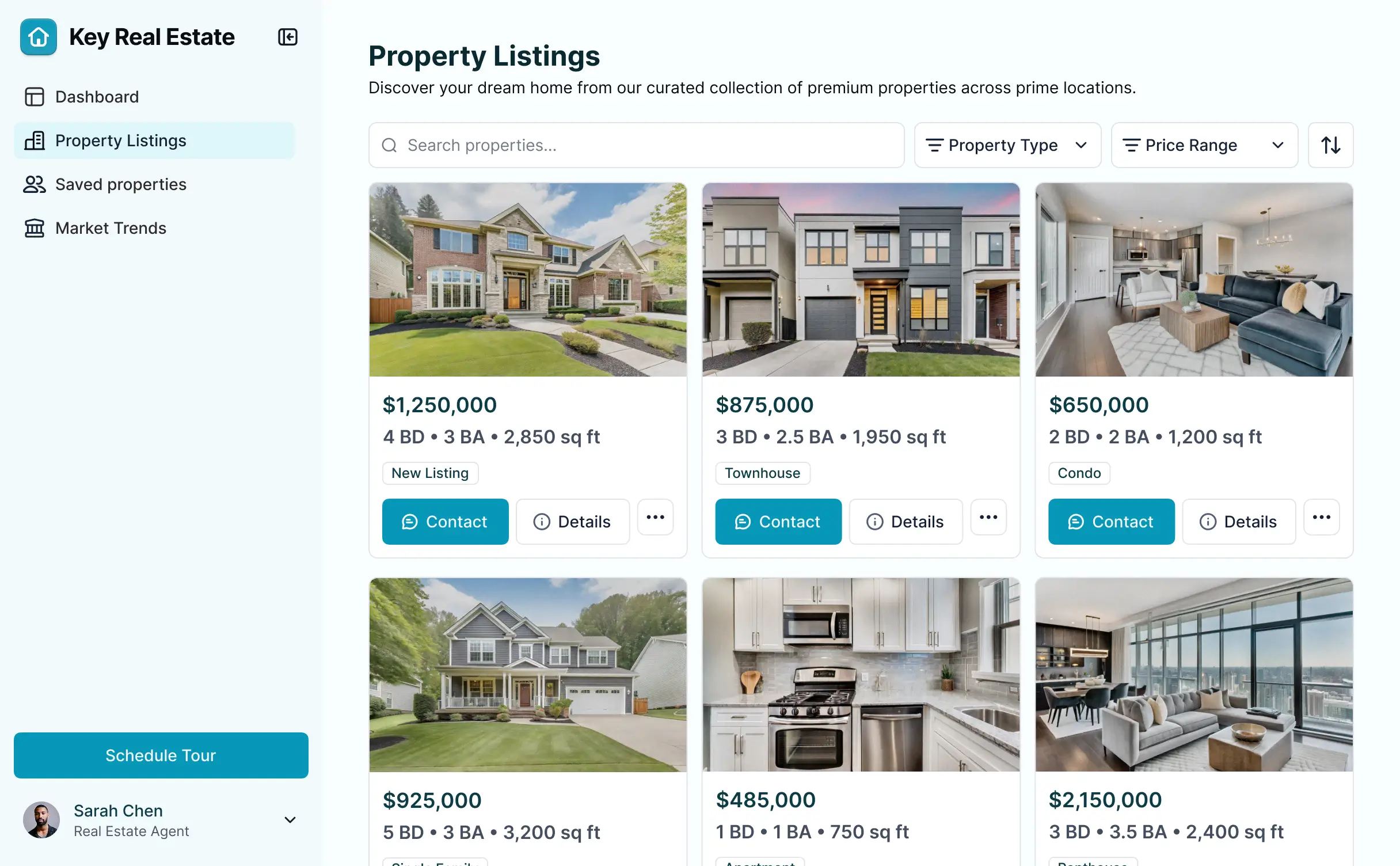
- Lists & Advanced Filtering – Allow users to browse properties through searchable tables, gallery cards, or map views with filters for price, location, and square footage.
Everything is built using Softr’s visual blocks, giving you the power to update your directory's features as the market changes without needing a developer.
Vibe coding essentially means using the power of AI to build your real estate app at lightning speed. You can 'vibe code' a property listing management tool by describing your specific workflow—such as managing multi-family units or luxury estates—to the AI Co-Builder. Softr then produces a functional, professional tool built on a secure foundation.
While other tools might generate unorganized code that is hard to fix later, Softr handles the core architectural needs—like secure property record storage, agent authentication, and image hosting—natively. This allows you to experience the speed of AI generation without the complexity of managing source code. You describe the directory you want, Softr builds it, and your team can start listing properties immediately.
Yes. You can manage multiple agents, teams, or even different offices within one centralized tool. By using Softr's granular permissions, each agent only sees and edits the specific property listings assigned to them. This is ideal for brokerage firms that need a single platform for internal data management while keeping agent-specific leads and listings private.
Absolutely. You can start building your property listing management tool from scratch even if you don't have an existing database. Softr Databases is integrated directly into the platform, allowing you to define fields for property addresses, prices, and high-res images immediately.
If you do have property data stored elsewhere—such as Airtable, Google Sheets, HubSpot, or even a SQL database—you can quickly connect those sources. Whether you are building from zero or migrating an existing list of properties, you have full control over how your information is structured and displayed.
Softr Databases is the recommended choice for property management because it is native to the platform, ensuring your listing photos and data load incredibly fast. It is built specifically for high-performance business apps, providing the speed needed for real-time inventory updates.
For those with existing setups, Softr supports 17+ external sources including Airtable, Google Sheets, and SmartSuite. You can even combine sources—for example, storing property details in a Softr Database while pulling lead contact info from HubSpot. Most integrations support 2-way sync, meaning an price update in your directory will reflect in your data source automatically.
Yes, Softr provides deep customization for the user experience within your property listing management tool. You can tailor the layout and navigation so that agents see a 'My Listings' view, while prospective buyers see a public 'Browse Properties' page. Every data block can be visible or hidden based on the user's login status and role.
You can define specific roles like 'Listing Agent,' 'Property Manager,' or 'Client,' and set what each can do. For instance, an agent can edit listing status, but a client may only have read-only access to specific property documents. This keeps your data clean and ensures that only authorized personnel can make changes to sensitive pricing or contract information.
Yes, you can fully white-label your property listing management tool to ensure it represents your agency's brand. You can upload your custom logo, set your specific brand color palette, and use your own domain (e.g., listings.youragency.com). By removing Softr branding, you provide a seamless, high-end experience for both your internal team and external clients.
Yes, Softr offers extensive flexibility to control the visual presentation of your property directory. You can adjust the fonts, spacing, and page hierarchy to build a premium browsing experience. You decide exactly how listings are presented and grouped, and what information is shown at a glance versus in a deep-dive view.
You can use various blocks to showcase property data effectively:
- Table blocks – to manage high-volume inventory lists or vacancy reports.
- List or Card blocks – to create beautiful, visual property galleries with featured images.
- Detail View – to provide a dedicated page for each property, including maps and descriptions.
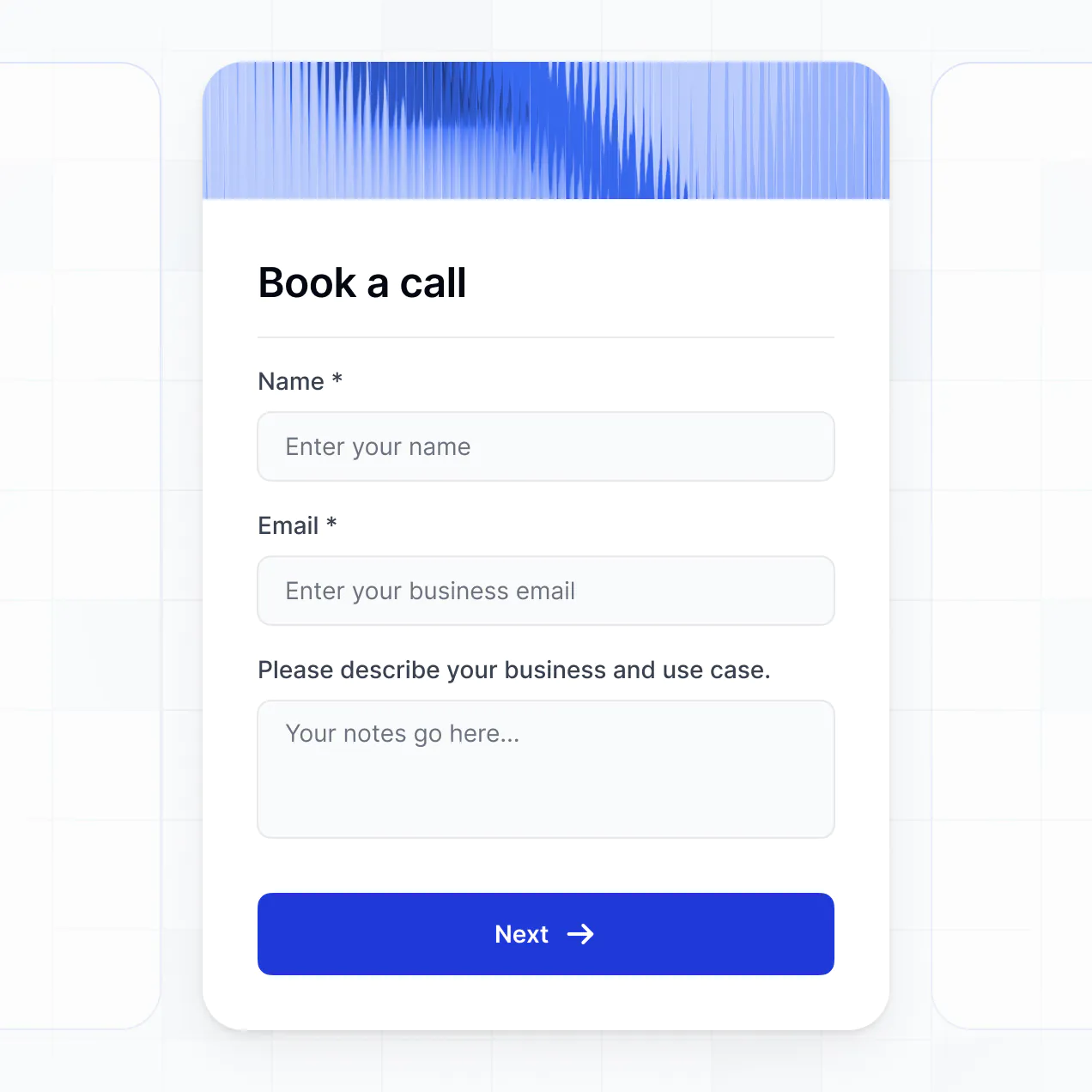
- Forms – to allow agents to submit new listings or for leads to book viewings.
- Charts – to visualize sales performance and inventory trends.
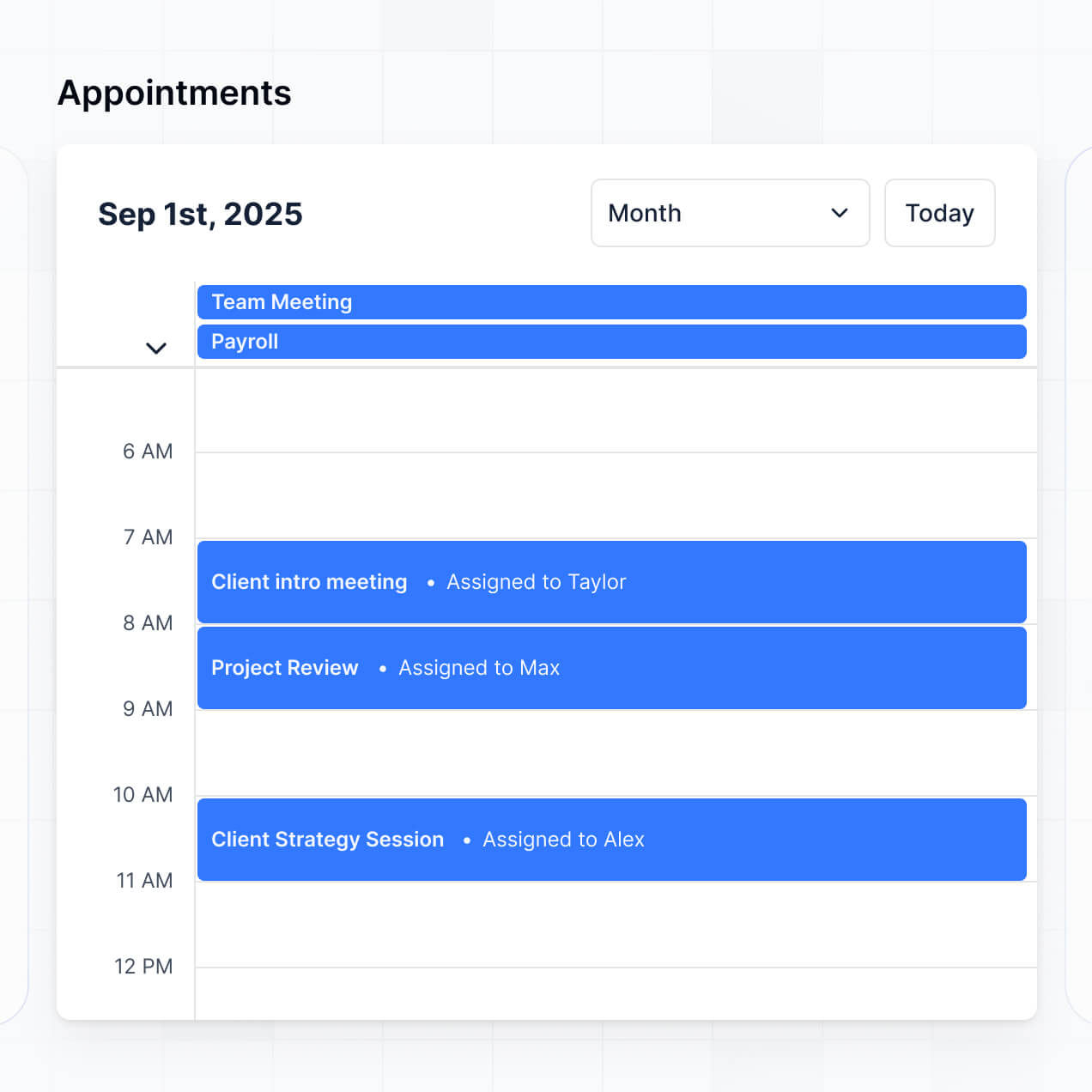
- Calendar blocks – to keep track of open houses and showing schedules.
Any layout or content changes can be handled instantly via the visual editor without needing to restart the build.
Security is a core priority for Softr. All property data is encrypted both in transit and at rest, and your directory is hosted on secure, enterprise-grade infrastructure. You maintain full control over data visibility; for example, you can use role-based permissions to hide owner contact details from everyone except authorized managers.
If you use Softr Databases, your data is stored in a secure environment in Germany with SOC 2 Type II compliance. If you connect to external sources like Airtable or SQL, Softr serves as the interface and does not store your records, displaying them in real-time based on your specific access rules. This ensures listing data and client information stay protected according to industry best practices.
It is a fully production-ready application. While some AI tools produce 'disposable' code that breaks easily, Softr builds your property listing tool on a robust, standardized framework specifically designed for business use.
Softr handles the essential functionality—like secure listing portals, agent authentication, and image handling—natively. This eliminates the 'Day Two' risk of AI tools; you get the benefit of instant generation with the long-term reliability of professional software. Your directory is ready to handle real listings and real users from the moment it’s generated.
Softr is the first AI-native platform designed for business software. Unlike 'vibe coding' tools that generate raw, unmanaged code, or traditional no-code builders that require weeks of manual setup, Softr’s AI Co-Builder generates a functional property management app on a stable foundation in minutes.
This hybrid approach allows you to use AI for the heavy lifting—like building the property database and directory structure—while using visual tools for fine-tuning. You get professional features like roles and permissions out-of-the-box, making it the fastest way for real estate teams to move from an idea to a live property portal.
Yes. Softr allows you to connect your property listing management tool to your existing tech stack through native workflows and integrations. You can automate tasks—like triggering an email via Mailchimp when a new listing is added—or integrate with Stripe to collect property application fees. Softr also supports webhooks and a REST API for advanced needs.
Whether you need to sync listing data to your CRM or automate notifications for new inquiries, you can build these complex workflows directly into your tool without writing a single line of code.
Go from idea to live property listing management tool in under an hour. Build and customize it without code.