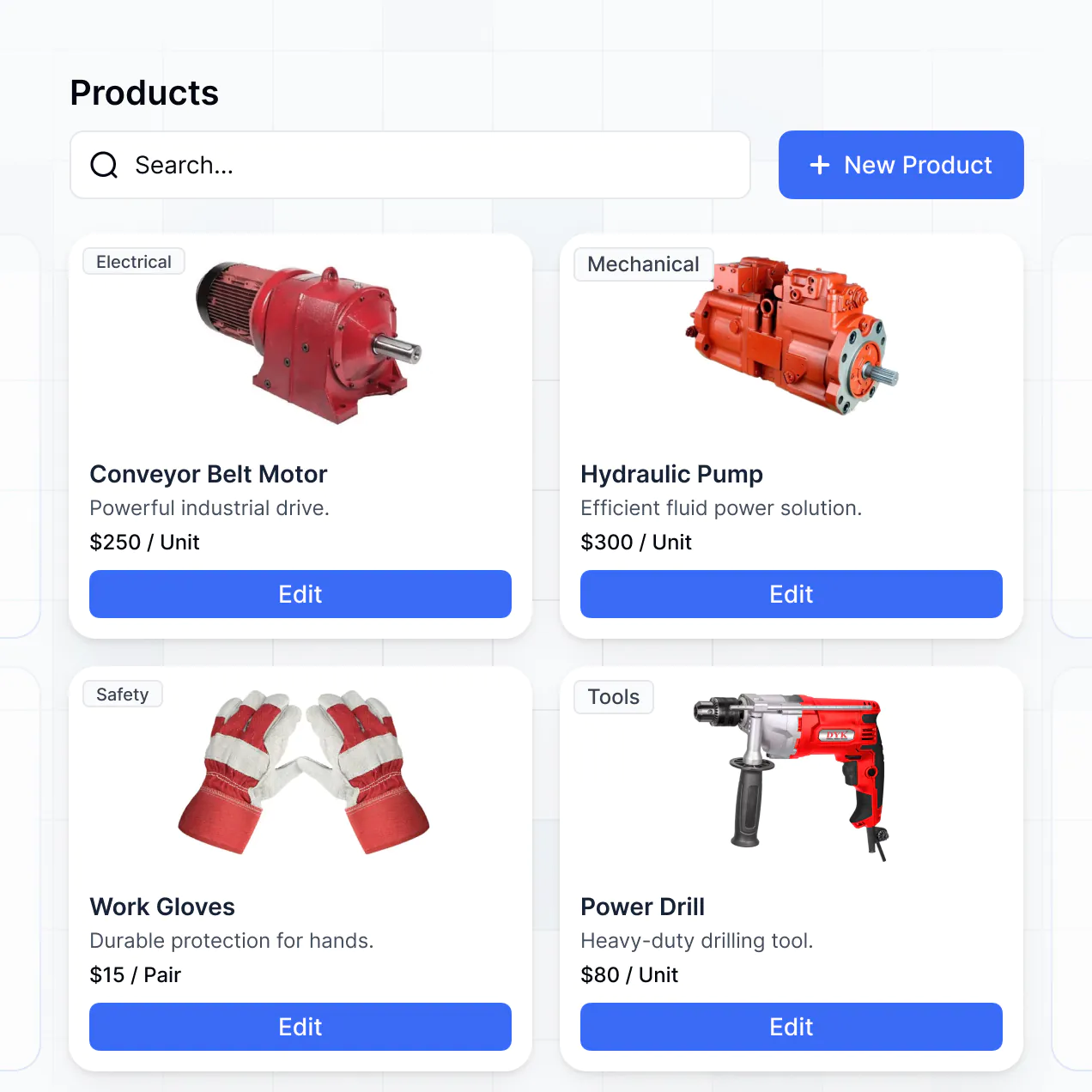
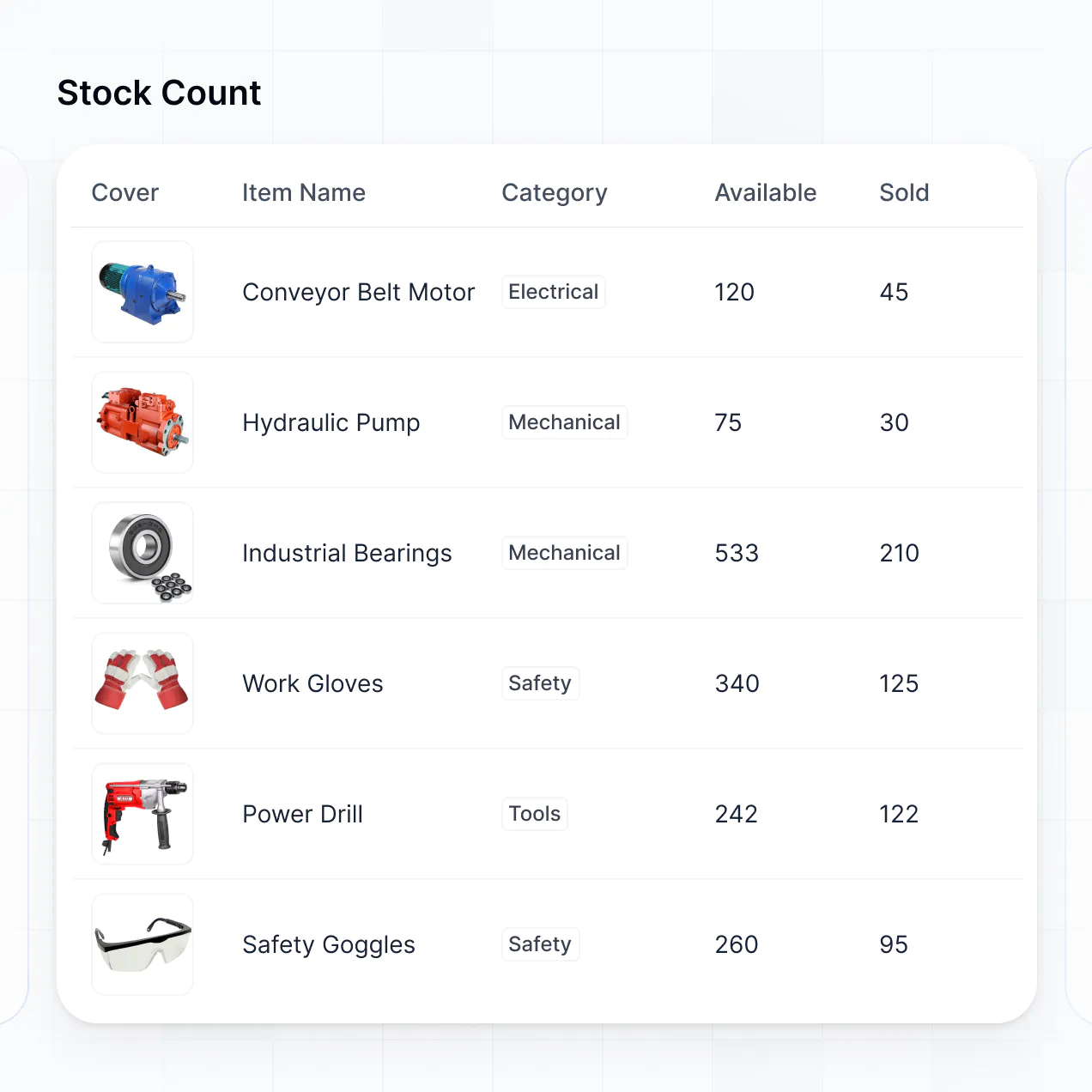
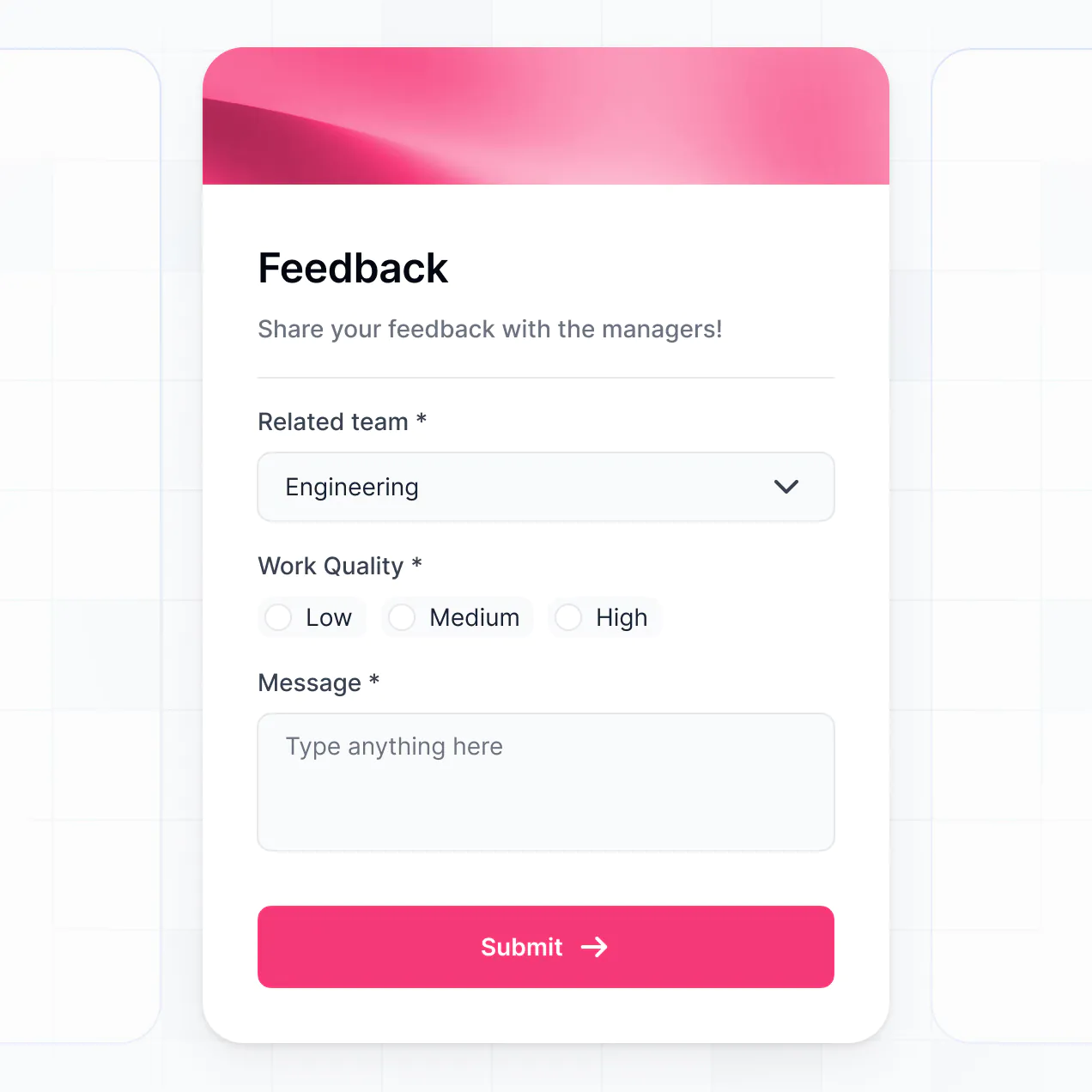
Track shipments, manage catalogs, and log transit updates in an AI-powered app built with AI to fit your logistics team's workflow.
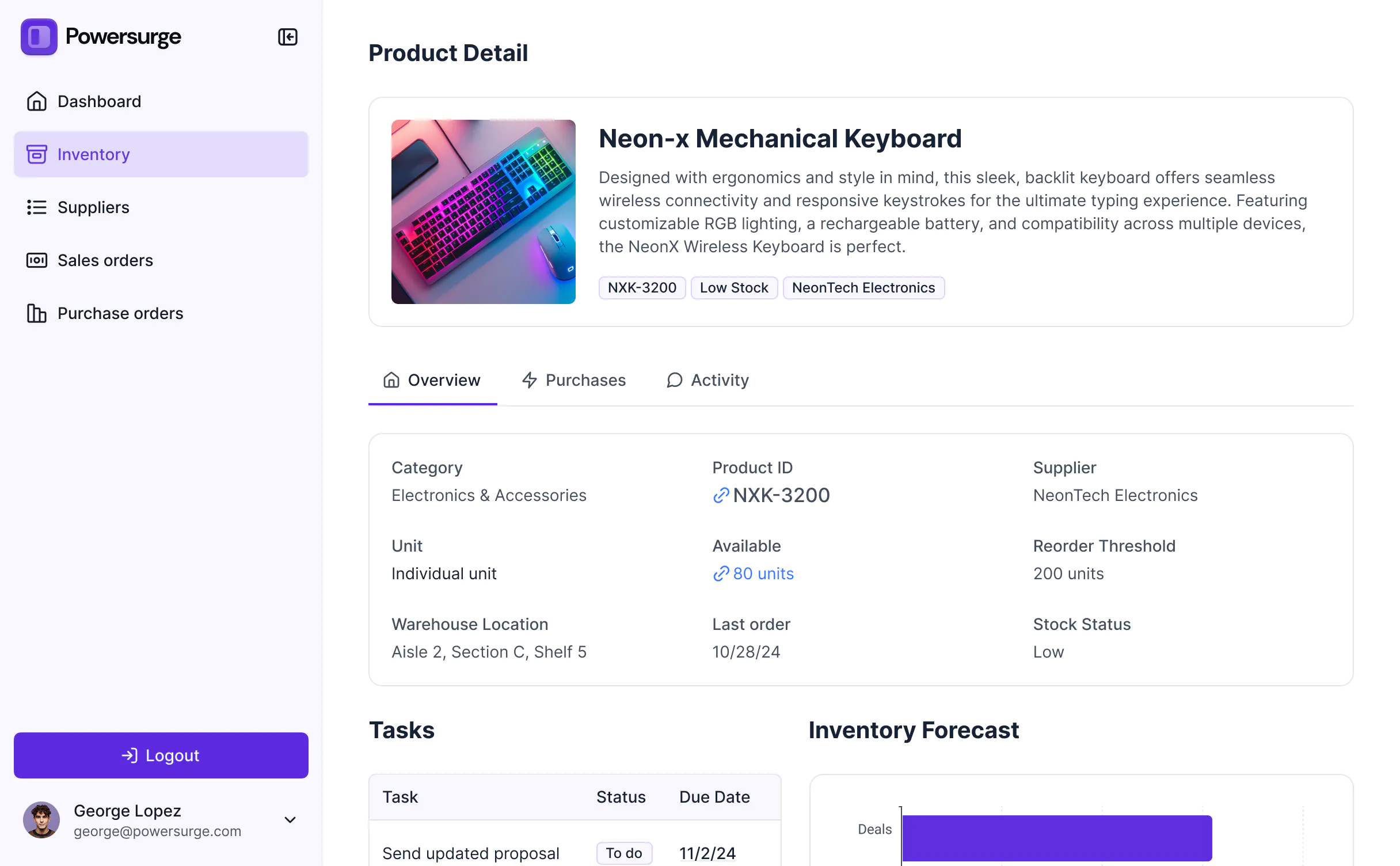
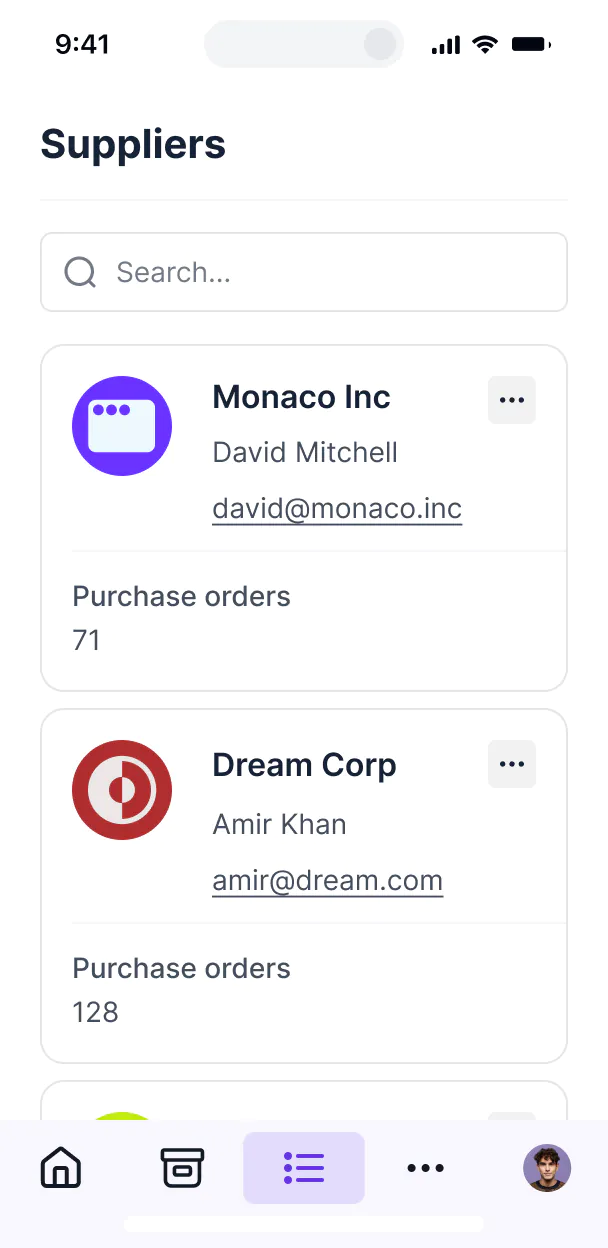



Customize your moving inventory app setup with the exact steps and views your team needs. Add features as processes evolve—no code needed.


Connect manifests, manifests, and transit logs with real-time sync—or manage everything in Softr Databases. Create a single source of truth for your business.
Let drivers, dispatchers, and clients log in to a fully branded portal. Set up permissions and personalized access in minutes—no code needed.
Automate your field operations with Softr Workflows for status updates and client notifications that trigger whenever a shipment moves.
Assign roles for movers, warehouse managers, or clients—each gets access to only the inventory data they need.
Control who can view, edit, or sign off on damage reports and itemized catalogs—down to the field level.
Keep customer inventory and logistics data safe. Softr is fully compliant with SOC2 and GDPR regulations.
Capture inventory details, barcode uploads, or damage reports using flexible form blocks tailored to each stage of the move.
No more one-size-fits-all tools or costly custom builds. Softr is easy to use and fully customizable, so you can launch faster, adapt as you grow, and skip the complexity of traditional software.

Build your moving inventory app in minutes with AI—no manual configuration or complex setup needed.

Add features like damage reports, barcode scanning, or status tracking as your moving operations evolve.

Start with inventory tracking, then add client portals and team dashboards—all in one place.
Co-build with AI
Simply describe what you need. Let Softr handle everything - Interface, database, workflows.
Iterate with AI or visually
Control most critical parts of your app yourself - roles, permissions, security.
Ship the same day
Invite team members or external clients and partners right away. No developer handover.
Use drag-and-drop blocks to build a portal that looks sleek and modern out of the box. Add only the features you need, and iterate as your workflows evolve.




A moving inventory app is a secure digital space where moving companies or relocators can track every item being transported. It allows movers and customers to see item statuses, room assignments, photo documentation, and delivery timelines in one place. By centralizing this data, you eliminate disorganized paper logs and endless phone calls, ensuring a more professional and accurate move for both your crew and the client.
Softr is the first AI-native platform for building business software, making it incredibly fast to build a moving inventory app that matches your specific packing and loading processes. You can describe your moving company's requirements to the AI Co-Builder to instantly generate your database, logistics pages, and item tracking logic—all fully secure and ready to use.
You don't need to write a line of code. You can start with AI, a specialized template, or from scratch. The app runs on Softr Databases for high-speed barcode scanning or mobile updates, but you can also connect external tools like Airtable or Google Sheets. You have total control over the interface, allowing you to set specific permissions for drivers versus dispatchers and brand the app with your company’s logo and fleet colors.
You can include a wide range of specialized features in your moving inventory app to streamline your logistics. A high-performance app typically blends functional logistics blocks with AI-powered data management:
- AI-Powered Intelligence – Use Ask AI to let your dispatchers query inventory levels or use Database AI Agents to automatically categorize items by fragility or weight.
- Vibe Coding Blocks – Build custom visual components, such as a signature field for bill of lading sign-offs or a room-by-room weight estimator, using simple AI prompts.
- Softr Workflows – Create native automations, like sending an automatic SMS alert to a customer when their truck is marked as 'Out for Delivery.'
- User Portals & Logins – Ensure drivers only see their specific routes and assigned manifests while warehouse managers maintain a global view of all crates.
- Forms & Data Collection – Accurately capture inventory details on-site with photo uploads for damage claims and conditional logic for heavy-item handling.
- Dashboards & Charts – Visualize your operations with real-time charts showing truck capacity, delivery progress, and revenue per move.
- Lists & Advanced Filtering – Manage thousands of items with searchable tables, barcode-scanned lists, or Kanban boards for packing stages.
Everything is built using drag-and-drop blocks, and if your moving needs grow, adding a new feature like GPS integration is easy with Vibe Coding.
Vibe coding is about moving as fast as your fleet by using AI to build exact inventory specifications. You can "vibe code" your moving inventory app in Softr by simply describing your workflow—like 'I need a mobile view for drivers to check off boxes as they are loaded.' Softr then generates the interface on a stable, secure foundation.
While other tools give you raw, unmanaged code that breaks under pressure, Softr handles the heavy lifting—like secure user logins for movers and relational database logic—natively. This means you get the speed of AI generation without the risk of code errors during a high-stakes move. You describe the logistics, Softr builds the app, and it’s ready for your crew on their tablets or phones instantly.
Yes. You can manage multiple moving crews, drivers, and office staff in a single app. Each user only sees the specific manifests, routes, and inventory assignments relevant to them based on their login credentials. This keeps your data organized for large agencies or franchises working across multiple cities simultaneously.
Yes, you can. You don't need an existing database of box numbers or item IDs to start building with Softr. If you are launching a new moving service, you can use Softr Databases, which is built directly into the platform and handles item tracking, room assignments, and status updates natively.
However, if you already have a list of clients or historical records in tools like Airtable, Google Sheets, or HubSpot, you can connect those in seconds. You can even use the REST API to pull in data from existing dispatch software, ensuring you have total control over how your moving data is structured and displayed to your crew.
Softr Databases is the recommended native data source for your moving inventory app. Since moving involves high-frequency updates—like checking off 200 boxes in an hour—Softr Databases provides the highest performance and instant automation triggers because the data lives where the app does.
If your fleet data is elsewhere, Softr connects to 17+ external sources including Airtable, Google Sheets, SQL, and BigQuery. You can even combine sources, pulling customer contact info from HubSpot while tracking box counts in Softr Databases. Most sources offer real-time, two-way sync, so when a driver marks a crate as 'Delivered' in the app, your central office knows instantly.
Yes, Softr gives you total control over how different users interact with your moving inventory app. You can customize the dashboard, item lists, and packing forms to match your operational standards. Each block can be set to hide or show based on the user's role, ensuring that a customer only sees their personal inventory list while a crew lead sees the entire truck's manifest.
By setting up different roles—like Driver, Dispatcher, and Customer—you can define exactly who can edit box descriptions or mark items as fragile. This granular control is vital for managing sensitive client belongings and ensuring your cargo remains secure and correctly documented throughout the relocation process.
Yes, you can fully white-label your moving inventory app. You can incorporate your company’s logo, brand colors, and professional fonts, and host the app on your own custom domain (e.g., inventory.yourmovingcompany.com). This ensures that when your clients log in to check their inventory status, they see a professional, branded experience that reflects your business's reliability.
Yes, you can. Softr provides the flexibility to design a high-utility app optimized for use in the warehouse or on the road. You can adjust the layout for mobile use, ensuring buttons are easy for drivers to tap, and match colors to your corporate identity.
To organize your relocation data effectively, you can add various blocks designed for logistics:
- Table blocks – to display long lists of boxes with serial numbers and descriptions.
- List or Card blocks – to show room-by-room overviews or specific high-value items with photos.
- Detail View – to view a single item's history, including its current truck and handler.
- Forms – for drivers to report damaged items or log mileage.
- Charts – to track total volume moved or percentage of delivery completion.
- Calendar blocks – to display move dates and scheduled arrival windows.
If you change your loading process later, you can simply update the blocks in the visual builder in real-time.
Softr is built with enterprise-grade security to protect sensitive client inventories and addresses. All data is encrypted with TLS and at rest, and apps are hosted on reliable infrastructure. You maintain full control over data access by setting role-based permissions, allowing you to hide customer addresses from everyone except the assigned driver.
For apps using Softr Databases, your data is stored in a secure EU-based environment (Germany) with SOC 2 Type II compliance. If you connect to external sources like Airtable or SQL, Softr serves as the interface and doesn't store your data, displaying it only when required by your specific permissions. We follow strict industry standards for authentication to ensure your inventory logs and customer info remain confidential.
It is fully production-ready and built for heavy use. Unlike simplistic AI tools that generate unmanaged code that might fail in the field, Softr builds your moving inventory app on a hardened, business-grade foundation.
We manage the critical technical parts—like secure driver login, high-speed database syncing, and granular viewing rules—natively in the platform. This solves the reliability issues of AI; you get an instantly generated app that can handle hundreds of inventory updates per move while remaining scalable and secure for your team to use in high-pressure moving environments.
Softr is the first AI-native platform designed specifically for building business software like inventory trackers. Unlike generic 'vibe coding' tools that create fragile, standalone scripts, or traditional no-code tools that take weeks to configure manually, Softr’s AI Co-Builder generates a fully functional app including a relational database and logic in minutes.
The hybrid advantage is key: you get the speed of AI for initial setup (like creating your packing lists and driver roles) but retain precise visual control for mobile optimization. It allows non-technical logistics managers to move from a concept to a live tool that drivers can carry in their pockets on day one.
Yes. Softr supports powerful native workflows and integrations to bridge the gap between your inventory and the rest of your business. You can use Softr Workflows to automatically move a box status to 'In Storage' after a scan, or integrate with Stripe to collect final payment once the inventory is marked as delivered and signed for.
You can also connect to Intercom for customer support or use webhooks and the REST API to sync inventory data with external warehouse management systems. All of these automations can be built without writing code, allowing you to maintain a seamless flow of data from packing to final delivery.
Describe what you need. Softr's AI builds it in minutes. Get started for free today.