Manage jobs, track technicians, and upload field documents in an AI-powered system built with AI to fit your service team's workflow.



Customize your work order management setup with the exact steps and views your team needs. Add features as processes evolve—no code needed.


Connect job logs, technician schedules, and customer info from multiple tools—or manage everything in Softr Databases. Create one integrated system for updates.
Let technicians, dispatchers, and clients log in to a fully branded portal. Set up permissions and personalized access in minutes—no code needed.
Automate your field operations with Softr Workflows for job dispatching, real-time status updates, and automatic client notifications.
Assign roles for field techs, office managers, or clients—each user gets access to only the specific data and jobs they need.
Control who can view, edit, or complete work orders. Set granular rules for different field roles to ensure data integrity.
Keep sensitive customer and service data safe. Softr is fully SOC2 and GDPR compliant, with fine-tuned access control at every level.
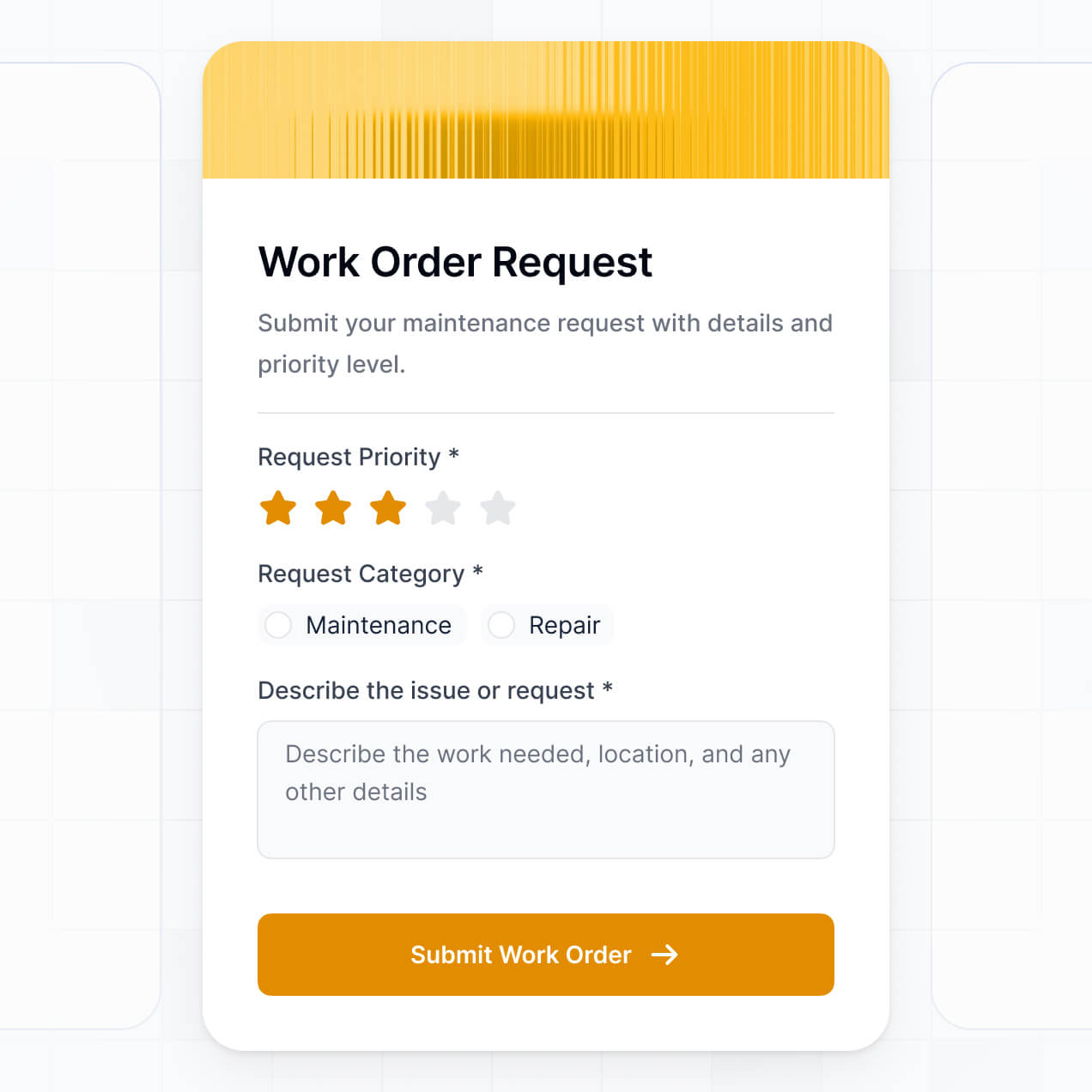
Capture job details, photographic evidence, or digital signatures using flexible form blocks tailored to each maintenance task.
No more one-size-fits-all tools or costly custom builds. Softr is easy to use and fully customizable, so you can launch faster, adapt as you grow, and skip the complexity of traditional software.

Build your work order management tool in minutes with AI—no manual configuration or setup time needed.

Add features like real-time tracking, scheduling, or service dashboards as your business grows—no rebuild needed.

Start with work orders, then add client portals, technician apps, or custom forms—all in one place.
Co-build with AI
Simply describe what you need. Let Softr handle everything - Interface, database, workflows.
Iterate with AI or visually
Control most critical parts of your app yourself - roles, permissions, security.
Ship the same day
Invite team members or external clients and partners right away. No developer handover.
Use drag-and-drop blocks to build a portal that looks sleek and modern out of the box. Add only the features you need, and iterate as your workflows evolve.




Free work order management software is a secure digital workspace where maintenance teams, contractors, and facility managers can track service requests, assignments, and repair progress. It centralizes all task data—like maintenance logs, photos of equipment, and technician schedules—into one hub. This eliminates the chaos of paper tickets or messy email threads, making it easier to stay organized and ensure every maintenance task is completed on time.
Softr is the first AI-native platform for building professional business software. It allows you to create a work order system that mirrors your specific maintenance workflow perfectly. By describing your process to the AI Co-Builder, you can instantly generate a database for equipment, technician pages, and ticket logic—all fully connected and secure.
You don't need any coding skills to get started. You can generate your app with AI, use a pre-built maintenance template, or build from scratch. Softr Databases provides a native relational home for your tasks, or you can link existing data from Airtable, Google Sheets, or HubSpot. You have total visual control to brand the portal, set specific access levels for contractors versus admins, and scale the system as your portfolio of assets grows.
You can build a comprehensive suite of features tailored to maintenance operations using Softr’s modular blocks and AI:
- AI-Powered Intelligence – Use Ask AI to let managers query repair histories conversationally, or deploy Database AI Agents to automatically categorize incoming tickets based on priority or required parts.
- Vibe Coding Blocks – Create custom UI components—like a dynamic floor plan viewer or interactive equipment health gauges—using the AI Code block to "vibe code" exactly what your facility needs.
- Softr Workflows – Setup native automations, such as triggering an Slack alert to a plumber when a "Leak" ticket is submitted or syncing parts used to an inventory log.
- Technician Portals – Securely manage logins so staff only see their assigned work orders and site locations.
- Forms & Data Collection – Capture issues with custom forms including photo uploads for damage reports and signature fields for completed jobs.
- Maintenance Dashboards – Visualize your team's performance with real-time charts showing 'Time to Resolution' or 'Tickets by Status'.
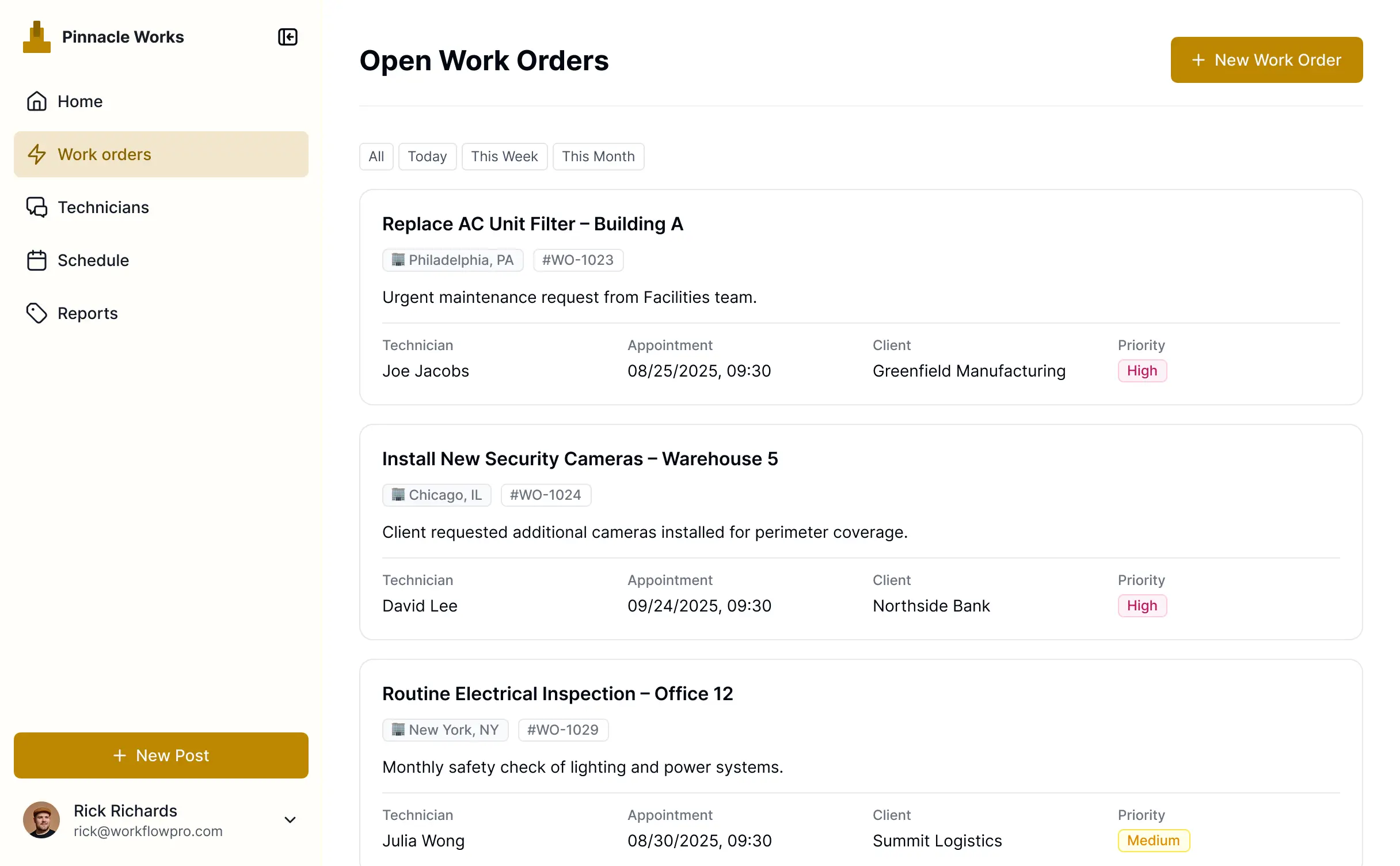
- Lists & Kanban Views – Manage your backlog with searchable tables or drag-and-drop boards that move tasks from 'Pending' to 'Done'.
Everything is built without code using drag-and-drop. If you need a specialized tool, the Vibe Coding block can generate it for you in seconds.
Vibe coding allows you to build sophisticated maintenance tools simply by describing them. You can "vibe code" your work order software by telling the AI Co-Builder to create an app that tracks asset IDs, assigns technicians, and manages deadlines. Softr then generates a production-ready application on a secure, stable foundation.
While other tools might give you buggy, raw code snippets, Softr handles the heavy lifting—like user authentication for your team, database relationships, and site security—natively. This means you get the speed of AI generation without the complexity of managing raw code. You describe the maintenance flow, Softr builds the interface, and your team can start closing tickets immediately.
Yes. You can manage multiple sub-teams, regional groups, or different facilities within a single portal. By using role-based permissions, each technician or facility manager only sees the work orders and assets assigned to their specific site. This is an ideal setup for property management firms or large organizations with several locations.
Absolutely. You don't need a pre-existing spreadsheet or database to start. Softr Databases is built into the platform, allowing you to create your asset lists and work order logs from scratch within the environment.
If you do have existing data in tools like Airtable, Google Sheets, SQL, or SmartSuite, you can easily connect those as well. You can even use the REST API to pull in data from external IoT sensors or legacy facility software. You have complete flexibility over how your maintenance records are structured.
Softr Databases is the recommended choice for a native, relational data experience. It is optimized for high-performance business apps, offering instant triggers for your maintenance workflows and a fast experience for field technicians accessing data on the go.
If your data lives elsewhere, Softr connects to over 17 external sources, including Google Sheets, Airtable, HubSpot, and BigQuery. You can even combine sources—for example, pulling customer info from HubSpot and equipment data from Softr Databases into one work order view. Most connections support two-way sync, ensuring updates made in the field reflect in your database instantly.
Yes, Softr gives you granular control over the maintenance experience. You can customize the layout and navigation to fit your team's field habits. Every block or page can be hidden or shown based on user roles; for example, a tenant might only see a 'Report an Issue' form, while a technician sees detailed repair manuals and parts lists.
You can define roles like Admin, Technician, or Requester, and set permissions for who can edit a ticket or just view it. Personalization allows you to filter the dashboard so a technician sees only their 'Today’s Work' upon logging in. This keeps the interface clean, secure, and focused on the job at hand.
Yes, you can fully white-label your maintenance portal. By adding your own logo, brand colors, and custom domain, the software looks like a proprietary tool developed specifically for your company. You can remove all Softr branding to provide a professional, seamless experience for your staff and clients.
Yes, you have full creative control. Softr allows you to adjust fonts, colors, and the overall structure of your app to match your brand. You can choose which functional blocks appear on each page, ensuring technicians have exactly the tools they need when they log in.
You can use various blocks to display your data:
- Table blocks – To show lists of pending work orders or equipment inventory.
- Card blocks – To visually display site locations or team profiles.
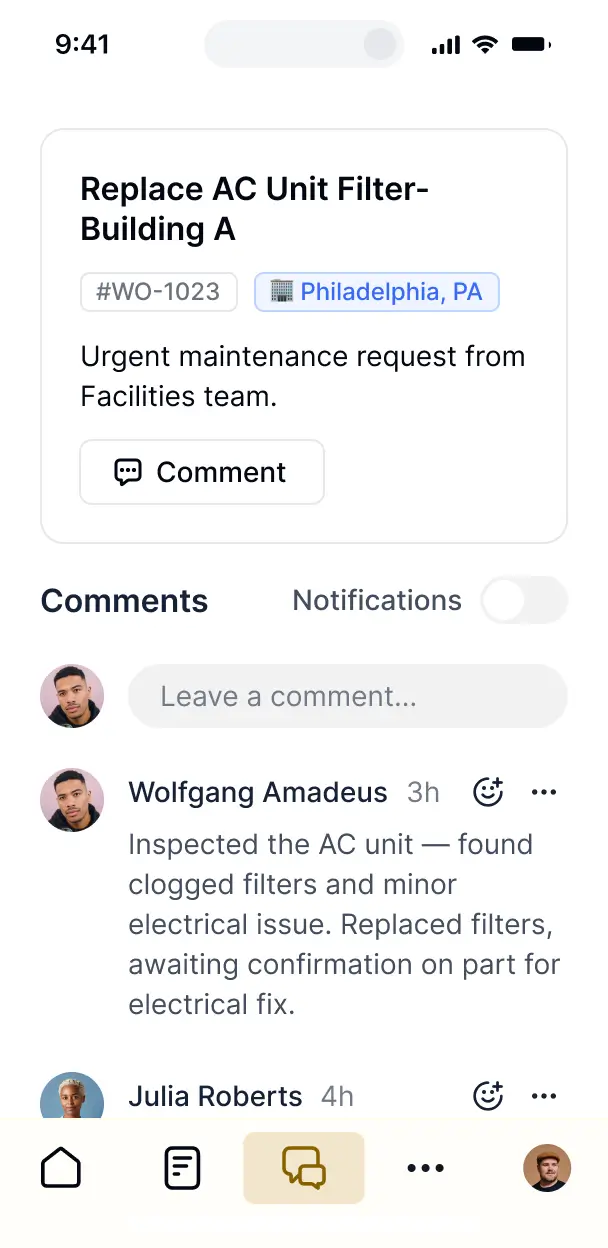
- Detail View – To provide a focused page for a single work order, including photos and comments.
- Forms – To allow users to submit service requests or safety checklists.
- Charts – To monitor uptime, response times, or repair costs.
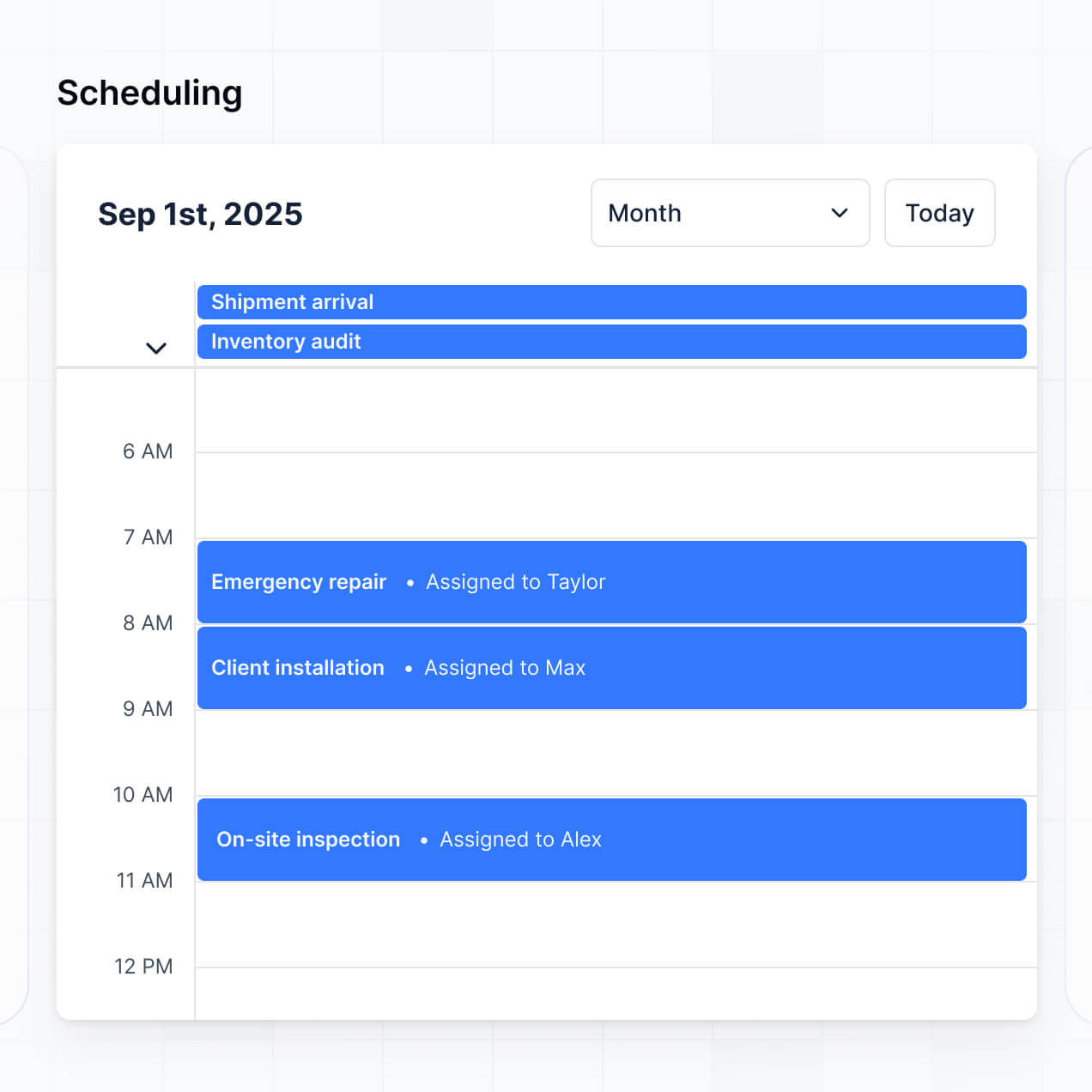
- Calendar blocks – To visualize recurring maintenance schedules and deadlines.
Updates can be made in real-time through the visual builder if your operational needs change.
Security is a core priority of the Softr platform. Data is encrypted in transit and at rest, and apps are hosted on reliable infrastructure. You maintain full command over data visibility; you can set role-based permissions that prevent unauthorized access to sensitive facility information.
If you use Softr Databases, your data is stored in a secure SOC 2 Type II compliant environment in Germany. For those using external connectors like Airtable or SQL, Softr simply displays the data in real-time without storing it on our servers. This ensures you always maintain ownership and control over your maintenance history and private facility data.
It is fully production-ready from the start. Unlike experimental AI tools that only output raw, unmanaged code, Softr generates your software on top of a battle-tested, business-grade framework.
We provide the essential 'Day Two' infrastructure—like secure user logins, database syncing, and granular permissions—natively. This means your app isn't just a mock-up; it's a secure, scalable tool that your technicians can start using in the field on day one without any brittle code to manage.
Softr is the first AI-native platform for business software, providing a unique middle ground between rigid off-the-shelf tools and complex coding. While traditional no-code tools require manual setup and 'vibe coding' tools produce fragile results, Softr’s AI Co-Builder builds on a secure, production-ready foundation.
This hybrid approach allows you to generate a custom maintenance app and database in minutes using AI, then fine-tune it with a visual, drag-and-drop editor. You get the speed of AI combined with the reliability of enterprise-grade features like built-in authentication and roles. It’s built for operational teams who need to deploy a custom solution instantly.
Yes. Softr includes powerful native workflows and numerous integrations to connect your maintenance tracking with the rest of your business. You can use Softr Workflows to automate status changes, or integrate with Stripe for billing or Intercom for support. For advanced setups, you can use the REST API and webhooks.
Whether you need to trigger a text message when a high-priority work order is filed or sync completed tasks to a master billing spreadsheet, you can automate it all without writing a single line of code.
Launch faster with a tool built for your specific field service workflow. Get started for free, no dev needed.