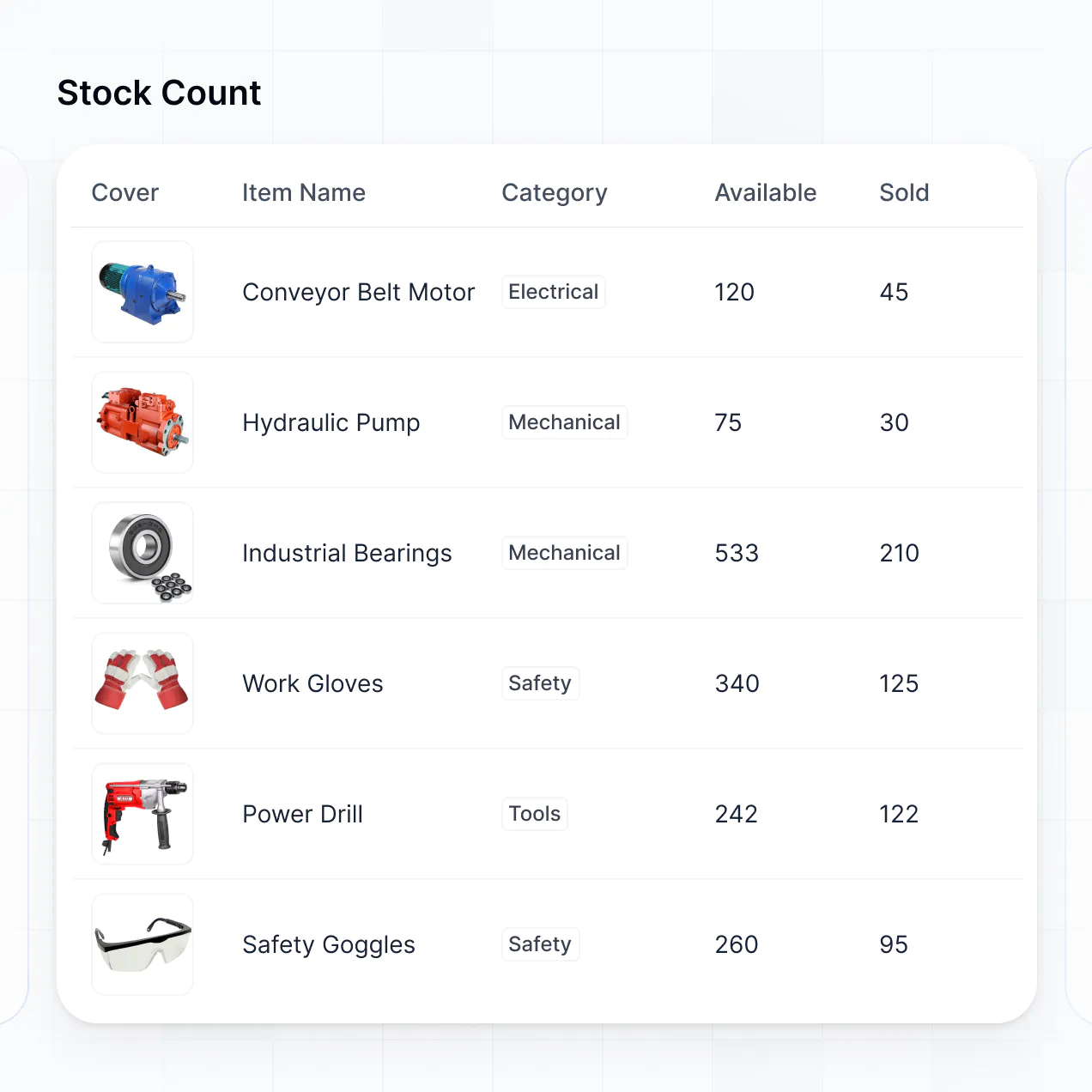
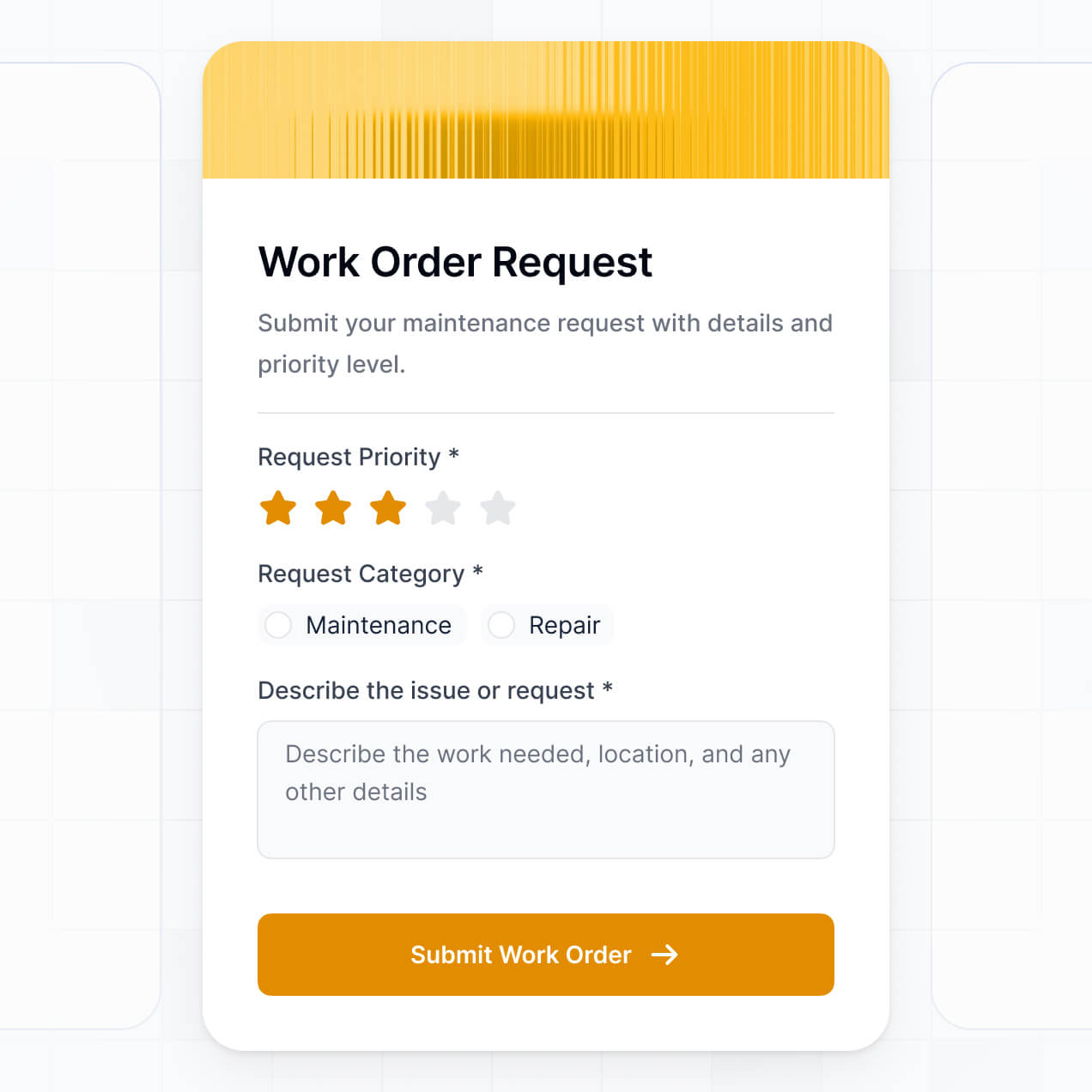
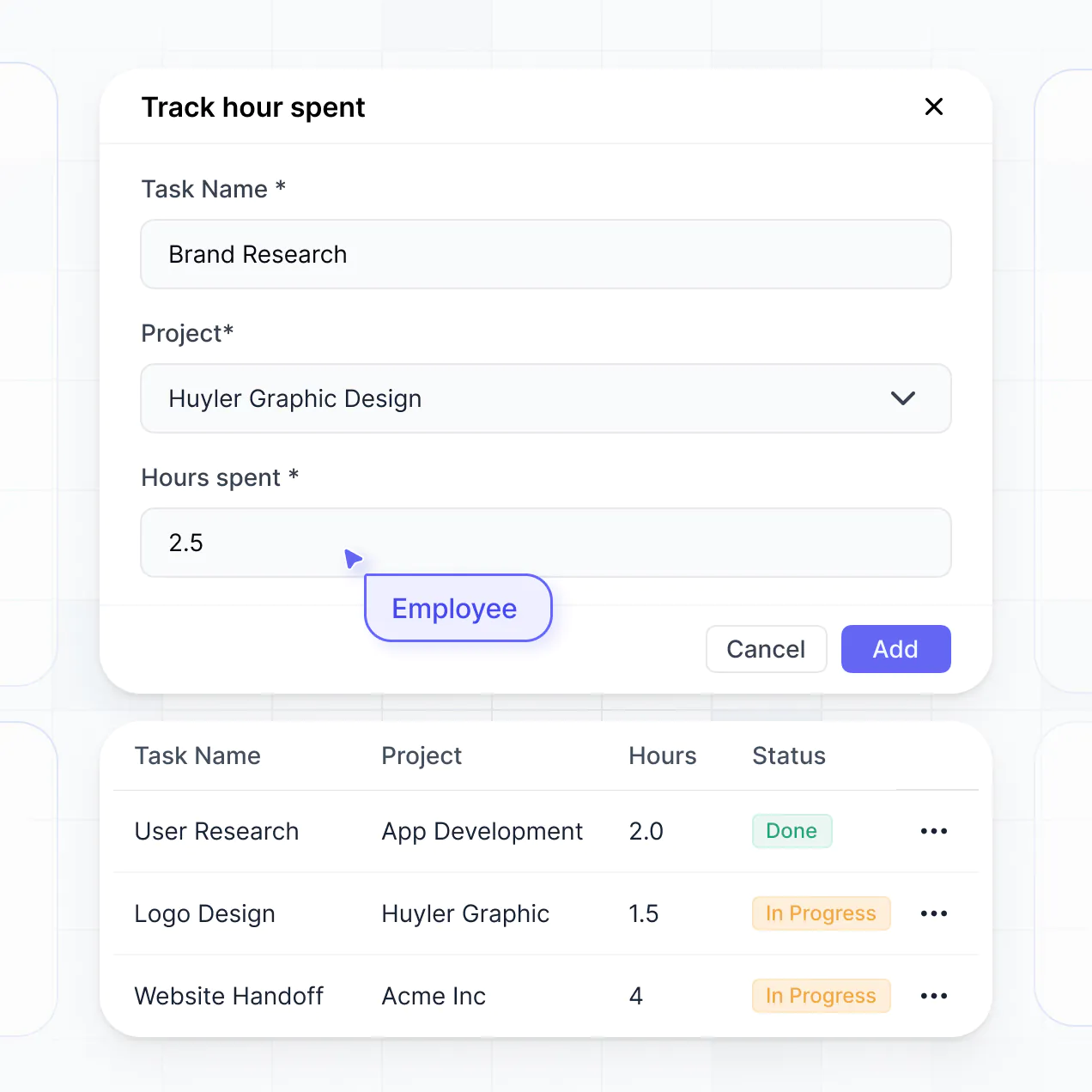
Track assets, manage condition reports, and route maintenance in an AI-powered system built with AI to fit your property workflow.
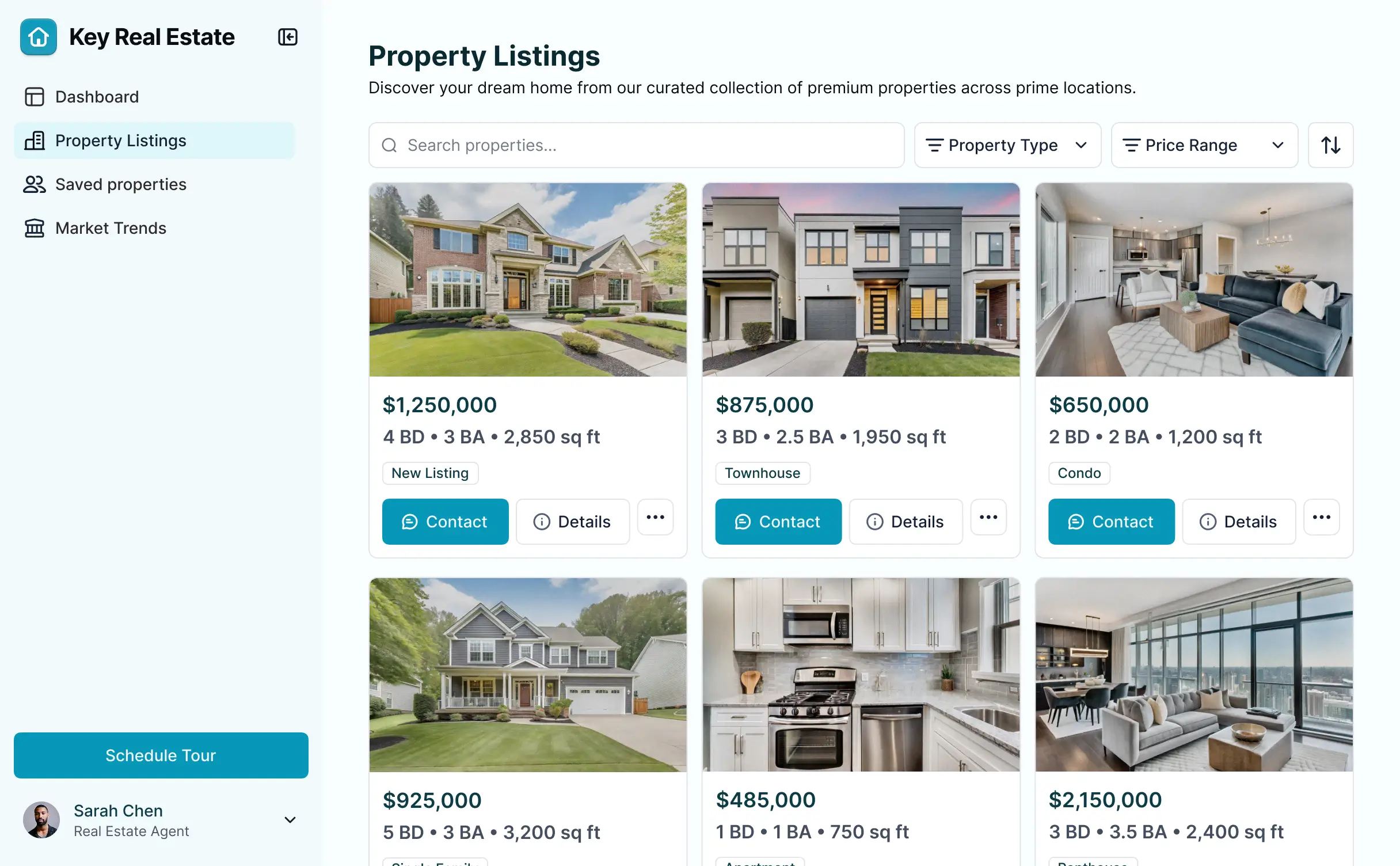
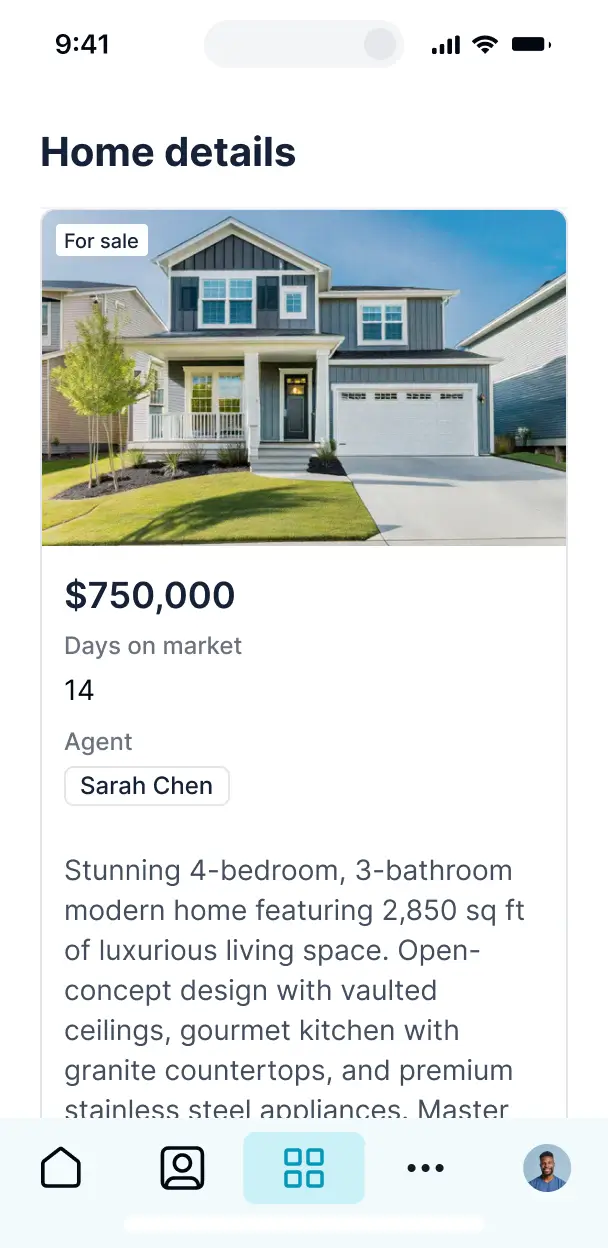



Customize a property inventory management software that looks sleek out of the box. Add only the features you need, and iterate as your needs grow.


Connect spreadsheets, asset lists, and vendor data with real-time sync—or manage everything in Softr Databases. Create a single source of truth for your property portfolio.
Give each property manager and technician the right tools and access. Set up secure logins and granular permissions—no IT support or dev work needed.
Give different team members tailored access and dashboards, ensuring property managers see portfolio trends while techs focus on active work orders.
Streamline operations with Softr Workflows. Trigger native notifications for low stock, maintenance alerts, or status changes to keep your properties running smoothly.
Access and update your property inventory on the go. Managers can complete room condition reports directly from their mobile devices while on-site.
Use Google, email, or SSO logins to give your property management team fast, secure access—no IT tickets or complex setups needed.
Keep sensitive property and financial data safe with SOC2 and GDPR compliance, plus fine-tuned access control at every granular level.
No more one-size-fits-all tools or costly custom builds. Softr is easy to use and fully customizable, so you can launch faster, adapt as you grow, and skip the complexity of traditional software.

Build your property inventory management software in minutes with AI—no manual configuration needed.

Add features like audit logs, vendor tracking, or budget analysis as your property portfolio grows—no rebuild needed.

Start with inventory, then add tenant portals, owner dashboards, or work order forms—all in one place.
Co-build with AI
Simply describe what you need. Let Softr handle everything - Interface, database, workflows.
Iterate with AI or visually
Control most critical parts of your app yourself - roles, permissions, security.
Ship the same day
Invite team members or external clients and partners right away. No developer handover.
Use drag-and-drop blocks to build a portal that looks sleek and modern out of the box. Add only the features you need, and iterate as your workflows evolve.




Property inventory management software is a secure, digital hub where property managers and landlords can track the status, location, and condition of assets within their real estate portfolio. It centralizes records of furniture, appliances, and maintenance history in one place, eliminating the need for fragmented spreadsheets or paperwork. This ensures that inspections are accurate, move-in/move-out reports are streamlined, and your property management team stays perfectly organized.
Softr is the first AI-native platform for building business software, making it uniquely suited to create property inventory management software that mirrors your specific operational workflows. You can simply describe your asset tracking needs to the AI Co-Builder to instantly generate your property database, inventory pages, and status logic—all pre-connected and secure.
You don't need a background in software development. You can start with AI generation, a specialized template, or a blank canvas. Your inventory system runs on Softr Databases—a native, relational engine—or you can link existing data from Airtable, Google Sheets, or HubSpot. You maintain total visual control over the layout, defining customized access for inspectors or maintenance staff while ensuring the app matches your real estate brand. It's built for rapid deployment, easy property updates, and scaling alongside your growing portfolio.
You can incorporate a variety of specialized features into your property inventory tool to match your field operations. A professional inventory app usually combines standard tracking blocks with AI-driven capabilities:
- AI-Powered Intelligence – Use Ask AI to let staff query stock levels across multiple buildings, or use Database AI Agents to automatically categorize and value new assets added to the inventory.
- Vibe Coding Blocks – Create custom UI components—like an interactive floor plan viewer—using the AI Code block to 'vibe code' the exact visual management experience you need.
- Softr Workflows – Set up automated native workflows (like an alert when an appliance warranty is expiring) that trigger manager notifications when a property condition is updated.
- User Portals & Logins – Provide secure access so individual property managers only see the units they oversee, while owners get a high-level portfolio view.
- Forms & Data Collection – Record inspections on-site with image uploads for proof of condition and digital signatures.
- Dashboards & Charts – Visualize asset depreciation, maintenance costs, and occupancy rates with real-time analytics.
- Lists & Advanced Filtering – Navigate your portfolio with searchable tables and gallery views for quick visual inventory identification.
Everything is assembled using drag-and-drop blocks, and if you need a unique feature, the Vibe Coding block lets you generate it with AI prompts. Your software remains flexible enough to evolve as you add more properties.
Vibe coding is about moving from idea to a working property tool at the speed of thought. You can 'vibe code' property inventory management software in Softr by articulating your specific management requirements—like 'create a mobile-friendly inspection list for apartment furniture checks'—to the AI Co-Builder. Softr then builds a production-ready application on a reliable, secure foundation.
While other tools leave you with raw code that is hard to maintain, Softr manages the 'boring 80%' like user authentication for your staff, database relations for properties and units, and backend security. This gives you the speed of rapid AI generation without the technical debt. You describe the inventory workflow, Softr builds the infrastructure, and it’s ready for your field team immediately.
Yes. You can organize multiple teams, branches, or property portfolios within a single software instance. Each staff member or contractor sees only the inventory data and property assignments relevant to their specific role or location. This is ideal for large property management firms or franchises that need high-level oversight without compromising regional data privacy.
Absolutely. You don't need a pre-existing inventory database to get started. If you are starting fresh, Softr Databases is built directly into the platform to provide a high-performance home for your property records, unit IDs, and asset lists.
If you do have data stored in external tools like Airtable, Google Sheets, or a SQL database, you can connect those seamlessly as well. You can even use the REST API to pull in details from property listing sites. Regardless of where you start, you have total control over how your property data is structured and presented to your users.
Softr Databases is the recommended relational data source for property management apps. It is designed for performance, offering lightning-fast loading of high-resolution property photos and instant automation triggers directly within the ecosystem.
For those with existing ecosystems, Softr connects to over 17 external sources including Airtable, Google Sheets, HubSpot, SmartSuite, and BigQuery. You can even combine sources—for example, storing facility maintenance logs in Softr Databases while pulling tenant contact names from HubSpot. Most integrations support real-time, two-way sync, ensuring your on-site inventory counts always match your central office records.
Yes, Softr provides granular control over the user experience for your inventory teams. You can tailor the navigation and layout so that field inspectors see a simplified mobile view, while office administrators see a comprehensive desktop dashboard. Blocks of data can be conditionally displayed based on the logged-in user's role.
You can define specific permissions for different personas—such as Property Inspector, Maintenance Tech, or Portfolio Owner. For instance, an inspector can update a condition report but cannot delete a property record, while an owner might have read-only access to specific financial summaries. This ensures your property data remains secure and the workflow is tailored to every stakeholder.
Yes, you can fully white-label your software in Softr. You can apply your real estate firm's logo, brand colors, and custom typography, and host the app on your own professional domain (e.g., inventory.yourcompany.com). By removing Softr's branding, you provide a professional, unified experience that builds trust with your staff and clients.
Yes, you can. Softr offers extensive flexibility to manage the visual aesthetics and structural layout of your inventory portal. You can modify spacing, fonts, and colors to align with your corporate identity, and configure distinct page layouts for different property types.
To organize your inventory data, you can utilize specialized blocks:
- Table blocks – for listing appliances, quantities, and warranty dates.
- List/Card blocks – to display visual galleries of property units or furniture sets.
- Detail View – to provide a deep dive into a specific building's maintenance history.
- Forms – to capture move-out damage reports or new asset entries.
- Charts – to track inventory turnover or maintenance spending trends.
- Calendar blocks – to schedule upcoming routine inspections.
Updates can be made instantly in the visual builder whenever your management needs evolve.
Security is a core pillar of Softr. All information is encrypted in transit and at rest, and apps are hosted on world-class infrastructure. You have complete authority over data access; you can set role-based permissions, define visibility rules for sensitive financial data, and manage user access directly via your data source.
When using Softr Databases, your property info is stored in a secure environment hosted in Germany with SOC 2 Type II compliance. For external connections like SQL or Airtable, Softr acts as a secure presentation layer and does not store your data. This architecture ensures you remain in full control of your sensitive asset and property records at all times.
It is a fully production-ready solution. Unlike experimental AI tools that generate unmanaged code, Softr builds your property inventory software on a stable, industrial-grade foundation.
We provide the essential 'boring' infrastructure—including secure login, granular permissions, and scalable hosting—as native features. This eliminates the 'Day Two' maintenance burden often associated with AI. Your inventory system is secure, performant, and ready for your inspectors and managers to use on active property sites from day one.
Softr is the first AI-native platform specialized for business software. While many tools are either too generic or generate fragile, custom code, Softr's AI Co-Builder creates structured apps on a secure, production-grade foundation.
Our unique advantage is the hybrid approach: use AI to generate the inventory database and app logic in minutes, then use our visual editor for pixel-perfect adjustments. You gain the rapid speed of AI without sacrificing the reliability of professional infrastructure like built-in auth and roles. It is the fastest path for property teams to move from a manual process to a custom digital system.
Yes. Softr allows you to build powerful native workflows and connect with your existing tech stack. You can automate tasks like sending a Slack alert when furniture is marked as 'Damaged' or syncing data with Stripe for replacement billing. Softr also supports webhooks and a REST API for complex integrations.
Whether you need to trigger an email to a landlord after an inspection or pull new property listings from a specialized CRM, you can build these automated workflows entirely without writing code.
Describe your needs and let AI build your custom software. Get started for free today, no code required.