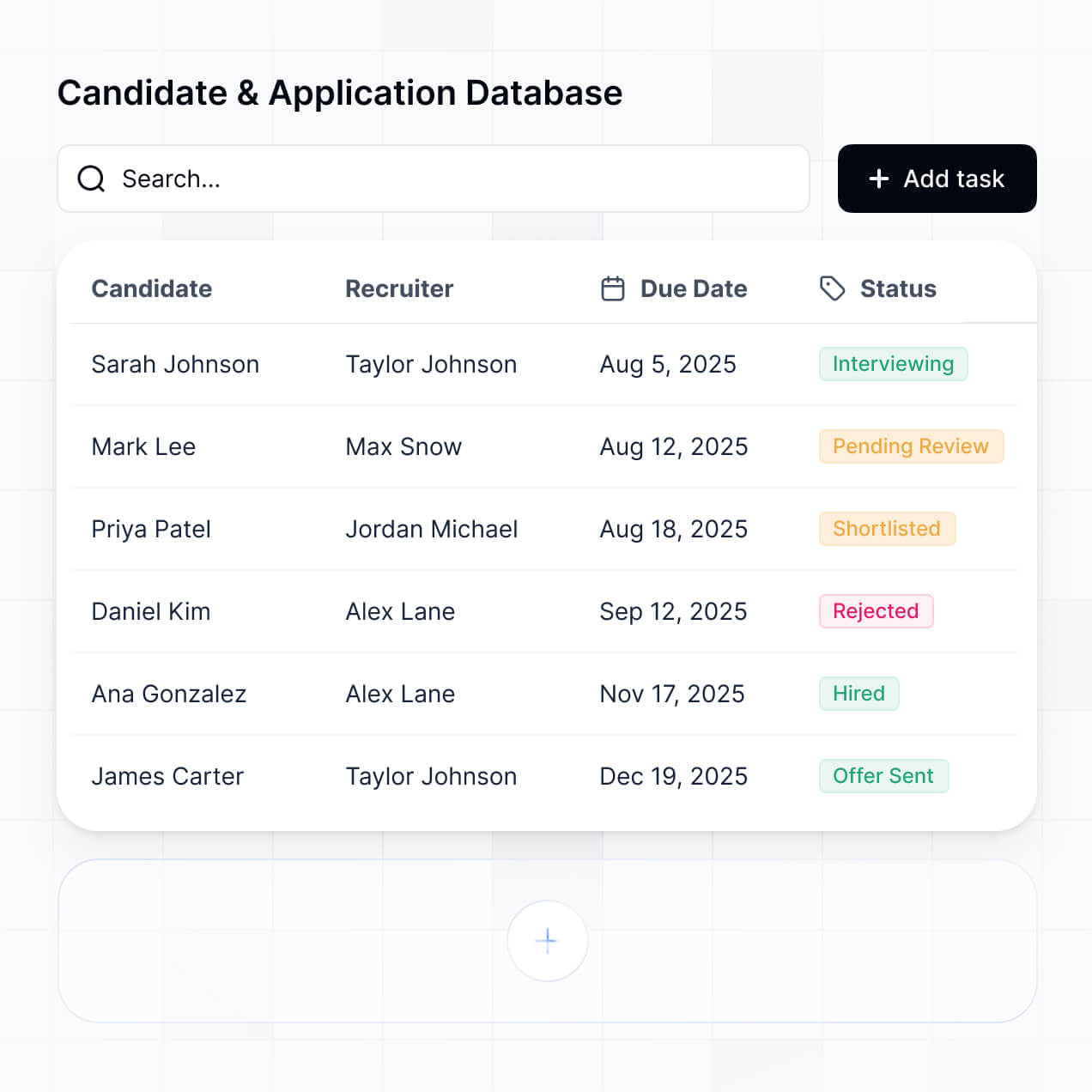
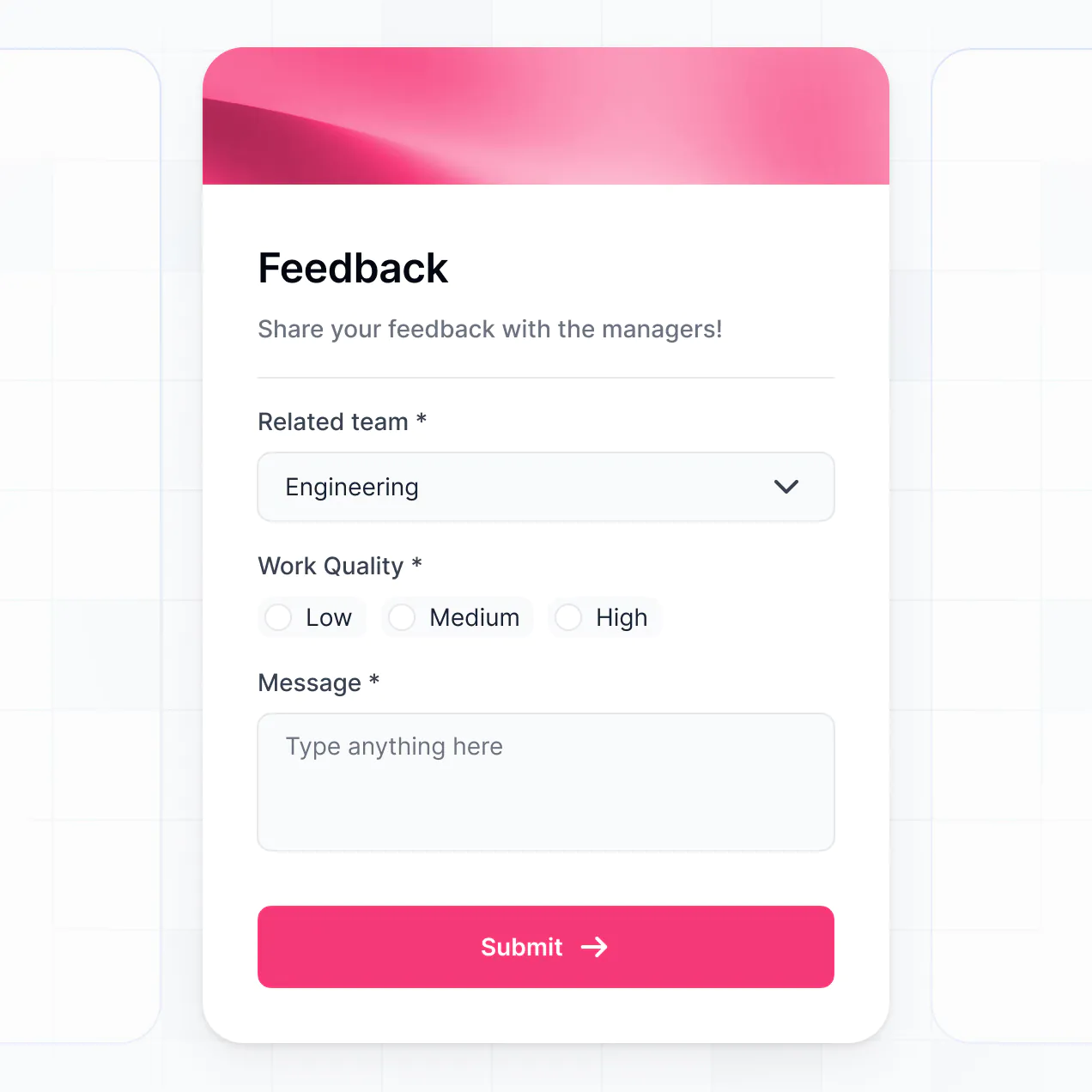
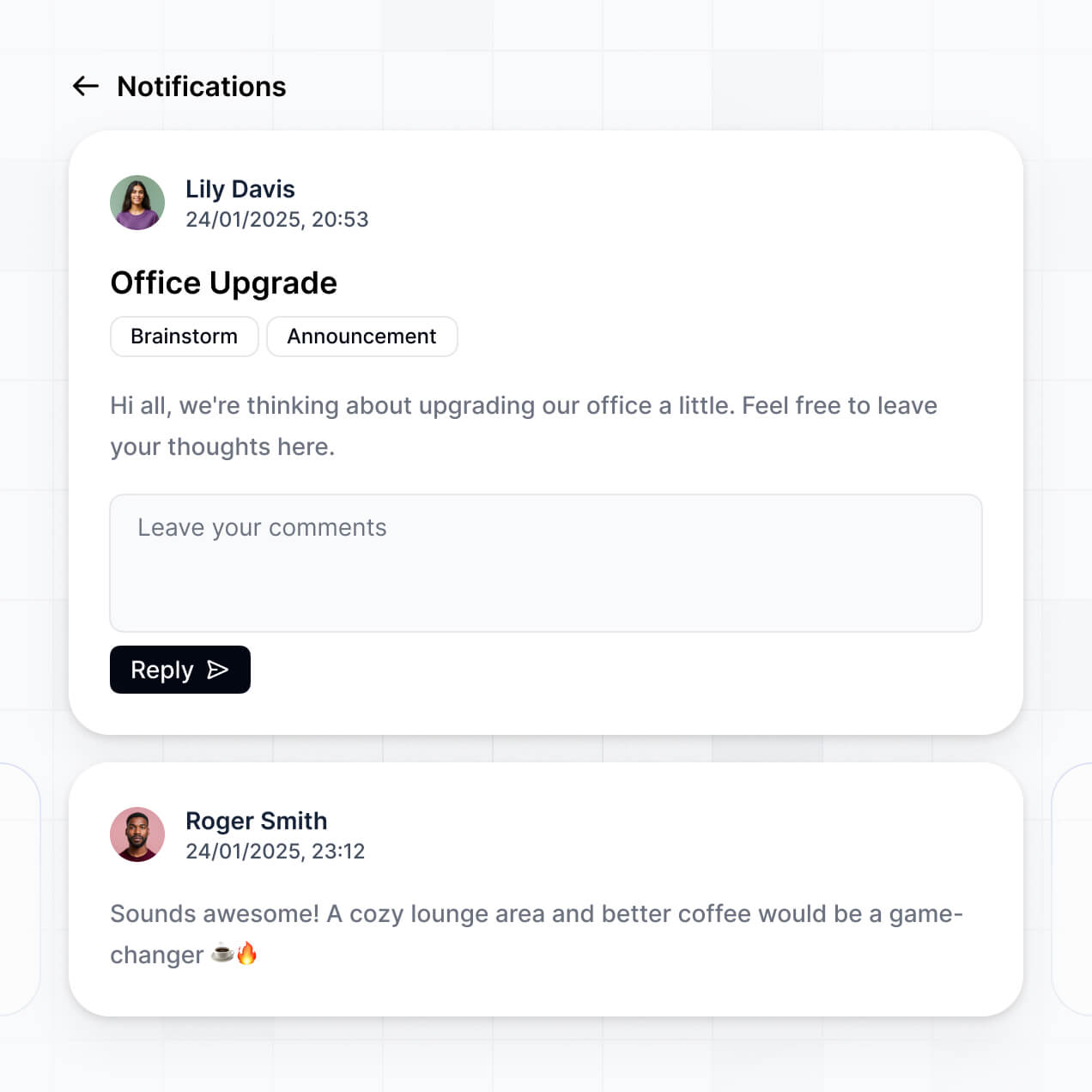
Collect reviews, track scores, and manage approvals in an AI-powered system built with AI to fit your team's recruitment workflow.
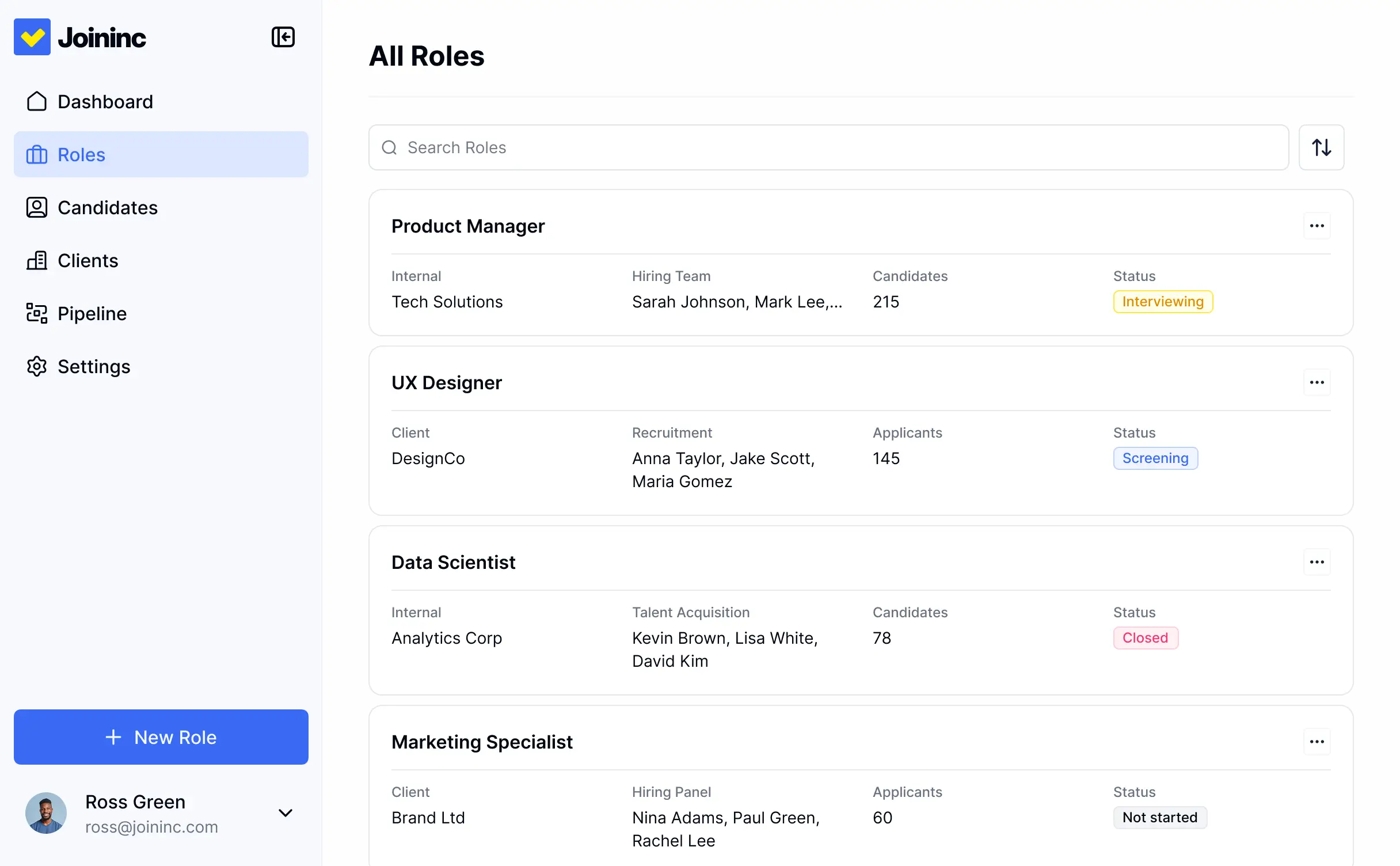



Customize your feedback setup with the exact scorecards and views your team needs. Add features as processes evolve—no code needed.


Connect candidate databases, resume logs, and interview schedules with real-time sync—or manage everything in Softr Databases. Create one source of truth for hiring decisions.
Give each teammate the right tools and access. Set up secure logins, user groups, and granular permissions—no IT support or dev work needed.
Give different hiring managers and recruiters tailored dashboards, so each role sees only the candidates and feedback requests that apply to them.
Streamline your internal processes with Softr Workflows. Trigger native notifications or status changes when a manager submits candidate feedback.
Access and update your recruitment feedback on the go. Managers can review candidates and log interview scores from any device during or after meetings.
Use Google, email, or SSO logins to give your hiring team fast, secure access to feedback forms—no internal IT tickets required.
Keep candidate and interview data safe with SOC2 and GDPR compliance, plus fine-tuned access control to ensure compliance throughout the hiring process.
No more one-size-fits-all tools or costly custom builds. Softr is easy to use and fully customizable, so you can launch faster, adapt as you grow, and skip the complexity of traditional software.

Build your hiring manager feedback tool in minutes with AI—no manual configuration or manual setup needed.

Add features like automated approval requests or AI feedback summaries as your hiring needs grow—no code needed.

Start with a feedback tool, then add status dashboards, applicant portals, or job boards—all in one place.
Co-build with AI
Simply describe what you need. Let Softr handle everything - Interface, database, workflows.
Iterate with AI or visually
Control most critical parts of your app yourself - roles, permissions, security.
Ship the same day
Invite team members or external clients and partners right away. No developer handover.
Use drag-and-drop blocks to build a portal that looks sleek and modern out of the box. Add only the features you need, and iterate as your workflows evolve.




A hiring manager feedback tool is a secure, centralized portal where recruiters and hiring managers collaborate on candidate evaluations. It allows team members to submit interview scores, share notes on specific applicants, and track feedback progress in one place. Instead of digging through fragmented emails or Slack messages, your team can access a unified dashboard to make faster, data-driven hiring decisions.
Softr is the first AI-native platform for building specialized recruitment software. It enables you to build a hiring manager feedback tool that perfectly aligns with your specific interview pipeline. You can describe your evaluation criteria to the AI Co-Builder to instantly generate your database, feedback forms, and applicant dashboards—all pre-connected and secure.
You don't need to write a single line of code. Whether you generate the portal with AI, use an Applicant Tracking System template, or build from scratch, Softr handles the infrastructure. You can run your tool on Softr Databases or sync seamlessly with Airtable, Google Sheets, or HubSpot to keep candidate records updated. You have full granular control over the interface, ensuring hiring managers see only the candidates they are interviewing while keeping private HR notes secure.
You can incorporate a variety of talent-acquisition features to streamline your hiring workflow. A powerful feedback app typically combines these advanced capabilities:
- AI-Powered Intelligence – Use Ask AI to let managers query candidate histories conversationally, or use Database AI Agents to automatically summarize long interview transcripts or perform sentiment analysis on feedback notes.
- Vibe Coding Blocks – Use the AI Code block to create custom UI elements, like an interactive 5-star rating matrix for specific skill sets or a visual culture-fit scorecard.
- Softr Workflows – Set up native automations that trigger a Slack notification to a recruiter the moment a hiring manager submits a 'Strong Hire' recommendation.
- Granular Portals & Logins – Securely manage access so department heads only see candidates for their open roles, while HR maintains a global view.
- Structured Feedback Forms – Use custom forms with conditional logic to ask different technical questions based on the job level or department.
- Hiring Dashboards – Visualize recruitment metrics like average time-to-feedback or candidate quality scores with real-time charts.
- List & Status Views – Manage your pipeline with searchable tables or Kanban boards that track candidates from 'Interviewing' to 'Offer Sent.'
All these features are built with drag-and-drop blocks, but you can always use Vibe Coding to build a highly specialized candidate comparison widget if your process requires it.
Vibe coding allows you to build a sophisticated feedback system at the speed of thought. You can "vibe code" your hiring tool by describing your ideal evaluation workflow to the AI Co-Builder. Softr then translates those instructions into a functional application with professional candidate lists and submission forms.
While other tools might leave you with disorganized code, Softr provides a structured environment where authentication, applicant data privacy, and logic are managed natively. This means you can 'vibe' the creative parts of your ATS—like the look and feel of your scorecard—without worrying about the technical debt of managing raw code. Softr builds it, and your hiring managers can start rating applicants immediately.
Yes. You can manage multiple departments, such as Engineering, Sales, and Marketing, all within a single application. Each hiring manager only sees the candidate profiles and feedback forms specific to the roles they are currently hiring for, based on their secure login and role assignments. This ensures a clean workspace for managers and a consolidated database for the Talent Acquisition team.
Yes, you can. You don't need an existing database to build your recruitment tool. If you are starting fresh, you can use Softr Databases to store candidate resumes, contact details, and interview scores directly within the platform.
If you eventually decide to scale, you can easily connect external data sources like Airtable, Google Sheets, or SQL. Either way, you have complete control over how your hiring data is structured, allowing you to build the exact feedback system your team needs from day one.
Softr Databases is the recommended native choice for your feedback tool, offering high performance and instant triggers for recruitment workflows. Because the data is native, the experience for hiring managers is incredibly fast and reliable.
If your organization already uses other tools, Softr connects to 17+ external sources including Airtable, Google Sheets, HubSpot, and SmartSuite. You can even create a hybrid setup: store sensitive payroll info in a SQL database while keeping candidate interview notes in Softr Databases, displaying both within the same interface for your HR admins. Most sources support real-time sync, keeping your hiring pipeline up to date across all platforms.
Yes, Softr provides deep customization for your hiring manager feedback tool. You can design the interface to match your corporate branding and specific interview rubric. Crucially, you can use visibility rules to show or hide blocks based on specific criteria—for example, a hiring manager can see an applicant's technical assessment but not their previous salary expectations.
You can define roles such as 'Hiring Manager,' 'Interviewer,' and 'Admin,' each with tailored permissions. Interviewers might only have permission to create scorecards, while Hiring Managers can approve offers and HR Admins can manage all candidate data. This level of control keeps your recruitment process secure, compliant, and professional.
Yes, you can fully white-label your feedback tool in Softr. You can incorporate your company logo, brand color palette, and custom fonts, and host the tool on your own domain (e.g., feedback.yourcompany.com). This creates a cohesive internal experience for your team, making the tool feel like a custom-built piece of your company's proprietary HR technology.
Yes, you can. Softr allows you to adjust the design and layout to fit your team's specific hiring habits. You can modify colors, spacing, and navigation to make the evaluation process as intuitive as possible. You can customize which interview blocks appear first and how performance metrics are displayed.
You can use specific blocks for different parts of the recruitment process:
- Table blocks – to track large volumes of applicants and their current stages.
- Card blocks – to show a visual gallery of candidate headshots and brief bios.
- Detail View – to provide a deep dive into a candidate’s resume, LinkedIn profile, and previous feedback.
- Forms – for standardized interview scorecards and post-interview notes.
- Charts – to track hiring velocity and department-wide candidate quality.
- Calendar blocks – to display upcoming interview schedules and feedback deadlines.
Updating the layout as your hiring process evolves is simple and done entirely within the visual editor.
Softr is built with enterprise-grade security to protect sensitive candidate information. All data is encrypted in transit and at rest, and apps are hosted on secure infrastructure. You have complete control over data privacy via role-based permissions, ensuring that sensitive evaluative notes are only accessible to the correct stakeholders.
When using Softr Databases, your data is stored in a secure European-hosted environment (Germany) with SOC 2 Type II compliance. For teams connecting to external databases like Airtable or SQL, Softr acts as a secure display layer without storing the candidate data itself. Softr follows strict industry standards for authentication and access control to ensure your recruitment data remains confidential.
It is fully production-ready. While many AI coding tools produce fragile snippets that are difficult to secure, Softr builds your hiring manager feedback tool on a battle-tested, business-grade foundation.
We provide critical features like user authentication, secure file storage for resumes, and granular access control natively. This eliminates the technical risks usually associated with AI-generated apps. Your hiring tool is scalable, secure, and ready to handle your next high-volume hiring cycle from the moment it’s generated.
Softr is the first AI-native platform designed for custom business software. Unlike traditional ATS platforms that force you into a rigid workflow, or 'vibe coding' tools that lack infrastructure, Softr’s AI Co-Builder generates a tailored feedback system on top of a secure, production-ready framework.
This hybrid approach gives you the best of both worlds: the speed to launch a custom hiring tool in minutes using AI, and the reliability of professional software with built-in user roles and permissions. It is specifically built for HR and talent teams who need a sophisticated tool without the overhead of a technical development team.
Yes. Softr supports powerful native workflows and integrations to connect your hiring manager feedback tool to your existing tech stack. You can automate tasks like sending a confirmation email to a candidate after a manager submits feedback or syncing final scores back to HubSpot or Salesforce.
Softr also supports webhooks and REST APIs, allowing you to connect to video interview platforms or background check services. You can build a fully automated recruitment ecosystem where data flows seamlessly between your feedback tool and other HR systems without writing any code.
Describe your hiring workflow. Softr's AI builds your custom feedback tool in minutes.