



Templates are pre-built tables with ready-to-go Airtable views, giving you a head start on organizing your data. They're flexible, customizable, and the easiest way to get started with Airtable. You can choose from official templates or templates uploaded by users, which makes the selection quite extensive.
To help you find the best Airtable templates without sifting through hundreds of options, we’ve collected 21 of the top templates for different business use cases.
Top Airtable templates for digital marketers
1. Content calendar template
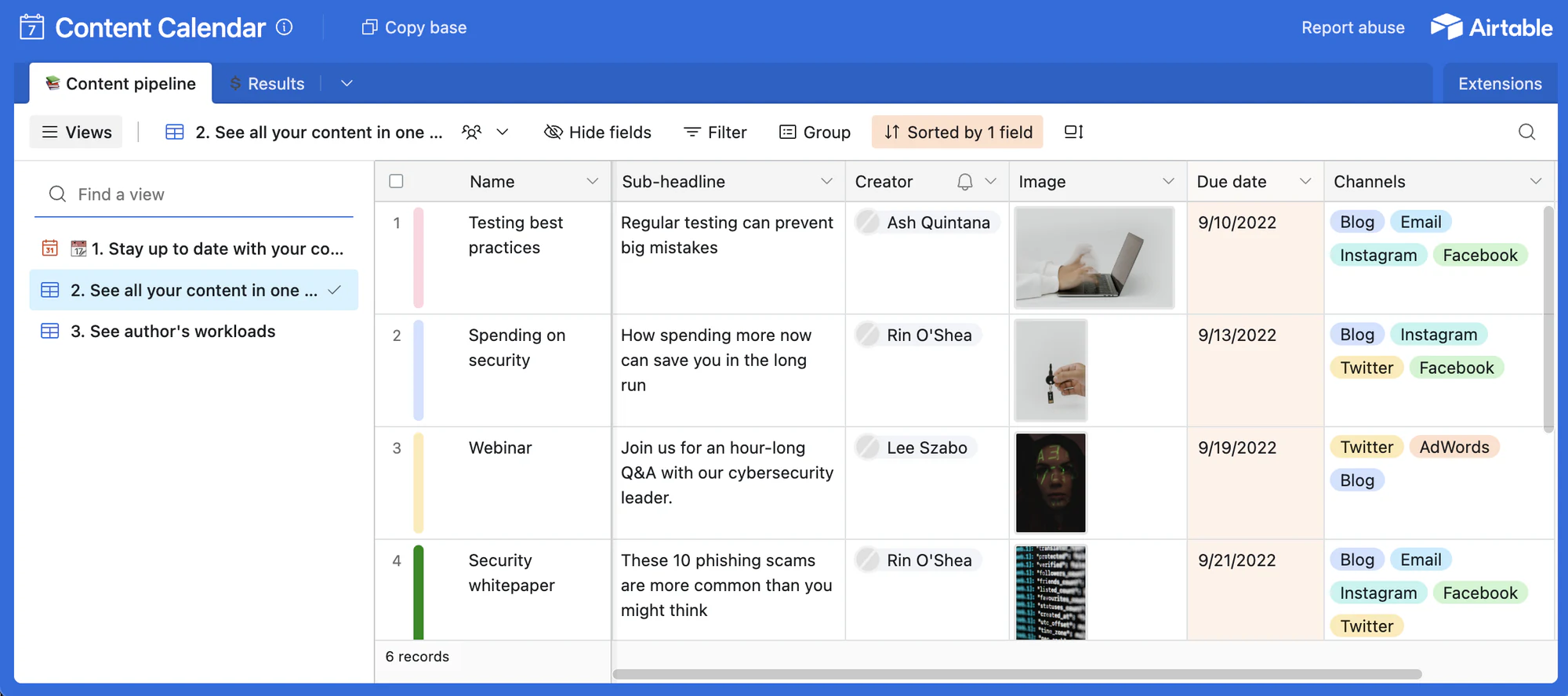
Marketing teams use a content calendar to keep projects on track, ensure consistent publishing, and align team efforts. With this Airtable template, you can easily assign new content and schedule it across multiple views. Pull key data directly into Airtable and publish seamlessly by integrating with your CMS or social media accounts. Use multiple calendar views to see assigned, pending, and published content.
💡 Pro tip: Use Softr's free content calendar template to turn your content calendar into a professional app. Your writers can see assigned briefs and upload their content without access to the entire base.
{{cta-1}}
2. Marketing campaign tracking template
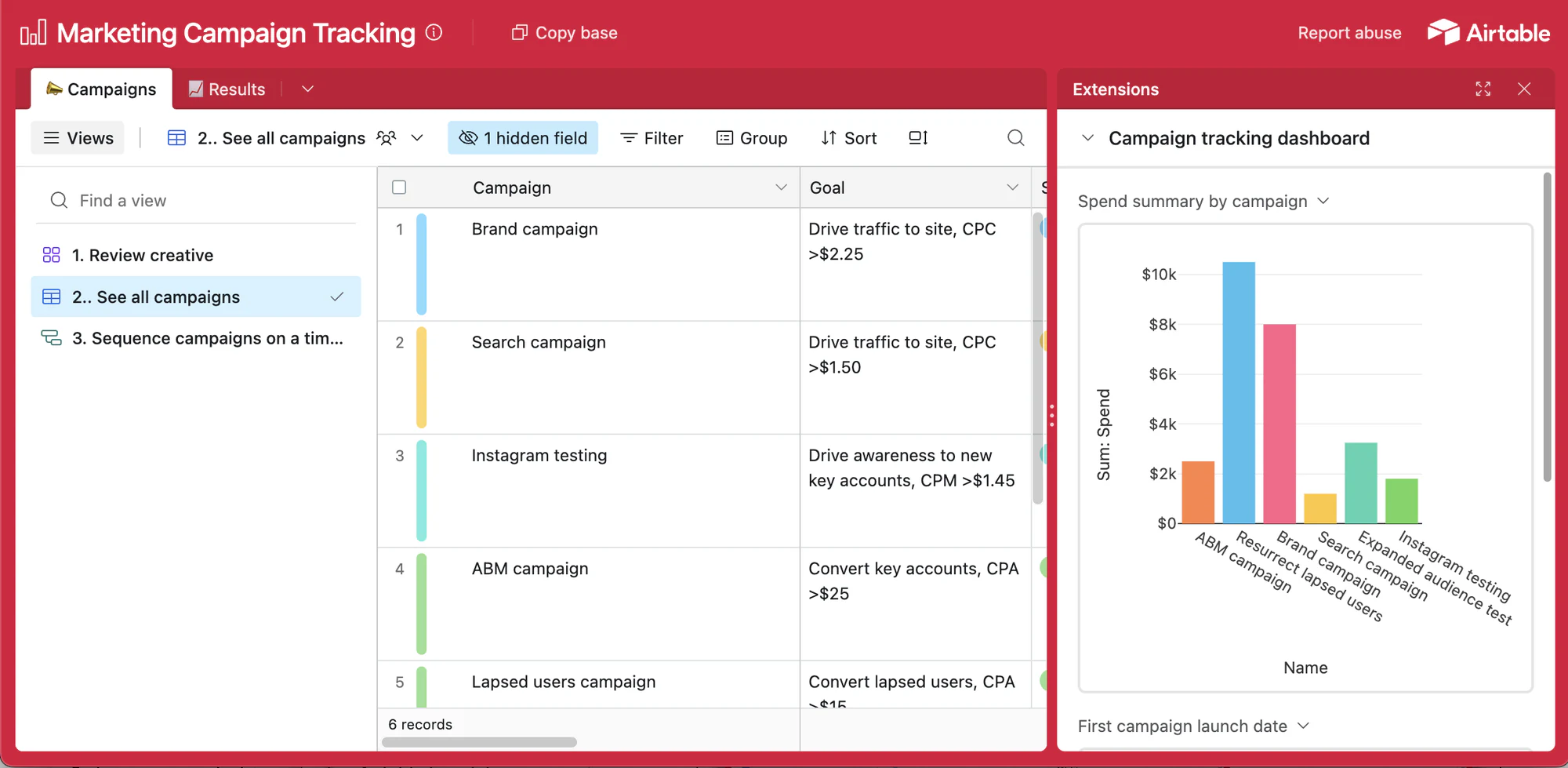
Marketing campaigns take a lot of work, even at the outline phase. But thanks to Airtable’s marketing campaign tracking template, you can streamline the entire process. This Airtable template makes it easy to:
- Plan, track, and visualize campaign timelines.
- Publish updates.
- Track your marketing budget and resources.
- Track conversions and return on investment.
- Automate scheduling processes.
- Distribute reports to stakeholders.
💡 Pro tip: Try Softr's free marketing campaign template to transform your campaign tracking base into a professional app. Make your campaign data accessible to team members and stakeholders anywhere, anytime.
3. Social media calendar template
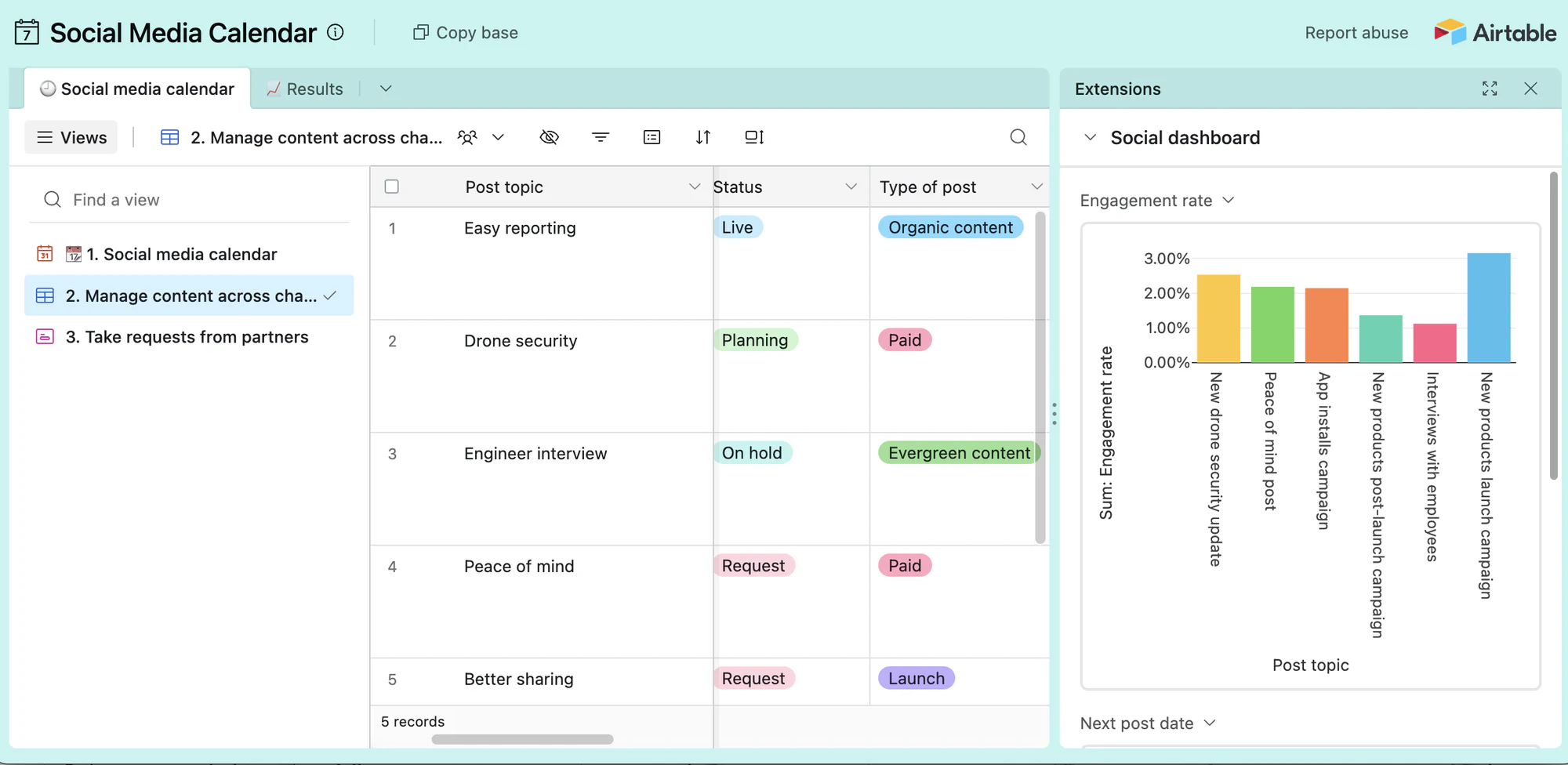
It's hard to imagine social media management without a calendar. This Airtable social media calendar template helps you manage multiple social media accounts by drafting, scheduling, and posting weekly content. The base also provides some great tools for tracking post performance.
💡 Pro tip: Try Softr's free template to transform your social calendar base into a user-friendly app. Create more powerful dashboards and custom views and enhance collaboration in real time.
Top Airtable templates for project management
4. Project tracker template
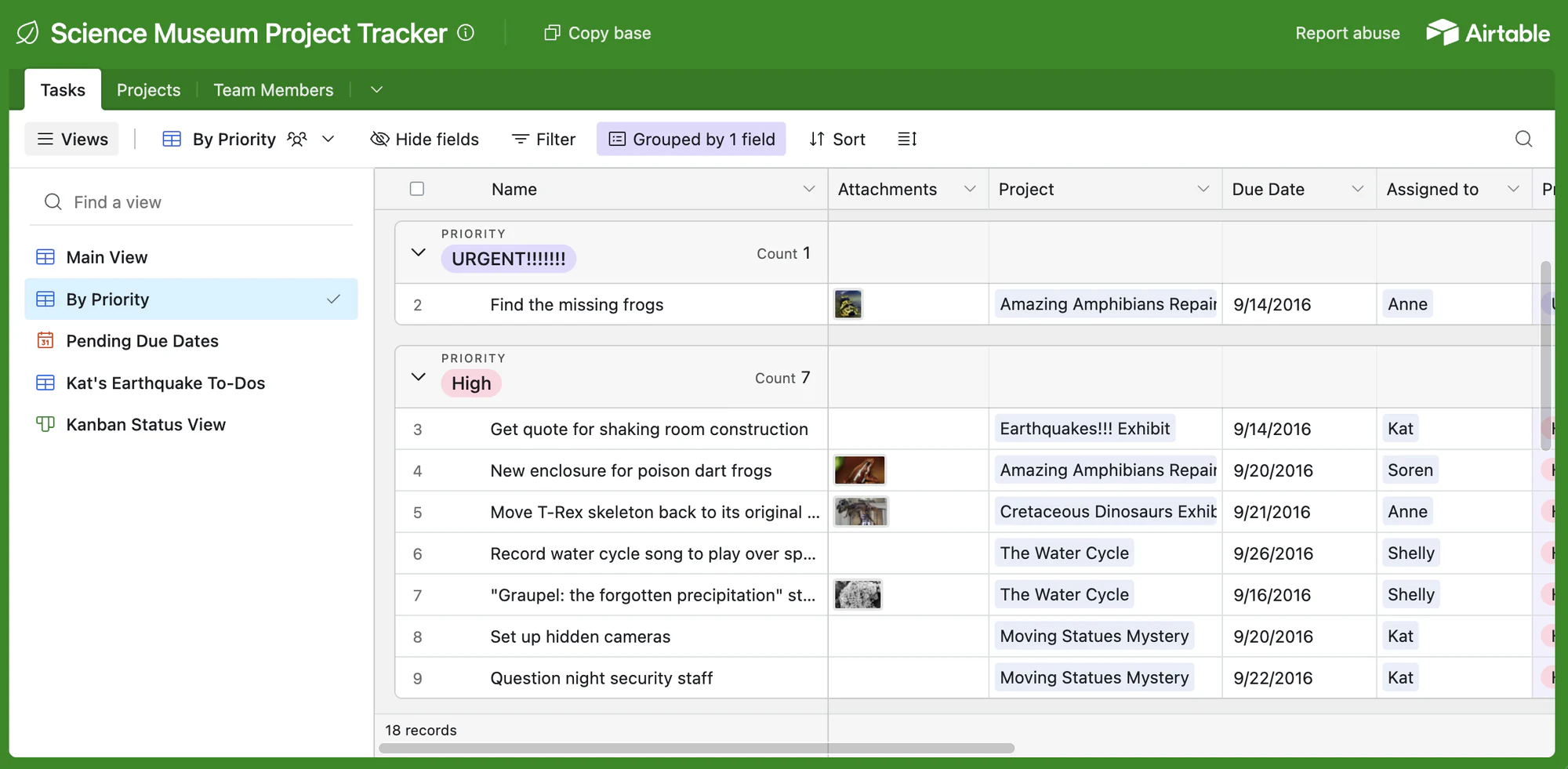
Although this Airtable project tracker template is based on a fictional science museum, you can use it to create, collaborate, and track projects by priority, status, and upcoming due dates. (Yes, really.) This template can easily fit into your project management workflow and help team members deliver work on time.
💡 Pro tip: Try this free Softr project tracker template to create an intuitive, user-friendly interface for your new base. Let your team members interact only with the project data most relevant to them, and make everyone more productive.
5. Bug tracker template
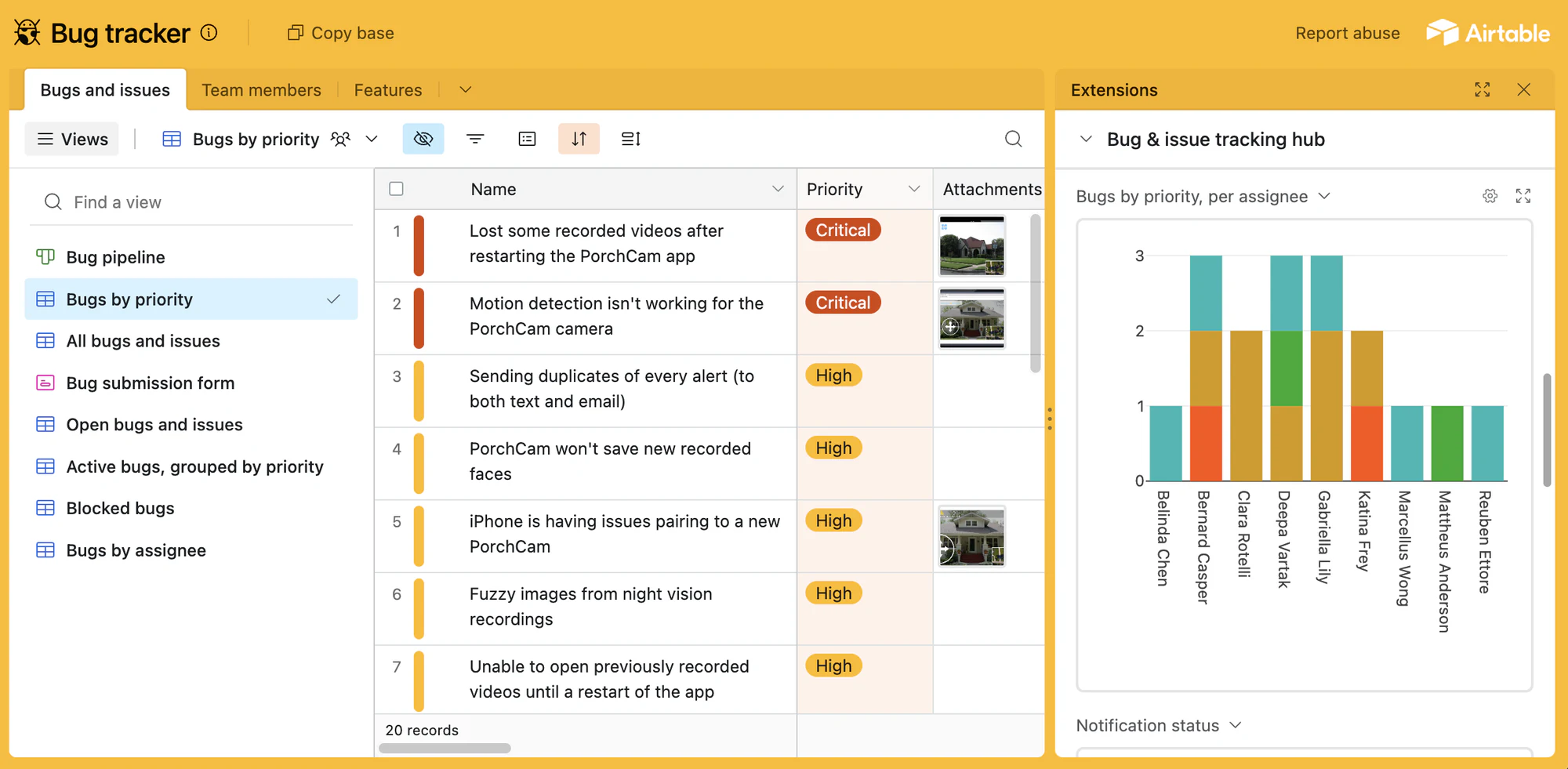
A reliable bug tracking system is essential for software development. This Airtable bug tracking template enables your dev team to efficiently organize and track bugs and report new issues as they arise.
💡 Pro tip: Try Softr's free issue tracker template, which makes it easy for developers, testers, and project managers to report bugs and update statuses from any device without sorting through the entire Airtable base.
6. Project tracker template
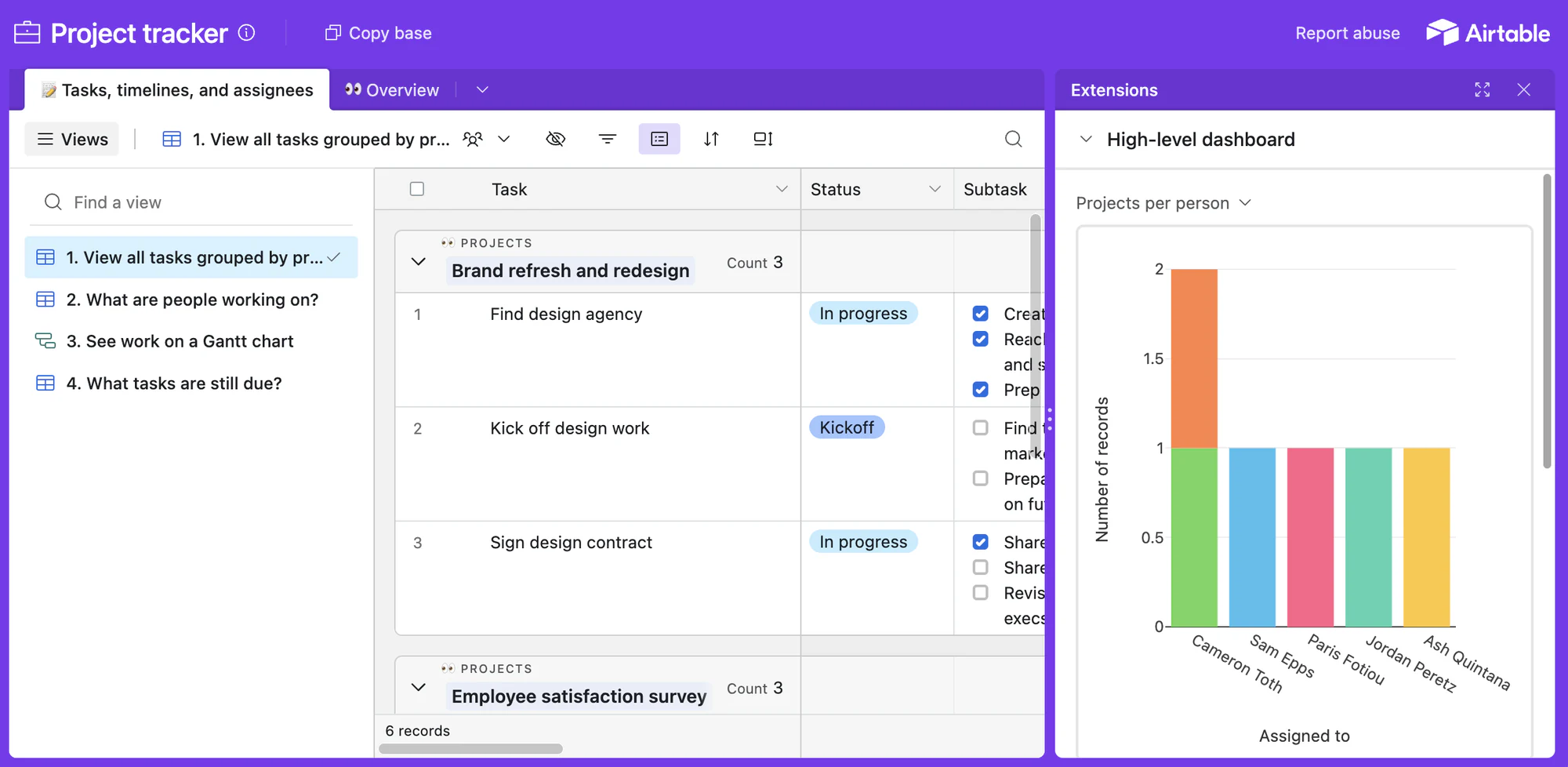
Precise timing, clear roles, and defined schedules are key for a successful product launch. Airtable's project tracker template is invaluable for project managers, developers, and content managers. It helps ensure collaborators are aligned, enabling team members to focus on their tasks and contribute to larger efforts without tracking everything privately.
💡 Pro tip: Try this free Softr template to turn your Airtable project tracker base into a custom app in minutes. Team members can log on from any device and view and edit only the information relevant to their role.
Top Airtable templates for designers
7. Design project pipeline template
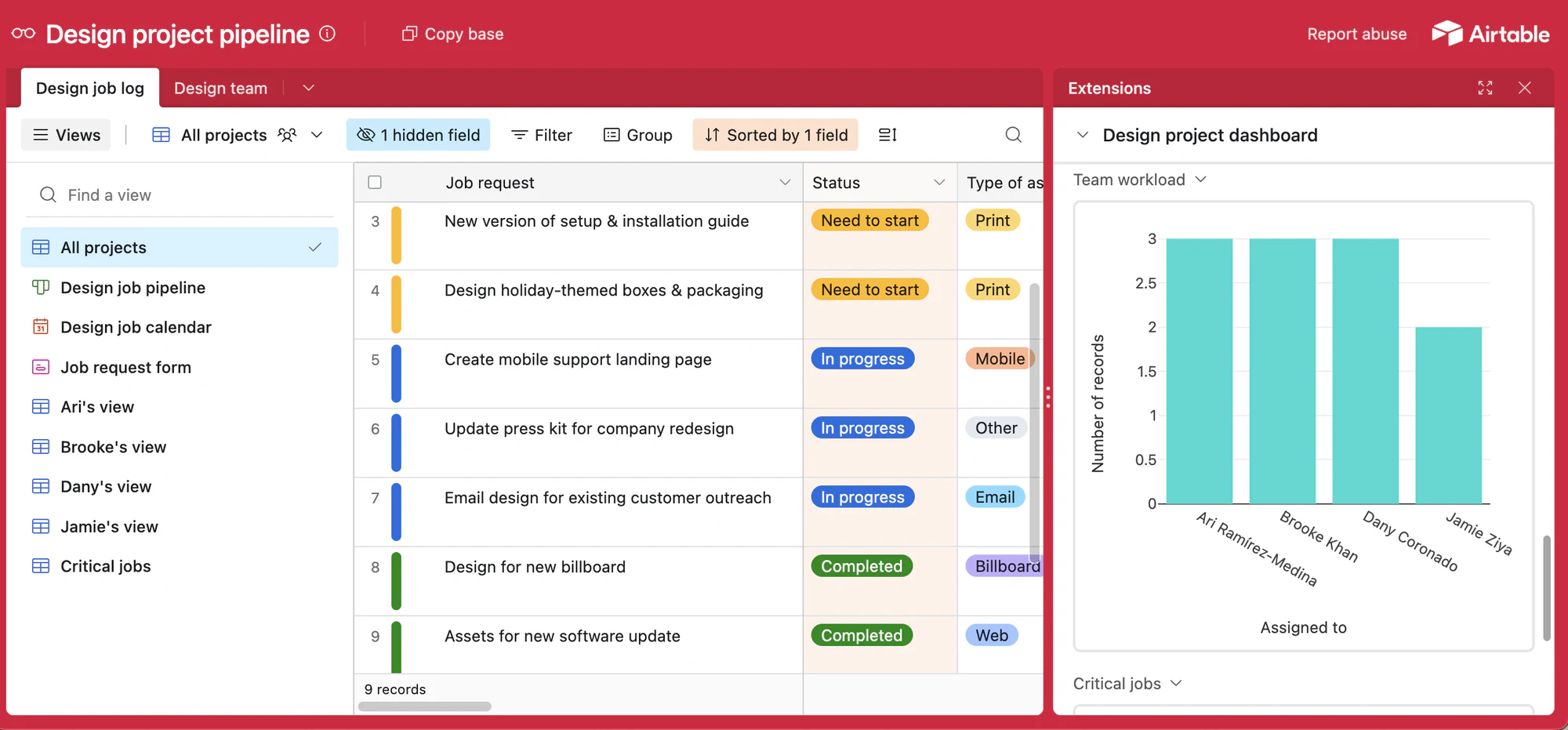
Project pipelines are ideal for web designers and project managers. They offer a clear visual overview of each project's progress and a checklist for every stage of task management. Airtable's customizable design project pipeline template is both straightforward and adaptable. ITt gives you a centralized view of your pending requests, approval process, and deliverables, allowing you to plan things like timing and resources for your projects.
💡 Pro tip: Try this free Softr template to turn your design project pipeline base into a professional business app that you can securely share with internal team members or external contributors.
8. Design project pipeline manager

If you're looking for a template made by an Airtable user, we love this one created by UX designer Taylor Gilbert. It's a design project pipeline manager template that showcases how Taylor and their team manage design projects and deliverables. Just copy the template and adjust it according to your team's needs.
💡 Pro tip: Try this free Softr template to turn Taylor's Design Project Pipeline Manager base into a beautiful business app that will make it easier for users to navigate the pipeline, understand project stages at a glance, and access checklists and resources.
9. User feedback template
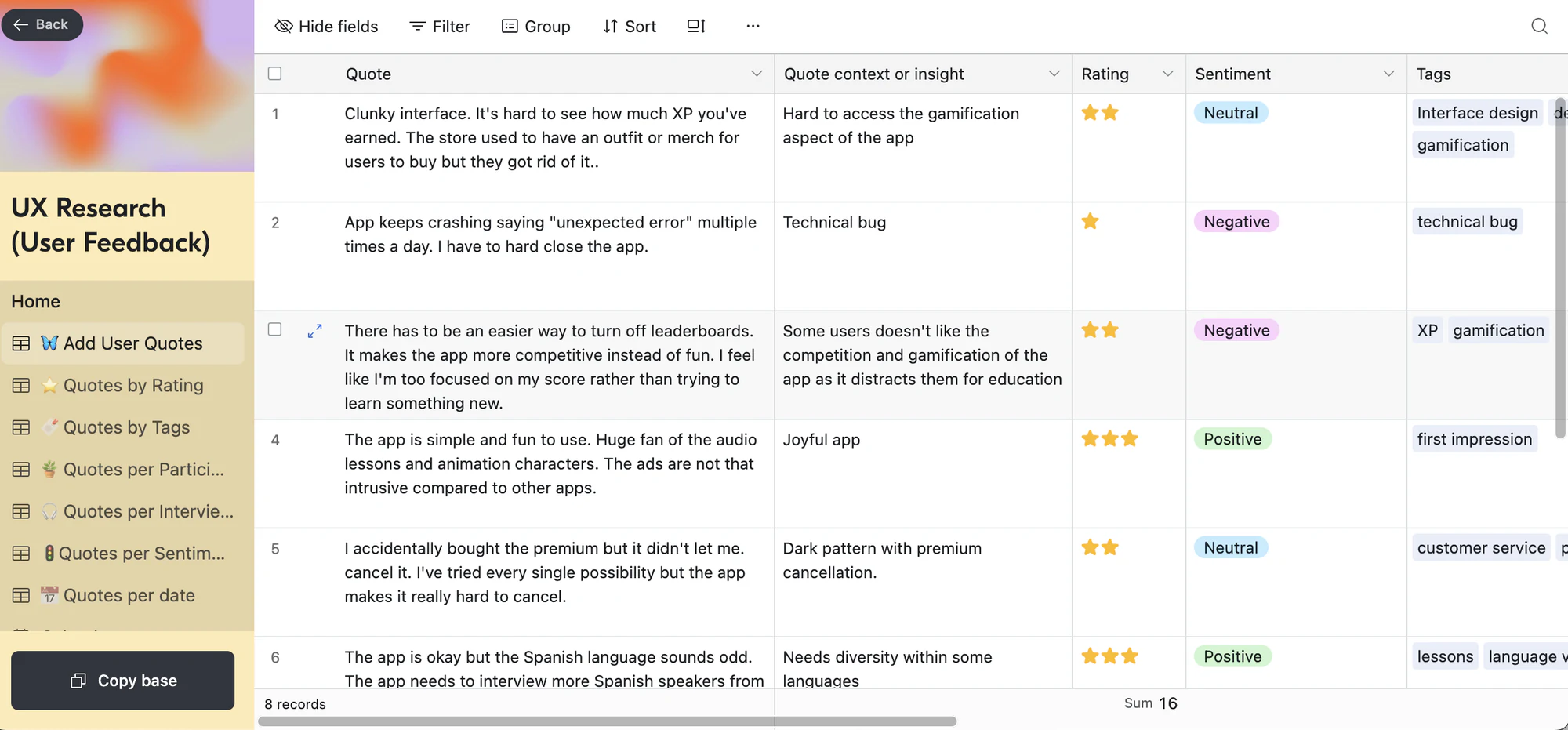
Designers invest considerable effort into optimizing user experience before launching a new website or web app. This Airtable user feedback template helps deepen your understanding of user interactions with clear feedback. It's ideal for UX/UI teams and product managers and can facilitate user testing and analysis.
💡 Pro tip: Try Softr's free feedback template to collect feedback and feature requests from your customers. Create new forms to capture user feedback and build dashboards or UIs to visualize the information, no coding required.
Top Airtable templates for sales teams
10. Sales CRM template
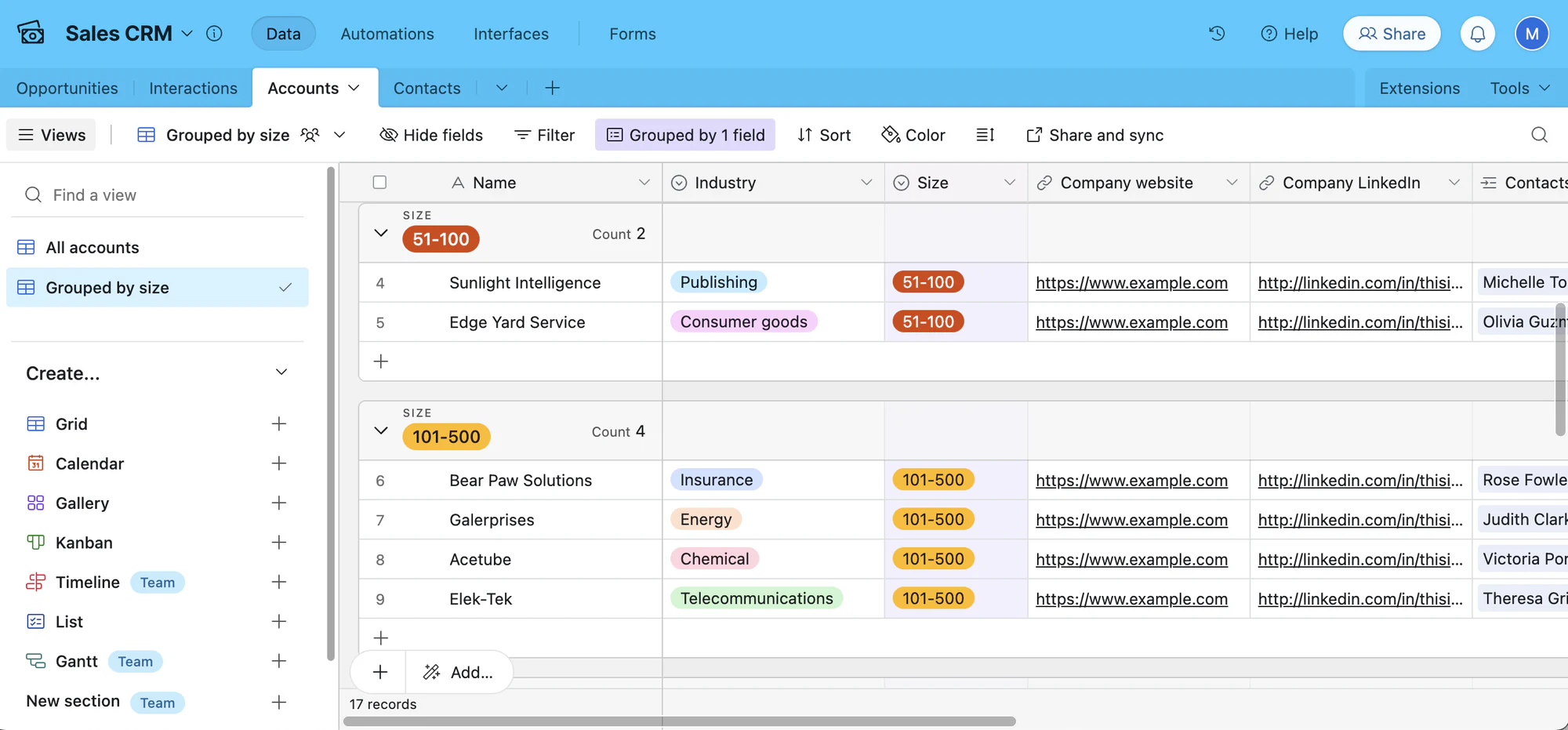
A proper CRM system is essential for any sales team. This Airtable CRM template provides real-time access to your accounts. It can also be used to build and track sales pipelines, set automation triggers, and automate email notifications.
💡 Pro tip: Use Softr's free sales CRM template to build a custom view and interface on top of your Airtable base. The template is flexible enough to adapt to your sales team, no matter how many customers you manage.
11. Customer testimonials template

Sales teams often need to reference feedback and testimonials, and Airtable’s customer testimonials template is a great option for doing just this. With this template, you can tag each testimonial with the main topics it addresses, mention the social media site you found it on, add video testimonials, and more.
12. Ratio Coffee's distribution template
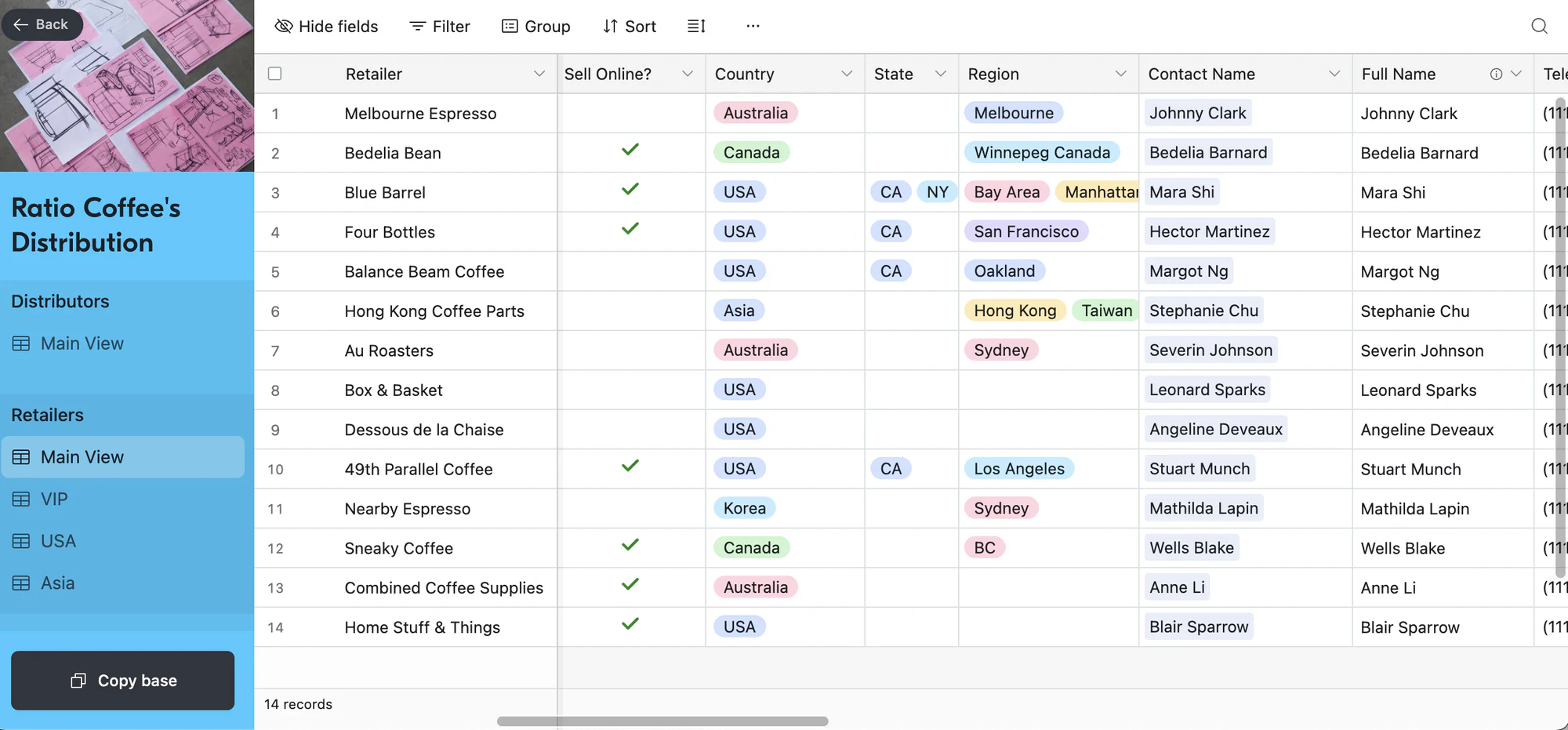
Managing a distribution network starts with the right foundation. Ratio Coffee's distribution template lets you track retailers and distributors, organize target regions and trips, and connect every moving part in a single place. It's ideal for teams that rely on relationship-building from first contact to close.
💡 Pro tip: Try Softr's free vendor application form template to qualify and onboard vendors in a streamlined process.
Top Airtable templates for HR & recruiters
13. Employee directory template
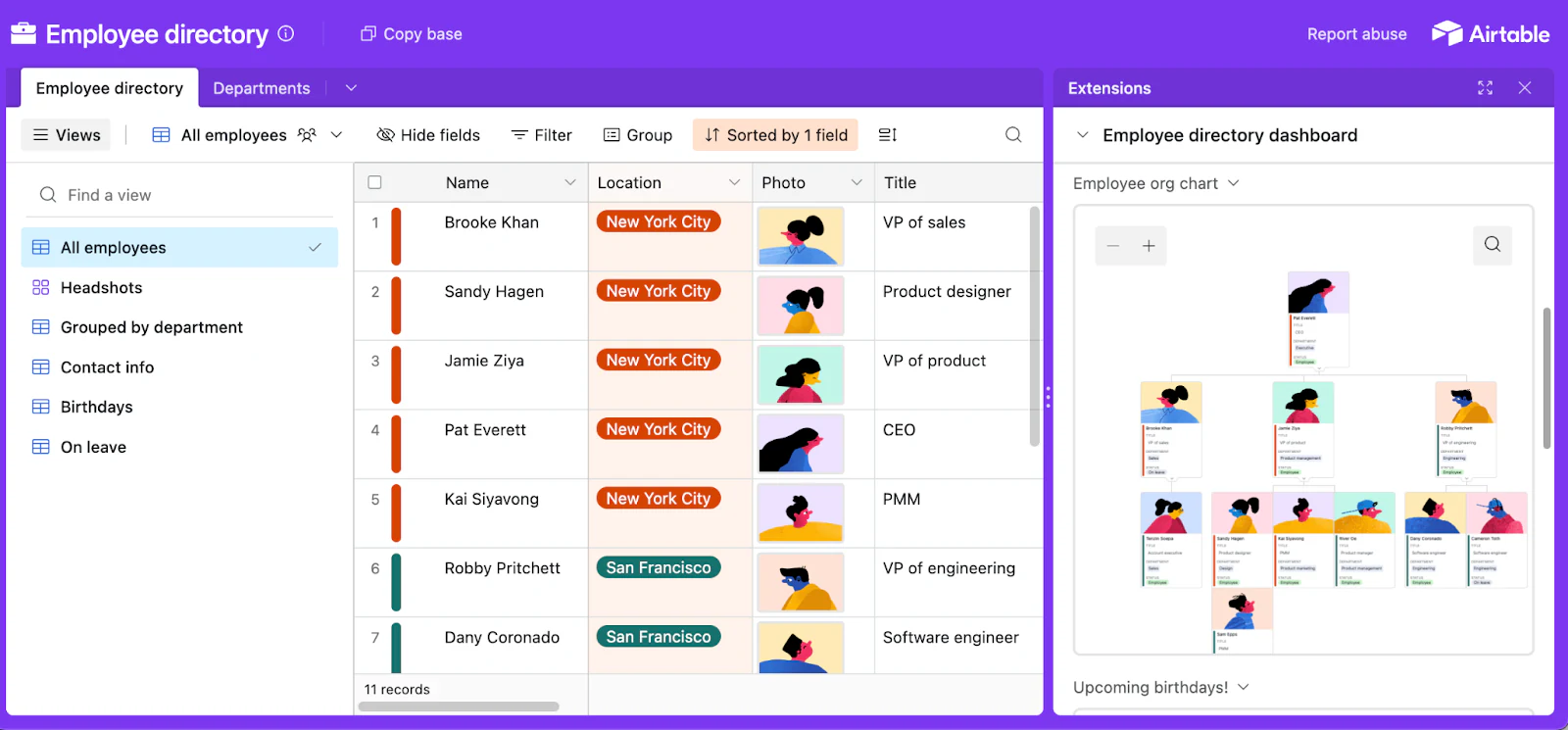
Keeping track of employees can be a challenge. From managing roles, start dates, and birthdays to organizing contact information, an employee directory is essential for employee management. This Airtable employee directory template helps you regularly update information on your employees, track their progress, and more.
💡 Pro tip: Get started quickly with Softr's free employee onboarding template, employee directory template, or our employee resource database template. Or save time by building an employee portal with your Airtable base in minutes.
14. Contractor time tracker template
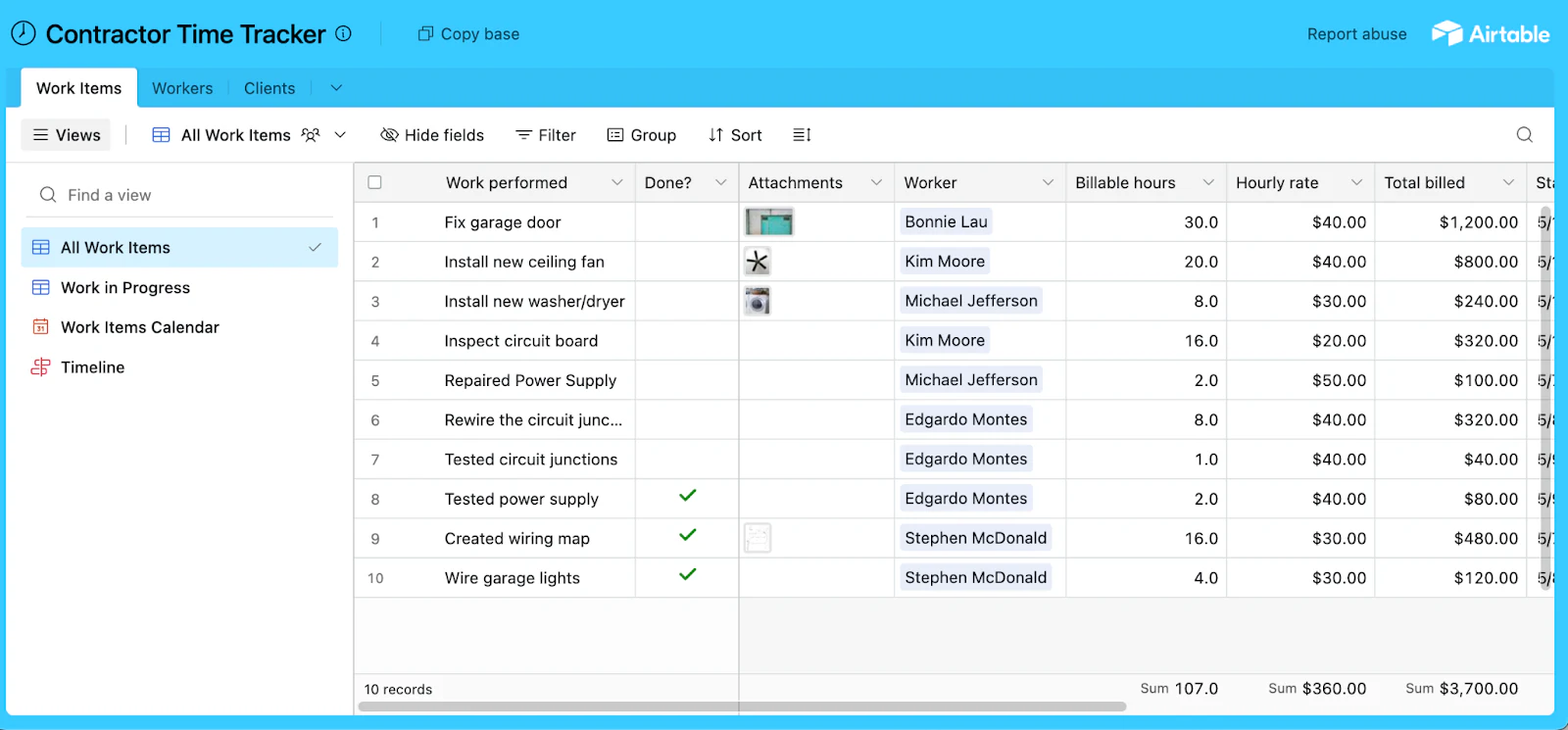
Are there contractors at your company? If so, you probably have a spreadsheet to track their work and communicate with them. A more flexible option is Airtable's contractor time tracker template. It's a simple and fast way to record your contractors' hours worked across projects.
💡 Pro tip: Try Softr's freelancer management system template for even greater flexibility. This all-in-one contractor project management solution works seamlessly with Airtable to track contractor hours, manage projects, and streamline communication.
15. Simple applicant tracker template

Another core area of HR is recruiting applicants. With Airtable's applicant tracking template, you can manage the full hiring process, with views that allow filtering, sorting, and grouping records based on your hiring criteria.
💡 Pro tip: Try Softr's free applicant tracking template to turn your Airtable base into a web app that manages every stage of the recruitment pipeline.
Top Airtable templates for product managers
16. Program communications plan template
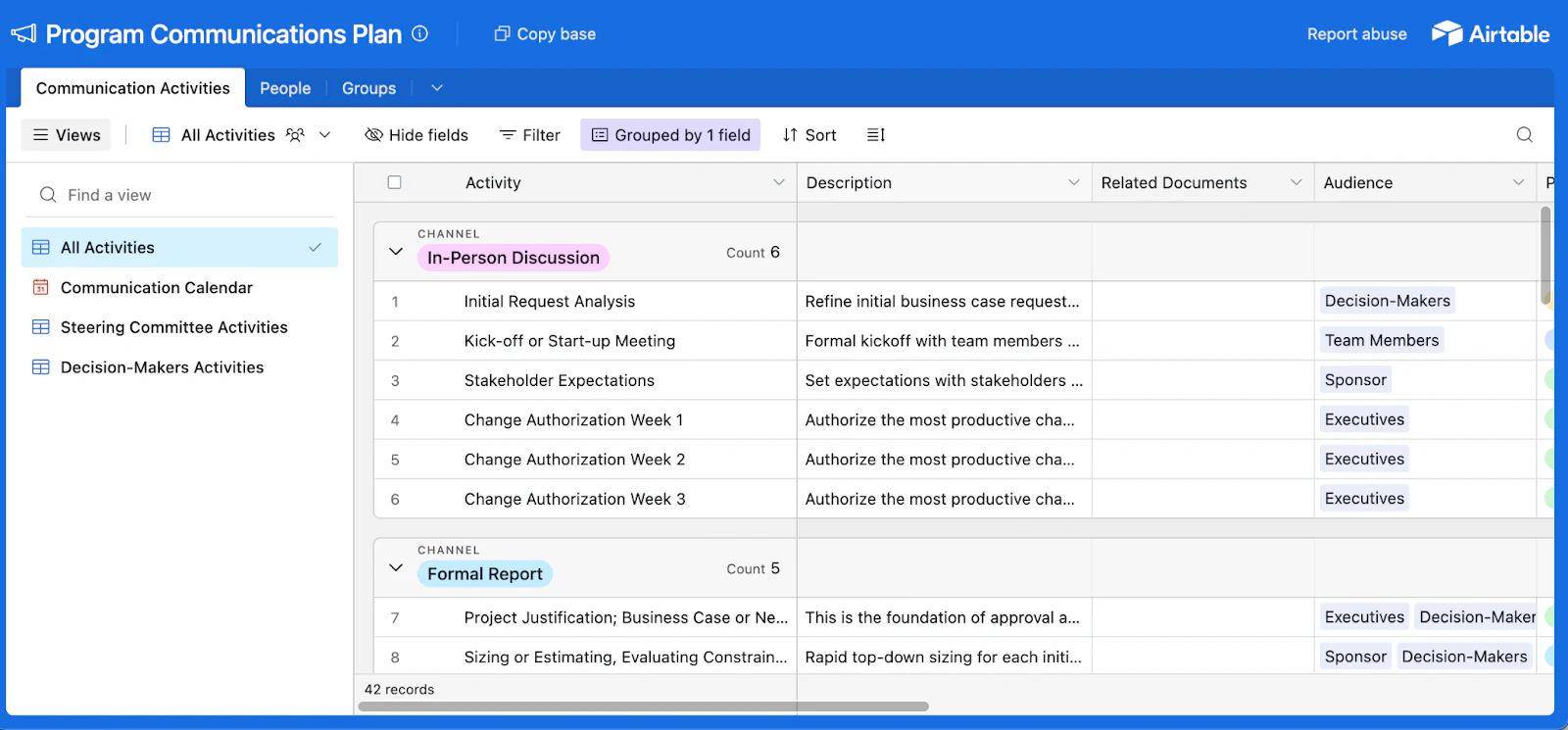
Whether you're managing a large-scale transformation or a smaller capability-building project, a clear communication plan is essential. Airtable's program communication plan template helps you set expectations, identify the right stakeholders, and keep your team aligned every step of the way.
17. Product launch calendar
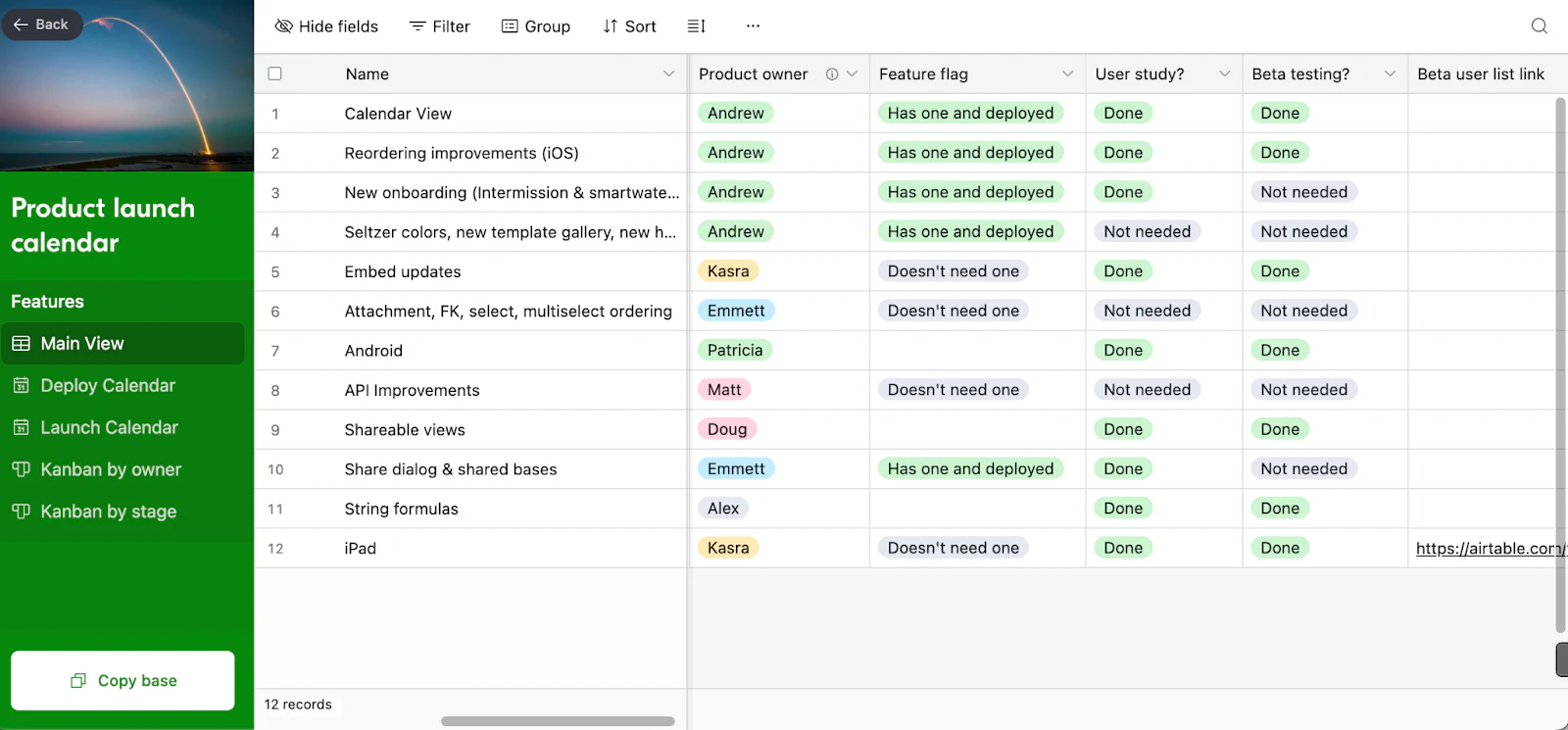
Airtable co-founder Andrew Ofstad created this product launch calendar template. It includes a "Feature Launches" database with fields for "Launch Date" and "Deploy Date," plus customizable calendar views.
💡Pro tip: Try Softr's free release planning template to organize launch dates, track progress, and keep your team aligned.
18. Growth experiments template

When it comes to web development, tracking experiments can help you improve product performance and refine your product strategy. This Airtable growth experiments template makes it easy to:
- Record and organize past experiments, including successes and failures.
- Track ongoing experiments with a convenient calendar view.
- Develop a structured framework for brainstorming and growth planning.
It’s a simple way to bring structure and focus to your growth marketing process.
Top Airtable templates for events
19. Event planning template
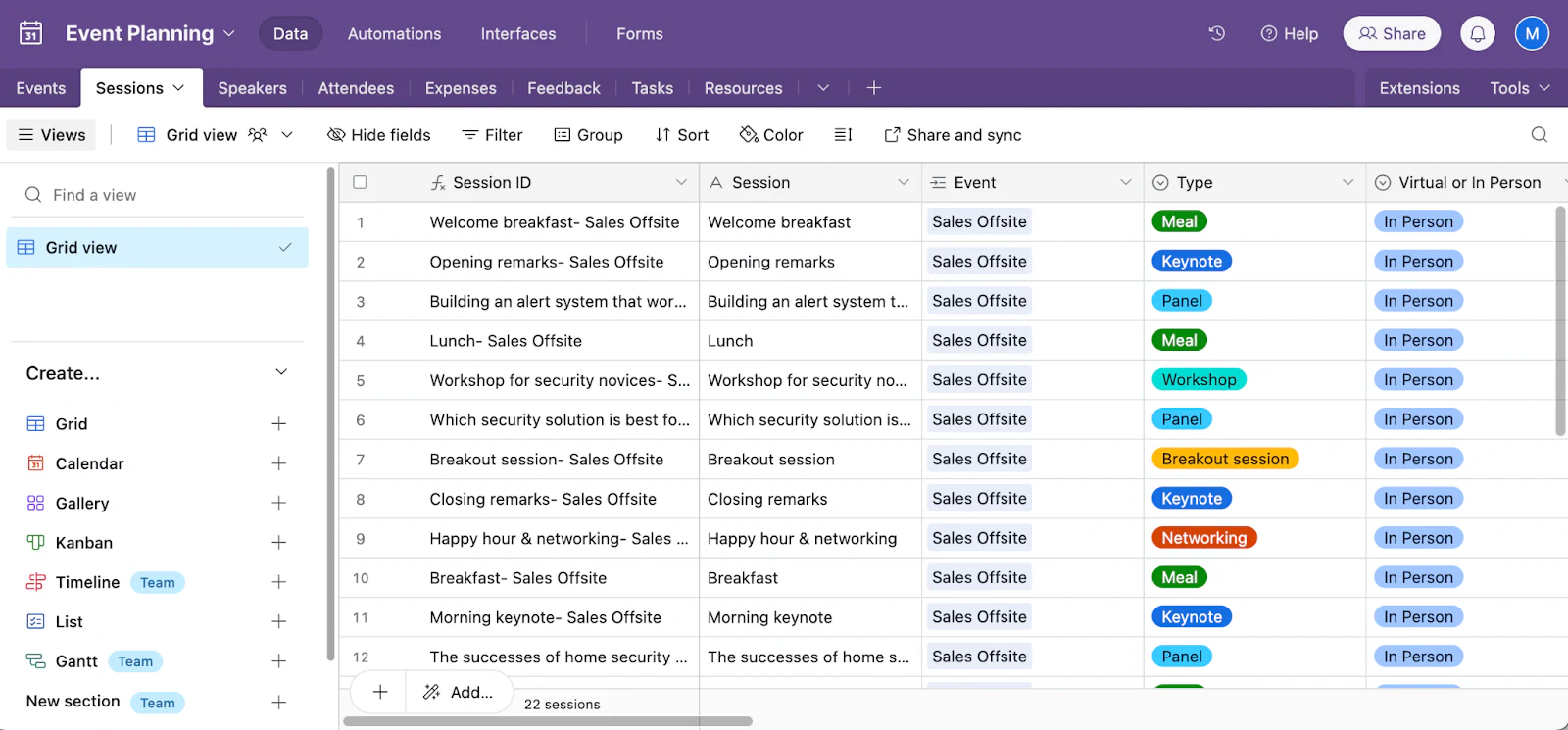
Need some extra tools to help with event planning? Use the Airtable event planning template. With it, you can catalog every moving part, person, and place involved in an event. It’s flexible enough to use for any stage of event planning, from building out event materials to finalizing the last touches.
💡 Pro tip: Use Softr's free event planning template to turn your Airtable base into an all-in-one platform for managing events, schedules, speakers, and attendees, as well as event logistics and budget.
20. Event marketing template

Hosting events is one of the best ways to engage customers. Airtable's event marketing template helps you plan webinars, meetups, dinners, and more. You'll be able to stay on top of your planning process and focus on the most important part: creating an amazing experience for the attendees (and marketing it through the right channels).
21. Nonprofit gala template
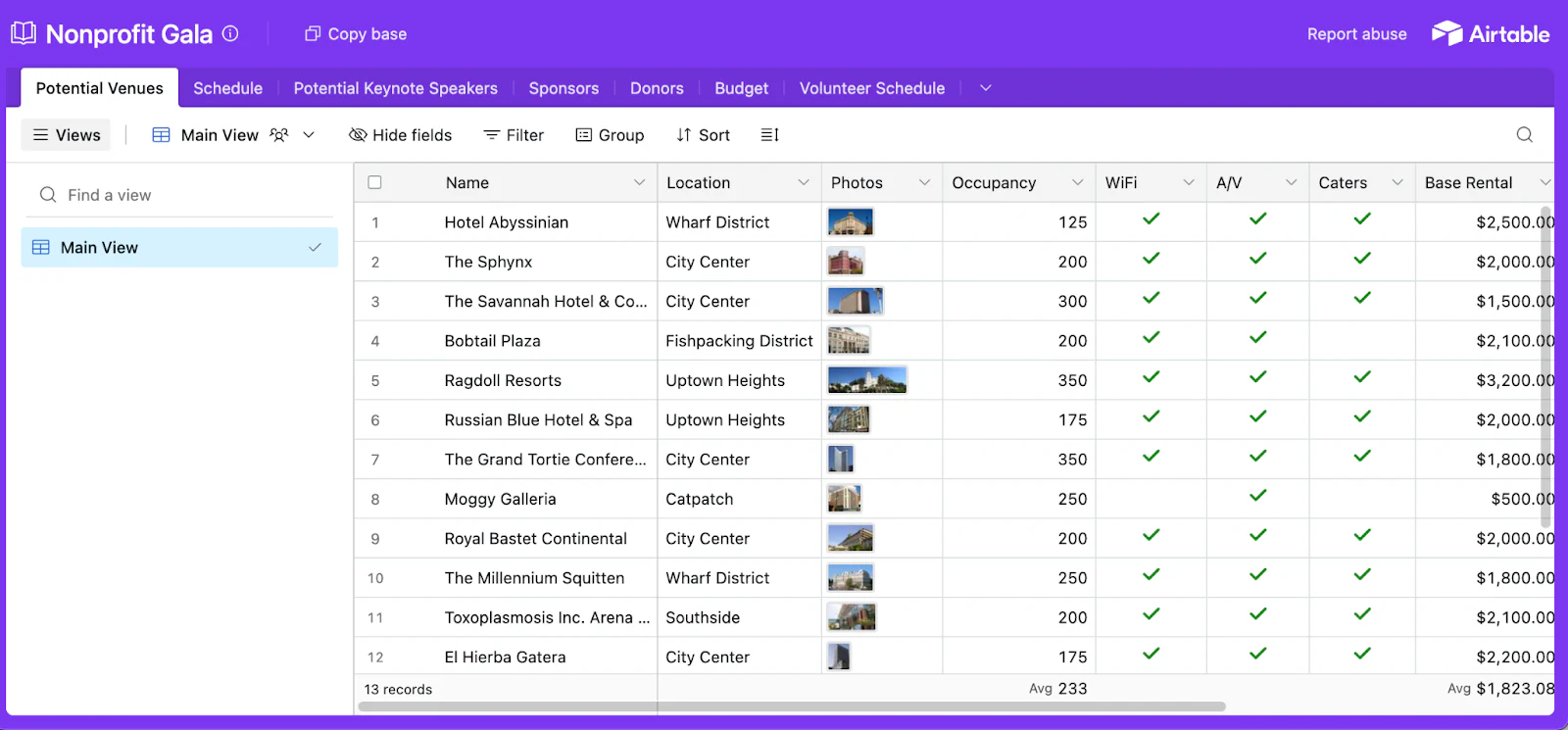
Nonprofits often organize galas and fundraisers to support their missions. To simplify event planning, use Airtable’s nonprofit gala template to track speakers, attendees, and live event details like virtual meeting links — all in one central hub. You can easily customize the base to fit your needs and streamline the gala planning process.
💡 Pro tip: Simplify your program management with Softr's free nonprofit program management template. Use it to manage your programs, projects, tasks, donors, and volunteers all in one place.
Softr turns your data into working apps
Softr is an easy-to-use, AI platform that makes it easy to turn your Airtable bases into powerful web apps without code: client portals, internal tools, marketing and event planning solutions, data management systems, CRMs, project tracks, and more.
With built-in user authentication, role-based access, and customizable views, Softr gives you complete control over your content and data. And if you want to build business software on top of your Airtable data (or any data), try Softr's AI Co-Builder and generate a secure, full-stack app in minutes.
Frequently asked questions
Are Airtable templates free?
Can you use Airtable like Excel?
Where do I find templates in Airtable?
How do I create a custom template in Airtable?


