10 best no-code AI app builders in 2026 (Tested)



I tested 10 no-code AI app builders to see which ones hold up best once you move past the demo stage. Every tool here turns a prompt into a working app or frontend. What separates them is how maintainable they are, the number of data sources they can reach, and what you pay when it comes to actual use.
The 10 best no-code AI app builders at a glance
How I tested these no-code AI app builders
I tested these platforms by prompting the AI for an app, clicking through the editor interface, and connecting at least one integration. I used each tool's free plan where one existed, and a trial where it didn't.
Four criteria emerged as the most important:
- Setup speed: How long from the first prompt to a working app with real data in it.
- Data handling: Whether the tool ships a database, connects to data you already own, or expects you to migrate.
- Permissions: Whether different users can see different records, not just different pages.
- Cost at scale: What the bill does once the app has real users and daily activity.
1. Softr — best for building secure business apps without developers
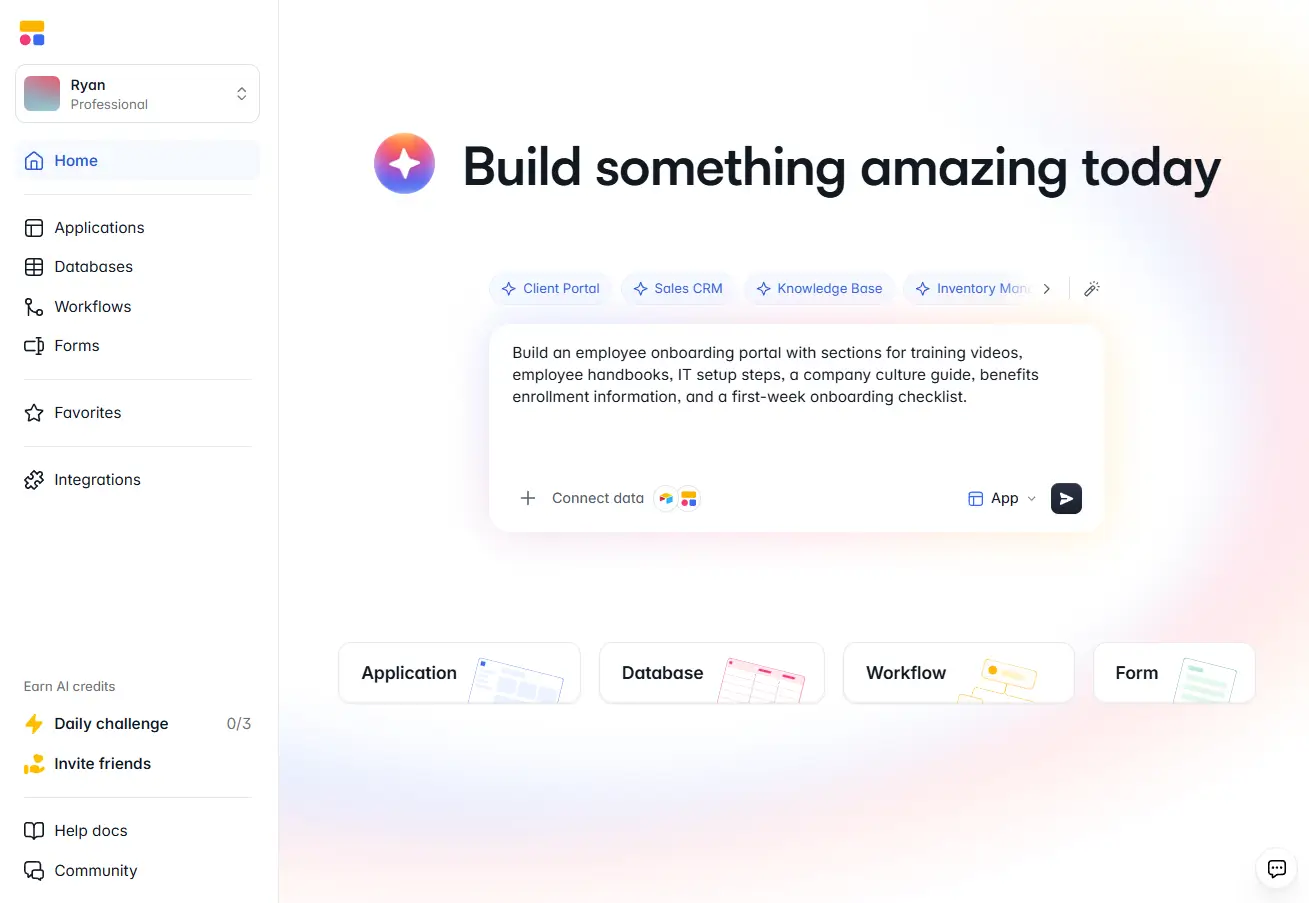
Softr is the best no-code AI app builder for teams that need a business app they can run themselves: client portals, CRMs, dashboards, inventory trackers, and internal tools. You start with a prompt, then refine in a visual editor. Softr manages the whole stack, so a non-technical team can build, launch, and maintain the app without a developer.
I asked the AI Co-Builder to build an employee onboarding portal. Before generating anything, it asked what should be personalized per employee and what should stay the same per role. The first version came back close to what I actually needed. The finished app, with a frontend, a native database, authentication, and sample records, took about five minutes.
If your data already lives in Airtable, HubSpot, Google Sheets, Notion, or a SQL database, you can connect it with two-way sync or migrate down the line.
What it does well:
- The only tool here a non-technical team can own end to end, from the first build through every change after launch. Bubble, Replit, Emergent, WeWeb, and FlutterFlow all assume someone technical stays involved
- Permissions go down to the individual record, so clients, vendors, and staff can share one app and each see different data
- Flat pricing for app users and unlimited collaborators on every plan, so adding people doesn't change the bill
Where it falls short:
- A pure vibe coding tool might get you to a single-user prototype faster
- Not built for SaaS products, marketplaces, or consumer apps
Softr features:
- AI Co-Builder: Describe the app and Softr generates the database, pages, and logic. Switch to the visual editor at any point without re-prompting.
- Softr MCP: Connect Claude, Codex, or Cursor to your workspace and build databases, apps, and workflows by prompting your own AI tool.
- Softr Databases: A native relational database with linked records, lookups, rollups, and flexible field types.
- Softr Workflows: Send confirmation emails, Slack notifications, and approval requests from inside the app, with no separate automation tool.
- Ask AI: Embed a conversational assistant so users can ask questions instead of navigating menus or pulling manual reports.
- Permissions and access control: Build separate interfaces for clients, vendors, and staff inside one app, with control over what each person sees and edits down to the record.
Best for: Operations, IT, and client-facing teams that need a real business app and want to maintain it without engineering resources.
Pricing: Free plan with 5 app users and 5,000 records. Paid plans are $19/month for Basic, $99/month for Pro, and $329/month for Business, billed annually, with custom pricing on Enterprise. Every plan includes unlimited apps, databases, workflows, agents, and forms. See Softr pricing for more info.
{{cta-1}}
2. Bubble — custom apps and SaaS products
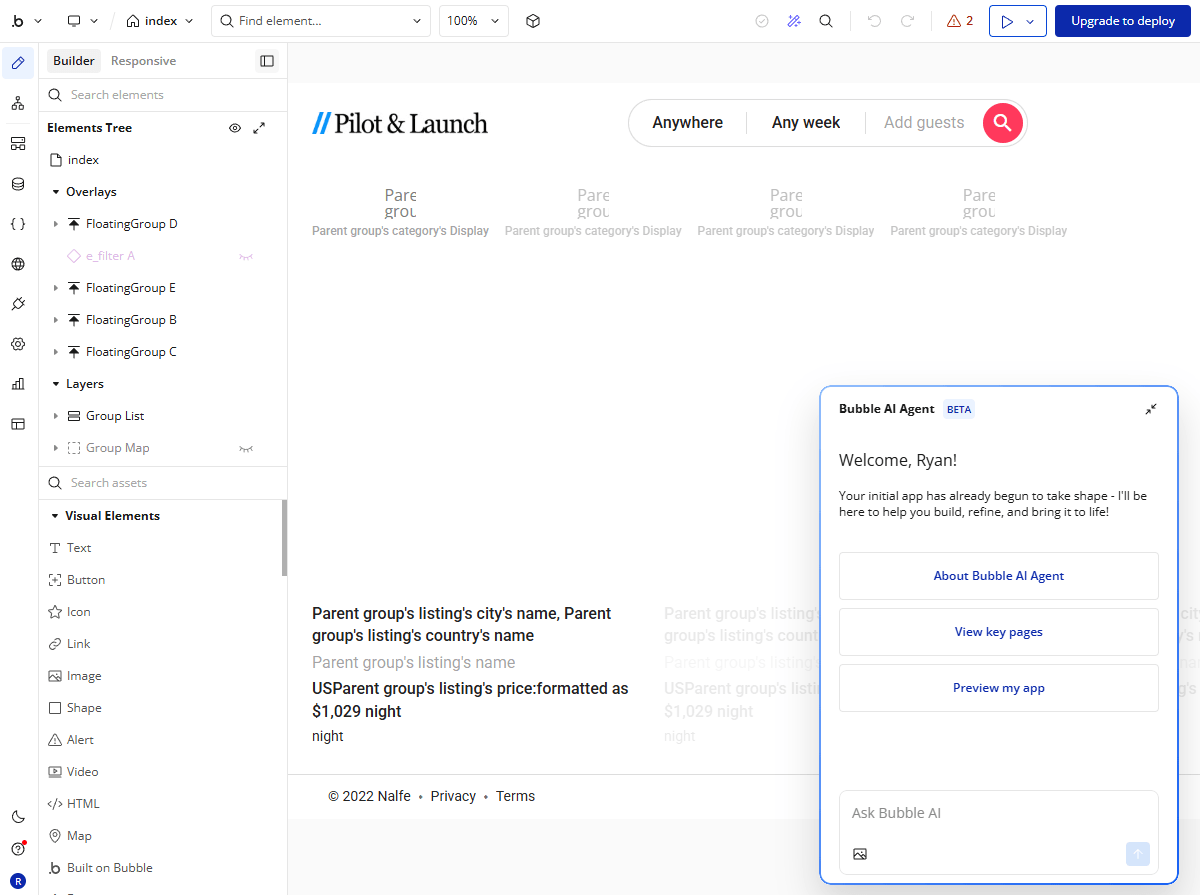
Bubble is a full-stack no-code platform for founders who want to ship software without a development team. You control the database structure, the interface, and the workflow logic, and you can publish native iOS and Android apps directly to the app stores.
Web and mobile are separate builds, so if you need both, you're designing two interfaces on top of one shared backend. Bubble's AI agent generates a starting prototype, and a marketplace of templates shortens the setup. Even so, Bubble sits at the technical end of no-code, and most people need several weeks before they can ship something production-ready.
What it does well:
- More customization depth than anything else on this list
- One of very few no-code platforms that publishes natively to the App Store and Google Play
- An active marketplace with thousands of prebuilt templates and plugins
Where it falls short:
- Web and mobile apps require two entirely separate builds
- Pricing runs on workload units, so infrastructure costs are hard to estimate before you launch
Best for: Founders building a SaaS product or a custom app for web and mobile, with time to learn the platform properly.
Pricing: Free development environment, with paid plans from $29/month for web only, $42/month for mobile only, and $59/month for both, billed annually. Each plan powers a single app.
3. Glide — internal tools built from spreadsheet data
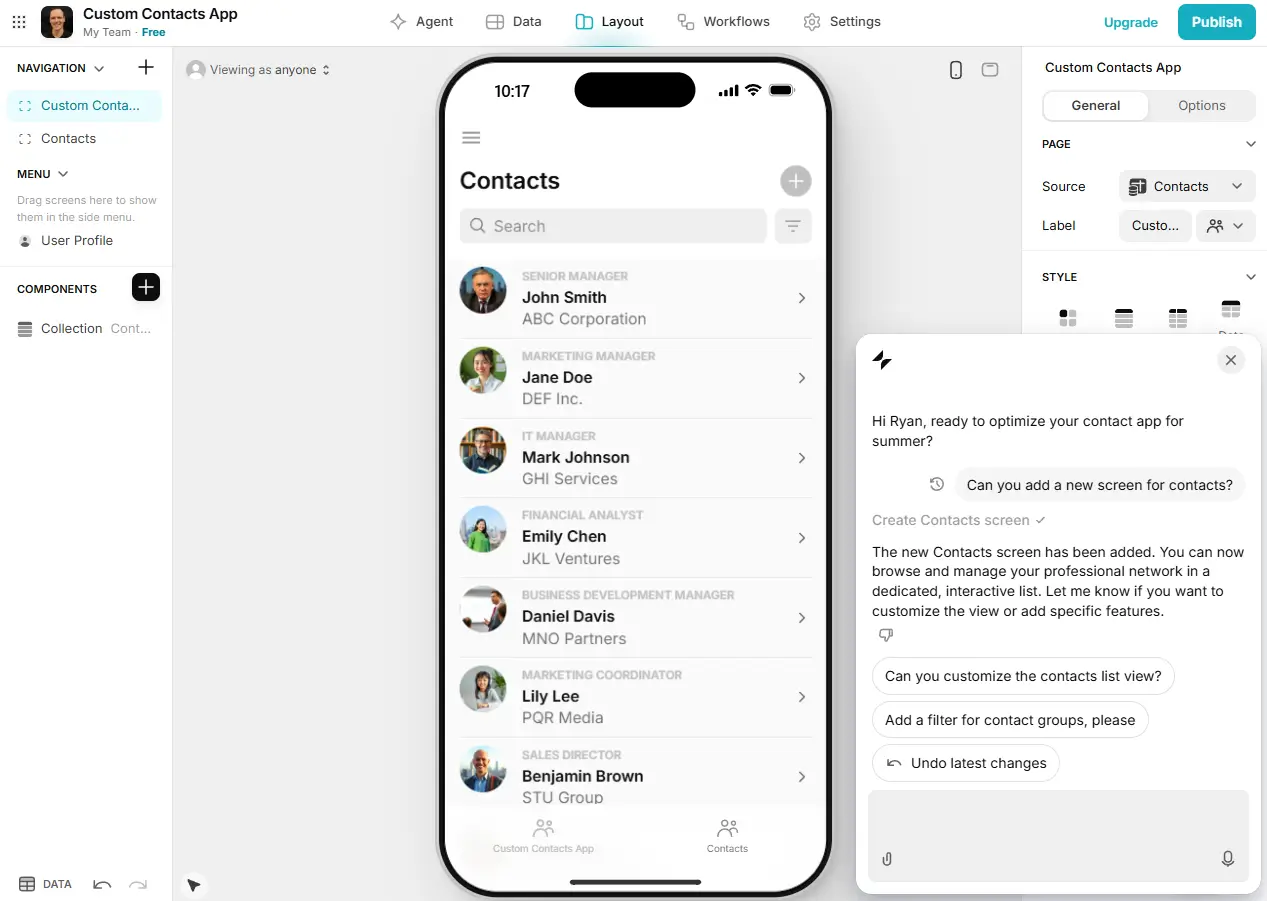
Glide turns spreadsheets into apps. Connect Google Sheets, Airtable, or Excel, describe what you want, and you can have a mobile-ready app running in a few hours. The templates and components are professionally designed and responsive, so an app looks finished even if you publish it without much customization.
Glide is strongest for internal tools built around structured data, like directories, dashboards, and inventory trackers. It gets tight if you need complex permission logic or you're building for a large external audience.
What it does well:
- Almost no setup or learning curve if your data already lives in Google Sheets or Excel
- Templates and components look polished without any design work
- Edits users make inside the app sync back to the source spreadsheet
Where it falls short:
- Every form submission, record edit, and webhook trigger counts against a monthly update limit
- App users with business email addresses require the $199/month Business plan
Best for: Small internal tools built on a spreadsheet your team already maintains.
Pricing: Free plan for building, with paid plans from $19/month for personal users and $199/month for business users, billed annually.
4. Base44 — fast prototypes with a built-in backend
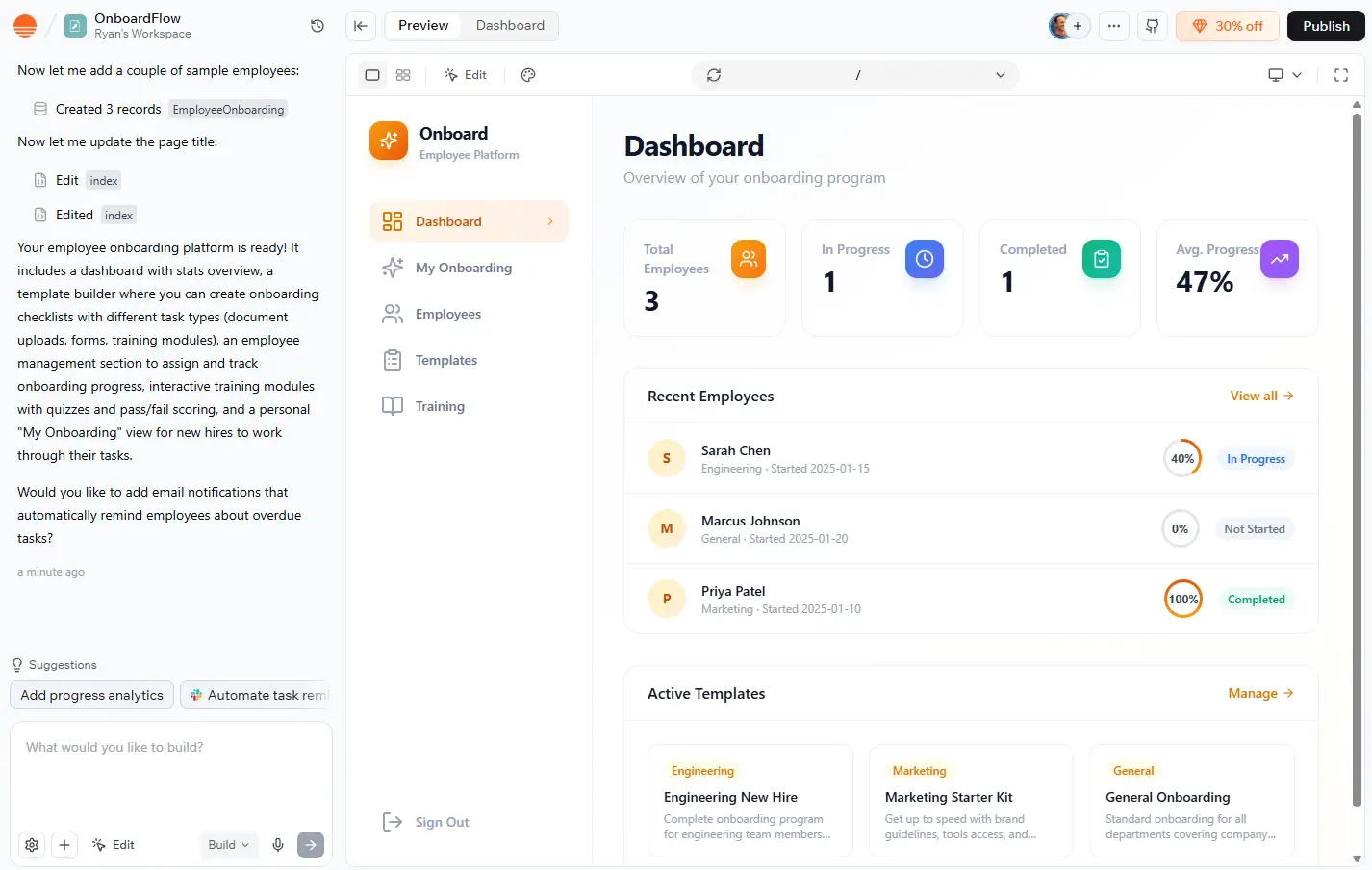
Base44 turns a prompt into a full-stack app, with the frontend, backend, database, user logins, and hosting all configured automatically. It's fast: a basic employee onboarding platform took about ten minutes in testing. Wix acquired Base44 in 2025 and has since added automations, an agent builder, and direct publishing to the app stores.
It works best for straightforward apps and quick prototypes. Scaling is where it strains. One non-technical builder grew an app to 1,200 users on Base44 before moving to a custom stack.
What it does well:
- A working prototype in minutes, with no external services to configure
- AI handles the technical decisions in the background, so non-technical builders keep moving
- Built-in AI agents can send messages, trigger workflows, and generate reports
Where it falls short:
- Iteration and debugging burn through message credits quickly
- Runtime costs scale with user activity, so production spend is hard to predict
Best for: Solo builders testing a lightweight idea who want a backend without configuring one.
Pricing: Free plan with 25 message credits a month, capped at 5 a day, and paid plans from $16/month. We cover the credit tiers in our Base44 pricing guide.
5. Replit — full-stack builds with code-level control
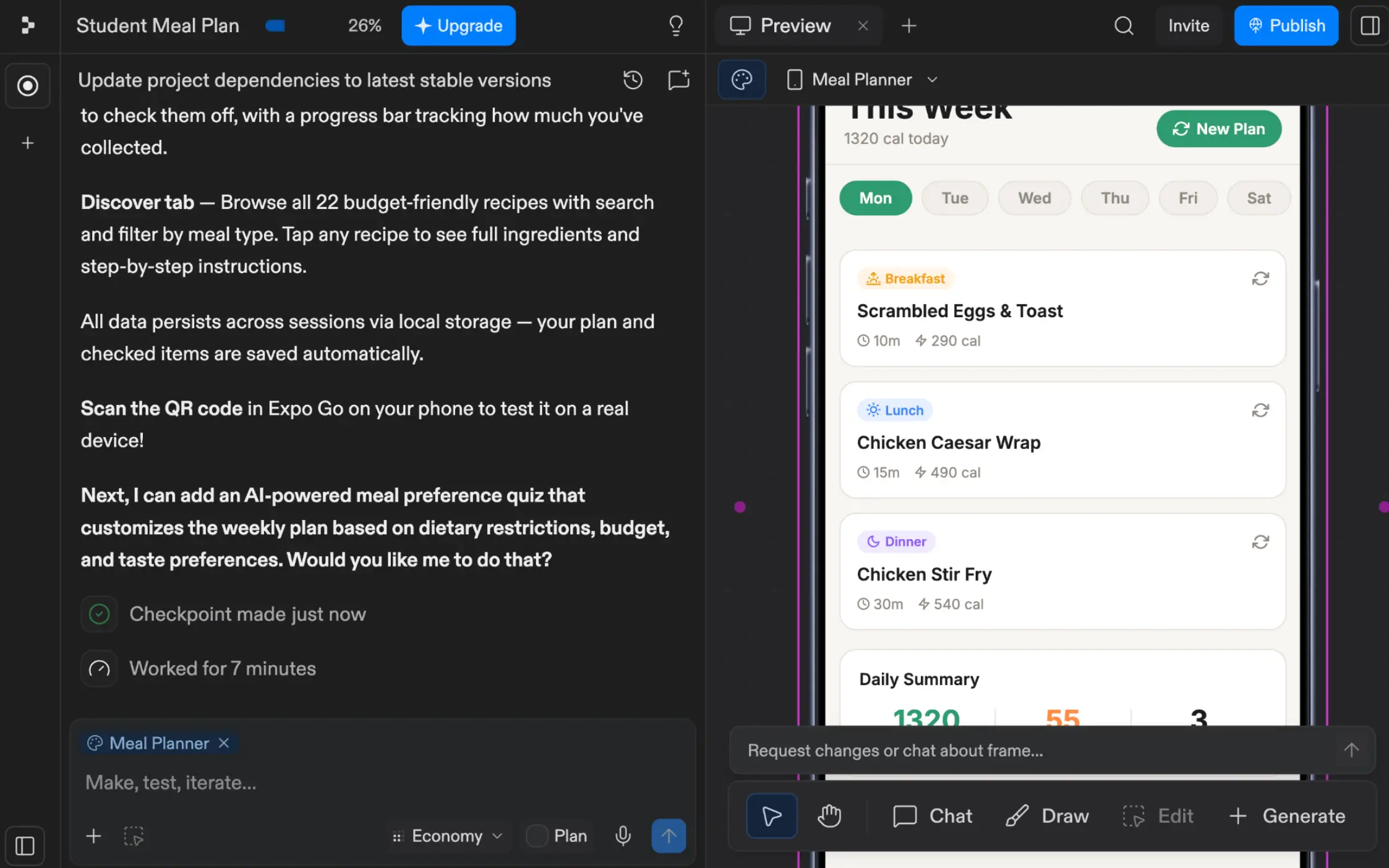
Replit builds a full-stack app from a prompt and deploys it, generating the database, authentication, backend, and frontend together. Its Agent works autonomously for long stretches, and because the output is a real codebase, a developer can take over at any point.
That code-level control is both the reason to choose Replit and the reason it's hard to hand off. Maintaining a Replit app means maintaining an application, not editing a visual layout, so a non-technical teammate can't safely make changes after launch.
What it does well:
- Generates and deploys a working full-stack app, often within an hour
- You own a real codebase, so there's always a clear path off the platform
- Hosting scales from a free static deployment up to always-on production machines
Where it falls short:
- Agent credits are consumed per action, and a complex build can run $30 to $50 before it works
- Every change after launch needs someone comfortable reading code
Best for: Technical teams that want AI to do the first 80% and keep the code afterward.
Pricing: Free Starter plan, Core at $20/month including $25 of Agent credits, and Pro at $100/month for up to 15 builders. Hosting is billed separately, from $1/month. See our Replit pricing guide for the credit math.
6. Emergent — an MVP with code you own

Emergent runs a set of specialized agents that plan and build an app together rather than generating it in one pass. The lineup includes an architect, a designer, a developer, and a project manager. The output is standard code you own: React and Next.js with Tailwind on the frontend, Node.js or FastAPI behind it, and Expo with React Native for mobile. Deployment is one click, to managed hosting with a custom domain.
It's built for speed to a working MVP, and it's quick at that. Reception is mixed, though. Its public Trustpilot score sits near 2.7 out of 5, and the complaints concentrate on credits running out faster than expected.
What it does well:
- Multiple agents plan, build, and test the app instead of generating it in a single pass
- Produces conventional, ownable code for both web and mobile
- One-click deployment with managed hosting and custom domains
Where it falls short:
- Credit consumption is unpredictable, and it's the most common complaint in public reviews
- Aimed at MVPs, so production readiness is worth checking before you commit real operations to it
Best for: Builders who want a fast MVP and a codebase they can take elsewhere.
Pricing: Free plan with 10 credits, then Standard at $20/month, Pro at $200/month, and Team at $300/month for shared credits. Annual billing saves up to 17%.
7. Zite — prompt-generated tools with permissions built in

Zite generates business software from a plain-English prompt, with a database, authentication, and role-based permissions included from the first build. It grew out of Fillout, the forms company, which renamed the product in 2026, and it now reports more than 100,000 teams on the platform.
It's the closest tool on this list to Softr in intent: internal tools, dashboards, and client portals for teams that don't want to manage infrastructure. Like Softr, it doesn't charge per seat, so inviting a teammate or an external user isn't a pricing decision.
The catch is how usage is counted. Standard database reads count as workflow executions, including the ones that fire every time a page loads. A few people browsing a dashboard can work through a monthly quota faster than the plan names suggest.
What it does well:
- Authentication, permissions, and a database are configured on the first build rather than added later
- No per-seat pricing, including on the free plan
- SOC 2 Type II compliance, with SSO and audit logs on higher tiers
Where it falls short:
- Routine page loads consume workflow runs, which makes real usage hard to predict
- It's a newer product, so there's less community material to fall back on when you get stuck
Best for: Teams that want prompt-generated internal tools with permissions handled from the start.
Pricing: Free plan with 50 credits and 5,000 database records, with paid plans from $15/month. We break the tiers down in our Zite pricing guide.
8. WeWeb — frontend control for technical builders
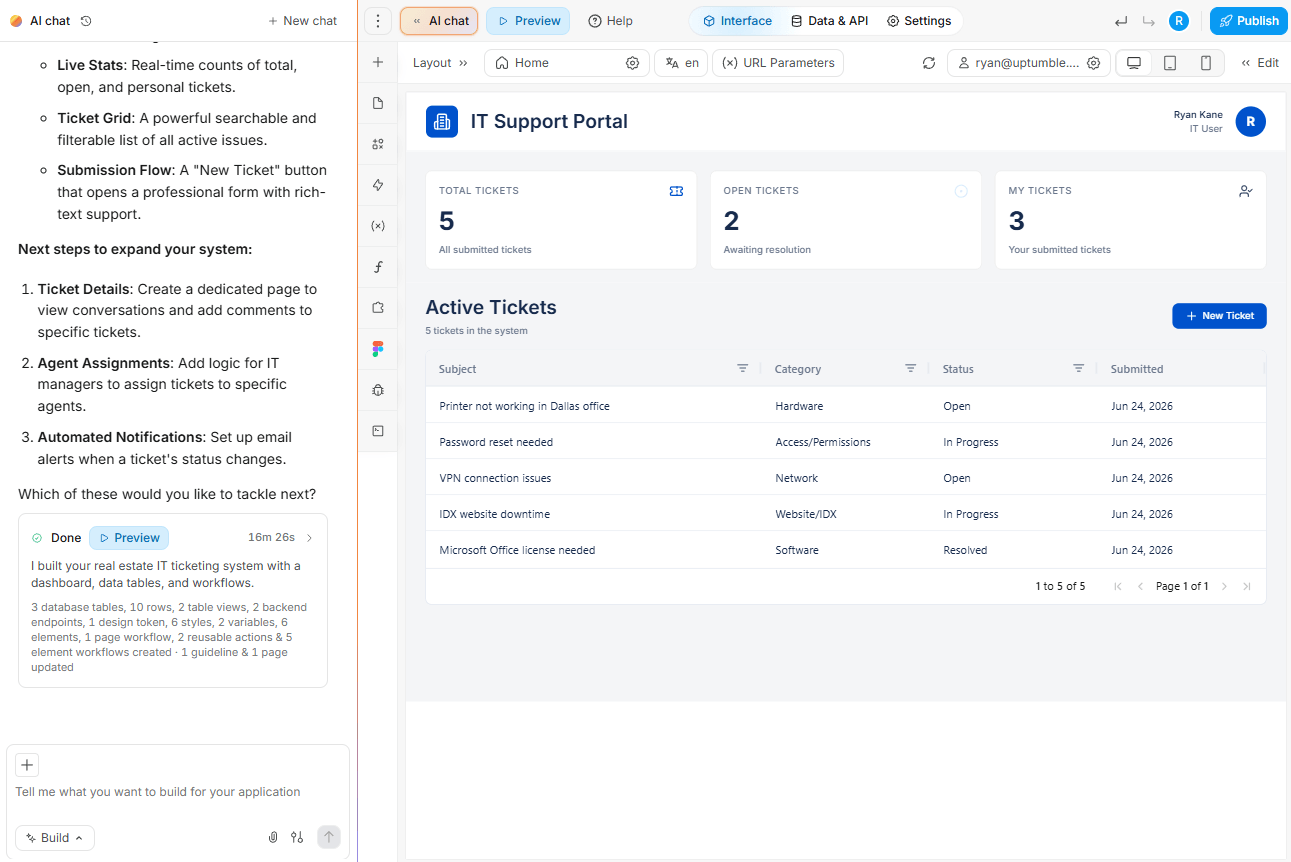
WeWeb is a full-stack AI builder with a no-code visual editor, positioned for developers and technical teams. Its own site refers to users as "developers" and its tutorials teach "visual programming." Non-technical users can still prompt their way to a prototype: an IT ticketing system for a real estate agency took about 15 minutes, with the database, authentication, and storage all set up automatically.
Getting from prototype to something polished is where the learning curve shows. As one user put it, "Maybe you don't have to literally create code, but it's clearly aimed at web developers with a lot of time to invest."
What it does well:
- Granular design control over layouts and individual components
- Connect WeWeb's own database, an external backend like Supabase or Xano, a REST API, or any combination
- Download your app's code and host it anywhere, so there's no infrastructure lock-in
Where it falls short:
- Built for developers, despite the AI generation and the visual editor
- A platform fee plus a separate hosting plan makes the real cost harder to work out
Best for: Technical builders who want detailed frontend control and a free choice of backend.
Pricing: Free plan for building and previewing, with paid plans from $20/month, billed annually. WeWeb Cloud hosting is billed separately, starting at $13/month.
9. FlutterFlow — native mobile apps from a visual editor

FlutterFlow builds cross-platform apps for iOS, Android, web, and desktop on Google's Flutter framework. AI generation is a recent addition rather than the foundation: prompt-to-page requests create screens and components, and the visual editor handles the rest.
It's the strongest option here when mobile is the point rather than a bonus. The tradeoff is that both publishing and code export sit behind a paid plan, which makes the free tier a trial rather than a way to ship.
What it does well:
- Genuine native mobile output, rather than a website wrapped in a mobile shell
- Exports real Flutter code you own, from the $39/month Basic plan up
- Over 1,000 templates and a full visual development environment on the free plan
Where it falls short:
- The free plan can't publish production apps or download source code
- AI generation is metered tightly, at 5 lifetime requests on Free and 50 a month on Basic
Best for: Teams whose primary target is a native mobile app rather than an internal tool.
Pricing: Free plan for building, then Basic at $39/month, Growth at $80/month for the first seat, and Business at $150/month for the first seat. Annual billing saves about 25%, and extra editor seats are charged separately.
10. Figma Make — design-to-prototype workflow
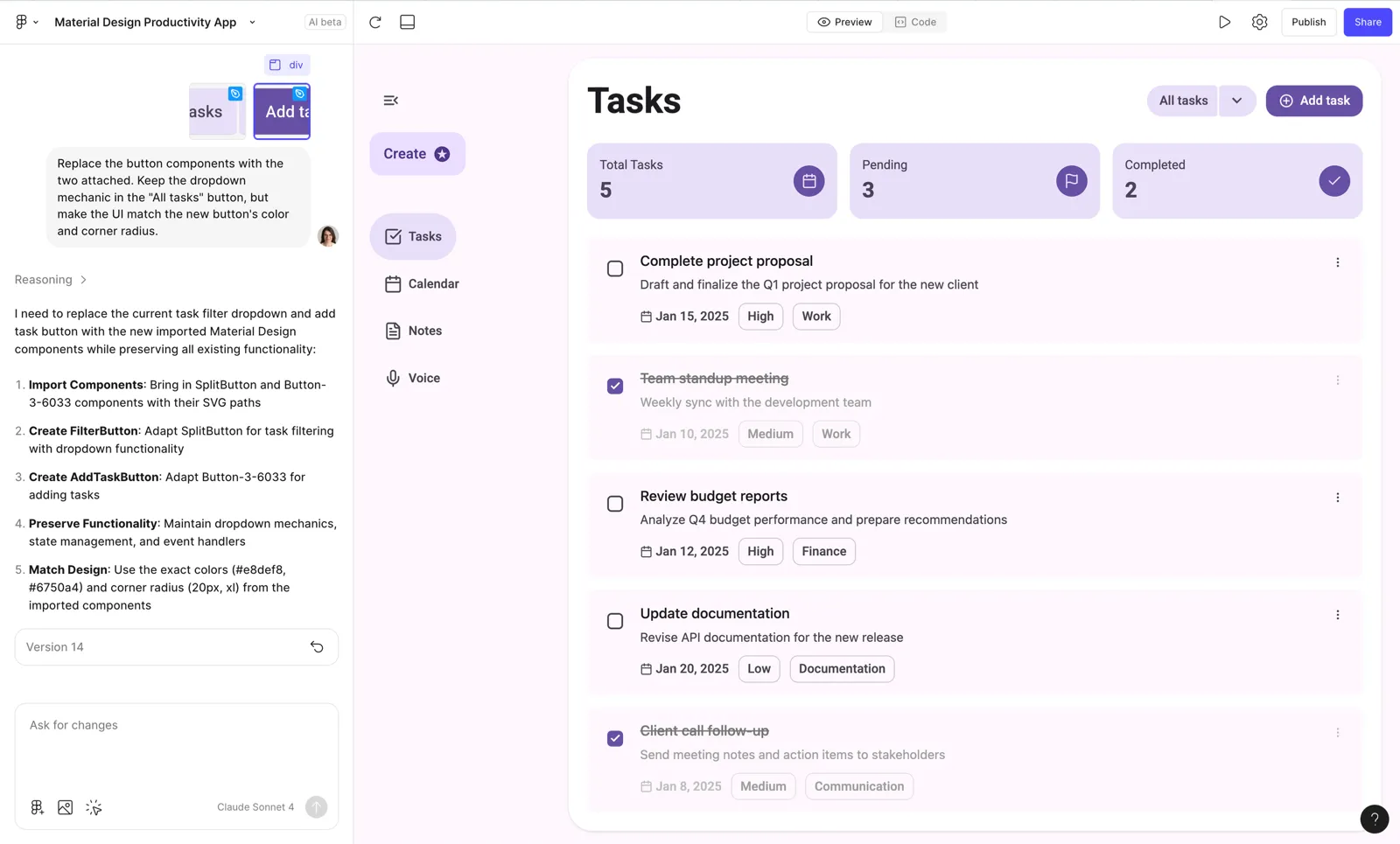
Figma Make generates interactive interfaces from a prompt inside Figma. It's the fastest route from an idea to something clickable that a stakeholder can react to, and it fits naturally if your design work already lives in Figma.
Just know that it isn't a full-scale business app platform. There's no user authentication, no permission model, and no native database you'd run an operation on, so treat the output as a prototype rather than a product. You also can't buy Make on its own, since access comes with a Figma seat. Most teams use it alongside one of the other tools here, prototyping in Figma and building the real version somewhere that can handle logins and data.
What it does well:
- Turns a prompt into an interactive, on-brand prototype in minutes
- Sits inside the design workflow your team already uses
- Included with a Figma seat rather than priced as a separate tool
Where it falls short:
- No authentication, permissions, or production database, so it stops at the prototype
- AI credits run out quickly, and prototypes drift from the real design once they do
Best for: Design teams validating a concept before anyone commits to building it.
Pricing: Included with Figma plans. Starter is free with 500 AI credits a month, and Professional is $16/month per full seat billed annually, with Organization at $55 and Enterprise at $90.
How to choose a no-code AI app builder
Every tool here gets you to a working interface in minutes. The differences show up after launch, so answer these four questions before you pick one:
- Who logs in? If clients, partners, or vendors need accounts, you need real authentication and per-record permissions. That rules out Figma Make, and it makes Glide expensive.
- Where does your data live? If it's already in Airtable, HubSpot, or Google Sheets, choose a tool that connects to it rather than one that expects you to migrate.
- Who maintains it? If a non-technical teammate owns the app after launch, avoid the tools that hand you a codebase. Replit, Emergent, WeWeb, and FlutterFlow all assume someone technical stays involved.
- What does activity cost? Credit and workload pricing means the bill moves with usage. Ask what a normal day of real users costs, not what the plan costs.
For most businesses, Softr is the safest answer to all four. It handles logins and per-record permissions, connects to data you already own, stays editable by a non-technical teammate, and it can be used directly in Claude or Codex through the MCP.
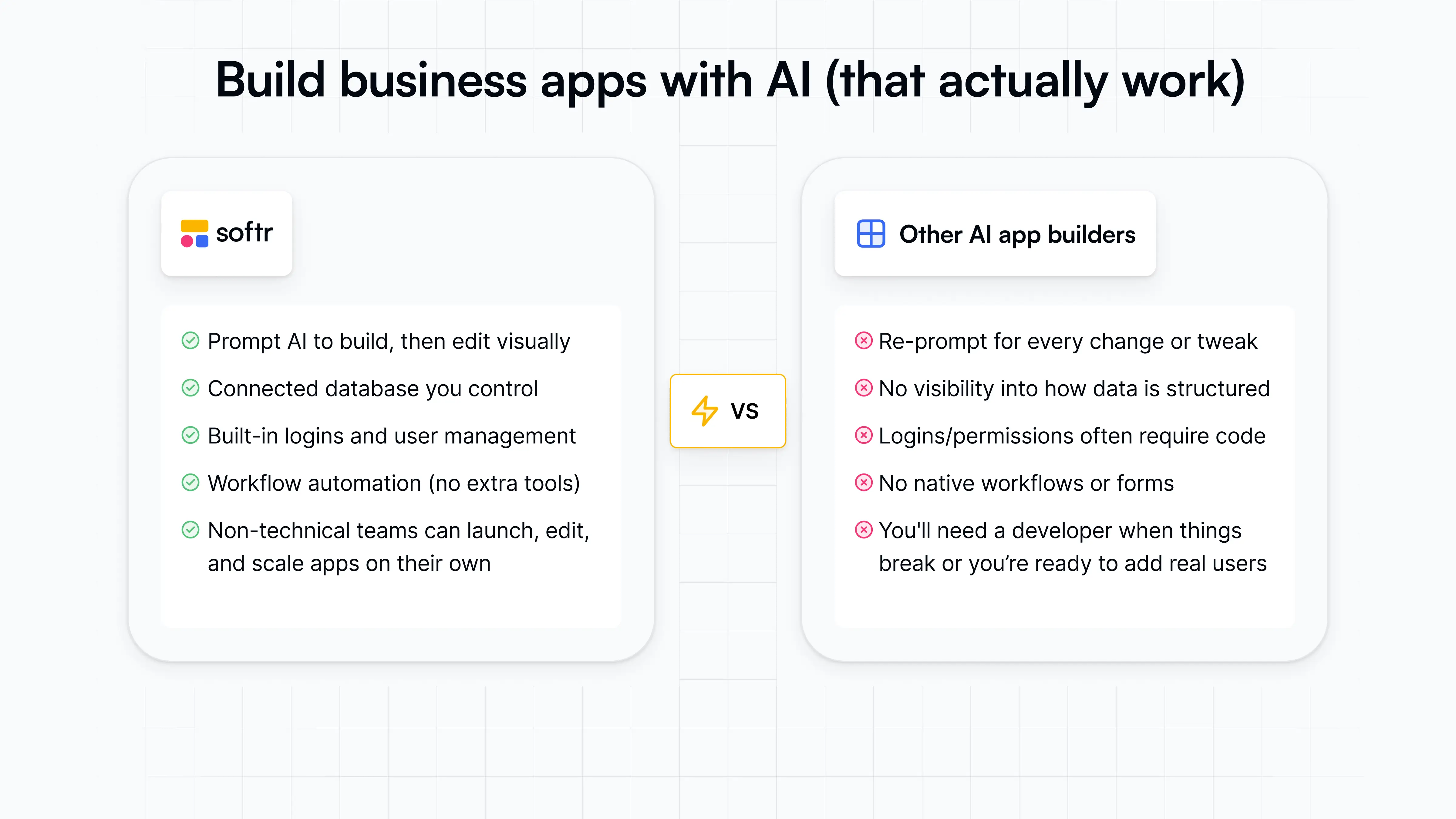
Try Softr for free to build a business app today, or browse the templates to see what's possible.
This article was originally published in June 2026. The most recent update, with contributions from Dylan Reber, was in September 2026.
Frequently asked questions
What’s the difference between a no-code AI app builder and a vibe coding tool?
Which no-code AI app builder works best for internal tools?
What’s the best free no-code AI app builder?