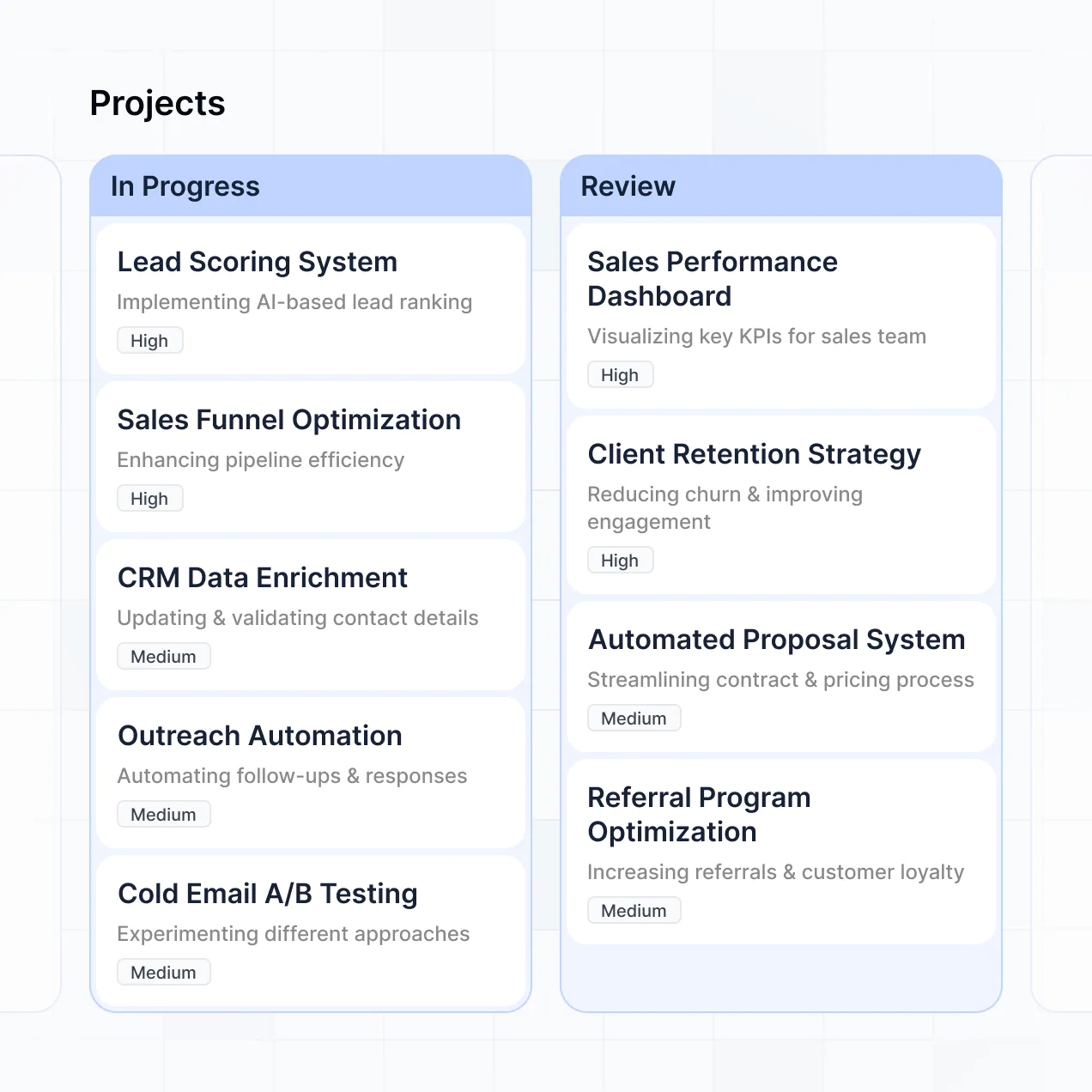
Monitor delivery, manage approvals, and view dashboards in an AI-powered system built with AI to fit your product team's workflow.
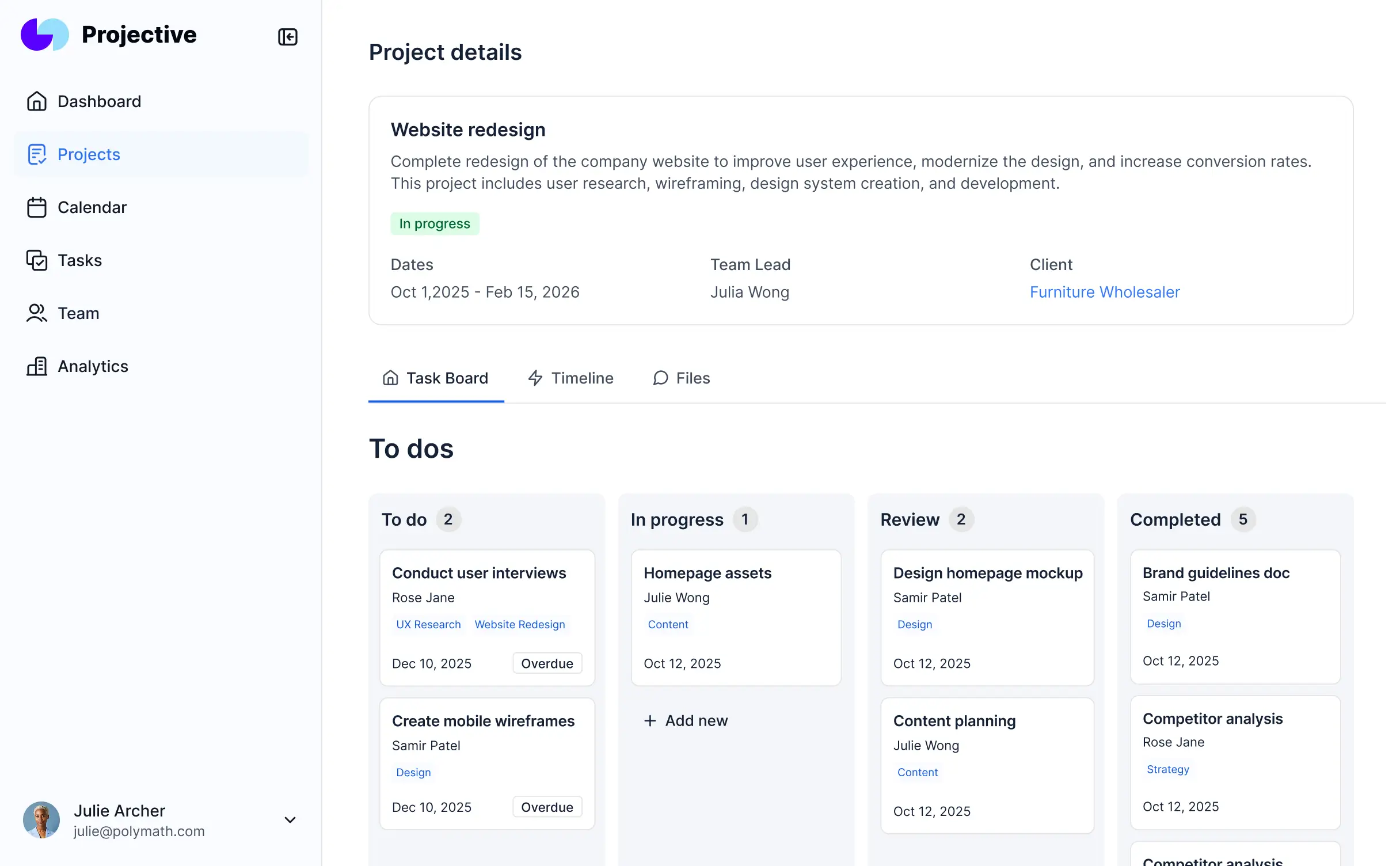
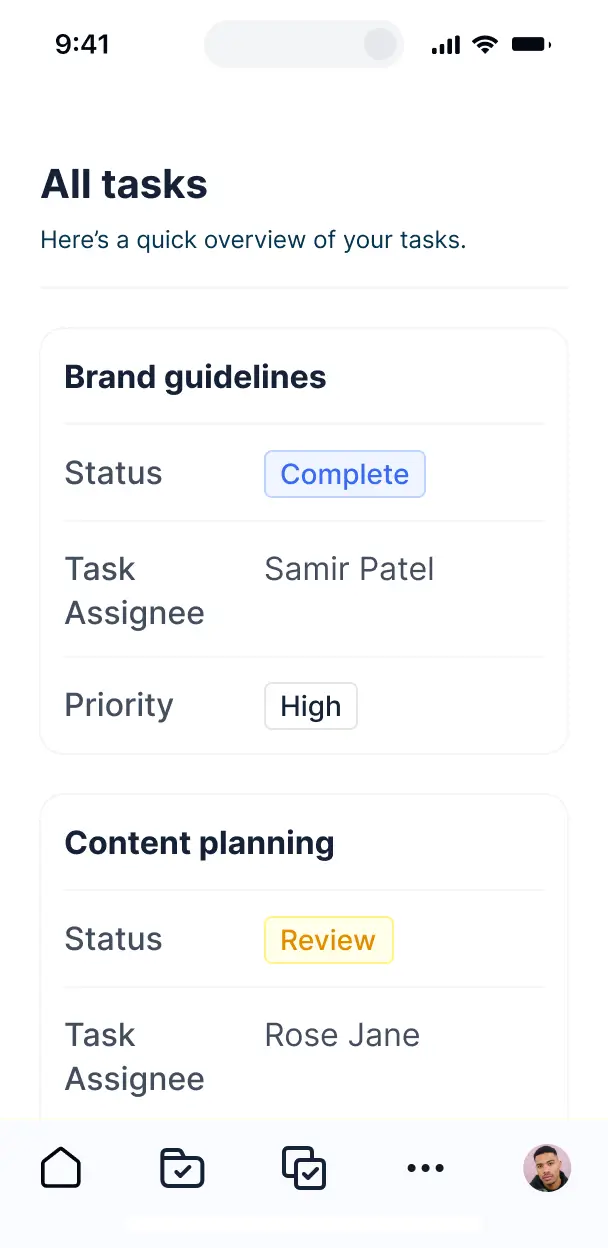



Customize a feature progress tracker that looks sleek out of the box. Add only the status views you need, and iterate as your roadmap evolves.


Connect spreadsheets, CRMs, and project trackers with real-time sync—or manage milestones in Softr Databases. Create a single source of truth for your product development.
Give each teammate the right tools and access. Set up secure logins, user groups, and granular permissions—no IT support or dev work needed.
Give different team members tailored access and dashboards, so developers see tasks while leaders see high-level progress summaries.
Streamline operations with Softr Workflows. Trigger native automations for status updates or stakeholder notifications to keep projects moving.
Access and update your feature progress tracker on the go. All tracking apps are mobile-ready out of the box for quick status checks.
Use Google, email, or SSO logins to give your product team fast, secure access—no IT tickets or manual onboarding needed.
Keep product roadmaps and internal data safe with SOC2 and GDPR compliance, plus fine-tuned access control at every development level.
No more one-size-fits-all tools or costly custom builds. Softr is easy to use and fully customizable, so you can launch faster, adapt as you grow, and skip the complexity of traditional software.

Build your feature progress tracker in minutes with AI—no manual configuration or complex setup required.

Add features like approval requests, stakeholder notifications, or AI summaries as your product process evolves.

Start with a tracker, then add internal docs, budget tools, or feedback forms—all in one place with Softr.
Co-build with AI
Simply describe what you need. Let Softr handle everything - Interface, database, workflows.
Iterate with AI or visually
Control most critical parts of your app yourself - roles, permissions, security.
Ship the same day
Invite team members or external clients and partners right away. No developer handover.
Use drag-and-drop blocks to build a portal that looks sleek and modern out of the box. Add only the features you need, and iterate as your workflows evolve.




A feature progress tracker is a dedicated tool where product teams and stakeholders can monitor the development lifecycle of specific product features, from ideation to deployment. It centralizes roadmap updates, bug fixes, and development status in one organized space, eliminating the need for constant sync meetings or digging through complex developer backlogs. This ensures that product managers, designers, and engineers stay aligned while providing visibility for the rest of the organization.
Softr is the first AI-native platform for building business software, making it the ideal choice for building a feature progress tracker that mirrors your specific product methodology. You can describe your product management needs to the AI Co-Builder to instantly generate your roadmap database, status pages, and release logic—already connected and secure.
You don't need to be a developer to build this. You can generate the app with AI, use a specialized template, or build from scratch visually. Everything runs on Softr Databases, your native relational backend, or you can sync with existing project data in tools like Airtable or Google Sheets. This gives your team total flexibility to customize views for different squads, manage internal permissions, and brand the tracker to match your company's UI/UX standards. It is fast to launch, easy to iterate as your team grows, and integrates seamlessly into your existing product stack.
You can incorporate a variety of advanced features into your tracker to streamline your development process. A high-performance feature progress tracker typically combines standard project views with AI-enhanced capabilities:
- AI-Powered Intelligence – Use Ask AI to query your backlog for trends, or set up Database AI Agents to automatically summarize weekly engineering updates or draft release notes based on completed tasks.
- Vibe Coding Blocks – Create custom UI components, such as a localized interactive feature burn-down chart, by giving the AI Code block a simple text prompt.
- Softr Workflows – Set up native automations that trigger Slack notifications to the QA team when a feature status changes to 'Ready for Testing' or syncs data to your customer support platform upon deployment.
- User Portals & Logins – Ensure that developers see their assigned tickets while executives see a high-level strategic roadmap view.
- Forms & Data Collection – Standardize feature requests and bug reports with custom forms that include priority fields and file uploads for screenshots.
- Dashboards & Charts – Visualize your team's velocity and upcoming release milestones with real-time progress bars and category breakdown charts.
- Lists & Advanced Filtering – Navigate your backlog efficiently with searchable tables, Kanban boards for sprint planning, and detailed record views for each feature spec.
Everything is drag-and-drop, meaning you can adapt the tool as your sprint cycles evolve without writing a single line of code.
Vibe coding is the fastest way to move from a product idea to a functional tracking tool using AI. You can "vibe code" your feature progress tracker by describing your specific workflow—like Agile, Waterfall, or Shape Up—to the AI Co-Builder. Softr then generates a structured app with a secure database and pre-configured status pages.
While other tools might give you buggy, hard-to-maintain code, Softr provides a stable foundation by handling technical essentials like user authentication and data relationships natively. This means you can focus on the 'vibe' of your product planning—the layout and functionality—without worrying about broken scripts. You describe the roadmap you want, Softr builds it, and your dev team can start tracking progress immediately.
Yes. You can manage multiple product squads or cross-functional teams in a single tracker. Each team member only sees the sprints and feature sets assigned to their specific squad based on their login and role. This is particularly effective for large organizations that need to consolidate different product lines into one source of truth while maintaining workspace privacy for individual teams.
Absolutely. You don't need an existing Jira or Trello setup to start. If you are launching a new product initiative, you can use Softr Databases, which is built into the platform, to house your feature specs and development tasks. It is designed to work perfectly with the app you build.
However, if your engineering team already tracks tasks in Airtable, Google Sheets, or SQL, you can easily connect those data sources. You can also utilize the REST API to pull in data from other developer tools. Regardless of where the data lives, you have total control over how that progress is visualized for your team.
Softr Databases is the recommended high-performance data source, offering instant automation triggers and a fast experience for managing complex feature hierarchies.
If you prefer to keep your development data in external tools, Softr connects to over 17 sources including Airtable, Google Sheets, HubSpot, and BigQuery. You can even combine sources—for example, pulling feature tickets from Airtable while managing internal team documentation in Softr Databases. Most connections support real-time, two-way sync, ensuring that if an engineer updates a status in the backend, the progress tracker reflects it instantly.
Yes, Softr provides granular control over how different stakeholders interact with your progress tracker. You can tailor the navigation and layout so that a developer sees a detailed task view, while a CEO sees a simplified high-level roadmap. Every page or block can be conditionally displayed based on the user's role.
You can define roles like 'Product Manager,' 'Engineer,' 'Designer,' and 'Stakeholder,' setting specific view/edit permissions for each. For instance, designers can edit Figma links, but only PMs can change the feature priority. This keeps project data secure and ensures that each user has a clean, focused experience tailored to their responsibilities.
Yes, you can fully white-label your feature progress tracker to match your product's brand. You can use your own custom domain, add your company logo, and customize the color palette and typography to match your internal design system. You can remove all Softr branding, making the tool feel like a proprietary internal software platform developed specifically for your team.
Yes, Softr offers extensive flexibility for designing your tracking environment. You can modify fonts, spacing, and page headers to reflect your product squad's identity. You have control over the layout of every page, from list summaries to deep-dive feature detail views.
To organize your dev data, you can use various functional blocks:
- Table blocks – to manage structured backlogs and bug lists.
- List or Card blocks – to visualize feature cards with status tags and owner avatars.
- Detail View – to provide an in-depth look at project specs and technical requirements.
- Forms – for submitting new feature requests or feedback.
- Charts – to track sprint velocity and completion rates.
- Calendar blocks – to monitor release dates and deployment freeze windows.
If you decide to change your tracking methodology later, you can easily update the layout and blocks via the visual editor.
Security is central to Softr. All data is encrypted in transit and at rest, and your tracker is hosted on secure global infrastructure. You have complete control over data visibility via role-based permissions, allowing you to hide sensitive upcoming features from certain users or external contractors.
When using Softr Databases, your data is stored in a secure environment in Germany with SOC 2 Type II compliance. For external integrations, Softr acts as a secure display layer that pulls data in real-time without storing it permanently. You manage the authentication and access levels, ensuring your roadmap remains private and protected.
It is fully production-ready. While some AI tools produce experimental code that is hard to scale, Softr generates your tracker on a stable, enterprise-grade framework.
We provide the essential infrastructure natively—including secure login, scalable databases, and permission management—so you don't have to build them from scratch. This eliminates 'Day Two' maintenance risks associated with AI-generated code. From the moment you finish the AI Co-Builder setup, your app is ready to handle real development data and your entire product team.
Softr is the first AI-native platform designed for custom business software. Unlike 'vibe coding' tools that lack a structured backend, or traditional project management software that forces you into a specific layout, Softr allows you to build a tracker that fits *around* your process.
The hybrid advantage allows you to use AI to generate the initial app structure and data schema in seconds, then use the visual builder for per-pixel customization. You get the speed of AI combined with robust features like granular permissions and high-performance hosting, making it suitable for professional engineering teams rather than just simple prototypes.
Yes. Softr allows you to build powerful native workflows and connect with your developer stack. You can automate repetitive tasks with Softr Workflows or integrate with tools like GitHub, Slack, or Jira via webhooks.
Whether you need to auto-archive completed features, trigger email alerts for high-priority bugs, or pull in analytics data to show the impact of a new feature, you can build these integrations directly into your tracker without writing code.
Describe what you need. Softr's AI builds it in minutes. Get started free—no setup time, no dev needed.