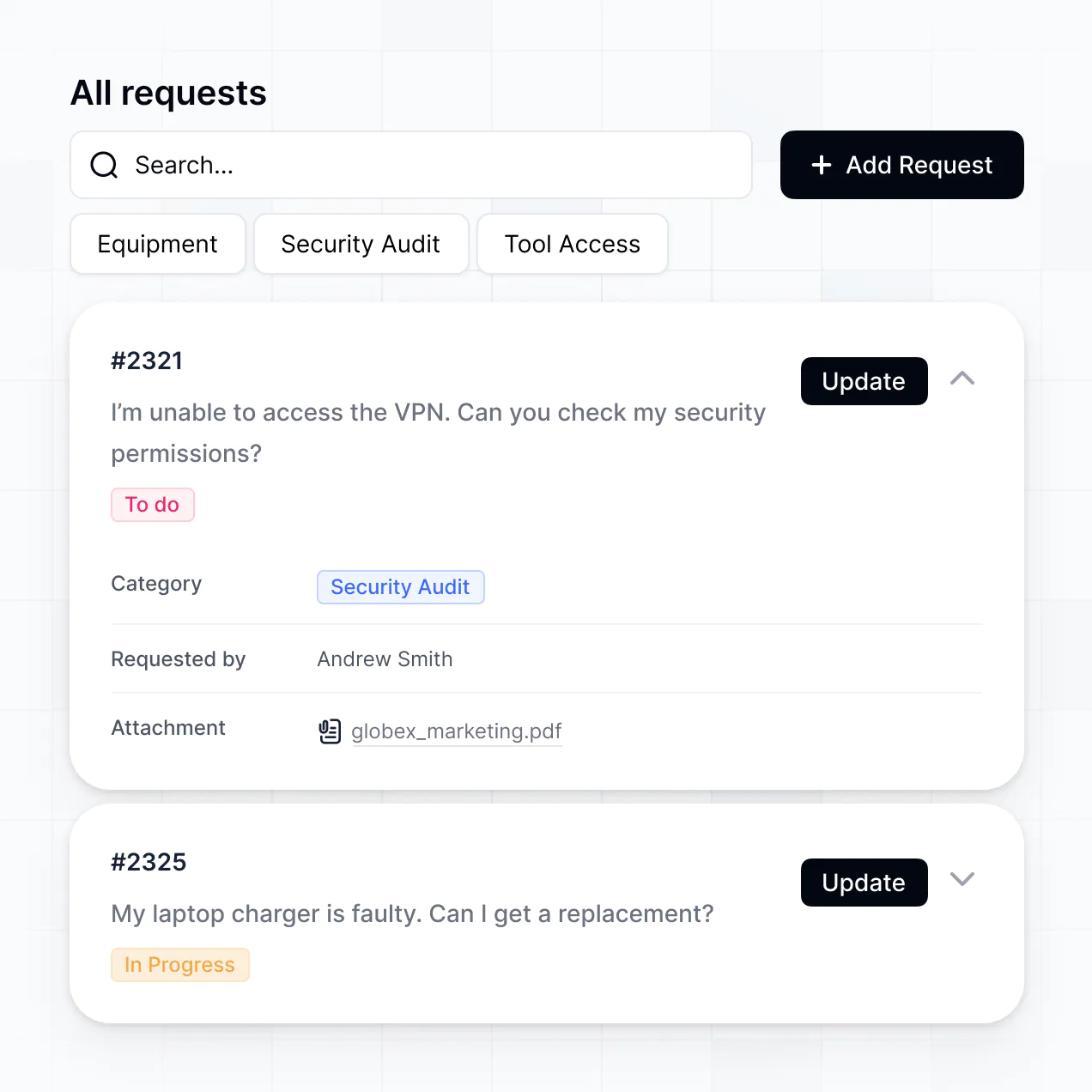
Manage requests, route tickets, and track status in an AI-powered software built with AI to fit your IT team's specific workflow.
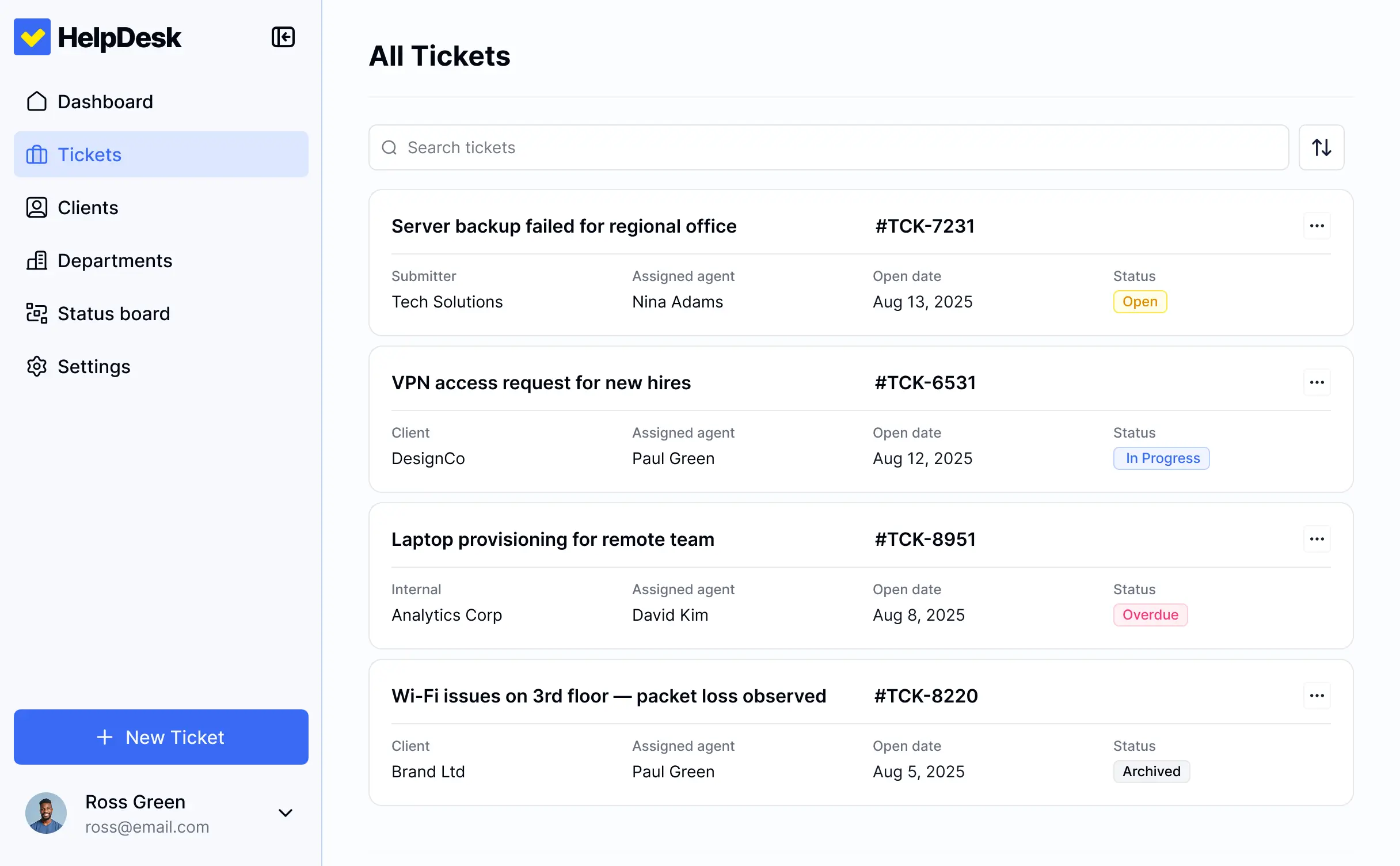



Customize your IT support ticketing system with the exact steps and views your team needs. Add features as support processes evolve—no code.


Connect spreadsheets, CRMs, and support systems with real-time sync—or manage everything in Softr Databases. Create a single source of truth for your technical support team.
Give each teammate the right tools and access. Set up secure logins, user groups, and granular permissions—no IT support or dev work needed.
Give different technical staff tailored access and dashboards, so each agent or manager sees just the requests assigned to them.
Streamline support processes with Softr Workflows. Trigger native notifications or status changes based on ticket updates to keep IT operations running.
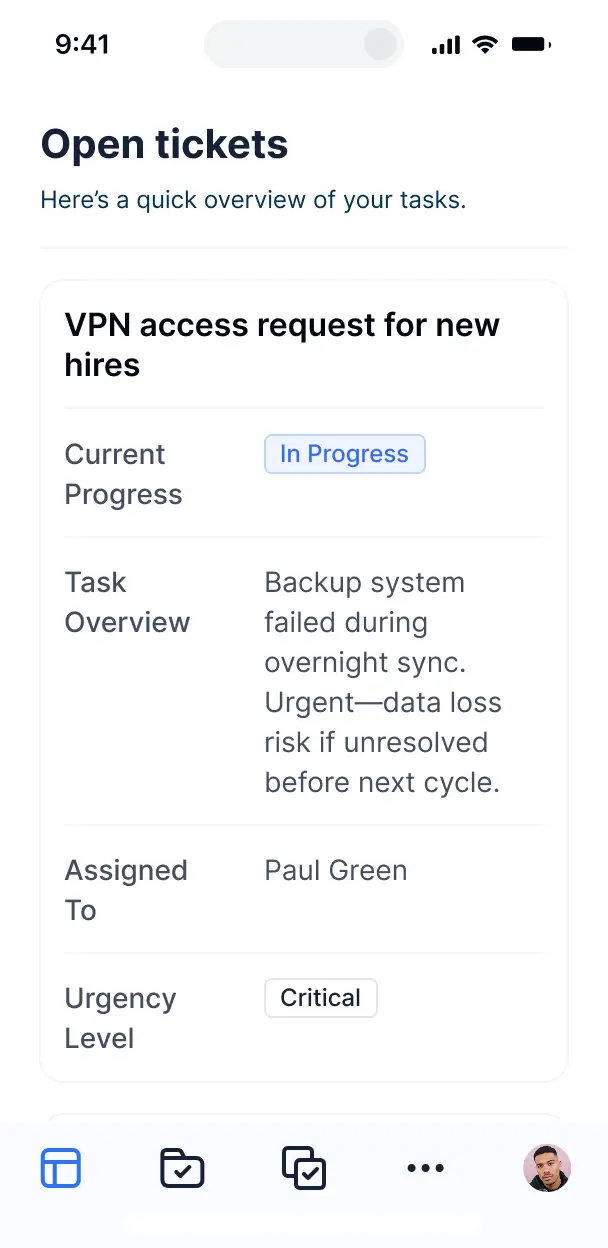
Access and resolve support tickets on the go. All ticketing tools are mobile-ready out of the box for technicians in the field.
Use Google, email, or SSO logins to give your IT team fast, secure access—no internal IT tickets needed for setup.
Keep sensitive technical and user data safe with SOC2 and GDPR compliance, plus fine-tuned access control at every level.
No more one-size-fits-all tools or costly custom builds. Softr is easy to use and fully customizable, so you can launch faster, adapt as you grow, and skip the complexity of traditional software.

Build your it support ticketing system in minutes with AI—no manual setup or complex configuration needed.

Add features like asset approvals, agent dashboards, or routing rules as your team grows—without a rebuild.

Start with a help desk, then add resource libraries, dashboards, or asset trackers—all in one place.
Co-build with AI
Simply describe what you need. Let Softr handle everything - Interface, database, workflows.
Iterate with AI or visually
Control most critical parts of your app yourself - roles, permissions, security.
Ship the same day
Invite team members or external clients and partners right away. No developer handover.
Use drag-and-drop blocks to build a portal that looks sleek and modern out of the box. Add only the features you need, and iterate as your workflows evolve.




An it support ticketing system is a secure space where your employees or customers can log in to submit technical issues, request hardware, or access troubleshooting guides. It keeps all support requests in one place, so you don't have to rely on messy email threads or Slack messages. This makes it easier for IT teams to stay organized, prioritize urgent fixes, and provide a faster resolution experience for the whole organization.
Softr is the first AI-native platform for building business software. It makes it easy to build an it support ticketing system that fits the specific hardware, software, and networking needs of your company. You can describe your specific desk requirements—like emergency escalation or asset tracking—to the AI Co-Builder to instantly generate your database, ticket submission pages, and logic, all pre-connected and secure.
You don't need to code anything. You can start by generating with AI, using a help desk template, or building from scratch. Everything runs on Softr Databases, the native, relational database built into the platform, or you can connect existing tech stacks like Airtable, Google Sheets, or SQL. You have full control to adjust the layout visually, decide which departments see specific ticket categories, and brand the dashboard for your IT department. It's quick to get up and running, simple to update, and flexible enough to scale as your headcount grows.
You can include a wide range of features in your it support ticketing system, depending on how your support team operates. A great help desk app usually mixes functional reporting blocks with AI-powered troubleshooting tools:
- AI-Powered Intelligence – Use Ask AI to let employees query the company knowledge base conversationally, or set up Database AI Agents to categorize incoming tickets based on keywords or technical severity.
- Vibe Coding Blocks – Build complex, custom UI elements—like a dynamic server status toggle or an interactive network map—using the AI Code block to "vibe code" exactly what your IT team needs.
- Softr Workflows – Build native automations (like an automatic Slack notification to the lead engineer when a 'Critical' ticket is filed) that trigger whenever a record is updated.
- User Portals & Logins – Securely manage access so employees only see their own submitted tickets while IT staff can view and manage the entire queue.
- Forms & Data Collection – Capture issues with custom forms including screenshot uploads, device types, and priority levels.
- Dashboards & Charts – Visualize your help desk performance with real-time charts showing average resolution time and ticket volume by department.
- Lists & Advanced Filtering – Display and manage your requests with searchable tables, kanban boards for ticket status, and detailed diagnostic views.
Everything is built using Softr's drag-and-drop blocks, so you can create these features without writing code. Need something more custom? Use the Vibe Coding block to generate a tailored diagnostic component with AI. And if your IT processes change, it's easy to update the portal later.
Vibe coding is all about moving fast and using AI to build exactly what your IT team needs. You can "vibe code" an it support ticketing system in Softr by simply describing your resolution workflow to the AI Co-Builder. Softr then generates a production-ready help desk on top of a stable, secure foundation.
Unlike other tools that just generate raw, fragile code, Softr handles the "boring 80%"—like user authentication, database security, and role-based access for admins—natively. This means you get the speed of vibe coding without the technical debt of managing raw code. You describe the ticketing logic, Softr builds it, and it’s ready for your support agents instantly.
Yes. You can manage multiple departments or internal teams in a single help desk portal. Each employee only sees the tickets and IT resources assigned to them, based on their department or office location. This is useful for large enterprises where IT managers need a bird's-eye view while individual staff members only need to see their own open requests.
Yes, you can. You don't need to bring your ticket records from somewhere else to start building with Softr. If you're starting a new help desk from scratch, you can use Softr Databases, which is built into the platform and handles relational data like linking 'Tickets' to 'Assets' and 'Users' perfectly.
But if you already have support data in tools like Airtable, Google Sheets, HubSpot, or even a SQL database, you can connect those too. You can also use the REST API connector to bring in tickets from existing specialized software. Either way, you have full control over how your ticket queue is structured and displayed.
Softr Databases is the recommended native, relational data source for your help desk. It is built explicitly for business apps, offering high performance for searching large ticket logs, instant triggers for automated updates, and a lightning-fast experience because the data is native to the platform.
If you already manage equipment or personnel data elsewhere, Softr also connects to 17+ external data sources. You can connect to Airtable for inventory, Google Sheets for tracking, or SQL databases for historical logs. You can even integrate multiple data sources—so your ticketing portal could pull user bios from HubSpot and hardware specs from Softr Databases at once. Most sources support real-time, two-way sync, so closing a ticket in the app updates your data source automatically.
Yes, Softr gives you full control over how agents experience your it support ticketing system. You can customize the layout, navigation, and internal notes to match your IT operations. Each page or ticket block can be shown or hidden based on the user's technical level, so junior agents only see specific tiers of requests.
You can also set up different user roles—such as Employee, Support Agent, or IT Manager—and define exactly what each role can view or edit. For example, employees can only see their own ticket history, while agents can update status and leave internal comments. You can also create personalized views for agents by filtering tickets to only show those assigned to them.
This level of customization helps keep the help desk experience focused and secure, ensuring that sensitive infrastructure data is only available to the right personnel.
Yes, you can fully white-label your help desk in Softr. You can use your corporate logo, brand colors, fonts, and a custom domain (like support.yourcompany.com) to make the ticketing system feel like an official internal tool. You can also remove all Softr branding, so your employees only see your company's identity when they seek technical help.
Yes, you can. Softr gives you a lot of flexibility to control both the design and layout of your help desk. You can adjust colors to match your brand and choose which blocks go where on the agent dashboard. You can define what different users see when they log in—such as a simplified view for employees and a data-rich view for IT staff.
To display your support data, you can add different block types:
- Table blocks – to show a full queue of active tickets with priority levels
- List or Card blocks – to display knowledge base articles or software guides
- Detail View – to show the full history and technical specs of a single ticket
- Forms – for users to report bugs or request new hardware
- Charts – to track employee satisfaction or ticket volume trends
- Calendar blocks – to display scheduled maintenance windows or upgrade dates
If your support workflow changes, it's easy to modify the interface right in the visual builder.
Softr is built with security in mind, which is critical for IT logs. All ticket data is encrypted in transit and at rest. Softr apps give you full control over who can access server details or sensitive employee IDs. You can set up role-based permissions, manage IT staff access within your data source, and apply global restrictions to protect sensitive system architecture data.
For help desks using Softr Databases, your data is stored in a secure environment with SOC 2 Type II compliance and hosting in Germany. For apps connected to external data like SQL or Airtable, Softr doesn't store your sensitive data; it just displays it in real time based on your set permissions. You maintain full control over who can view technical documentation or edit hardware records.
Softr also follows industry best practices for authentication and platform monitoring to help keep your company information safe.
It is fully production-ready. Unlike many AI tools that just "vibe code" and create fragile scripts for a help desk prototype, Softr builds your it support ticketing system on a stable, business-grade foundation.
We handle the critical heavy lifting—like secure agent authentication, granular visibility rules for internal notes, and cloud hosting—natively. This prevents the typical AI maintenance nightmare; you get a functional help desk from day one that stays secure and scalable as your company's IT needs grow.
Softr is the first AI-native platform for building technical business software. Unlike basic form builders or complex no-code tools that require weeks of configuration, Softr's AI Co-Builder creates an it support ticketing system on top of a secure, production-ready foundation in minutes.
What sets it apart is the hybrid advantage: you can use AI to generate your ticket database and admin pages instantly, then use visual controls for precise management. You get the speed of AI with the reliability of business-grade features (like custom roles and secure hosting) already built-in. It's designed for IT teams who need a custom solution without needing to write specialized code.
Yes. Softr supports powerful native workflows and integrations to connect your ticketing system to your entire IT stack. You can automate tasks using Softr Workflows—like triggering an email when a ticket status changes—or sync with tools like Slack for alerts and Stripe for managed service billing. Softr also supports REST API and webhooks for advanced automation with external monitoring tools.
Whether you need to sync tickets to a Jira board, trigger automated hardware provisioning, or display server uptime from another tool, you can build it into your desk without writing code.
Describe what you need. Softr's AI builds your ticketing system in minutes for free.