Log deficiencies, track asset conditions, and automate maintenance in an AI-powered system built with AI to fit your team's workflow.



Customize your facility inspection software with the exact steps and views your team needs. Add features as processes evolve—no code needed.


Connect inspection logs, work orders, and asset registries with real-time sync—or manage everything in Softr Databases. Create a single source of truth for your business.
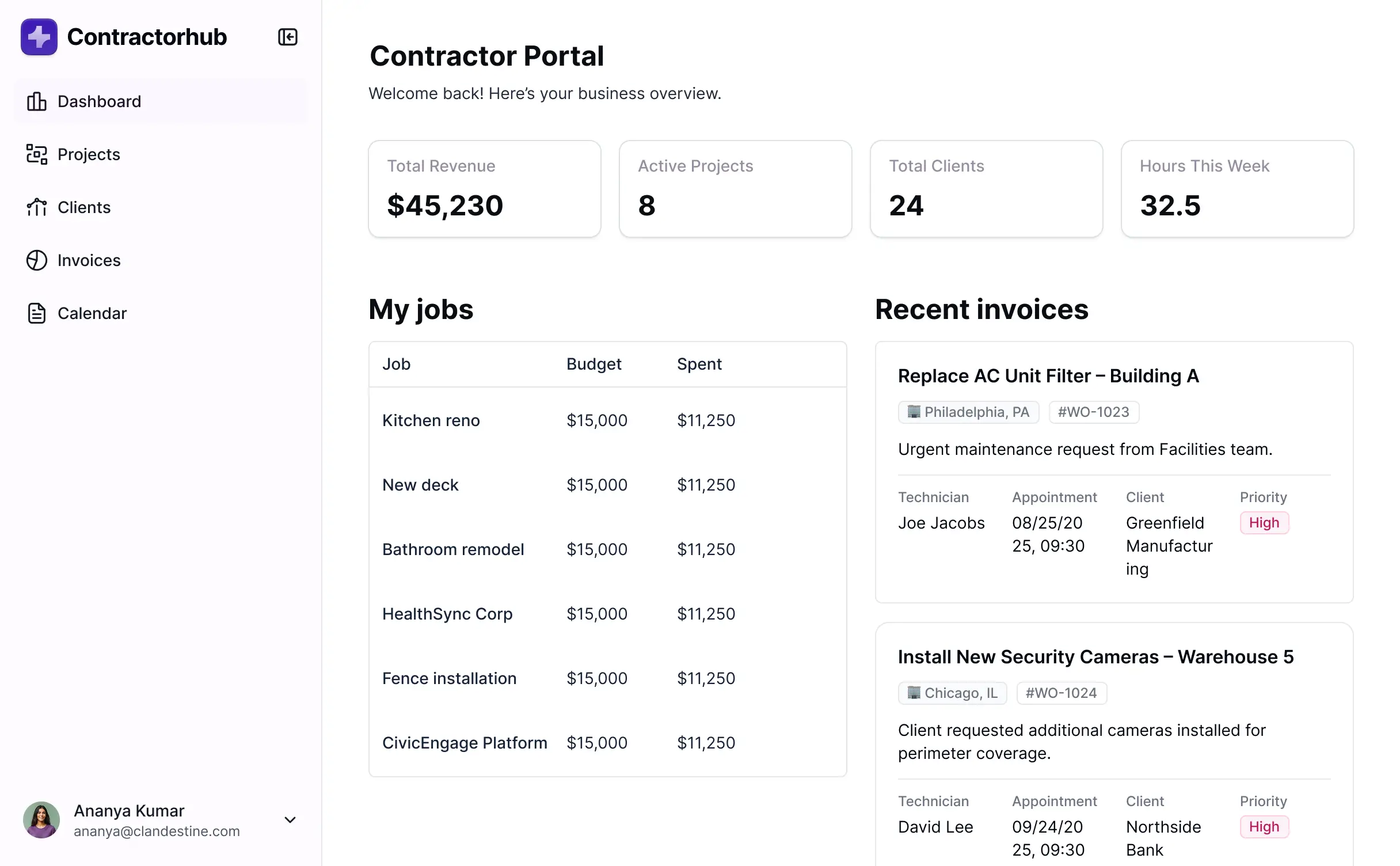
Let techs, managers, and clients log in to a fully branded portal. Set up permissions and personalized access in minutes—no code needed.
Automate your field operations with Softr Workflows for maintenance dispatching, deficiency status updates, and task notifications.
Assign roles for facility techs, regional managers, or clients—each gets access to only the inspection data and assets they need.
Control who can view, sign off, or edit inspection reports—down to the specific field level for maximum data integrity.
Keep facility and compliance data safe. Softr is fully compliant with SOC2 and GDPR regulations to protect sensitive operational info.
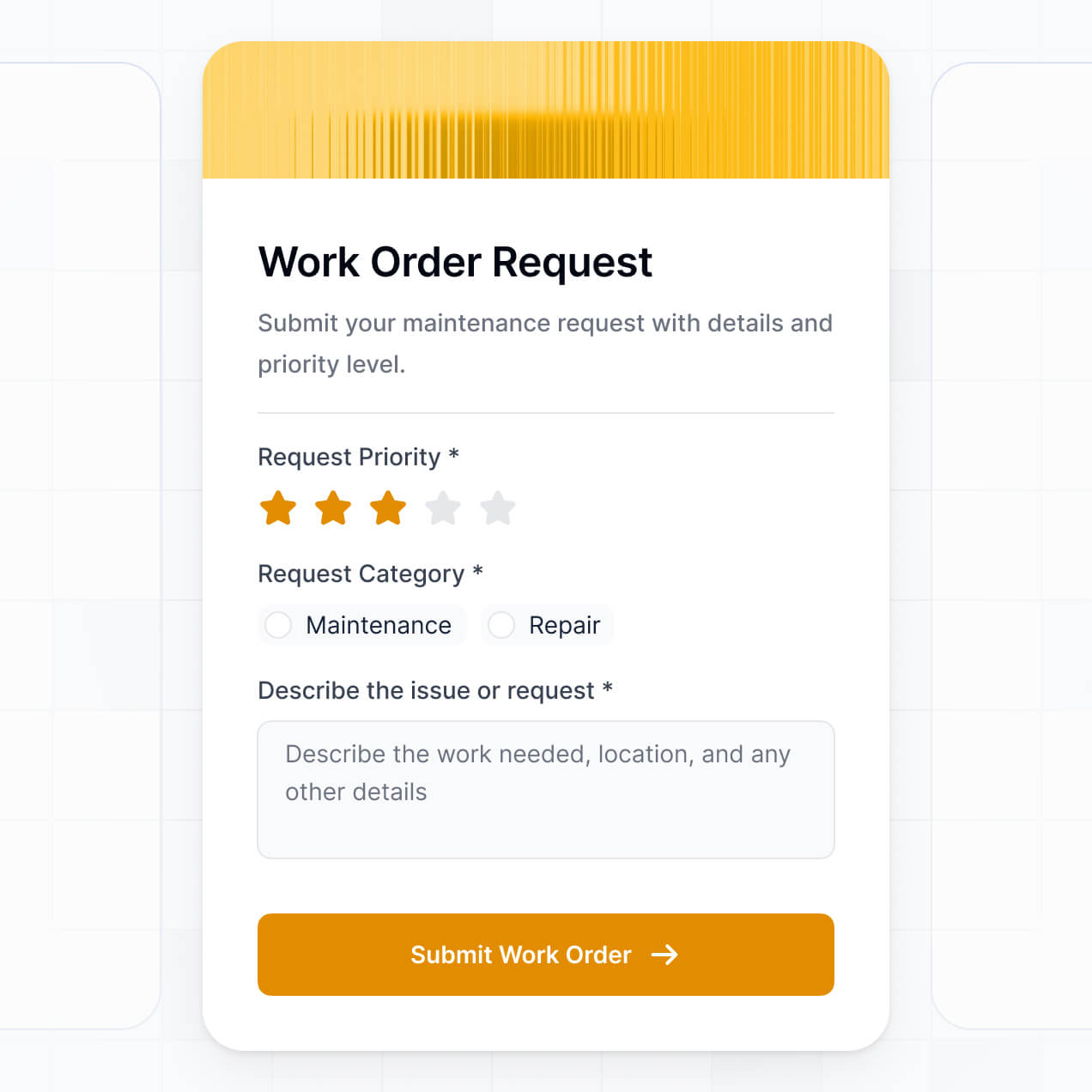
Capture inspection details, equipment photos, or approvals using flexible form blocks that adapt to specific asset types or tasks.
No more one-size-fits-all tools or costly custom builds. Softr is easy to use and fully customizable, so you can launch faster, adapt as you grow, and skip the complexity of traditional software.

Build your facility inspection software in minutes with AI—no manual setup or complex configuration needed.

Add features like recurring inspections, asset tracking, or automated reports as your operations evolve.

Start with inspections, then add maintenance requests and team dashboards—all in one place with no extra tools.
Co-build with AI
Simply describe what you need. Let Softr handle everything - Interface, database, workflows.
Iterate with AI or visually
Control most critical parts of your app yourself - roles, permissions, security.
Ship the same day
Invite team members or external clients and partners right away. No developer handover.
Use drag-and-drop blocks to build a portal that looks sleek and modern out of the box. Add only the features you need, and iterate as your workflows evolve.




A facility inspection software is a secure digital platform where maintenance managers and field technicians can log in to manage safety checks, asset audits, and compliance reports. It centralizes all inspection data in one place, eliminating the need for manual paper forms or messy email chains. This makes it easier to track building health, stay organized, and ensure a safer environment for both staff and facility visitors.
Softr is the first AI-native platform for building business software, making it the fastest way to build facility inspection software that matches your specific site requirements. You can describe your inspection protocols to the AI Co-Builder to instantly generate your database, inspection checklists, and maintenance logic—all fully connected and secure.
You don't need any coding skills to get started. You can generate your app via AI, choose a professional template, or build from scratch. Everything runs on Softr Databases, our native relational database, but you can also connect to external sources like Airtable or Google Sheets to sync with your existing asset lists. You have full control to customize the visual layout, define specific permissions for field techs versus site managers, and brand the app with your company logo. It's built to launch quickly and scale as your facility portfolio grows.
You can include a wide range of features in your facility inspection software to streamline site audits. A high-performing app usually combines standard functional blocks with AI-driven automation:
- AI-Powered Intelligence – Use Ask AI to let managers query maintenance history via chat, or set up Database AI Agents to automatically flag high-risk inspection failures for immediate review.
- Vibe Coding Blocks – Build custom UI components—like an interactive floor plan or a dynamic signature capture field—using the AI Code block to "vibe code" exactly what your inspectors need.
- Softr Workflows – Build native automations (like a work order trigger) that automatically notifies the repair team whenever a building component is marked as 'failed' during an inspection.
- User Portals & Logins – Securely manage access so field technicians only see their assigned facility routes while administrators maintain a global view of all site compliance.
- Forms & Data Collection – Capture inspection findings on-site with custom forms, high-resolution photo uploads, and conditional logic for specific equipment types.
- Dashboards & Charts – Visualize facility health and technician performance with real-time charts showing pending vs. completed inspections.
- Lists & Advanced Filtering – Display and manage your assets with searchable tables, kanban boards for maintenance stages, and detailed history views for every piece of equipment.
Everything is built using Softr's drag-and-drop technology. If your compliance standards change, you can update your inspection forms and logic in minutes without touching a line of code.
Vibe coding allows you to move at lightning speed by using AI to build a custom solution for your facility needs. You can "vibe code" facility inspection software in Softr by describing your specific safety checklists and reporting requirements to the AI Co-Builder. Softr then creates a production-ready application on top of a stable, secure maintenance database.
While other tools might produce fragile, unmanaged code, Softr handles the critical structural infrastructure—like user authentication for your techs and secure data storage—natively. This ensures you get the rapid speed of vibe coding without the long-term risk of managing custom code. You describe the workflow, Softr builds the inspection app, and your team can start auditing facilities immediately.
Yes. You can manage multiple facility locations or different regional maintenance teams within a single software portal. Each inspector or manager only sees the specific sites and work orders assigned to them based on their login and role. This is ideal for property management firms or industrial companies overseeing diverse physical assets across various territories.
Yes, you can. You don't need an existing database of building assets to start building with Softr. If you're starting from scratch, you can use Softr Databases, which is built into the platform and allows you to define your own equipment lists, site locations, and inspection history immediately.
However, if you already have facility data in tools like Airtable, Google Sheets, HubSpot, or SQL, you can easily connect those. You can also use the REST API connector to sync with existing IoT sensors or ERP systems. You maintain total control over how your facility records are structured and visualized for your team.
Softr Databases is the recommended native, relational data source for your facility inspection software. It is built specifically for business applications, offering high performance and instant automation triggers for real-time reporting on the field.
If your asset data lives elsewhere, Softr connects to 17+ external sources including Airtable, Google Sheets, SmartSuite, and BigQuery. You can even combine sources—for example, pulling your technician schedule from Google Sheets while storing detailed inspection logs in Softr Databases. Most sources support real-time, two-way sync, ensuring a technician's update in the field is instantly reflected in your central management dashboard.
Yes, Softr gives you granular control over the user experience within your facility inspection software. You can tailor the navigation and layout to match your maintenance workflow. Each block or page can be shown or hidden based on the user's role, so a junior inspector only sees their checklist, while a facility director sees global risk assessments.
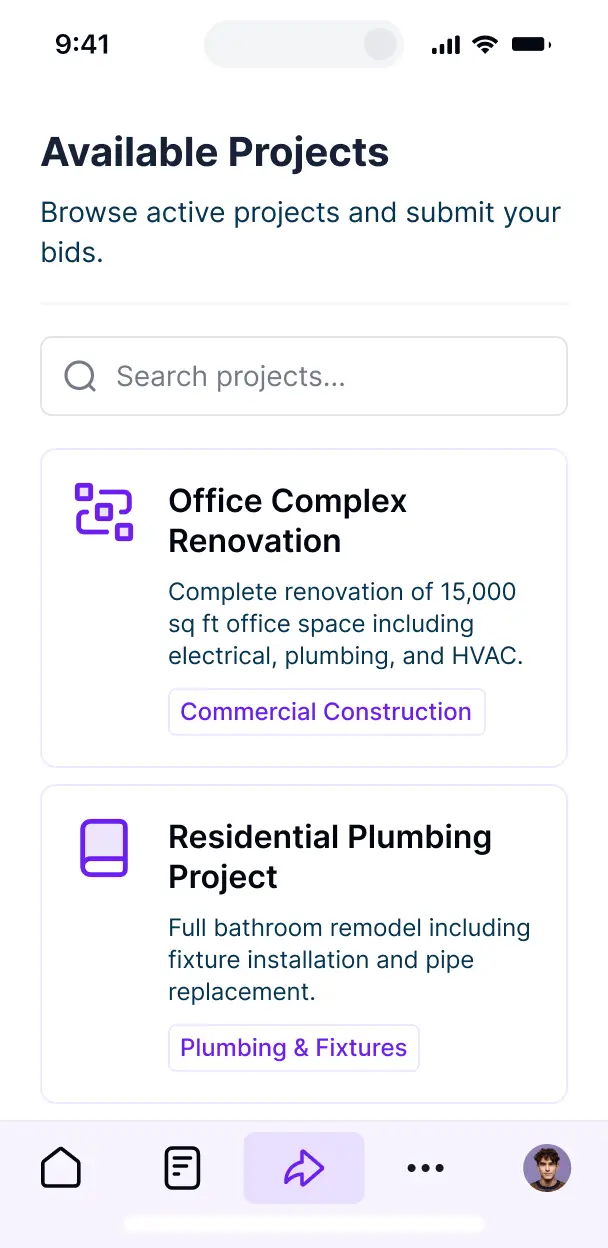
You can define multiple roles—such as Field Technician, Safety Auditor, or Facility Manager—and set precise viewing and editing rights. For instance, technicians can create new inspection logs but only managers can approve or close them. This level of customization ensures your data remains secure while providing a simplified, mobile-friendly interface for workers on the facility floor.
Yes, you can fully white-label your facility inspection software. You can incorporate your corporate logo, brand colors, and custom typography to make the portal look like a proprietary internal tool. By using a custom domain and removing Softr branding, you provide a professional, seamless experience for your employees and any external compliance auditors.
Yes, you can. Softr provides the flexibility to control the visual design and structural layout of your facility portal. You can modify colors, fonts, and spacing to ensure the app is easy to read—even for technicians working in low-light facility environments.
To organize your inspection data, you can utilize various specialized blocks:
- Table blocks – to track site-wide project lists, equipment specs, or historical maintenance logs.
- List or Card blocks – to offer a visual gallery of facility assets or safety resources.
- Detail View – to provide a deep dive into a single asset's health and past failures.
- Forms – for standardized safety checklists and incident reporting.
- Charts – to track facility compliance trends over time.
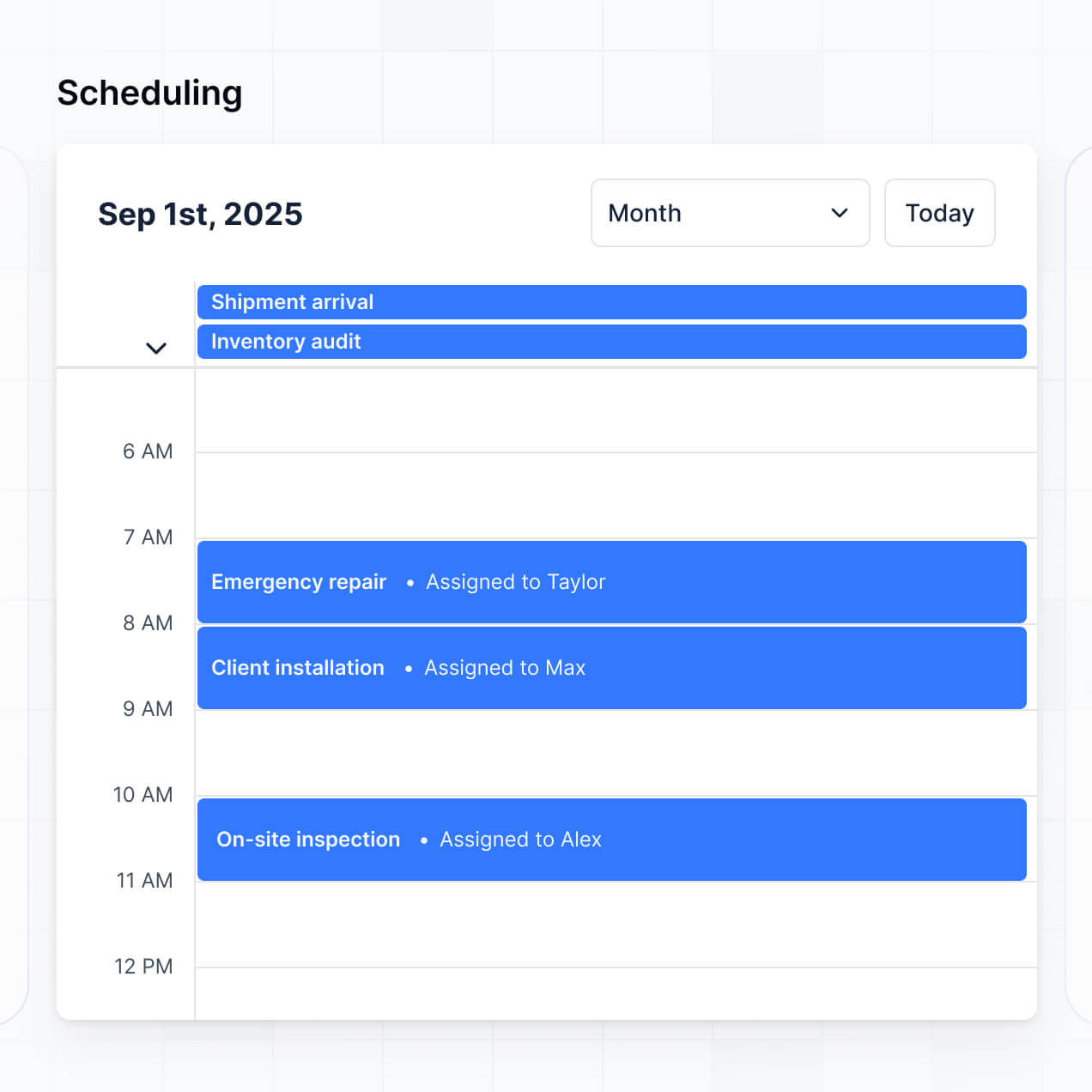
- Calendar blocks – to manage upcoming preventative maintenance schedules and deadlines.
You can easily iterate on your design in the visual builder as your facility's operational needs evolve.
Softr is built with enterprise-grade security. All facility data is encrypted in transit and at rest, with hosting on secure, reliable infrastructure. You retain full control over sensitive building blueprints and compliance records through role-based permissions and visibility rules that prevent unauthorized access.
For apps using Softr Databases, your data is stored in a secure environment with SOC 2 Type II compliance. For apps connected to your own data sources like SQL or Airtable, Softr acts as a secure display layer without storing your data locally. We follow industry best practices for authentication and monitoring to ensure your facility's operational data remains private and protected.
It is fully production-ready from day one. Unlike basic AI builders that generate unmanaged code, Softr builds your facility inspection software on a robust, business-grade framework.
We handle the complex underlying architecture—including secure logins, site-level permissions, and data hosting—so you don't have to troubleshoot code. This eliminates the 'Day Two' problem typically associated with AI; you get the instant speed of generation alongside the reliability required for professional facility operations and compliance tracking.
Softr is the first AI-native platform specifically designed for business software. While other tools require months of manual configuration or produce fragile custom code, Softr's AI Co-Builder generates a functional facility management app on top of a secure, production-ready foundation in minutes.
Our hybrid advantage allows you to use AI to generate your maintenance modules and logic quickly, then use visual drag-and-drop tools for fine-tuning. You benefit from the speed of AI combined with the stability of built-in business features like roles and permissions. It's the ideal solution for operations teams who need to move from a maintenance concept to a live inspection tool immediately.
Yes. Softr supports powerful native workflows and a vast array of integrations to connect your facility inspection software with your existing tech stack. You can automate tasks like triggering a Slack notification when a critical fire safety check fails, or sync with Stripe for billing maintenance services. Softr also supports webhooks and REST API for advanced automation requirements.
Whether you need to export inspection reports to a central ERP or sync asset lists from another system, you can build these automated bridges without writing a single line of code.
Go from idea to a live work order management system in under an hour. Get started for free.