10 best GUI software tools to streamline your interface design in 2026

A Graphical User Interface (GUI) is a visual interface that lets users interact with computers using icons, buttons, and menus instead of text commands. For software developers, these tools offer a bridge between complex coding and visual design, allowing for greater focus on core functionality. UI/UX designers rely on GUI software to experiment with layouts and interactions.
The problem is many struggle to find tools that balance enhanced functionality with ease of use. Developers often face challenges in customizing pre-built components to meet specific project needs, while designers may feel limited by inflexible templates. Plus, the high cost of some GUI solutions can put them out of reach for smaller teams or individual developers.
This article presents the top 10 GUI software tools of 2026 that offer high customization, robust features, and seamless integration capabilities. So, by the end, you'll have a clear understanding of which tools can help you prototype interfaces quickly and streamline the interface design process.
What is GUI software?
GUI software refers to tools that enable designers and developers to create visual interfaces for applications, websites, and other digital products. These tools allow users to design, prototype, and sometimes even code interfaces using graphical elements rather than relying solely on text-based programming.
Why use GUI software?
Let's explore three key advantages of using GUI software:
- Rapid prototyping: GUI software allows designers to quickly create and iterate on interface designs. With drag-and-drop functionality and pre-built components, you can assemble prototypes in a fraction of the time it would take to code them from scratch. This speed enables more experimentation which often leads to better design outcomes.
- Improved collaboration: Most GUI tools offer features that facilitate teamwork, such as real-time editing, commenting, and version control. This collaborative environment allows designers, developers, and stakeholders to work together seamlessly.
- Consistency and scalability: Many GUI tools include design systems and component libraries, making it easier to maintain consistency across large projects. This feature is particularly valuable for creating cohesive user experiences in complex applications.
We've rounded up 10 awesome GUI development tools that'll make your interface design work a whole lot easier and more efficient.
1. Softr — best for building custom user interfaces with AI
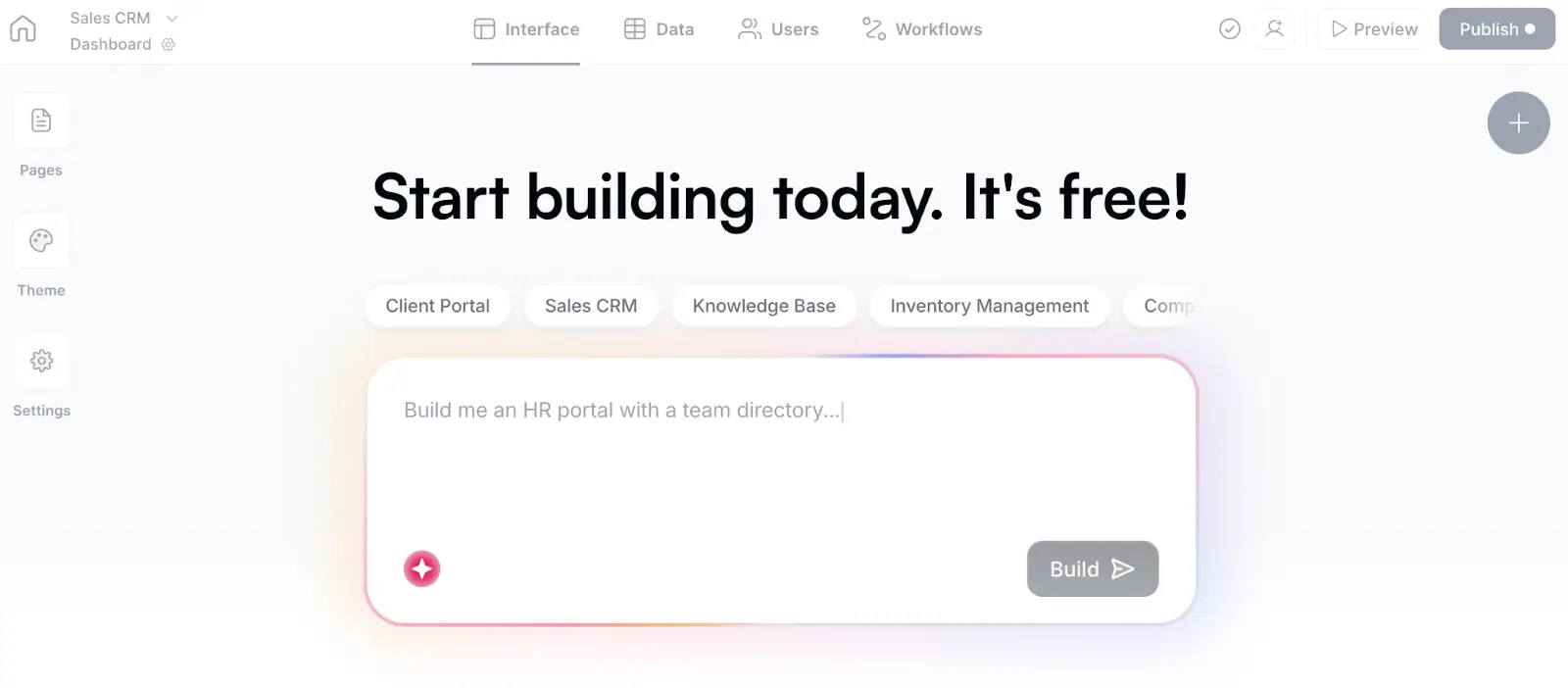
Softr is an AI platform that allows users to build user interfaces, web apps, client portals, internal tools, and more without writing code. With the AI Co-Builder, you simply describe the kind of UI you need and get a complete app back in minutes, complete with a back-end database, utility pages, and built-in security guardrails.
For manual building, you can use no-code visual editor to drag and drop elements, configure data sources, and customize the design. Or you can iterate by prompting the app builder. Either way, Softr makes building UIs accessible to individuals without programming skills.
If you'd rather get started from a pre-made base, Softr also offers dozens of ready-to-use templates covering different industries and use cases. Whether you start with the Co-Builder or from a template, you don't have to build from scratch (unless you want to).
While Softr works well for teams of all sizes, it also offers the advanced security, scalability, and integration capabilities that enterprise-level businesses require. While there are plenty of tools out there that let you generate UI prototypes with AI, they aren't typically reliable enough to share with real users from day one. Interfaces built with Softr, on the other hand, are secure and functional by default, meaning you can run your actual business on them.
Key features
- AI Co-Builder for instant app generation
- Drag-and-drop interface
- Pre-built and Vibe Coding blocks
- Native workflow automation
- Dynamic search with filters and sorting
- Customizable lists and grids
- List filtering with URL
- Customizable form destinations
- reCaptcha integration
- Team collaboration and sharing
- Role-based access control
- Form submission triggers
- Support for one-time and recurring payments
- Payment integration with membership sites
- Integration with Airtable, HubSpot, SQL databases, and other apps
Pros
- Generate UIs with AI, then customize with no-code edits
- Generous free plan
- Highly flexible for diverse needs
- Intuitive interface for non-technical users
Cons
- No direct control over code
- Can't make pixel-level changes to layouts
Ideal use cases
- Building secure business software tailored to your existing workflows
- Generating user-ready interfaces from natural language prompts
- Creating client and customer portals, intranets, knowledge bases, dashboards, CRMs, and more
- Creating member-only portals or communities
- Building internal tools
Pricing
Softr’s pricing is flat and predictable. Every plan includes a monthly AI credit allowance, so you can try the AI Co-Builder and Vibe Coding block at no cost.
- Free: 10 users, unlimited apps, 5 AI credits, 5,000 database records, and 500 workflow actions
- Basic: $49/month for 20 users, 10 AI credits, 50K records, 2.5K workflow actions
- Professional: $139/month for 100 users, 50 AI credits, 500K records, and 10K workflow actions
- Business: $269/month for 500 users, 100 AI credits, 1M records, and 25K workflow actions
- Enterprise: Custom pricing
2. Justinmind — best for high-fidelity interactive prototyping
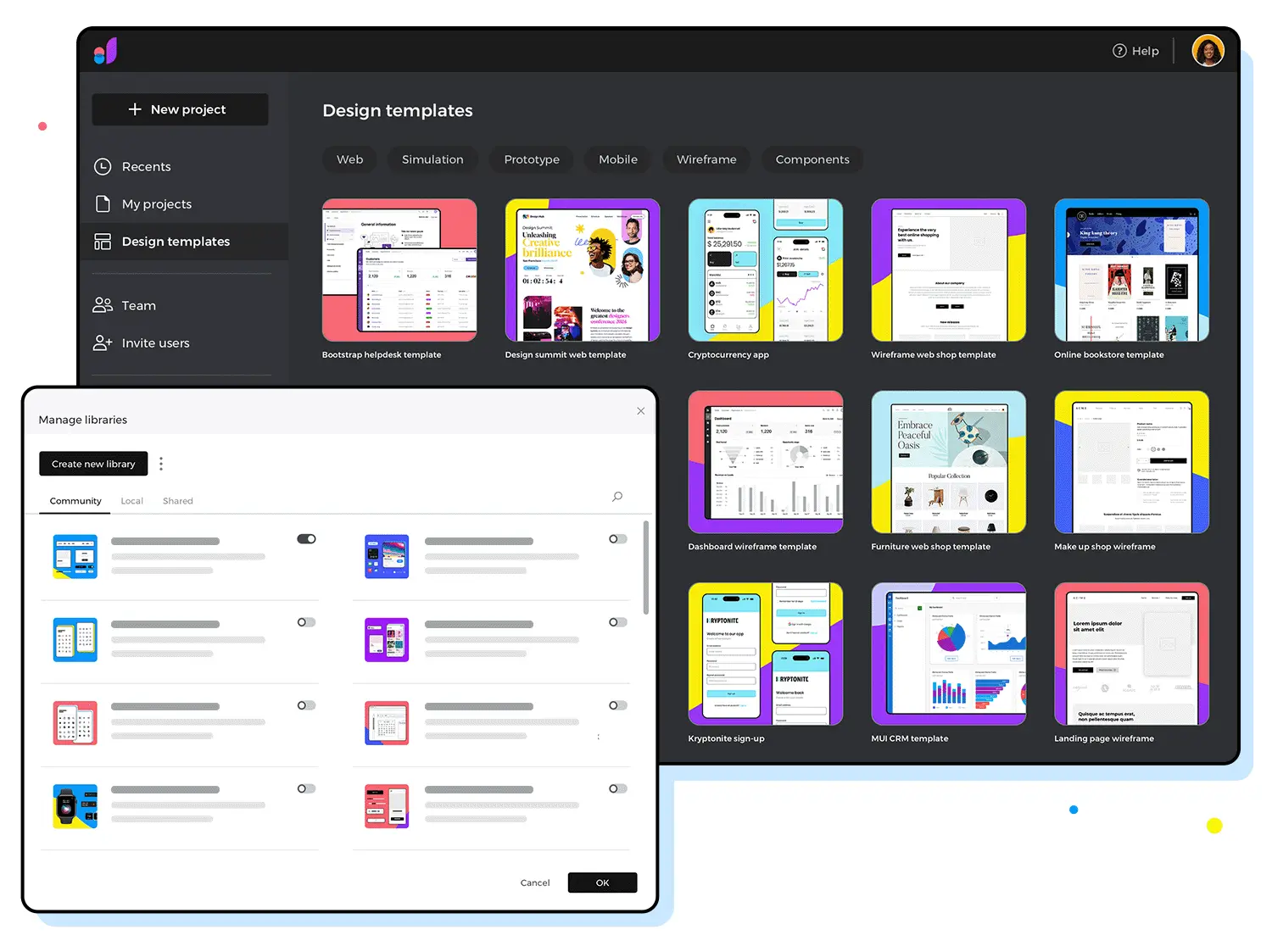
Justinmind is a no-code design and prototyping tool for creating interactive UI designs for web and mobile applications. It offers a user-friendly interface that allows designers and non-designers alike to create high-fidelity prototypes without coding skills.
Key features
- Rich library of UI elements and templates
- Mobile gestures and transitions
- Master elements for reusable components
- Conditional logic for complex interactions
- Data-driven prototyping
- Design handoff for developers
- Interactive HTML and JavaScript
- Dynamic content simulation
- Responsive design capabilities
- Dynamic data simulation
- Mobile app previews and testing
- Simultaneous co-edit
- Version control
- Sketch plugin
- Offline prototype viewing capabilities
- Usability testing integration
- Integration with Figma and Adobe
- Integration with Jira and Confluence
Pros
- Free plan available
- Drag-and-drop builder
- Easier to start for most users
Cons
- It can be glitchy at times
Ideal use cases
- High-fidelity prototyping
- Wireframing
- Complex web application design
- User flow and navigation testing
Pricing
- Free: 1 project, unlimited screens and viewers, basic UI design and wireframing, vector design, and PNG/JPG/SVG export
- Standard: $19/editor/month; adds advanced interactions, forms design, mobile testing, variables, shared UI libraries, and unlimited projects
- Professional: $29/editor/month; adds masters, smart templates, data simulation, user flows, HTML export, and user testing integration
- Enterprise: $59/editor/month; adds SAML SSO, shared fonts, document export, requirements management, and Jira/Azure DevOps integration
3. Framer — best for advanced animations and developer-friendly design
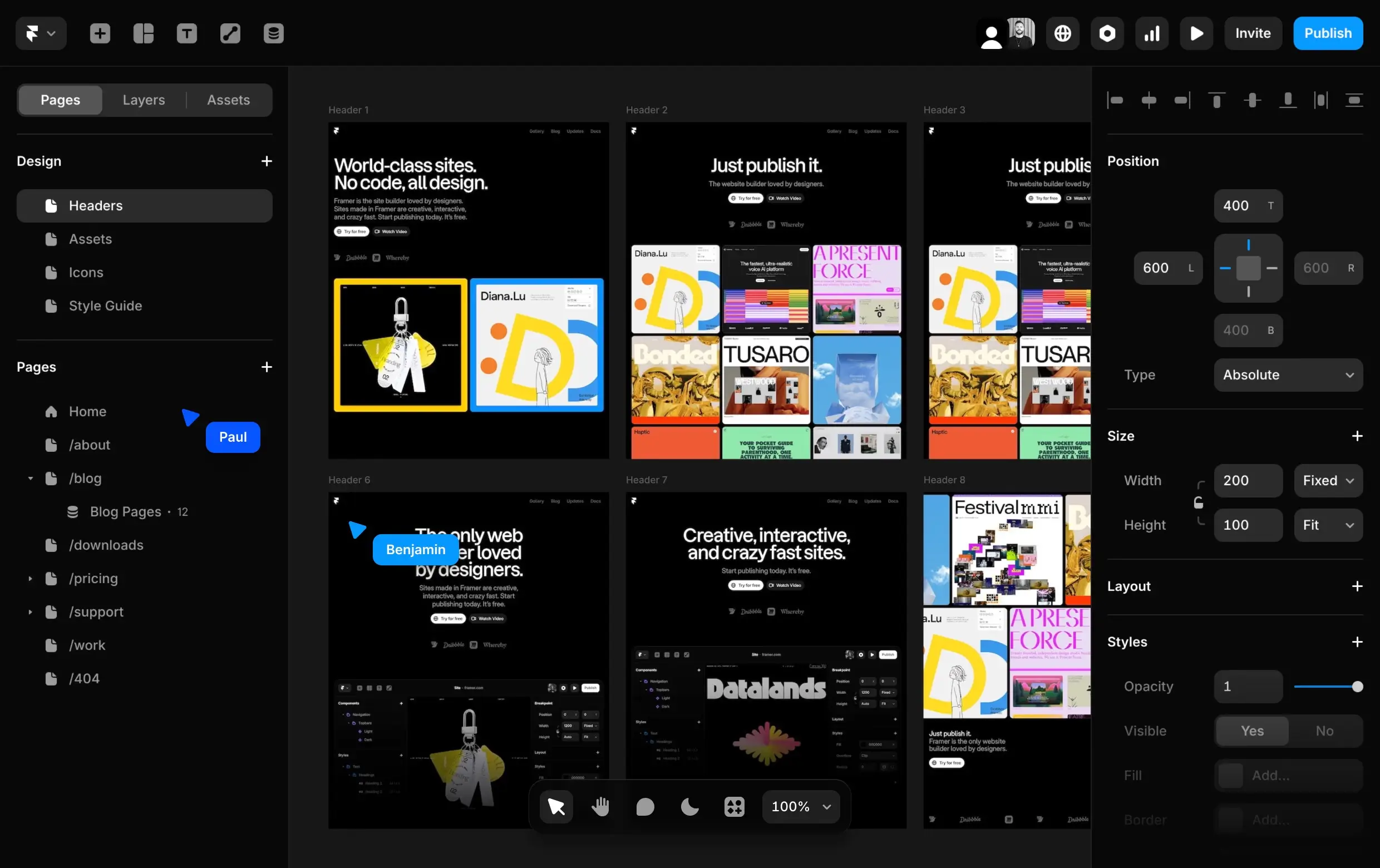
Framer is a UX and interaction design software. What makes it one of the top GUI tools is that it allows designers to create interactive prototypes with advanced animations, while also providing the flexibility for developers to extend functionality using React components.
Key features
- Responsive layout adjustments
- Reusable smart components
- Auto-layout for fluid design
- Customizable grid systems
- Pre-built layout styles
- Customizable navigation bars
- Interactive menu components
- Smooth transitions between pages
- Hierarchical navigation structures
- Layer blending modes
- Realistic background blur effects
- Interactive hover effects
- Animated transitions
- Password-protected prototypes
- AI-generated design suggestions
Pros
- Free plan available
- Affordable paid plans
- Template marketplace
- Extensive learning resources
Cons
- No offline capabilities
- Occasional issues with rendering
- Fewer integration options
Ideal use cases
- Rapid prototyping of interactive designs
- Designings high-fidelity UI/UX elementsa
- Building production-ready web experiences
- Collaborative design projects in remote teams
Pricing
- Free: Publish to a Framer domain with a "Made in Framer" banner; great for personal projects and prototyping
- Basic: $10/month (billed annually) or $15/month; 30 pages, 1 CMS collection, 2 included editors
- Pro: $30/month (billed annually) or $45/month; 300 pages, 10 CMS collections, 10 included editors, staging environments
- Scale: $100/month (annual only); 500+ pages, 20 CMS collections, advanced analytics, A/B testing add-on available
- Enterprise: Custom pricing; custom hosting, enterprise security, dedicated support, and unlimited capabilities
4. Balsamiq — best for quick, low-fidelity wireframing
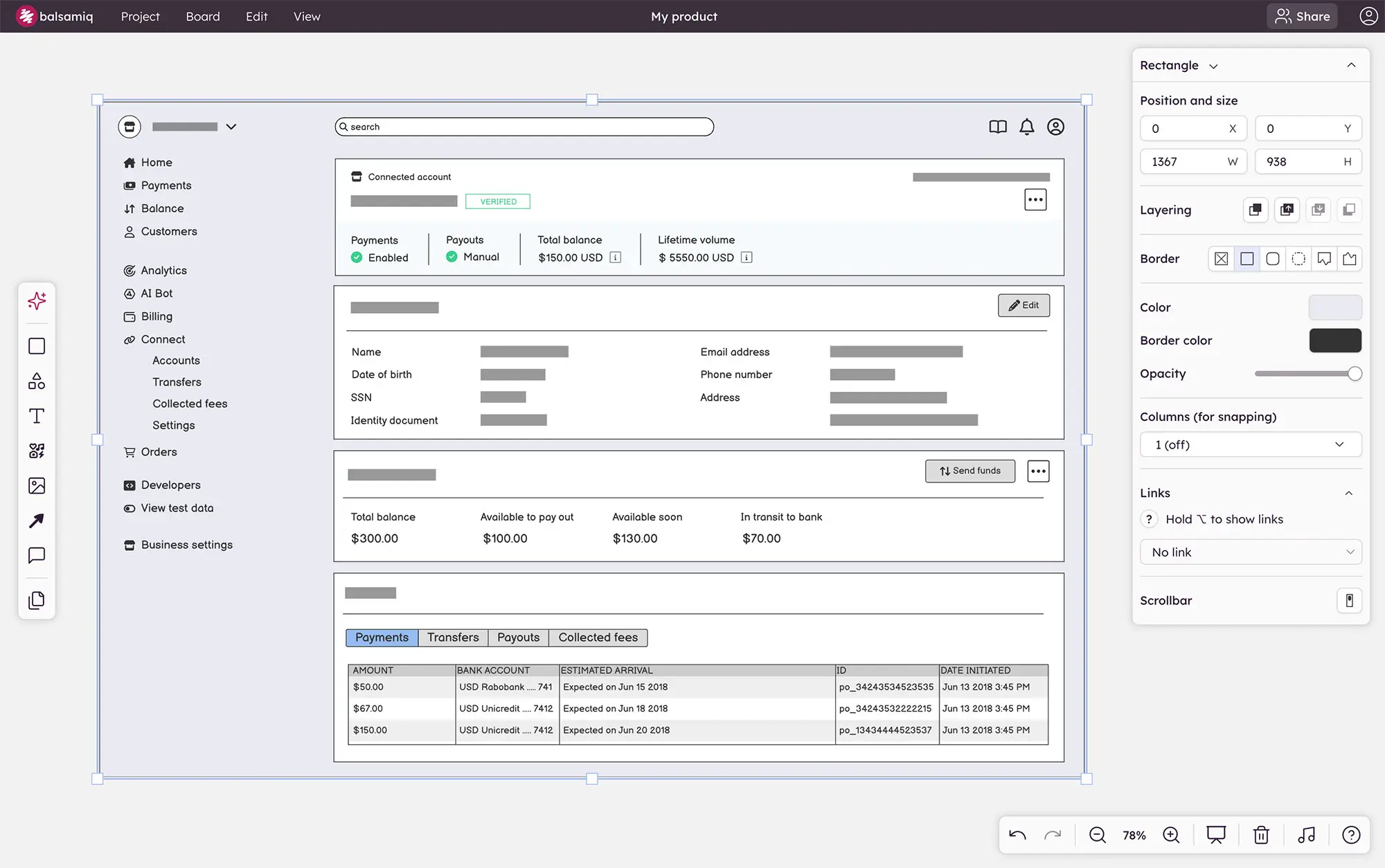
Balsamiq is a user-friendly tool for creating simple, hand-drawn style wireframes. It helps designers and teams quickly visualize and communicate ideas for websites and apps without getting bogged down in details.
Key features
- Built-in UI components and icons
- A library of drag-and-drop UI elements
- Optimized for speed with quick add and keyboard shortcuts
- Export to PNG and PDF for easy sharing
- Reusable symbols and customizable component libraries
- Interactive prototypes with linking for demos
- Designed for collaboration, supporting multiple users
- Usability testing through click-through prototypes
- Integration with Jira, Confluence, and Google Drive
Pros
- Low-fidelity wireframing
- Real-time collaboration
- Extensive component library
Cons
- No advanced animation support
- Pricing depends on the number of active projects (not users)
Ideal use cases
- Low-fidelity wireframing
- Collaborative design
- Simple interactive prototyping to test user flows
Pricing
Balsamiq is priced per project (not per user), with unlimited users on all plans. Pricing shown is for 1–2 active projects; costs scale up with more projects.
- Business: $12/month (or $144/year) — unlimited wireframes, unlimited users, 1,000 AI credits/month, drag-and-drop wireframing, and real-time collaboration
- Enterprise: $18/month, annual billing only (or $216/year) — everything in Business plus SSO with SAML, 5,000 AI credits/month, enterprise SLA, data residency (US or EU), and priority support
5. Figma — best for collaborative UI/UX design and design systems

Figma is a cloud-based design and prototyping tool primarily used by designers, engineering teams, and product managers for creating user interfaces and digital products. Figma's versatile platform bridges the gap between design and development, which helps simplify the product creation process from concept to implementation.
Key features
- Auto-layout for responsive designs
- FigJam for collaborative whiteboarding
- Dev Mode for improved developer handoff
- Vector networks for flexible design
- Component libraries and design systems
- Version history and file recovery
- Audio conversations for real-time team communication
- Advanced typography controls
- Smart selection and distribution tools
- Plugins and integrations ecosystem
Pros
- Free plan available
- Comprehensive design system features
- Cross-platform compatibility (works on Mac, Windows, Linux)
Cons
- Limited offline support
Ideal use cases
- UI/UX design
- Design system development
- Product development
- Wireframing
- Diagramming
- Cross-functional collaboration
Pricing
- Starter: Free; up to 3 Figma files and 3 FigJam boards per team, unlimited personal drafts, 150 AI credits/day
- Professional (Full seat): $16/editor/month (billed annually); unlimited files and projects, team-wide design libraries, advanced Dev Mode, 3,000 AI credits/month
- Organization: $55/editor/month (annual only); SSO, advanced admin controls, organization-wide design systems
- Enterprise: $90/editor/month (annual only); dedicated support, custom security configurations, design system theming and APIs
Dev and Collab seat types are available at lower price points ($3–$35/month depending on plan).
6. MockFlow — best for team-based wireframing
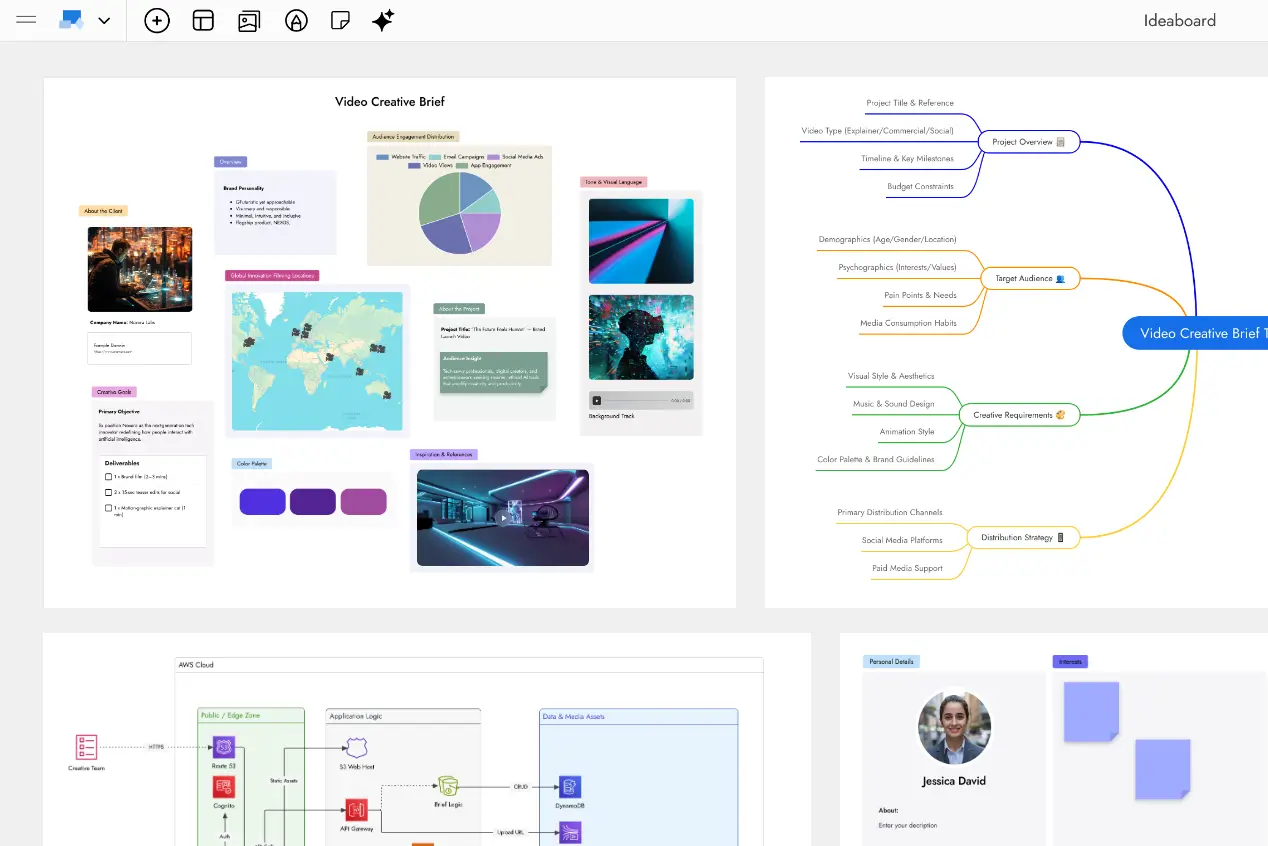
MockFlow is another easy-to-use GUI software and online wireframing tool that enables designers, developers, and product managers to create interactive mockups and prototypes for websites and applications. It offers a user-friendly interface with drag-and-drop functionality, allowing teams to collaborate on designs in real-time and iterate quickly.
Key features
- Interactive prototyping capabilities
- Cloud storage for easy access and sharing
- Customizable templates for various device types
- Comments and annotation tools for feedback
- Design approval workflow system
- Export options in multiple formats (e.g., image, PDF)
- AI-assisted UI content generation (Genius AI)
- AI-assisted design review
- Integration with popular tools (e.g., Google Drive, Slack, Office 365, Trello)
Pros
- Free plan available
- Easy to learn
- Desktop app for offline mode
Cons
- Fewer integration options
Ideal use cases
- User flow mapping
- Design system creation
- Responsive design testing
- Cloud architecture mapping
- Process flowchart development
- UML diagram modeling
Pricing
- Basic: Free forever; 1 wireframe project, 3 IdeaBoard projects, 100 AI credits max, personal license
- WireframePro: $14/editor/month (billed annually); unlimited wireframe projects, multiplayer editing, 2,200 AI credits/user/month, code export, SSO (annual)
- IdeaBoard: $7/editor/month (billed annually); unlimited boards, diagramming and brainstorming tools, 600 AI credits/user/month
- Bundle: $17/editor/month (billed annually); includes both WireframePro and IdeaBoard with 2,800 AI credits/user/month
- Enterprise: Custom pricing
7. Proto.io — best for animated mobile app prototyping
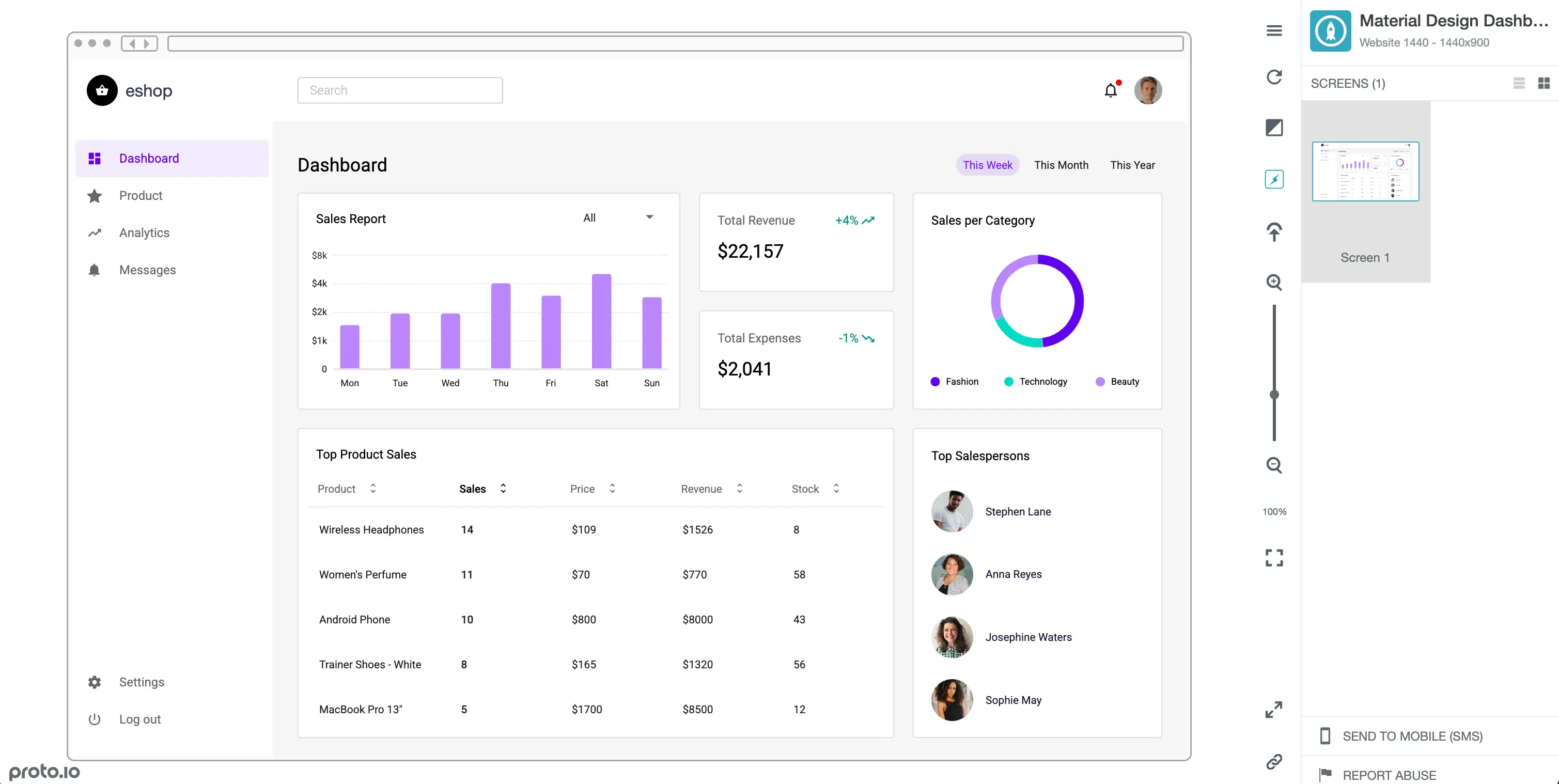
Proto.io is a web-based prototyping platform for creating interactive and animated prototypes of mobile apps and websites. It allows users to design, test, and share high-fidelity prototypes without coding. The tool caters to UX designers, entrepreneurs, product managers, and marketers.
Key features
- Animated icons library
- Sound effects library
- Advanced animations
- 1000+ templates
- 250+ UI components
- Scrollable containers
- User flows and screen linking
- HTML code components
- Fonts manager
- Eyedropper tool
- Gradient colors
- Version control
- Plugins for Sketch, Figma, XD, and Photoshop
- Voice commands and speech recognition integration
Pros
- Drag-and-drop interface
- Native apps for iOS and Android
Cons
- Steep learning curve
- Some prototyping workflows are complicated
Ideal use cases
- Rapid prototyping of mobile apps
- User testing with functional prototypes
- Cross-platform UI consistency checks
Pricing
- Freelancer: $29/month; 1 user, 5 active projects, unlimited reviewers
- Startup: $49/month; 2 users, 10 active projects, unlimited reviewers
- Agency: $99/month; 5 users, 15 active projects, unlimited reviewers
- Corporate: $199/month; 10 users, 30 active projects, unlimited reviewers
8. UXPin — best for combining prototyping and design system management
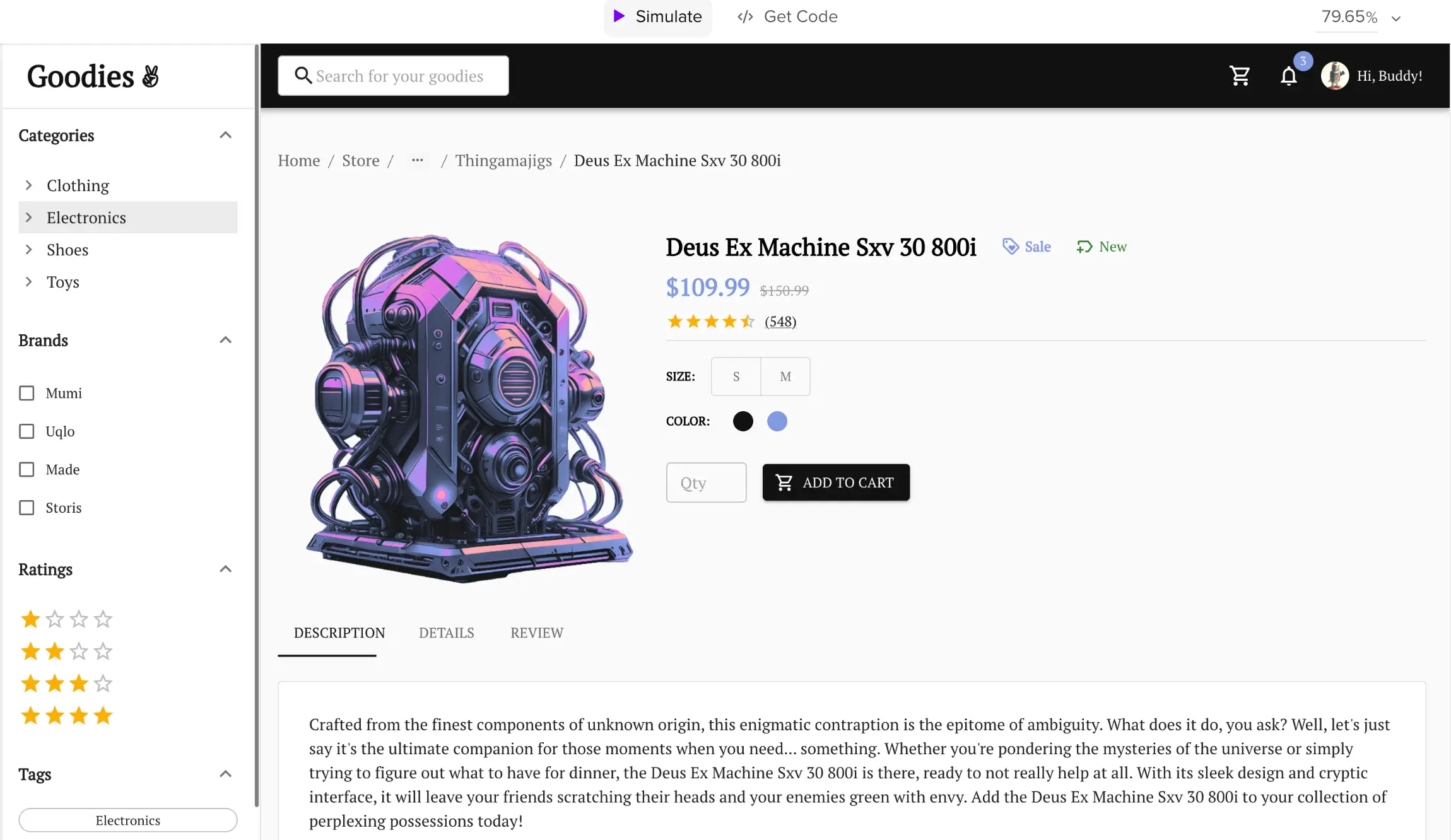
UXPin is another popular UI design and prototyping tool tailored for designers and developers. What we like about UXPin is that it combines wireframing, prototyping, and design system management into a single tool.
Key features
- Customizable UI kits
- Version control
- Real-time collaboration
- Cloud storage
- Usability testing tools
- Copy/paste interactions
- Slack and Jira integration
- Custom font upload
- Password-protected prototypes
- Advanced interactions with conditional logic
- Canvas properties (grids, adaptive screen sizes, scrolling)
Pros
- Free plan available
- Image and file sharing is easy
- Integrated user testing within the same platform
Cons
- Slow performance on complex prototypes
Ideal use cases
- Detailed wireframe development
- High-fidelity mockups creation
- User interface design
- Design systems management
- Design handoff to development teams
Pricing
- Free: 2 prototypes, 50 AI credits, basic MUI components only, no conditional logic or variables
- Core: $29/editor/month (billed annually) or $49/month; unlimited prototypes, 200 AI credits/month, conditional logic, variables, expressions, 7-day version history
- Growth: $40/editor/month (billed annually) or $69/month; 500 AI credits/month, design systems, Storybook integration, SSO & 2FA, roles & permissions, 30-day version history
- Enterprise: Custom pricing
9. Flinto — best for Mac-based animated transition prototyping
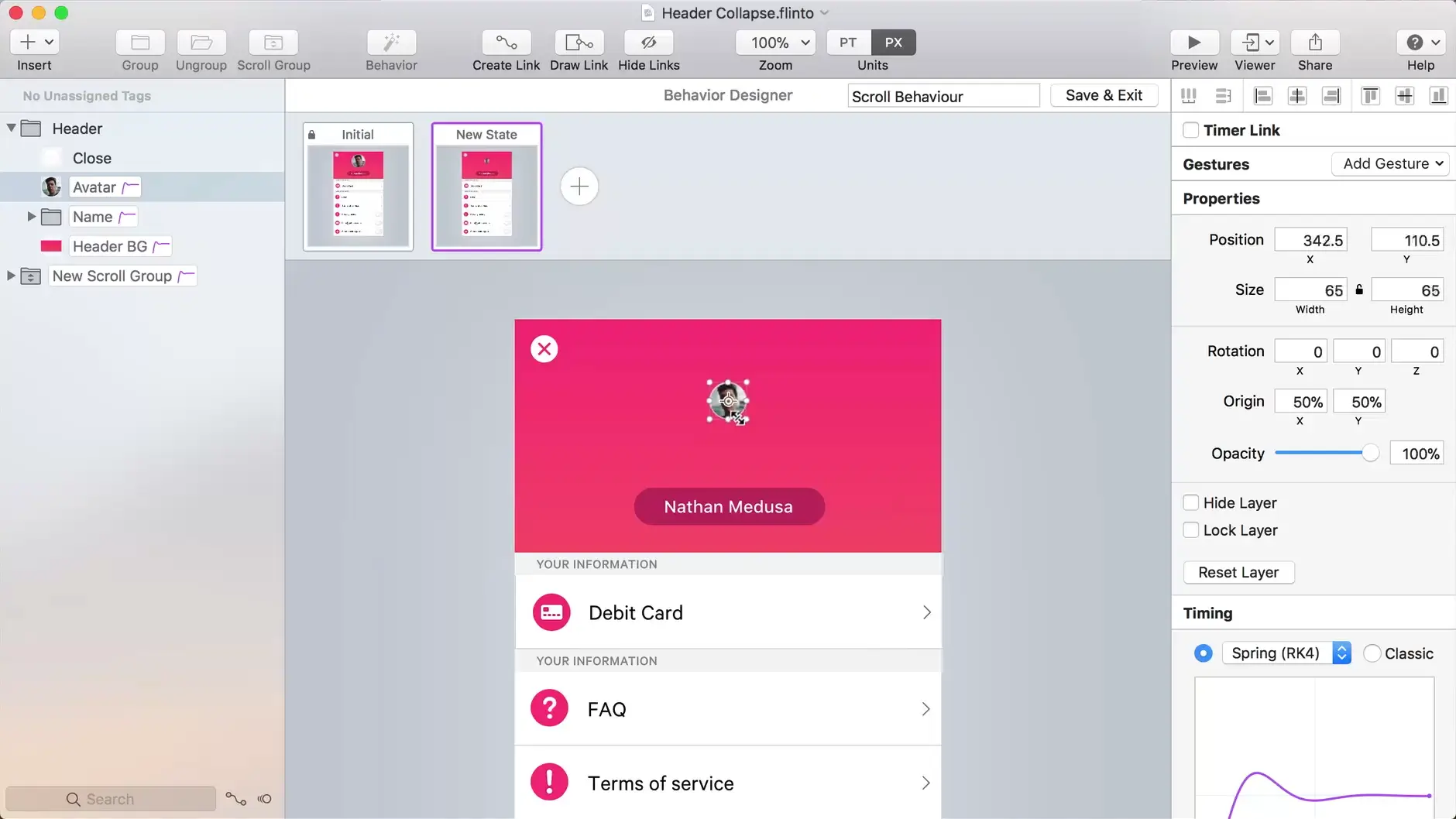
Flinto is a prototyping tool developed for Mac users. It allows designers to create interactive and animated prototypes for mobile and web applications.
Key features
- Animated transitions
- Video or GIF file upload
- Sound effects
- Drawing tools
- 3D rotation
- Scrollable sections within prototypes
- Figma & Sketch import
Pros
- Easy to learn
- Extensive documentation
- Active community
- iOS app
Cons
- No free plan
- Limited to Mac users only
- Fewer integration options
Ideal use cases
- High-fidelity animation implementation
- Transition animation development
- User experience testing
Pricing
- Flinto for Mac: $99/year (one-time annual license); includes all features and one year of free updates; 14-day free trial available
- Flinto Lite (web-based): $20/member/month; collaborative web version; 10% discount if billed annually
10. Axure RP — best for complex, logic-driven wireframes

Axure RP is a powerful wireframing and prototyping solution, and it's popular among UX professionals, product managers, and business analysts.
Key features
- Browser-based prototypes without coding
- Dynamic panels and repeaters
- Animated transitions
- Adaptive views for various screen sizes
- Conditional logic and expressions
- Scrolling container widget
- Team projects and version control
- Widget libraries
- Pen tool for vector drawing
- Built-in support for Google Fonts
- User-testing plugin capabilities
- Axure Cloud for sharing and feedback
- Offline prototype viewing capabilities
- Figma, Sketch, and Adobe XD integration
- HTML, CSS, and JavaScript integration
- Commenting for feedback
- Team collaboration tools
Pros
- 30-day free trial
- iOS and Android mobile apps
- Large community
Cons
- No free plan
- Learning curve
- Higher price point than some competitors
- Resource-intensive for complex projects
Ideal use cases
- Complex web application prototyping
- Mobile app interface design
- Data-driven prototype testing
- Responsive design demonstrations
Pricing
- Pro: $29/user/month (billed annually); unlimited prototypes, unlimited reviewers, unlimited cloud projects, advanced prototyping, wireframes, and documentation
- Team: $49/user/month (billed annually); everything in Pro plus co-authoring, revision history, and team project hosting on Axure Cloud
- Enterprise: Custom pricing
How to choose the right GUI software
Choosing GUI software doesn't have to be a headache. Check out these important factors before you decide:
- Ease of use: The interface is just the beginning of understanding a tool's usability. Complex tasks, like creating interactive prototypes or setting up design systems, will show you the true depth of user-friendliness. After a week of use, the tool's intuitiveness becomes apparent, so you'll probably come across any quirks or shortcuts you've had to learn. Plus, the keyboard shortcuts can impact ease of use and save you a few clicks, so don't neglect this one.
- Integration capabilities: Smooth integration with current tools is essential for maintaining a seamless workflow. Adobe Creative Suite and Sketch are common integrations but look beyond these. Consider integrations with project management tools like Jira or Confluence for better team coordination. Data-driven design? Check for Airtable, Typeform, or database connections to power dynamic prototypes. Don't forget about communication tool integrations like Slack, which can improve team collaboration.
- Export options: Standard formats like PDF and various image formats (PNG, JPG, SVG) should be available, but that's just the baseline. Look for options to export design specs or developer handoffs in formats that your development team prefers. Check if you can export to HTML/CSS for quick prototypes. Some tools offer the ability to export to other design software formats, which can be useful for cross-tool workflows.
- Pricing and plans: Analyze the pricing structure across different tiers and calculate the long-term cost based on your expected usage and team growth. For example, look for any hidden limits, such as restrictions on file storage, export options, or the number of collaborators on each plan. Also, check for any volume discounts for teams or educational pricing if applicable. For larger organizations, inquire about custom enterprise plans that might offer better value. Many companies, like Softr, provide enterprise enterprise-grade security and integration capabilities.
- Learning resources: Evaluate the depth and breadth of learning materials available. For example, check for a comprehensive, regularly updated knowledge base or documentation. Then, if applicable, assess the activity level and helpfulness of user forums or community platforms offered by the company since a community can be an invaluable resource for problem-solving. Also, evaluate any certification programs or academies offered. Lastly, look for interactive workshops, similar to what Softr provides, for hands-on learning experiences.
You're all set to improve your work with GUI software
We've explored GUI software tools and their importance in interface design. Among all the solutions, Softr emerges as a versatile platform, catering to both small businesses and large enterprises with its AI interface builder, customizable templates, and scalable features. Sign up for Softr's free plan today and start building business-ready GUIs
This article was originally published in April 2025. The most recent update, with contributions by Dylan Reber, was in April 2026.


.webp)