The 10 best AI app builders in 2026 (Tested & reviewed)



I dove deep researching the best AI app builders in 2026 to find the 10 that are actually worth considering. Here's how they stack up when it comes to building business apps you can use in your daily operations.
Best AI app builders at a glance
What to look for in AI app builders
Here are the core criteria to evaluate when choosing an AI app builder for your team:
- Ease of use: The builder should work with plain-language prompts and have a simple interface so it’s easy to describe what you want and customize the output.
- AI transparency and control: Pick a platform that shows you what the AI is building and lets you refine as you go. You want clear outputs you can adjust to match your workflows (preferably without endless re-prompting).
- User management: Built-in logins, roles, and permissions are essential if you’re dealing with sensitive data and sharing apps with clients or employees.
- Workflow automation: Pick a platform that can automate repetitive task like approvals, notifications, or data syncs without extra tools.
- Design customization: Your apps should feel like your own, with layouts and branding that match your business.
- Security and compliance: Features like secure hosting, role-based access, or SSO are non-negotiable if you’re handling sensitive user data.
- Scalability: Choose a tool that grows with you, and that's able to handle more users, data, logic, and workflows as your needs expand.
- Pricing transparency: Clear, predictable pricing helps you avoid hidden surcharges, especially when costs are token-based.
- Team collaboration: If several people will be using the builder, look for shared workspaces and role-based access.
1. Softr — best AI app builder for creating business software without code

Softr is an AI app builder for non-technical teams who need secure portals, internal tools, CRMs, inventory managers, and other business software — without writing code. Unlike most AI tools that only generate prototypes or raw code, Softr’s AI Co-Builder outputs a secure, production-ready app in a matter of minutes.
Type in a short description, like “knowledge base for plumbing company” or “recruitment tracker for ad agency,” and watch as the Co-Builder creates a working app with a native database, app pages, utility pages (e.g., login, account settings, password reset), and user groups already in place
Unlike pure vibe coding builders, Softr creates business apps backed by SOC 2 and GDPR-compliant hosting. Its AI features are designed for real business needs: Ask AI lets users query live data in plain English (with pre-set, secure permissions), and Database AI agents helps teams enrich and autofill records directly in Softr Databases.
The Co-Builder generates everything you need for a secure, functional app — not just UI. And you're never locked into re-prompting if you want to make changes to AI-generated blocks.
To test it out, I asked for a blog update tracker with a master list of articles ordered by publish date, a bulk CSV uploader, and detail pages for individual posts. Softr gave me a working app with all of these features intact in about 3 and a half minutes.
And once your app is ready to go live, you can connect to 17+ data sources (Airtable, Google Sheets, Notion, HubSpot, ClickUp, SQL and more), customize the design in the visual editor, and hit publish knowing it'll work for real users.
Softr pros and cons
Pros:
- AI app generator that turns prompts into custom, production-ready apps in minutes
- Business-ready apps with secure logins, user roles, and onboarding flows built in
- Visual editor lets you adjust and customize your app without spending credits on re-prompting
- Native relational database, plus 17+ data source integrations
- Custom user groups, granular permissions, and optional SSO
- Predictable flat pricing with no per-seat surprises
Cons:
- Less suited for code-assisted prototyping compared to Lovable or Replit
- Not ideal for SaaS marketplaces
Softr best features
- AI Co-Builder: Go from a <200-character prompt to a working app in minutes.
- Vibe Coding Block: Generate custom UI elements and tools for your app by prompting AI.
- Native data flexibility: Use Softr Databases as your backend, or connect to external data sources like Airtable, Google Sheets, Notion, HubSpot, monday.com, ClickUp, SQL databases, Coda, and more (with real-time, two-way sync).
- User management pages: Built-in log in, account settings, and password pages, plus customizable onboarding flows, ensure your app functions properly.
- Advanced permissions: Custom user groups and role-based access make it easy to onboard clients, partners, or employees while keeping sensitive data protected.
- Ask AI: Allow app users to query live app data to get the answers they need (e.g., how many deals over $50K closed last month?).
- Template library: Prefer templates to prompts? Choose from 100+ ready-to-use app templates with sample databases (CRMs, recruitment portals, project trackers, and more).
- Responsive apps & PWAs: Apps work on web and mobile, and can be published as downloadable progressive web apps (PWAs) on iOS and Android.
- Native workflow automation: Build automated workflows directly inside your apps without having to use extra tools.
Softr pricing
Softr offers flat, predictable pricing plans.
- Free: 10 users, unlimited apps, 5 AI credits, 5,000 database records, and 500 workflow actions
- Basic: $49/month for 20 users, 10 AI credits, 50K records, 2.5K workflow actions
- Professional: $139/month for 100 users, 50 AI credits, 500K records, and 10K workflow actions
- Business: $269/month for 500 users, 100 AI credits, 1M records, and 25K workflow actions
- Enterprise: Custom pricing
Every plan includes a monthly AI credit allowance, so you can try the AI Co-builder and Vibe Coding block at no cost.
{{cta-2}}
2. Lovable — best for fast, prompt-to-prototype builds
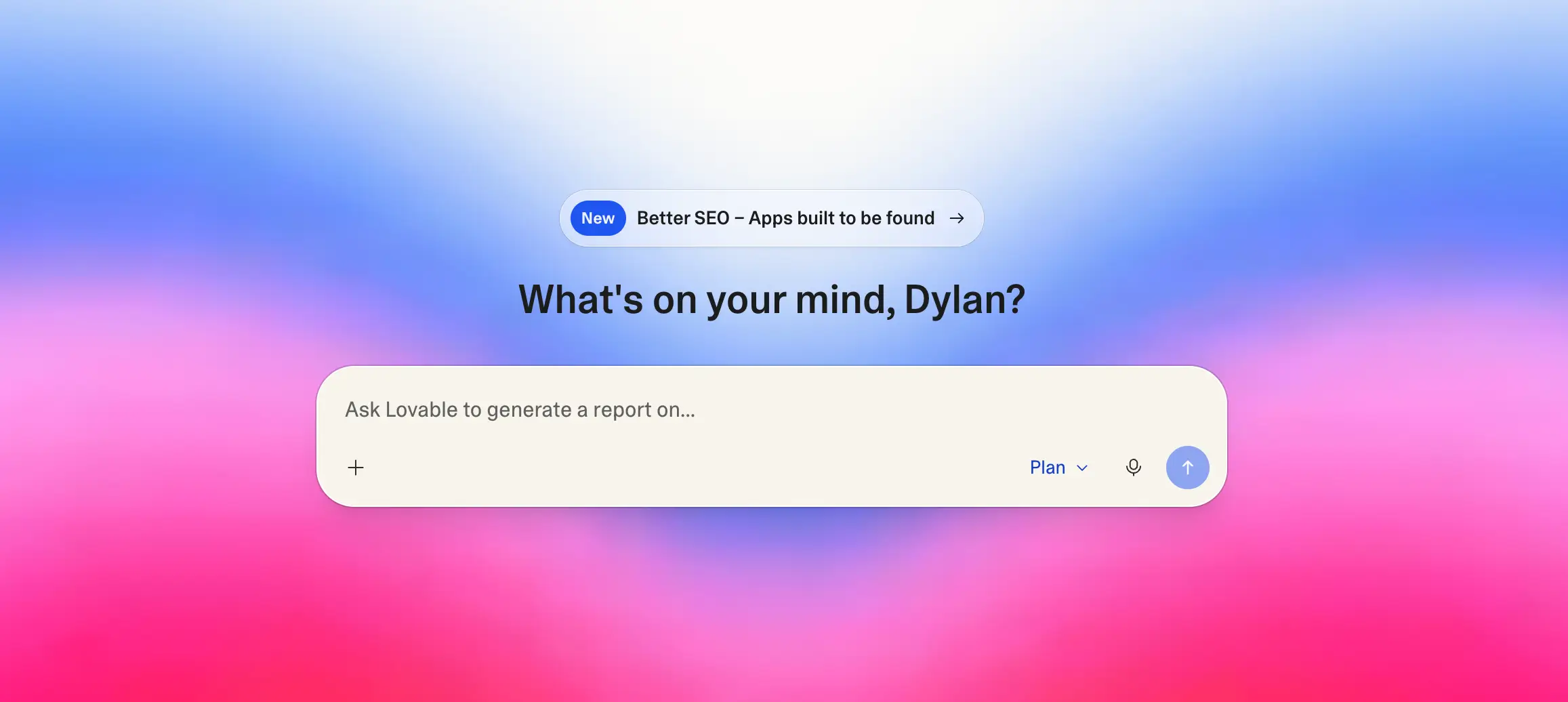
Lovable turns plain-language prompts into working app drafts with editable code and a live preview, so non-developers can iterate quickly. It connects with GitHub and lets you export code, so moving a prototype into a developer workflow is simple.
Lovable is great for hackathons, brainstorms, and startups that need to test ideas fast. By lowering the barrier to a first draft, it helps you validate before investing real time or budget into coding an application. You’ll still need to refine designs, set up permissions, and polish before going live — so don’t expect Lovable to deliver a production-ready experience out-of-the-box if you’re building business apps.
{{cta-1}}
Lovable pros and cons
Pros
- Rapid idea-to-prototype from natural-language prompts
- Live preview with inline edits for quick iteration
- GitHub sync & export reduce lock-in
- Helpful prompt patterns and Figma import paths
Cons
- Prototype-first; many apps still need developer cleanup to be production-ready
- Governance and advanced permission controls require additional tooling
- A significant security flaw was discovered in Lovable in April 2026
Lovable best features
- AI-generated prototypes: Quickly spin up working app demos from short text prompts.
- Editable code with live preview: Adjust the generated code and see instant visual results.
- Pre-built layouts and UI components: Speed up ideation with ready-made elements like forms and navigation.
- Exportable code: Move prototypes into developer frameworks for long-term customization.
Lovable pricing
- Free: Limited credits (5 credits/day with a 30/month max) with basic features
- Pro: From $25/month with 100 credits/month, 5 additional credits daily, extra project slots, and more
- Business: $50/month with 100 credits/month and team workspaces
- Enterprise: Custom pricing for collaboration and higher usage needs
3. Replit Agent — best for collaborative, AI-assisted coding

Replit is a cloud IDE with AI (Agent 4) that builds apps, debugs, and deploys without local setup, supporting 50+ languages and real-time multiplayer. Teams can spin up prototypes and push to live hosting with custom domains in a few clicks.
Replit is particularly useful for developers, students, or teams who want to experiment, collaborate, and share working prototypes quickly. Still, it’s not designed as a full-stack business app platform: apps lack native user management and secure workflows, so production teams likely need extra tools or coding support. However, Replit Agent can now scan for security vulnerabilities before you deploy anything.
For teams evaluating AI-assisted coding tools, this guide breaks down the best Replit alternatives across AI IDEs, no-code platforms, and internal tool builders.
Replit pros and cons
Pros
- Zero-install coding in the browser; 50+ languages
- Agent 4 generates and refines app through prompting
- Built-in deployment: autoscale or reserved VM + custom domains
- Real-time collaboration and centralized Teams billing
Cons
- Limited user roles and permissions inside your app (requires coding to ensure security)
- DB features are basic compared with dedicated backends
Replit best features
- Cloud IDE: Start coding instantly in 50+ languages without downloads or installs.
- AI-powered coding: Ghostwriter and Replit Agent speed up scaffolding, debugging, and documentation.
- Built-in hosting and deployment: Launch apps with autoscaling and custom domains directly from the editor.
- Collaboration tools: Work together in real time with multiplayer coding and integrated chat.
Replit pricing
- Starter: Free plan with daily Agent credits and 1 project
- Core: $20/month with full Agent access, unlimited apps, $20 monthly usage credits
- Pro: $100/month with $100 monthly credits, 15 collaborators, and 50 viewers
- Enterprise: Custom pricing; includes SSO/SAML, SCIM, advanced privacy controls, dedicated support
4. Bolt — best for rapid SaaS builds with code ownership

Bolt is an AI-first builder that runs entirely in your browser. You describe what you want, and it generates a full-stack app with React, Node, and a Postgres schema — ready to preview, adjust, and deploy. It’s fast, flexible, and designed for teams that want to skip setup and jump straight into iteration.
Unlike some tools that lock you into their platform, Bolt gives you ownership of the code you generate. You can export it, sync with GitHub, or deploy directly to Netlify, making it attractive for dev teams that want speed and control in equal measure.
Bolt pros and cons
Pros:
- Generates full-stack applications (React, Node, Postgres) in minutes
- Code ownership with export and GitHub sync options
- One-click deploys to hosting providers like Netlify
- Browser-native environment with WebContainers
Cons:
- Token-based pricing can be unpredictable for larger builds
- Generated outputs often need developer refinement before production
Bolt best features
- AI-generated full stack: Create React, Node, and Postgres schemas in one step.
- Visual editing and live preview: Make and test changes to your app instantly.
- Export and GitHub sync: Retain control of your code, unlike tools like Lovable (no export) or Cursor (editor-bound).
- Deployment options: Push directly to Netlify for web hosting.
Bolt pricing
- Free: Limited monthly credits for experimenting, Bolt branding
- Pro: $25/month for ~10M tokens, hosting for ~1M monthly requests
- Teams: Add more team features, centralized billing, admin controls
- Enterprise: Custom pricing with advanced usage and dedicated support
5. v0 by Vercel — best for AI-assisted UI generation & deployment
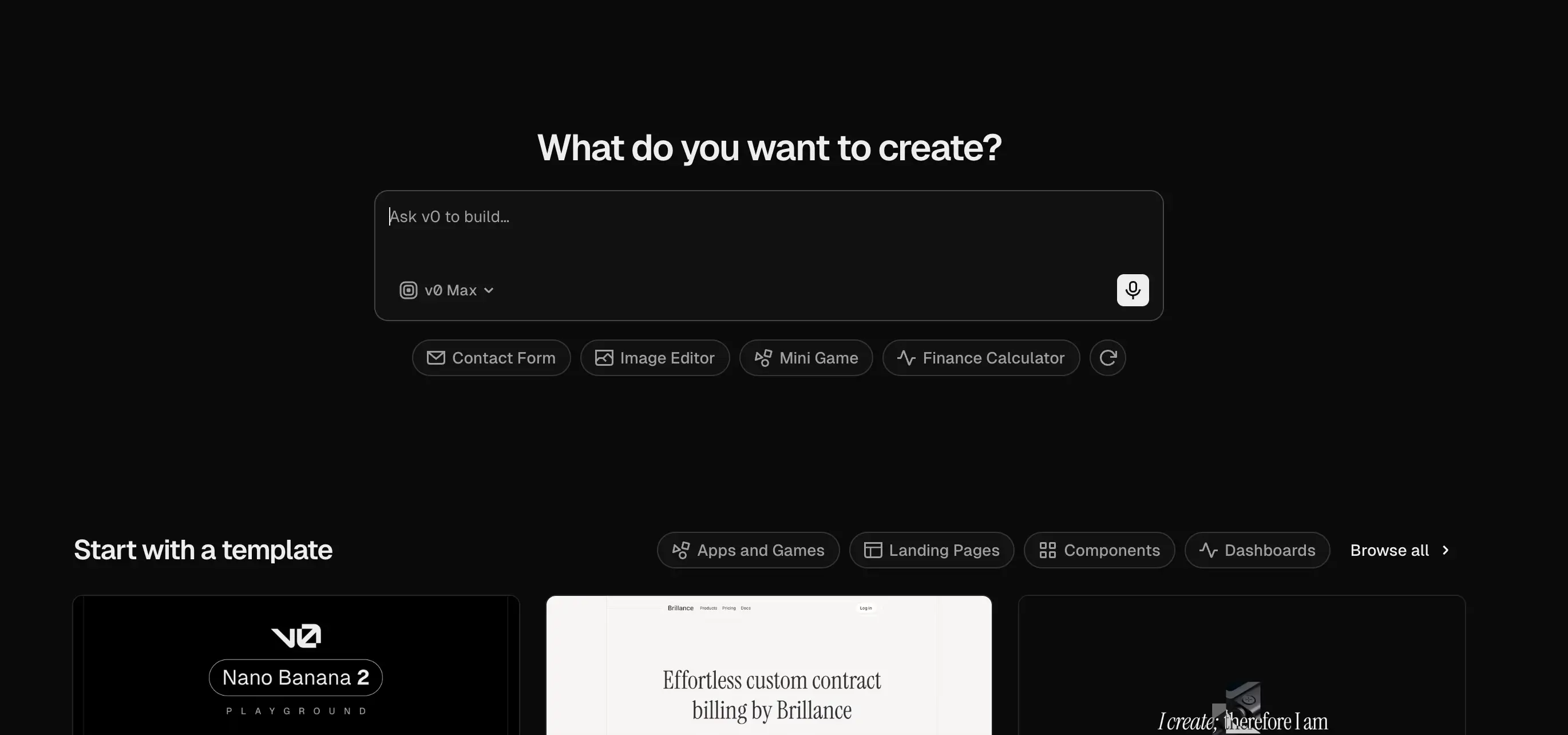
V0 focuses on generating polished front-ends with AI. You can type prompts, upload screenshots, or even sketch out ideas, and it creates React components styled with Tailwind CSS and the shadcn system. That makes it especially valuable when you’re a product manager, designer, or founder who needs consistent, professional-looking UIs fast.
Because it’s part of the Vercel ecosystem, generated components can be synced to Git, extended by developers, and published to Vercel with one click. For product teams or developers who want to accelerate interface work while keeping code clean, V0 fills a unique gap.
V0 pros and cons
Pros:
- Generates clean, design-system–based UIs out of the box
- Seamless integration with Vercel for quick deployment
- Accepts text prompts, sketches, and screenshots
Cons:
- Token-based pricing can add up for active teams
- Primarily front-end focused; backend generation is limited
- Requires coding knowledge to extend and maintain outputs
V0 best features
- AI-generated React components: Consistent designs with shadcn and Tailwind CSS.
- Design Mode: Turn sketches or mockups into usable code.
- Git integration: Sync generated components with your repos.
- Instant Vercel deploys: Push projects live with one click.
V0 pricing
- Free: Includes $5/monthly credits to test features
- Team: $30/user/month with higher usage, additional free daily credits, and collaboration tools
- Business: $100/user/month with training opt-out by default
- Enterprise: Custom pricing for role-based access control and priority support
6. Cursor — best for developers who want an AI-powered IDE
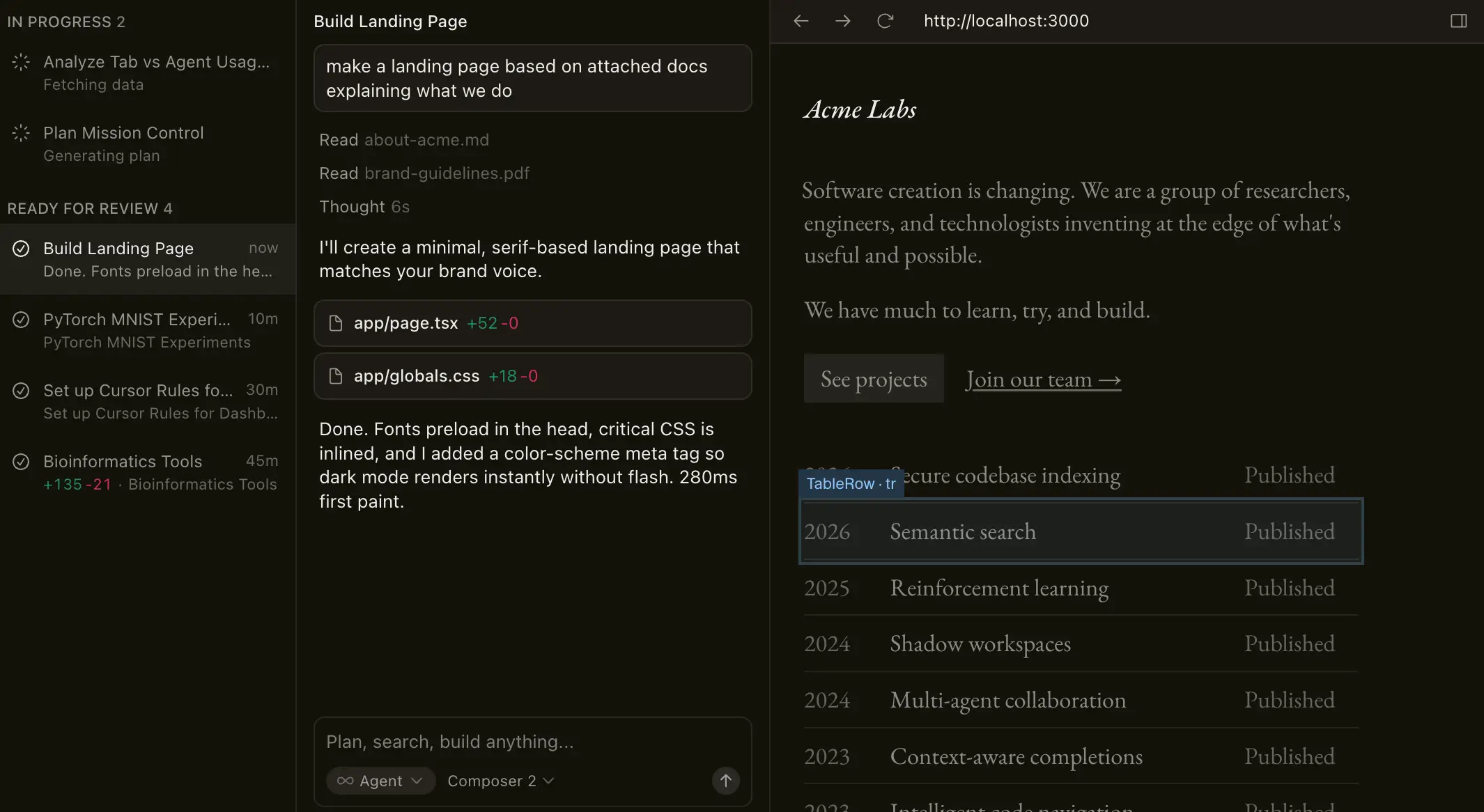
Cursor is a code editor built on top of VS Code that's designed to speed up development with AI. It doesn’t just autocomplete — it drafts diffs, suggests context-aware edits, and offers agentic workflows that can apply changes across files. Developers stay in control, but repetitive work moves much faster than it does with manual coding.
The platform also includes Background Agents for longer tasks and Bugbot for automated PR reviews. Together, these features help teams handle large-scale refactors, debugging, and documentation without burning time on manual fixes. Cursor is best suited for developers who want to work faster without giving up precision.
Cursor pros and cons
Pros:
- Code-aware suggestions that generate diffs across files
- Agentic workflows to automate changes with review checkpoints
- Background Agents and Bugbot streamline long tasks and code reviews
Cons:
- Built for developers, not non-technical teams
- Usage limits apply depending on the plan
Cursor best features
- Multi-file and tab edits: Make Cconsistent changes across your codebase.
- Agent mode: Executes changes while keeping you in control.
- Context retrieval: Reference relevant files and libraries automatically.
- Background Agents: Offload intensive tasks.
- Bugbot: Automate PR review with one-click fixes.
Cursor pricing
- Hobby: Free plan with limited Agent requests and autocomplete
- Individual: $20/month with unlimited autocomplete, extended Agent usage, Background Agents, Bugbot, larger context windows
- Pro+ is $60/month
- Ultra is $200/month
- Teams: $40/user/month with privacy mode, centralized billing, admin dashboard, SAML/OIDC SSO
- Enterprise: Custom pricing with SCIM, advanced controls, and priority support
7. Windsurf — best for agentic coding across your codebase

Windsurf takes an agent-first approach to development. Its Cascade agent can read and edit code across your repository, run terminal commands safely, and spin up live previews (all from within the IDE). This reduces the friction of managing multiple tools and keeps workflows more streamlined.
Developers can use Windsurf as a standalone IDE or as a plugin inside VS Code or JetBrains. That flexibility, combined with its focus on project-wide context and automation, makes it a strong choice for teams that want to test, iterate, and preview changes without leaving their coding environment. Still, its deployments are more for previews than production, so scaling to business-ready apps requires setting up your own hosting and infrastructure.
Windsurf pros and cons
Pros:
- Project-wide context for smarter suggestions
- Cascade agent automates coding tasks and workflows
- Live previews and one-click deploys
Cons:
- Geared toward developers, not non-technical teams
- Credit-based pricing can add up
- Deployments are primarily for previews, not production
Windsurf best features
- Cascade agent: Acts like a coding assistant that can handle tasks, run commands, and make edits across your project while keeping you in control.
- Project-wide context: Understands your entire codebase, so suggestions and changes are consistent instead of file-by-file.
- Previews and deploys: Lets you test changes instantly in the editor and push live previews to Netlify with one click.
- Flexible setup: Works as its own IDE or as a plugin inside VS Code and JetBrains, so teams can keep their existing workflow.
Windsurf pricing
- Free: Limited credtit quota, unlimited inline edits and Tab completions
- Pro: $20/month for higher quotas, full model availability
- Teams: $40/user/month with admin dashboard, priority support, and centralized billing
- Max: $200/month for much higher quotas (not listed)
- Enterprise: Custom pricing
8. Claude Code — best for terminal-first developers who want an agentic assistant

Claude Code is Anthropic’s AI assistant built for the command line. It maps your codebase, runs commands locally, and can take a task all the way from an issue ticket to a tested pull request. Developers who prefer to stay in their terminal or IDE will find it fits naturally into existing workflows.
It also integrates with GitHub, GitLab, and automation frameworks like MCP or GitHub Actions. That means Claude Code can extend into larger organizational setups, supporting multi-repo projects and heavier workflows.
Claude Code pros and cons
Pros:
- Works directly in the terminal or IDE with no context switching
- Handles end-to-end flows: issues, edits, tests, and PRs
- Highly extensible with MCP and GitHub Actions
- Create reusable, instruction-based skills to perform tasks and optimize model performance
Cons:
- Developer-focused, not suited for non-technical teams
- Usage caps vary by plan and can limit long sessions
- Local execution requires careful review of changes
Claude Code best features
- Understands your whole project: Reads across files so it can suggest and make changes that fit the bigger picture.
- Turns tickets into pull requests: Automates the path from issue to commit, test, and PR with less manual effort.
- Works where you do: Runs directly in your terminal or IDE (VS Code, JetBrains), so you don’t need to switch tools.
- Extensible workflows: Connects with GitHub/GitLab and can plug into automations like MCP or GitHub Actions to fit into team setups.
Claude Code pricing
Claude Code is not available on the Free plan.
- Pro: $20/month
- Max 5x: $100/user/month
- Max 20x: $200/user/month with the highest usage limits
- Team plans: $25/user for Standard seats; $125/user for Premium seats
- Enterprise: Custom pricing
9. Base44 — best for all-in-one AI MVPs without wiring tools
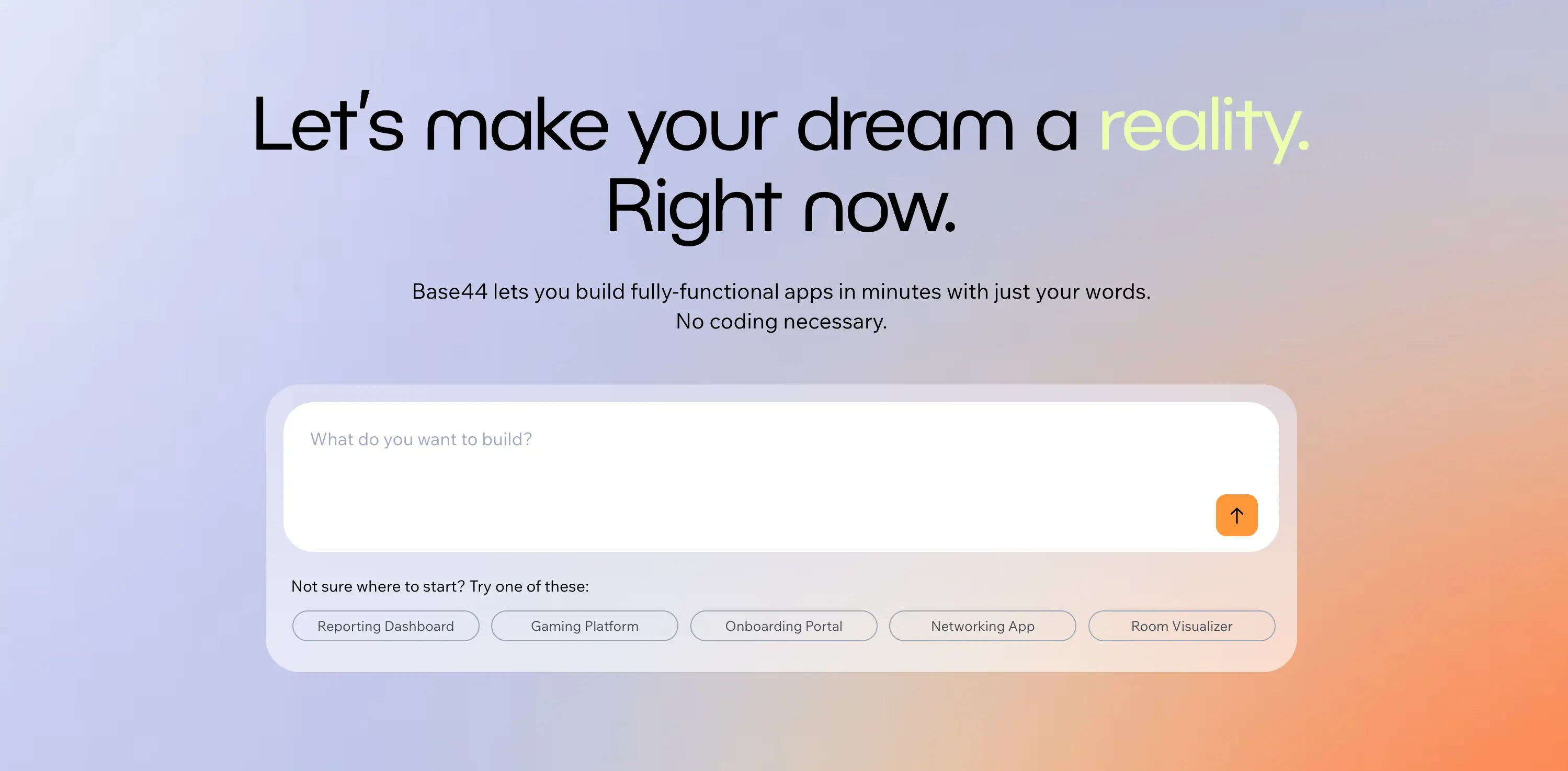
Base44 bills itself as an all-in-one builder; and to a certain extent, it is. From a single prompt, it generates the UI, database, authentication, and hosting needed to get a working app online. Early teams can use in-app code editing or GitHub export to refine projects further, while non-technical users benefit from its guided flows.
Since Wix acquired Base44 in 2025, the platform has continued to expand with more app-building capabilities. With custom domain support, integrations, and export options, it gives founders a way to test MVPs quickly without juggling multiple tools. For startups that need to move fast and prove concepts, Base44 offers an end-to-end path from prompt to hosted app. That said, customization is limited compared to developer-oriented IDEs, and heavier users may find its credit-based pricing restrictive.
Base44 pros and cons
Pros:
- End-to-end stack with UI, database, auth, and hosting
- Prompt-to-app with visual edits and GitHub export
- Custom domain and unlimited apps on paid tiers
- Integration credits for external services
- Mobile app creation and publishing
Cons:
- Credit-based pricing may require higher tiers for heavy builds
- Customization depth is limited compared to IDE-based tools
- Unused credits do not rollover month-to-month
Base44 best features
- All-in-one build: UI, backend, database, and hosting
- Prompt library & undo: Step-by-step app creation with flexibility
- Export & GitHub sync: Take projects into dev workflows
- Integration credits: Connect apps with external tools
Base44 pricing
- Free: 25 message credits, 100 integration credits, core features
- Starter: $20/month ($16 annual) for 100 message credits, 2,000 integrations, unlimited apps, in-app edits
- Builder: $50/month ($40 annual) for 250 message credits, 10,000 integrations, backend functions, custom domain, GitHub integration
- Pro: $100/month ($80 annual) for 500 message credits, 20,000 integrations
- Elite: $200/month ($160 annual) for 1,200 message credits, 50,000 integrations
10. GitHub Copilot — best for AI pair programming in IDEs

GitHub Copilot works like an AI teammate inside your coding environment. It integrates with editors like VS Code and JetBrains, offering context-aware autocomplete, inline code suggestions, and explanations that adapt to your project. Instead of just filling in boilerplate, it can draft functions, generate unit tests, and even explain complex code.
Recent updates introduced Copilot Chat and Agent mode, which let you ask natural-language questions, request refactors, or run multi-step coding tasks across multiple files. For developers juggling large projects or repetitive tasks, Copilot helps speed up the work while keeping you firmly in control of the final output.
GitHub Copilot pros and cons
Pros:
- Autocomplete and inline suggestions tailored to your project
- Generates unit tests, comments, and documentation
- Chat and Agent mode handle multi-file tasks
- Works across popular IDEs and supports many languages
Cons:
- Outputs still require review; errors and inefficiencies are possible
- Free tier is limited and advanced features require paid plans
GitHub Copilot best features
- Copilot Chat & Agent mode: Use natural language for code, refactors, and tests
- IDE integration: Works in VS Code, JetBrains, and others
- Test and doc generation: Automates repetitive coding tasks
- Issue-to-PR workflows: Converts tickets into pull requests
GitHub Copilot pricing
- Free: $0, limited completions, and premium requests
- Pro: $10/month with unlimited agent mode
- Pro+: $39/month with higher usage and more advanced model choices
- Business: $19/user/month with team features and policy controls
- Enterprise: $39/user/month with compliance and security features
Choose the right AI app builder for your business
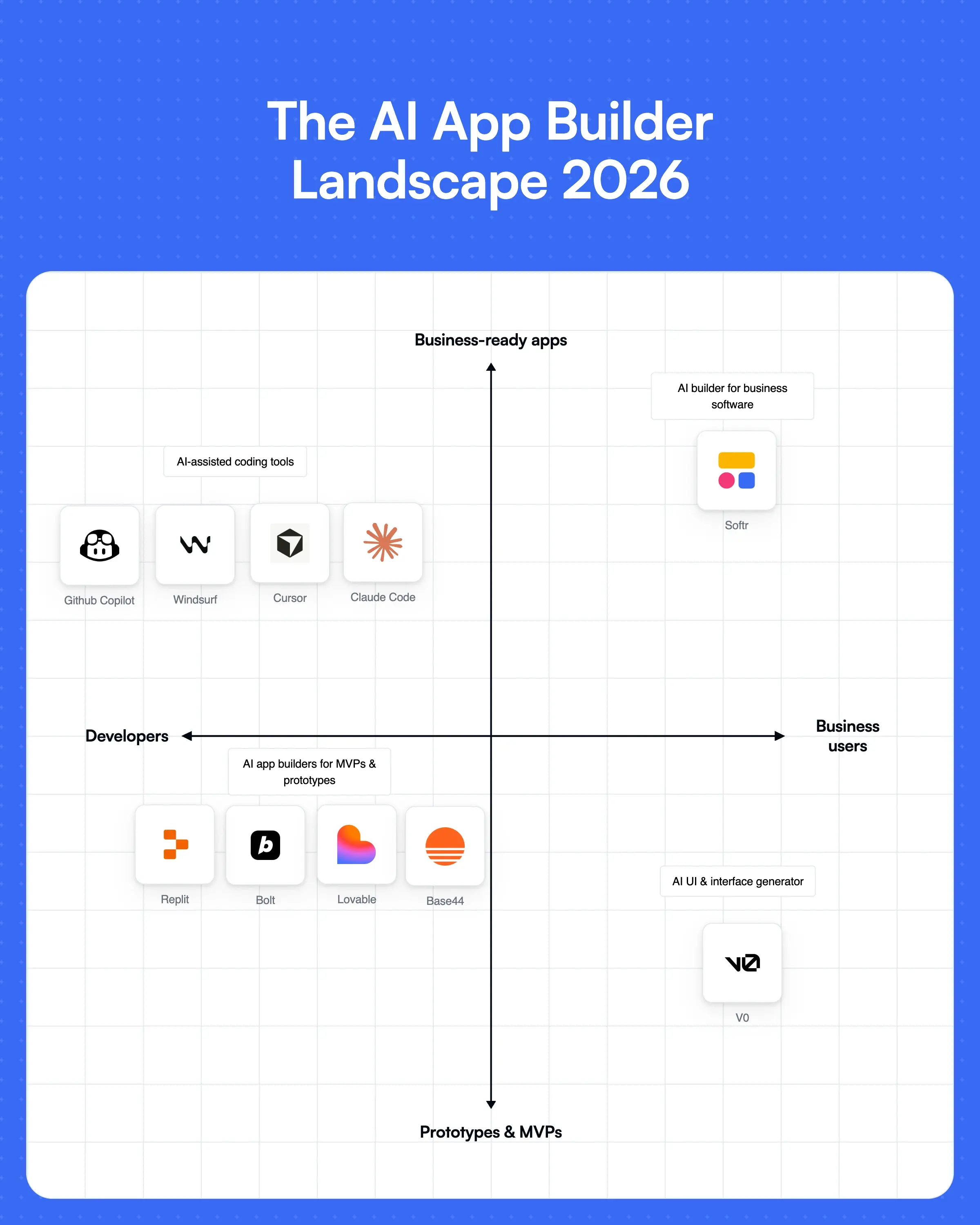
The best AI app builders can save your team hours by turning ideas into tangible outputs fast. But not all of them are built to last beyond a quick prototype or demo. The challenge is finding a platform that balances AI speed and accuracy with the security, integrations, and workflows your business needs.
Developers will find a lot of value in tools like Cursor or Claude Code. But nontechnical teams need something that's secure and functional by default (i.e., without writing or modifying code).
If you’re ready to move past simple prototypes, Softr gives you both AI to generate apps quickly and the features required (user management, permissions, and data security) to actually use them for your operations.
Try Softr for free and create your first production-ready business app with AI.
This article was originally published in Sept 2025. The most recent update, with contributions by Dylan Reber, was in May 2026.


With over five years of experience in content marketing and SEO, Marie helps create and manage content that drives traffic and supports business growth.
Frequently asked questions
- What is an AI app builder?
- What are the best AI app builders for founders aiming to launch MVP web apps in under a week?
- What are the best AI app builders for beginners?
- What's the difference between an AI app builder and an AI coding tool?
- How secure are apps built with AI app builders?