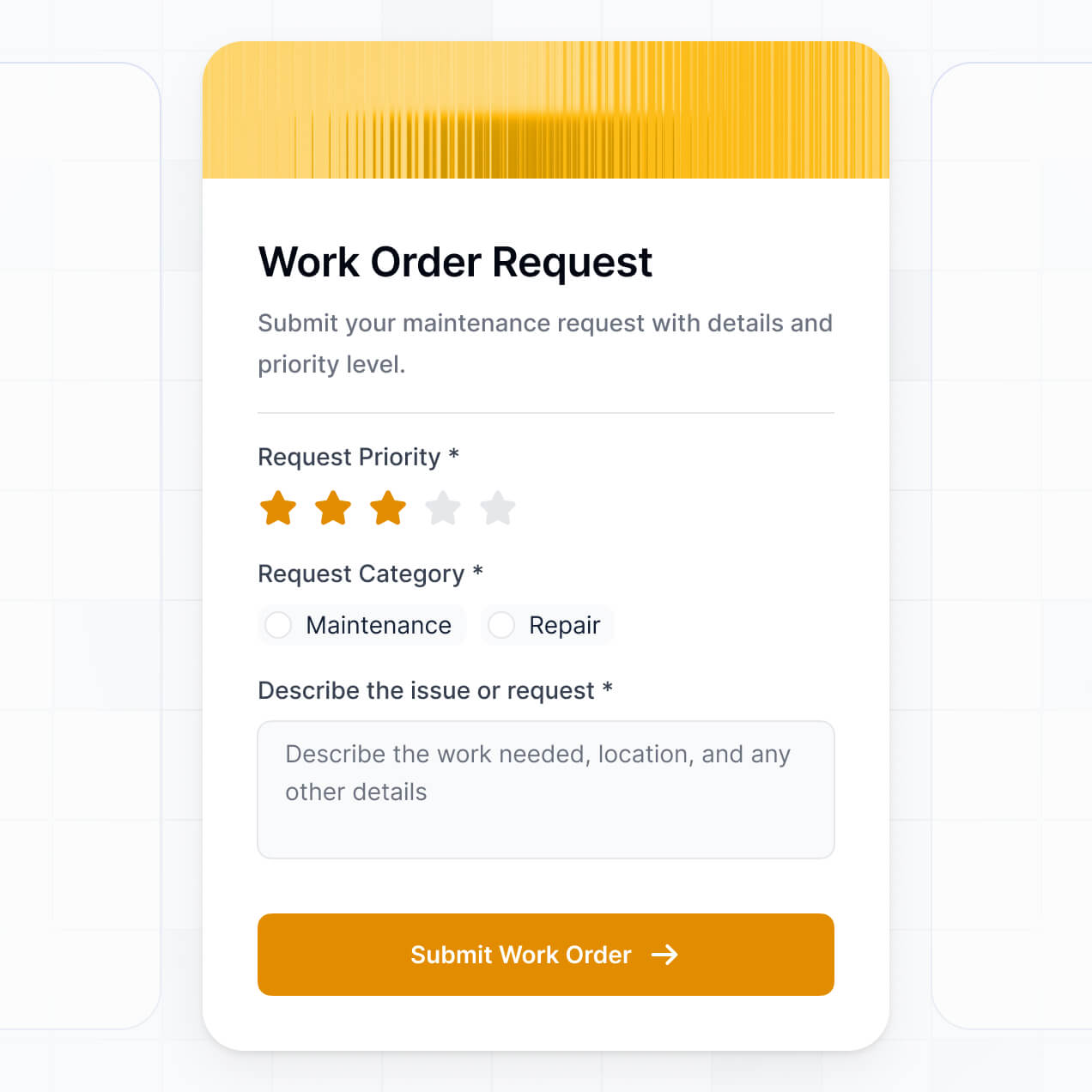
Route approvals and track tasks in an AI-powered workflow automation tool built with AI to fit your team's specific internal processes.
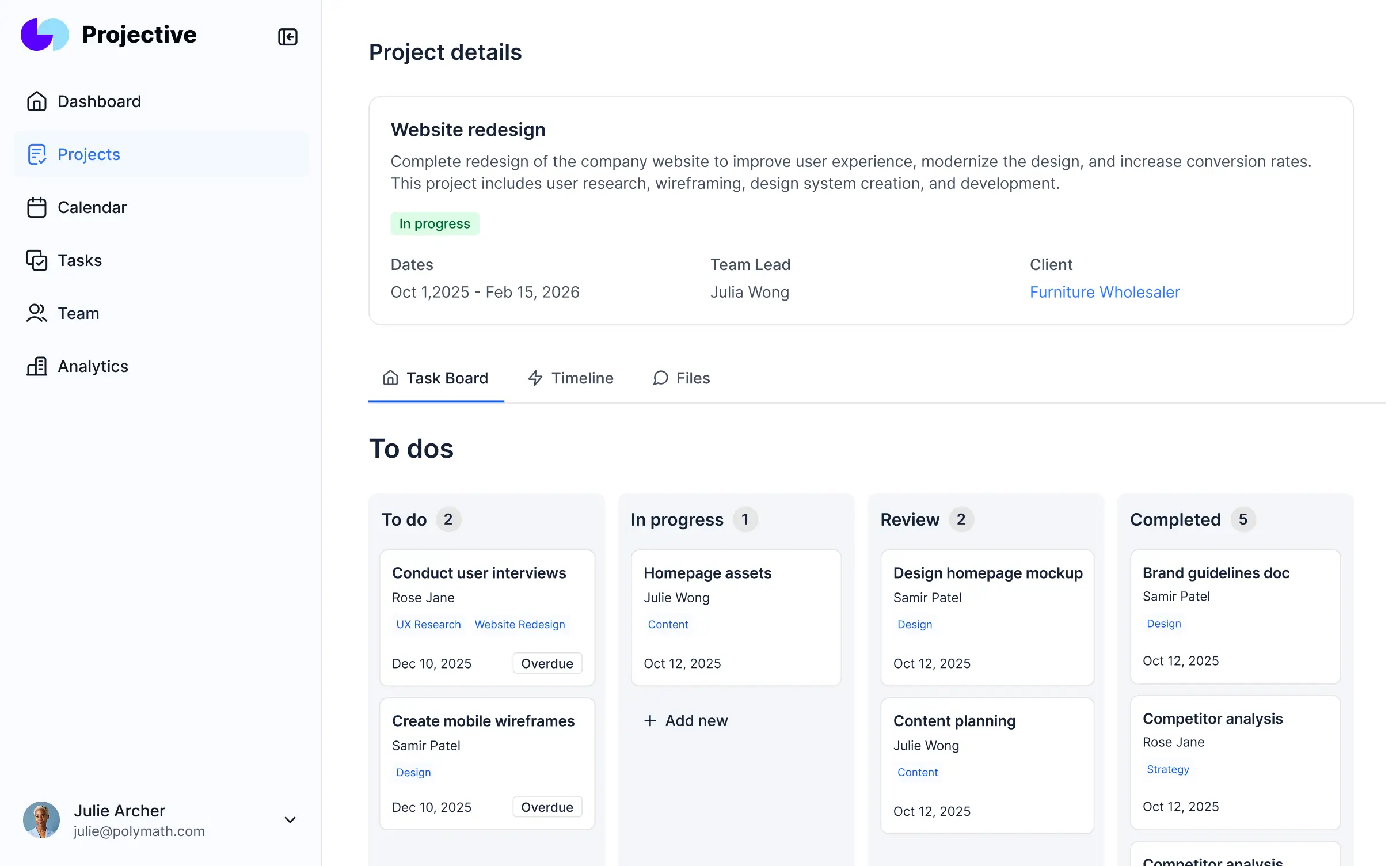

Customize your workflow automation tool setup with the exact steps and views your team needs. Add features as processes evolve—no code needed.


Connect project trackers, task lists, and other systems with real-time sync—or manage everything in Softr Databases. Create a single source of truth for your business.
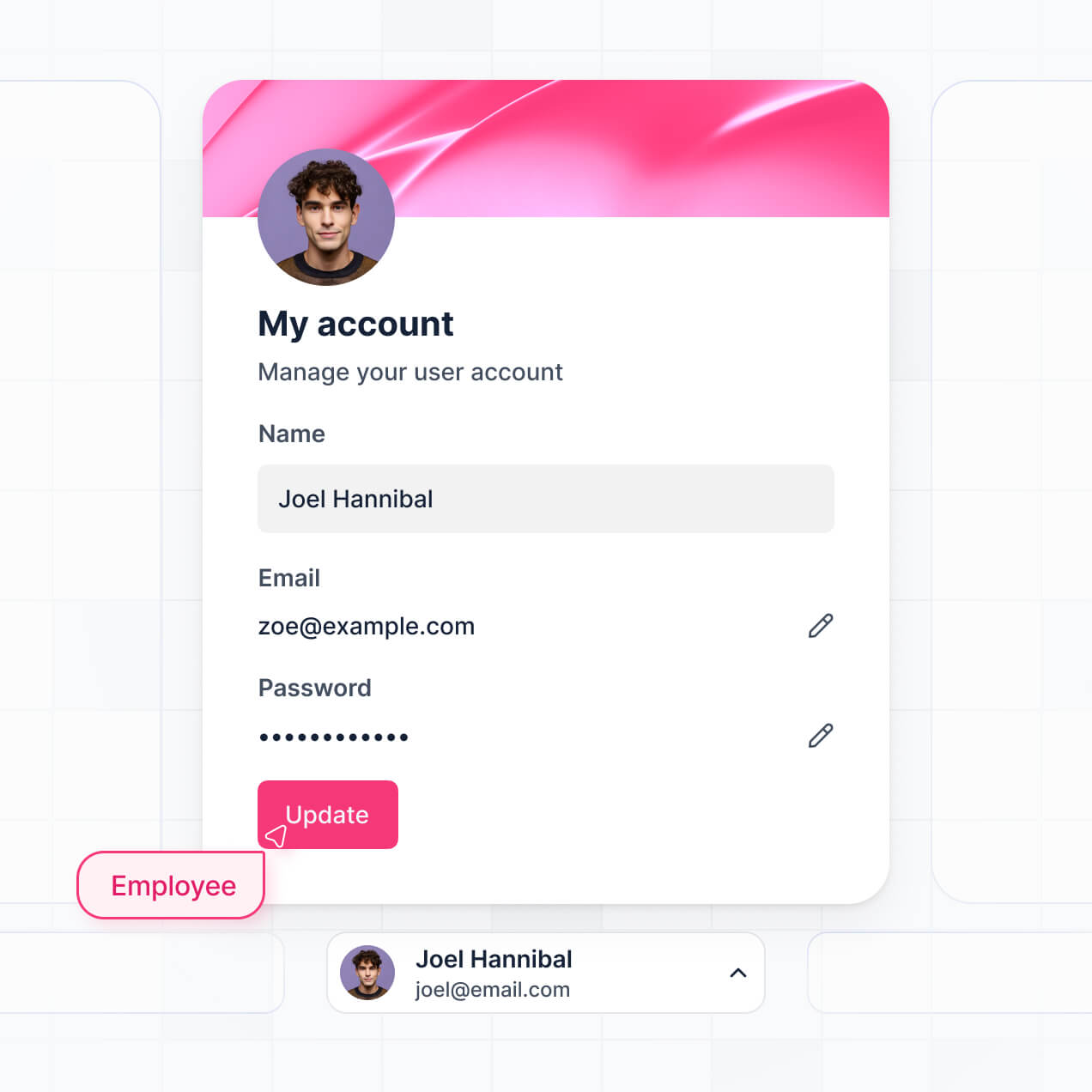
Give each teammate the right tools and access. Set up secure logins, user groups, and granular permissions—no IT support or dev work needed.
Give different team members tailored access and dashboards, so managers see reports while teammates focus on their tasks.
Streamline your internal processes with Softr Workflows. Trigger native status updates or notifications whenever workflow records are changed.
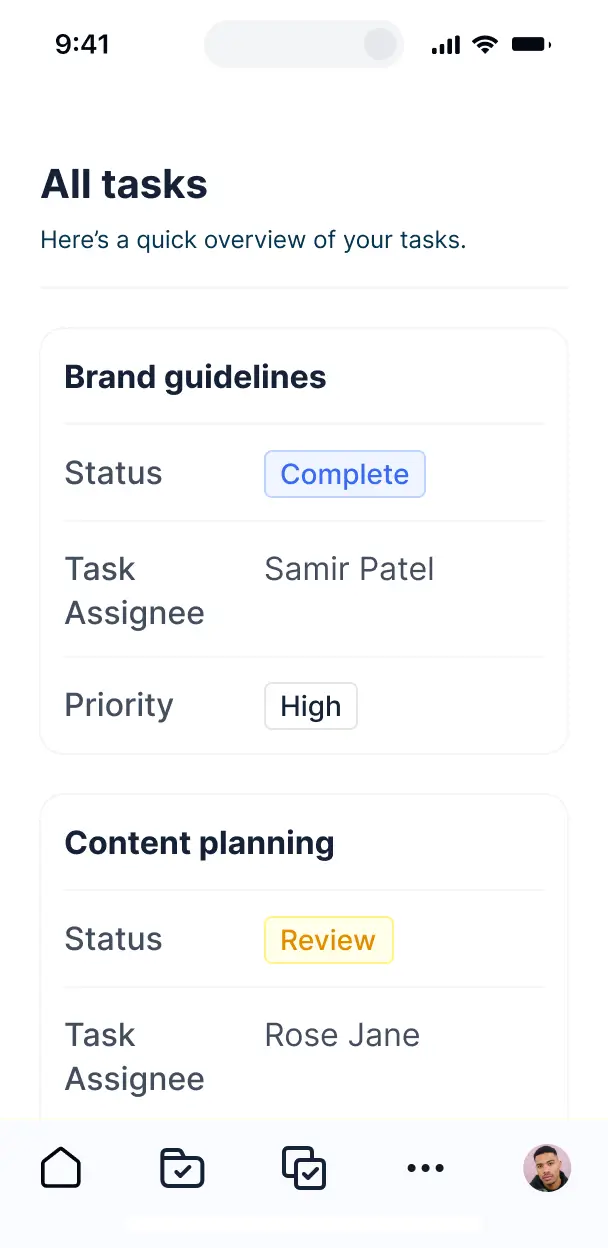
Access and update your workflow automation tool on the go. All internal tools are mobile-ready out of the box for hybrid teams.
Use Google, email, or SSO logins to give your team fast, secure access to their personalized workflow views—no IT tickets needed.
Keep internal process data safe with SOC2 and GDPR compliance, plus fine-tuned access control at every level of your tool.
No more one-size-fits-all tools or costly custom builds. Softr is easy to use and fully customizable, so you can launch faster, adapt as you grow, and skip the complexity of traditional software.

Build your workflow automation tool in minutes with AI—no manual configuration or developer time needed.

Add features like multi-stage approvals or automated reports as your workflows evolve—without a full rebuild.

Start with task tracking, then add CRM or internal dashboards—all in one place with no extra software to buy.
Co-build with AI
Simply describe what you need. Let Softr handle everything - Interface, database, workflows.
Iterate with AI or visually
Control most critical parts of your app yourself - roles, permissions, security.
Ship the same day
Invite team members or external clients and partners right away. No developer handover.
Use drag-and-drop blocks to build a portal that looks sleek and modern out of the box. Add only the features you need, and iterate as your workflows evolve.




A workflow automation tool is a centralized internal system designed to streamline repetitive business processes by automating tasks, approvals, and data transfers. It replaces manual hand-offs and fragmented emails with standardized digital sequences, allowing your team to focus on high-value work while ensuring consistency. This helps operations managers and project leads maintain clear visibility into every step of a business cycle, from lead qualification to final procurement.
Softr is the first AI-native platform for building business software, making it uniquely powerful for creating a workflow automation tool customized to your specific operational logic. You can describe your complex team processes to the AI Co-Builder to instantly generate a structured database, status-tracking pages, and conditional logic—all governed by secure access controls.
You don't need any technical expertise to get started. You can generate your tool with AI, pick a workflow template, or build from scratch. Your automation can run on Softr Databases for maximum speed, or you can connect directly to existing data sources like Airtable, Google Sheets, or HubSpot. With visual editing and granular permissions, you maintain total control over your internal tool, ensuring it scales perfectly as your business processes evolve.
You can integrate a wide range of features to modernize your operations, blending standard UI elements with sophisticated AI capabilities:
- AI-Powered Intelligence – Use Ask AI to let your team query process bottlenecks conversationally, or deploy Database AI Agents to automatically summarize project status updates or categorize incoming requests.
- Vibe Coding Blocks – Create custom operational components—like a specialized resource allocation grid—using the AI Code block to "vibe code" the exact functionality your process requires.
- Softr Workflows – Build native automations, such as an automatic approval notification that pings a manager the moment a team member submits a reimbursement request.
- Internal Logins & Roles – Securely manage access levels so employees only see tasks assigned to them, while department heads view full pipeline analytics.
- Forms & Data Entry – Standardize how data enters your workflow using custom forms with conditional logic and file attachment capabilities.
- Operational Dashboards – Visualize throughput and team performance using real-time charts and KPI summaries.
- Status Lists & Filtering – Track progress using searchable tables, Kanban boards for task stages, and deep-dive record views.
Since everything is built with Softr’s intuitive blocks, you can launch these features without code and iterate on your workflow liquidly as your team grows.
Vibe coding focuses on high-level intent, enabling you to build a sophisticated workflow automation tool just by describing how your process should function. By telling the AI Co-Builder exactly which steps need to be automated, Softr generates a production-ready application that rests on a professional-grade architecture.
While other tools might output buggy, unmanaged code, Softr handles the critical infrastructure—like secure employee authentication and complex relational database logic—natively. This grants you the benefits of rapid AI creation without the risk of building a fragile system. You describe the workflow, Softr generates the tool, and your team is ready to automate their first task immediately.
Yes. You can host multiple departments—such as HR, Sales, and Finance—within one consolidated internal tool. Through role-based permissions, you ensure that a Sales rep only sees their lead workflows, while HR managers only access employee onboarding data. This creates a single source of truth for the company while maintaining strict data silos between various business units.
Absolutely. You don't need a pre-existing technical setup to build your workflow automation tool. If you are starting from zero, you can use Softr Databases, which are natively integrated into the platform. This allows you to design your workflow architecture and store your operational data in one unified environment.
If you do have data residing in external apps like Airtable, SmartSuite, Google Sheets, or SQL databases, Softr connects to them effortlessly. You can even use the REST API to pull in data from legacy systems. Regardless of where your data starts, Softr gives you the tools to structure it into a high-performance automation engine.
Softr Databases is the recommended choice for a native, relational experience, specifically optimized for high-performance internal tools. It provides the fastest response times and instant automation triggers because the data is hosted directly on the platform.
For teams with existing stacks, Softr supports over 17 external data sources including HubSpot, BigQuery, PostgreSQL, and monday.com. You can even mix data sources within a single workflow—for example, pulling customer info from HubSpot while managing task assignments in Softr Databases. Most connections support real-time, two-way synchronization, ensuring your automated workflows are always acting on the most current information.
Yes, Softr provides deep control over the interface of your workflow automation tool. You can tailor every navigation menu and page layout to suit specific internal roles. By setting visibility rules, you ensure that sensitive operational blocks—like budget approvals or salary data—are only visible to authorized personnel.
You can define granular roles such as 'Editor,' 'Reviewer,' or 'Admin,' specifying exactly who can create, update, or delete records. For instance, a junior staffer might only be able to submit a request, while a director has the authority to approve it via a custom button. This level of customization ensures a secure, distraction-free environment for every employee.
Yes, you can fully white-label your internal tool to match your company's corporate identity. You can upload your company logo, set custom brand colors and typography, and host the tool on a custom subdomain like 'ops.yourcompany.com.' Removing Softr branding ensures that your employees feel they are using an official, proprietary internal system.
Yes, Softr offers extensive flexibility to modify the design and layout of your internal tool. You can adjust horizontal spacing, vertical alignment, and block positioning to create an efficient workspace. You have the power to define the specific layout of each automation dashboard to match your team's mental model.
You can utilize various specialized blocks to surface your data:
- Table blocks – for managing high-volume data like inventory logs or task lists.
- Kanban blocks – for tracking the movement of work through different stages.
- Detail View – for reviewing individual application or project submissions.
- Forms – for standardized data entry and request submissions.
- Charts – for monitoring departmental throughput and bottlenecks.
- Calendar blocks – for coordinating project milestones and deadlines.
As your business processes change, the visual builder makes it simple to add new stages or fields to your workflow without needing a developer.
Security is foundational to Softr. All data is protected with TLS encryption during transit and encrypted at rest, with hosting on enterprise-grade infrastructure. You maintain absolute control over data access through role-based permissions and visibility rules that prevent unauthorized viewing of sensitive internal records.
For tools utilizing Softr Databases, data is stored in a secure, SOC 2 Type II compliant environment located in Germany. If you choose to connect external sources like SQL or Airtable, Softr acts as a secure interface that displays your data in real-time without storing it locally. We follow strict industry standards for monitoring and access control to ensure your proprietary workflows remain protected.
It is a fully production-ready application. While many AI 'vibe coding' tools produce unstable or isolated scripts, Softr builds your workflow automation tool on a battle-tested, scalable foundation.
We provide native handling of essential business features like secure user authentication and granular field-level permissions, so you don't have to build those from scratch. This eliminates 'Day Two' complexity, allowing you to move from an AI-generated prompt to a live, scalable internal tool that your entire company can rely on for daily operations.
Softr is the first AI-native platform specifically designed for business software. Unlike traditional no-code platforms that require weeks of manual configuration, or basic AI tools that only generate raw code, Softr’s AI Co-Builder creates structured apps with integrated databases and logic.
Our 'hybrid advantage' allows you to leverage AI for the initial heavy lifting while using intuitive visual controls for fine-tuning. You gain the rapid deployment speed of AI combined with the reliability of a platform that includes built-in hosting, professional authentication, and complex user management. It is the fastest path for non-technical operations teams to build robust, professional-grade internal tools.
Yes. Softr is designed to be the hub of your operations, supporting powerful native workflows and a vast ecosystem of integrations. You can use Softr Workflows to trigger actions inside your app, or connect with external platforms like Stripe for billing automation and Intercom for customer sync. We also provide full support for webhooks and a REST API for custom connectivity.
Whether you need to trigger a Slack alert when a workflow stage changes, or push data to a CRM after an internal approval, you can build these complex automated sequences without writing a single line of code.
Go from idea to live internal tool in under an hour. Get started free—no setup time or developers needed.