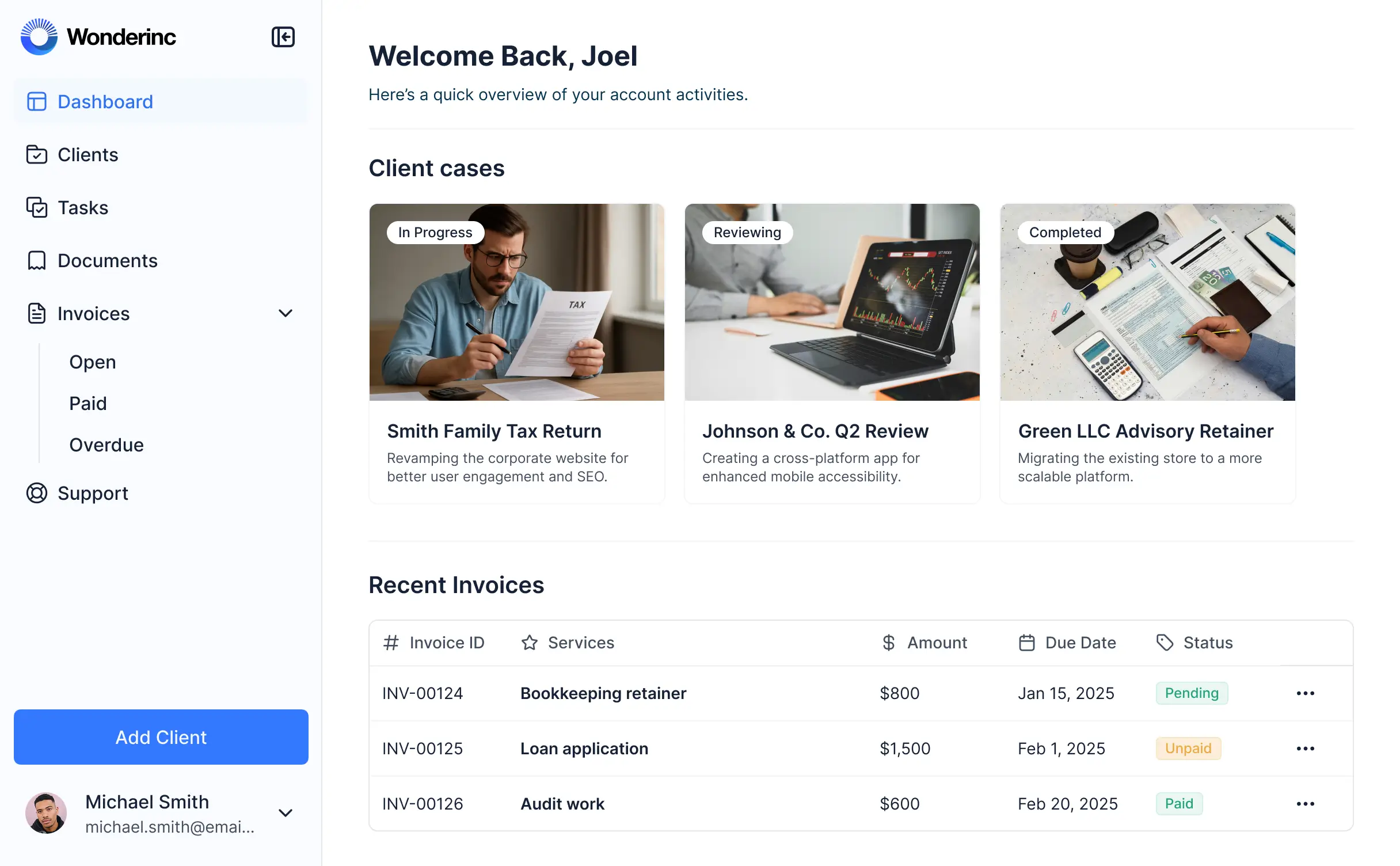
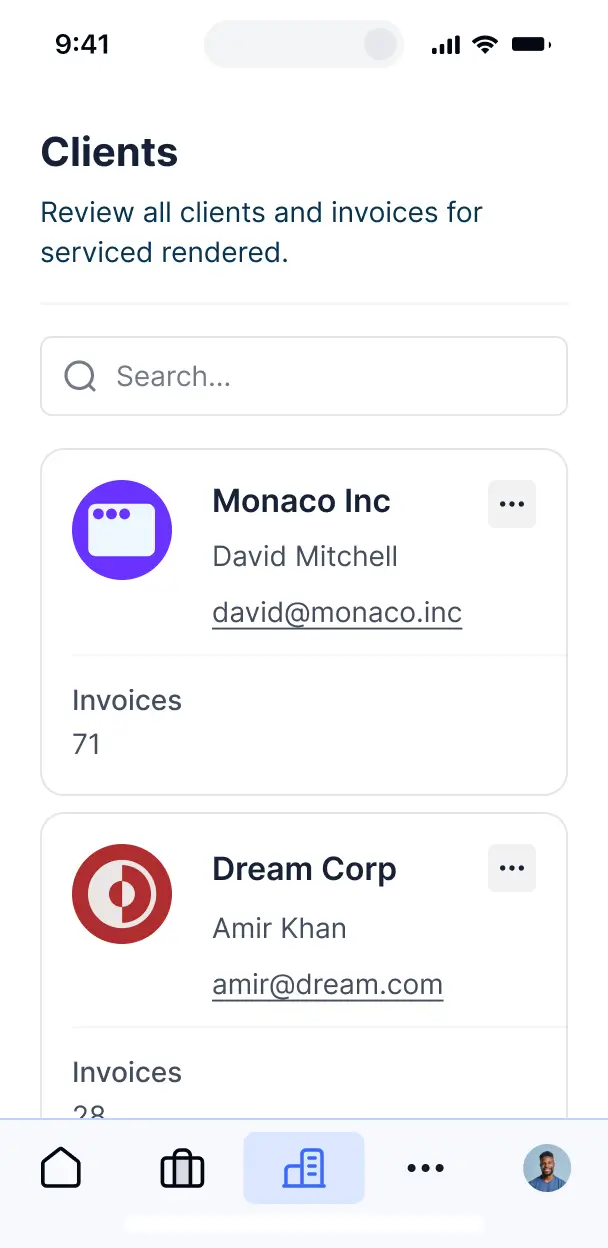
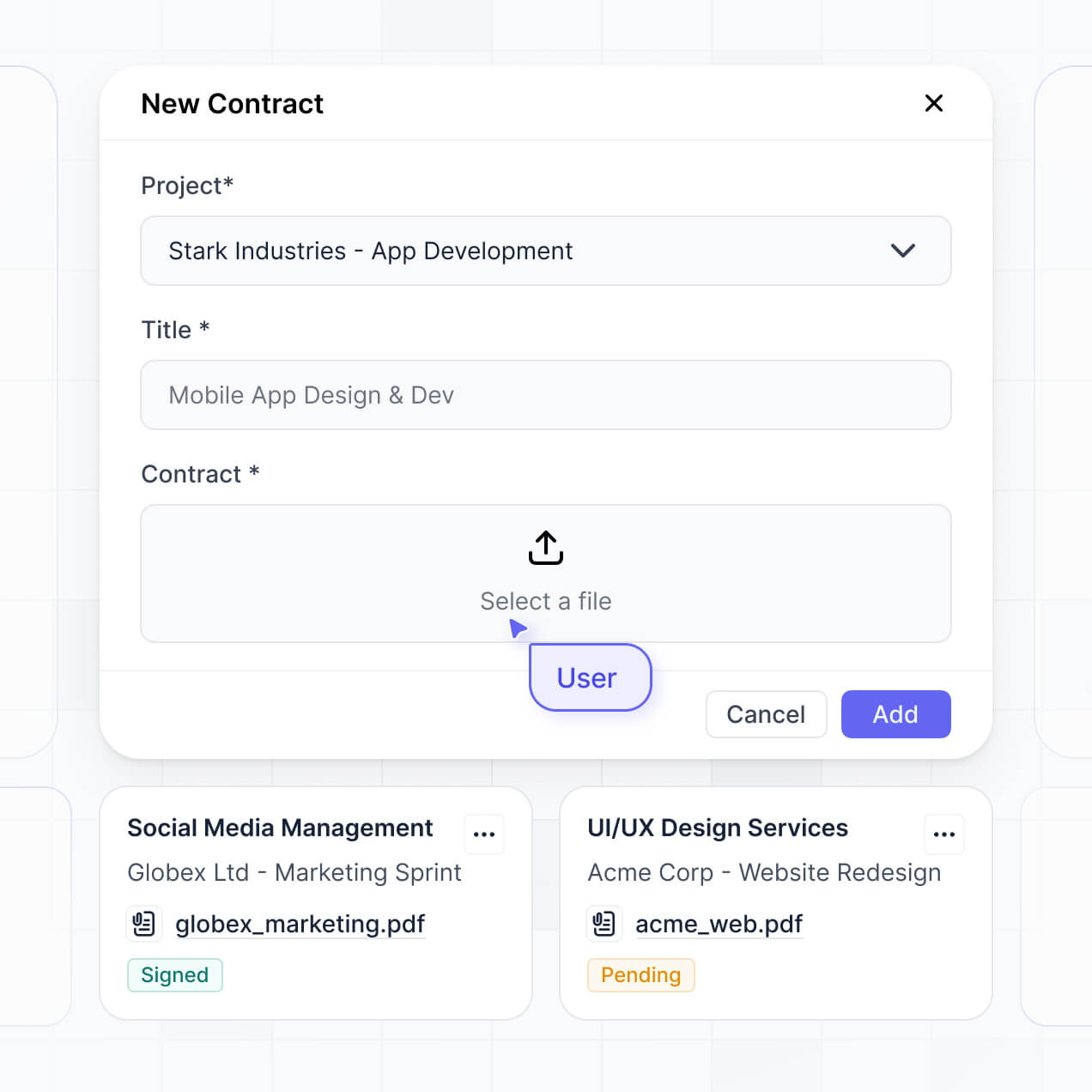
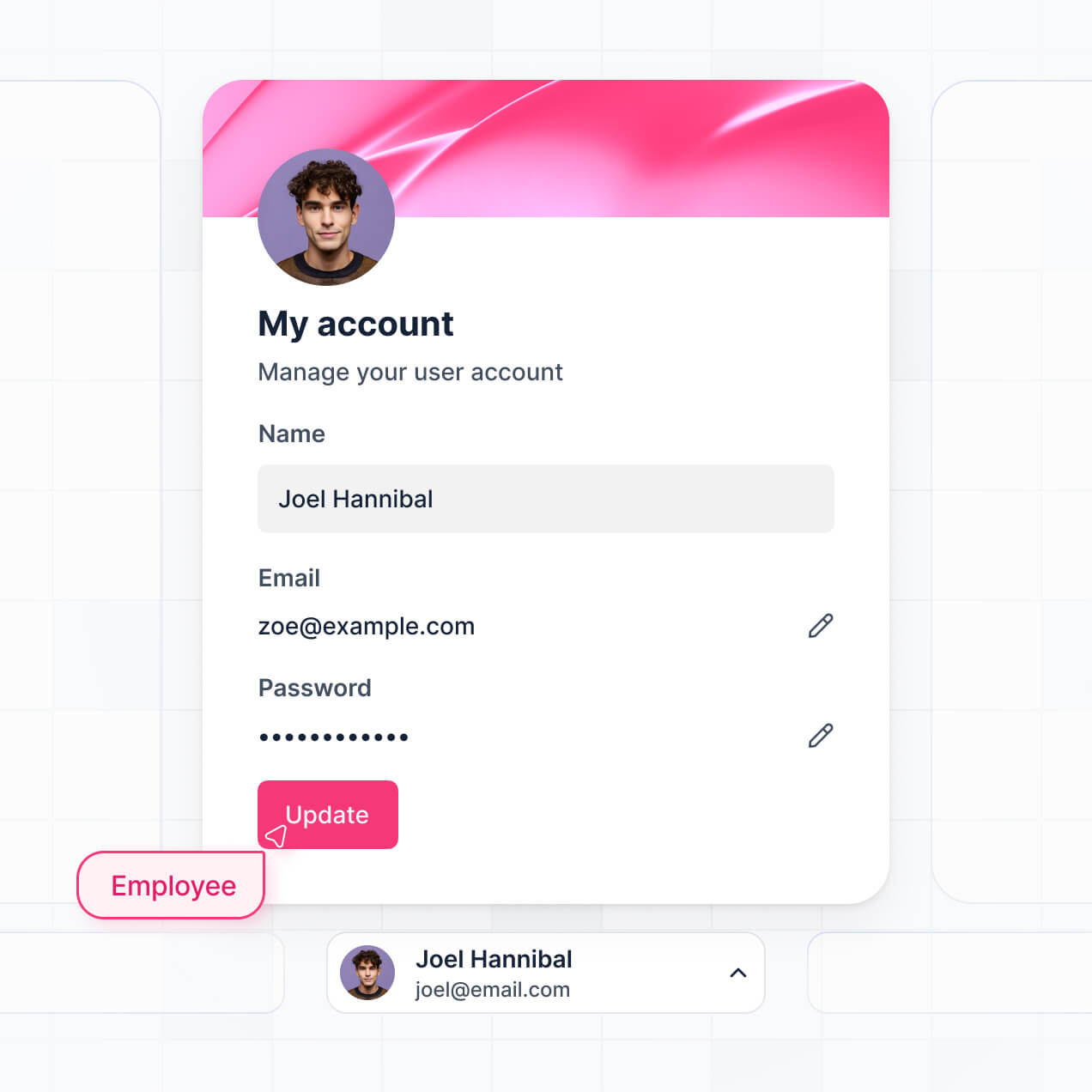
Organize financial records, streamline approvals, and ensure compliance with a custom document management app tailored to your accounting needs


Choose the views and workflows your accounting team needs to manage documents efficiently. Adjust and expand your setup as your process evolves.
Connect spreadsheets, ERPs, and document systems with real-time sync—or manage everything in Softr Databases. Create a single source of truth for your accounting workflows.
Easily manage accounting documents with secure logins, team-based access, and granular permissions—no IT or dev work needed.
Give accountants, managers, or auditors access to just the folders and dashboards they need.
Connect with Make, Zapier, or N8N to automate document routing, reminders, or approvals.
Review and update accounting files from desktop or mobile. All apps are mobile-ready out of the box.
Let team members log in quickly with Google, email, or SSO—no IT support required.
Keep accounting records compliant and secure with SOC2 and GDPR standards, plus detailed access control.
Accountants can ask AI about invoices or reports and get fast answers—right inside your document management system with Softr.
No more one-size-fits-all tools or costly custom builds. Softr is easy to use and fully customizable, so you can launch faster, adapt as you grow, and skip the complexity of traditional software.
Organize accounting documents in minutes with drag-and-drop blocks and ready-made templates.
Easily add features like approvals or audit trails as your document workflows change.
Manage client files, invoices, and requests—all in one secure place, with no extra tools needed.
Integrate with your spreadsheets and databases, including Airtable, SQL, Hubspot, Google Sheets, Supabase, BigQuery, and more—in just a few clicks. Your data is always secure and in sync.
Drag and drop customizable building blocks with various views and functionalities. Granular permissions allow you to control what data each user can access, and which actions they can take.
Ship applications that your team will love in minutes or hours, instead of days or weeks. Deploy on both desktop and mobile.


Accounting document management software is a secure platform where your accounting team and clients can log in to access, store, and manage financial documents—like invoices, tax files, contracts, and statements. It keeps all your accounting documentation in one organized place, so you don’t have to rely on scattered emails or paper files. This makes it easier to stay compliant, streamline workflows, and deliver a more professional experience to your clients and team.
Softr makes it easy to build accounting document management software that fits the way your firm operates. You can connect your existing data, such as financial records in Airtable, client contacts in HubSpot, or notes in Notion, and set up a portal where your team and clients can log in, upload and download financial documents, fill out forms, and access reports—all in one place.
You don’t need to code anything. You can start with a template or build from scratch, adjust the layout, control document access, and brand it to match your firm. It’s quick to launch, simple to maintain, and flexible enough to grow as your needs evolve. It helps keep your documentation organized, compliant, and accessible.
You can include a wide range of features in your accounting document management software, depending on your workflow. Some of the most common ones include:
\- User logins – so each client and team member can securely access their documents
\- Custom dashboards – to display outstanding invoices, tax deadlines, or document requests
\- Forms – for gathering onboarding information, document submissions, or approval requests
\- File sharing – clients and accountants can securely upload and download financial documents
\- Search and filters – to help users quickly locate specific files or records
\- Tables, lists, and detail views – to display transactions, accounts, or compliance tasks
\- Comments or status updates – to keep communication about documents in one place
\- Charts – to visualize billing, expenses, or important financial KPIs
\- Calendar view – for tracking filing deadlines or meetings
\- Permissions and roles – so users only see the documents and data relevant to them
All these features can be built using Softr’s drag-and-drop blocks, so you don’t need to write any code. And if your requirements change, it’s easy to update the software.
No coding is required. You can build your accounting document management software entirely using Softr’s visual editor. Everything from the layout to user permissions and document access can be customized without writing a single line of code.
Yes. You can manage multiple clients or accounting teams within the same accounting document management software. Each user only sees the documents and financial records assigned to them, based on their login and role. This is particularly useful for accounting firms, bookkeeping services, or finance departments who handle documents for multiple clients or internal teams.
Softr supports a wide range of data sources for your accounting document management needs. You can connect to Airtable, Google Sheets, Notion, Coda, monday.com, HubSpot, Clickup, Xano, Supabase, PostgreSQL, MySQL, SQL Server, MariaDB, BigQuery, and more. You can also import document data from other sources using the REST API.
You’re not limited to just one. You can integrate multiple data sources into your accounting document management app and display them side by side—so your portal can, for example, pull in client data from Airtable and financial documents from Google Sheets simultaneously. Most sources support real-time, two-way sync, ensuring your records are always up to date.
Yes, Softr gives you full control over how users interact with your accounting document management software. You can customize the layout, navigation, and content to fit your firm’s branding and accounting workflows. Each section or folder can be shown or hidden depending on who’s logged in, so clients or team members only see documents relevant to them.
You can set up different user roles, such as client, accountant, or admin—and specify exactly what each role can view or edit. For example, clients can only view their own financial documents, while accountants and admins can manage all records. You can also create tailored views that filter documents based on the logged-in user.
This customization ensures your document management process stays organized, secure, and user-friendly for everyone involved.
Yes, you can. You don’t need to import documents or financial records from another tool to start using the accounting document management software built with Softr. If you’re starting fresh, you can use Softr Databases, which is built into the platform and works seamlessly with your accounting document workflows.
But if you already have data stored in tools like Airtable, Google Sheets, Notion, Coda, monday.com, Supabase, or SQL, you can connect those as well. You can also use the REST API connector to bring in documents and records from other sources. Either way, you have full control over how your accounting data and files are organized and displayed.
Yes, you can fully white-label your accounting document management software built with Softr. You can add your firm's logo, customize brand colors, fonts, and use your own domain, ensuring the platform looks and feels like an extension of your practice. All Softr branding can be removed, so your team and clients only see your firm's identity throughout the document management experience.
Absolutely. Softr gives you full control over the design and layout of your accounting document management platform. You can easily adjust colors, fonts, spacing, and page structures to align with your firm’s branding. You can determine how each page is set up, choose which blocks appear where, and decide what different users—like staff or clients—see when they log in.
To manage your accounting documents, you can add different blocks depending on your needs:
\- Table blocks – to display lists of client documents, invoices, or financial records
\- List or Card blocks – to showcase client folders, document categories, or team workspaces
\- Detail View – to present individual files or record summaries
\- Forms – for document uploads or information collection
\- Charts – to visualize document statuses or workflow progress
\- Calendar blocks – to track important deadlines or filing dates
If your requirements change, it’s easy to update the design or content directly in the visual builder.
Softr is designed with security as a top priority. All data in your accounting document management software is encrypted both in transit (TLS) and at rest, and your platform is hosted on secure, reliable infrastructure. You have complete control over user access, with role-based permissions, user management, visibility rules, and global restrictions to safeguard sensitive financial documents and client data.
If you connect to external data sources like Airtable, Notion, or SQL, Softr does not store your data but displays it in real time based on your access settings. You stay in control of your document data and who can view or edit it.
Softr follows industry best practices for authentication, access control, and continuous monitoring to protect all your accounting information.
You can start building your accounting document management software for free. Softr’s Free plan allows you to publish one app with up to 10 users and 2 user groups, with support for standard data sources like Softr Databases, Airtable, Google Sheets, and more.
If you need to manage more users, advanced features, or larger document libraries, you can review the paid plans here: <http://softr.io/pricing>
Softr is made to help you quickly create robust, user-friendly apps—like accounting document management systems or client portals—without any coding required. What sets Softr apart is how fast you can go from concept to live software, and how smoothly it integrates with your firm’s existing data sources.
Unlike no-code tools that primarily build mobile apps (such as Glide) or are aimed at developers (like Retool), Softr is designed for non-technical teams who want complete control over the user experience and permissions. You can build on real-time data from Airtable, Google Sheets, Softr Databases, or SQL, and create secure, branded platforms for your team and clients to manage accounting documents.
You can visually customize everything—from content and layout to user access. And since Softr includes built-in roles, forms, conditional logic, and API support, you don’t have to piece together multiple tools to launch a polished solution.
Yes, Softr offers a wide range of integrations so you can connect your accounting document management software to the rest of your workflow. You can integrate with tools like Stripe for payments, Intercom for team communication, and automate tasks using Zapier, Make, or N8N. Softr also supports REST API and webhooks for advanced automations.
Whether you want to sync document data to another system, trigger automations when files are uploaded, or display information from other accounting tools, you can set it up in your platform—no coding required.