How to create a job board with Airtable (beginner’s guide + template)


[.blog-callout]
TL;DR
- A job board is a searchable database of open positions where recruiters post jobs and candidates apply, and it's one of the most common portals businesses build.
- You can build one with Softr's Dream Jobs template, connected to a native Softr Database or to Airtable, in a few minutes without writing code.
- The template comes with the job listing pages, application forms, and recruiter workflows already set up. You just plug in your data and customize the design.
- Softr's AI Co-Builder can help you customize the template, add blocks, or tweak your database structure just by describing what you want. [.blog-callout]
So, you've been thinking about creating your own online job board, but every article you read talks about domains, coding, and hosting. What does it all mean?
Sure, building any business app can be complicated, time-consuming, and expensive. But it doesn't have to be. If you're trying to get your job board up and running, but find coding and tech jargon exhausting, then this article is for you.
We'll walk you through what job boards are, why they're beneficial, and how to build your own portal in just a few minutes using Softr, connected to a native Softr Database or to Airtable. If you want to skip straight to building, grab the job listing template and follow along.
What is a job board?
A job board is a website with search engine-like functionalities, where companies and recruiters can advertise open positions, post job descriptions, and search for suitable candidates. Job seekers can also look for new job opportunities and apply.
Job boards can be dedicated to specific industries or offer opportunities across a wide range of sectors. AngelList, for example, focuses entirely on remote jobs for digital nomads.
What are some examples of a job board?
Job boards come in all shapes and sizes. Before we take a look at how they can be beneficial, let’s go through some examples.
Nanny Network
Nanny Network is a no-code, job portal for parents to source childcare. Parents can post detailed job descriptions for nannies, book free childcare consultations with the Nanny Network team, and access a growing library of guides for parents and nannies.

Fadiga
Fadiga is a no-code job portal made with Softr. This job board specializes in the Istrian peninsula and sources job ads from the websites and social networks of recruiters.

GrowthPost
GrowthPost is dedicated to sourcing and curating jobs across numerous industries from weekly newsletters.

AngelList
AngelList is a niche job board that lists remote startup job opportunities and allows job seekers to review important information like salary and equity transparently.

Monster
Monster is a well-established and expansive portal that works in over 50 countries, and also offers career advice and resume services.

Glassdoor
Perhaps one of the most famous job portals, Glassdoor offers advanced search functionalities, as well as allowing users to read company reviews and learn about salaries.

ZipRecruiter
Another one of the more popular job boards, ZipRecruiter offers a “one-click application” perk for job seekers, as well as allowing them to message employers directly on the website.

Indeed
Indeed is probably the most popular of the job board giants. While allowing employers to add new job openings directly, the platform also sources open positions from company career pages and job boards.

LinkedIn earned its reputation by being the more professional sister of Facebook and Twitter. Thanks to its advanced job search engine, job seekers can find internship opportunities, contract work, freelancing positions, part-time, and full-time jobs alike.

What are the benefits of having a job board?
Almost 50% of all applications are submitted through job boards. Creating a job portal can be a pretty fruitful venture for entrepreneurs and creators. Let’s take a look at some of these benefits below.
- Generate revenue. The biggest benefit of creating a job board as a separate product is generating revenue. Monetize your job portal by including ads, gated content, and charging for job postings (more on this later).
- Create an engaged community. Just look at the communities that have been created on LinkedIn, where recruiters and job seekers alike connect, share tips and experiences, and give referrals. Whether it's through an online community website or forum, an engaged community brings immense value to your portal and makes you stand out from the hundreds of other job boards out there.
- Establish authority in your niche. Speaking of standing out from the crowd, another powerful benefit of creating a job board is that it can help establish you as a thought leader in your niche. Backed by an engaged community, helpful career resources, a positive user experience, and quality job postings, your job portal has the potential to become the go-to platform in your field.
Job boards can grow well beyond a simple listings page too. When they need three-sided workflows between candidates, agencies, and employers, businesses often turn them into full recruitment portals with applicant tracking built in.
"Applicants and employers don't need to see or learn the backend tools we use, it's too complicated for them. With Softr, they only see what they need to and it's easy to self-serve." - Team at CareVista, on building a recruitment portal that saved 100+ admin hours a month and avoided €50,000+ in custom development costs
What features should a job board have?
When building your own job board, there are certain features that are absolute must-haves, and some that’ll make your platform stand out from competitors. Let’s take a look at what features your platform needs to have for job seekers and recruiters alike.
For jobseekers:
- User authentication (Sign-up/Sign in). It’s important for jobseekers to be able to create profiles and user accounts through which they can message employers, upload content, and review job postings.
- Dynamic search, filtering, and sorting. One of the most important features a job board should have is dynamic search with filtering and sorting capabilities. For example, users need to be able to search for their desired fields, job titles, location, and company size.
- Document and file upload. Applicants need to upload their resumes and or cover letters either directly to their profile, or to the application.
- Bookmarking. Many people don’t apply to every single job on the spot. They might want to bookmark them and save them for another day when they’re more prepared. So having a bookmarking feature is definitely going to improve the user experience on your portal.
- Contact+apply feature. Once applicants have found a promising ad, they’re likely to want to apply on the spot or contact the company for more information. If these options aren’t clearly visible, users are going to have to exit your job board and go directly to the website of the company.
- Automated notifications. Users want to know when their application has been seen when a recruiter has reached out, or when you’ve added new positions that might fit their criteria. Looking for employment can be as time-consuming as a full-time job itself, so your users might not have the time to keep checking the platform for news.
- Social media integration. In 2021, TikTok rolled out a resume feature to its American users so their personalities and talents can shine through when applying for jobs. Social media integrations are a great way for jobseekers to quickly tell recruiters a bit more about themselves by including their LinkedIn or other social media profiles.
- Paid memberships. Another way to monetize your platform and cater to the various needs of different user groups is by adding a paid membership feature. For passive job seekers, a free membership might be more than enough. But for those active job applicants that need to find a new position ASAP, a paid membership that comes with extra perks might be just what they need. No-code membership website builders can be extremely helpful in this case.
- Video resume/content uploading. Not every job seeker is a fan of written CVs or cover letters. Many recruiters are also slowly starting to ask for video resumes instead since it helps them gauge the applicant’s personality and knowledge of the necessary tools. Job seekers can easily record video resumes to present themselves effectively. This approach allows candidates to showcase their communication skills and personal brand in a more dynamic way.
For recruiters:
- User authentication (Sign-up/Sign in). Recruiters need to be able to create user profiles so they can log in to view applications, contact applicants, post new jobs, and engage with other recruiters.
- Dynamic search, filtering, and sorting. Much like jobseekers, recruiters also need to be able to search for certain keywords, like location and qualifications. Filtering and search capabilities make it easier for companies to go through your website and connect with the right applicants.
- Post vacancies. Recruiters need to be able to post new job vacancies on the platform, even if the job board, like Indeed, can also automatically add vacancies from company websites.
- Social media integration. Recruiters might want to use their social media accounts to tell applicants more about themselves. It’s also helpful for hiring managers to learn more about the applicants they’re considering through their social media accounts.
- Paid memberships and featured postings. Paid memberships offer all kinds of perks for members, such as allowing their job postings to stay on your platform longer, featuring their postings, or even recommending verified and appropriate applicants.
- Automated notifications. Finding, vetting, interviewing, and hiring new employees is incredibly time-consuming. You’ll be doing recruiters a huge favor if you can at least save them time by automatically notifying them every time an applicant contacts them or applies to a position.
How much does it cost to create a job board?
Some of the costs associated with making a job board include:
- Development costs
- Maintenance costs
- Marketing costs
You can initially choose to market your job board organically on social media platforms, which would be free. But when hiring a developer or using website builders like Wordpress to create your job board, you’ll inevitably take on the burden of constant maintenance and upgrades.
Instead of paying for development and maintenance costs, use a no-code app builder like Softr to get your job board going in just a few hours. If you don't have a large database of job postings and applicants, Softr's free plan is going to be more than enough to get you started. Once your job board starts expanding you can consider upgrading to a paid Softr subscription.
How can you monetize your job board?
One way to monetize your job board is by introducing paid memberships, giving different users different access levels. For example, you can make it so only paid members can directly reach out to companies on your platform.
You can also choose to display relevant ads. Although, be careful of the frequency and placement of the ads, as they can easily sour the user experience and cause them to leave your platform.
Job postings are the most common method of monetization. You can charge recruiters a fee based on the number of job postings they’d like to publish every month and their level of visibility on the platform.
Lastly, some job boards generate revenue by providing career services and advice. This could include hosting webinars to answer FAQs, providing job training, resume workshops, or interview best practices. The sky's the limit when it comes to this method.
What is Softr, and why use it for a job board?
Softr is a no-code platform for building business apps: databases, portals, internal tools, and now job boards, all in one place. It gives you three ways to start: describe your job board to the AI Co-Builder and let it generate the database and pages for you, start from a pre-built template like Dream Jobs (what this guide covers), or build from scratch.
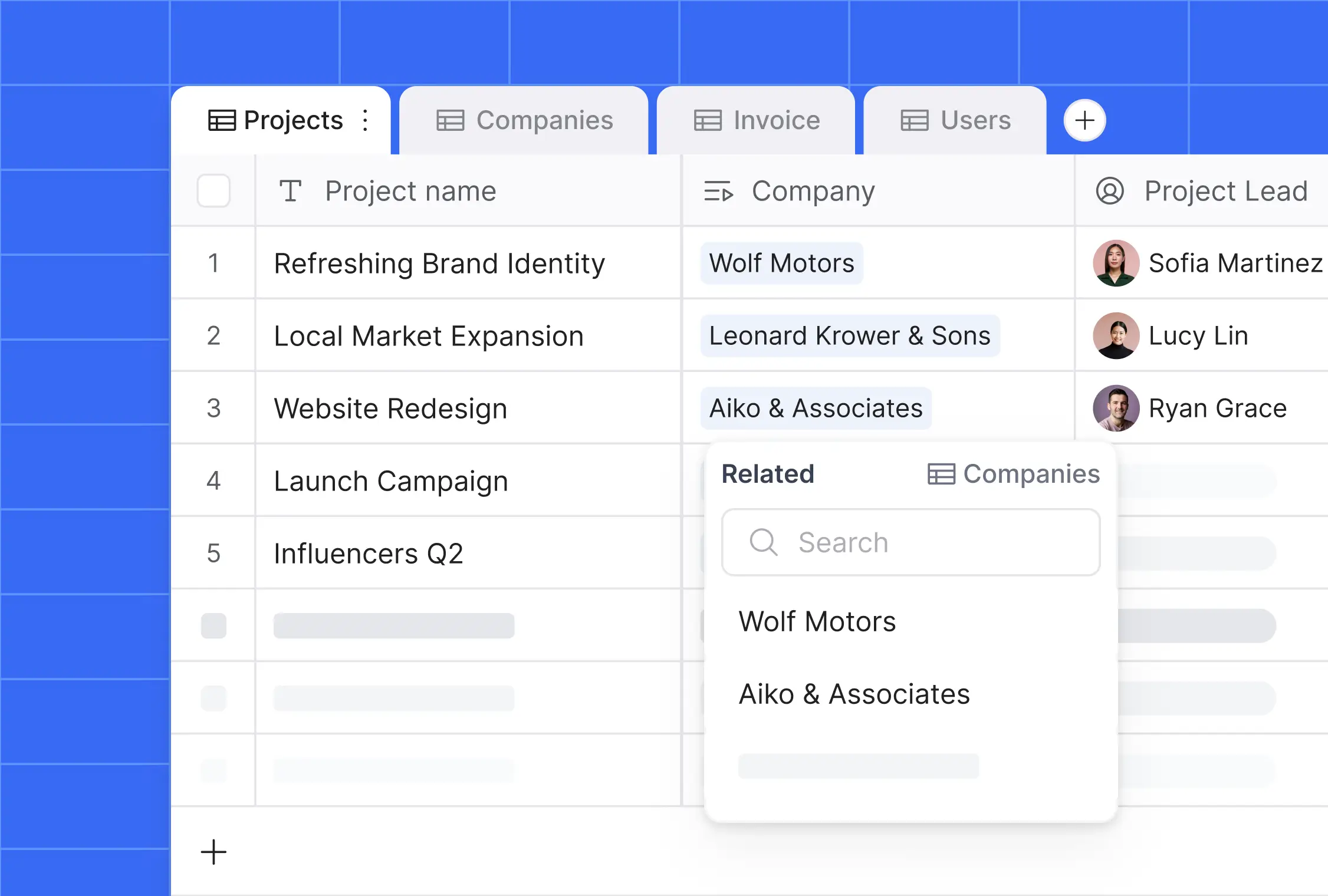
For a job board specifically, Softr is a good fit because it comes with the pieces recruitment apps need by default: user authentication for both job seekers and recruiters, users and permissions to control who can post or apply, and native forms to collect submissions. You can power your job board with Softr Databases, our own native database, or connect an existing Airtable base, along with 17+ other data sources.
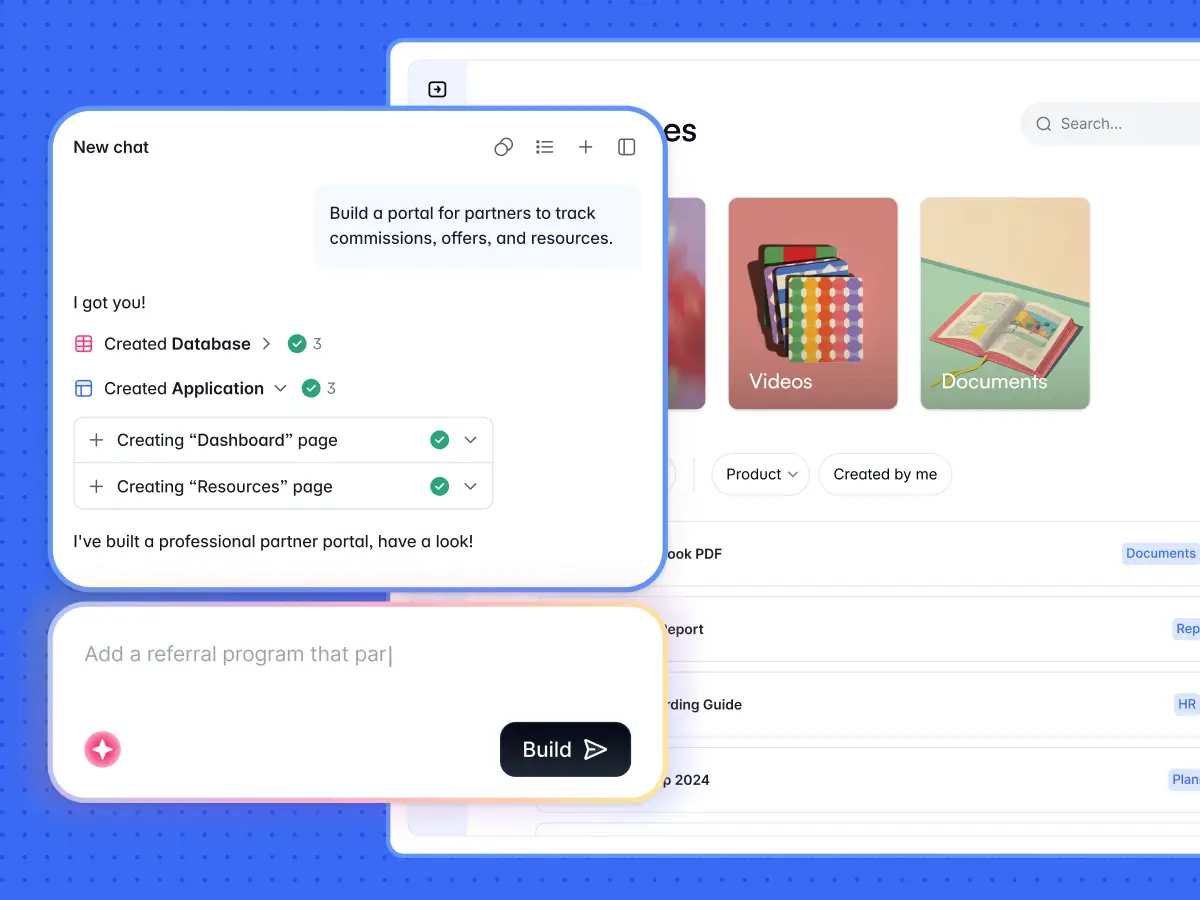
This guide follows the Airtable-based Dream Jobs template, since it's the fastest path if you already keep your job listings in Airtable. If you'd rather avoid managing a separate Airtable account, you can swap in a native Softr Database at the same step and everything else works the same way.
How to create a job board with Softr and Airtable
Now you're familiar with job boards, their benefits, and some must-have features, let's dive into how you can build your own job portal with Airtable.
Step 1: Copy the Dream Jobs template
It's really easy to get started, since there's already a job portal template available on Softr. You just need to select the job portal template, Dream Jobs, when creating a new application.

The job portal template has an Airtable base, which is already configured and filled with dummy data that you can modify later on. You just need to enter your Airtable API key and choose to use the template's base.

To link the base to your Softr app, click copy template base, and then copy the job board template base. Once you've added the base to your Airtable, come back to your template, refresh, and select the base from the drop-down list.
Next, you just need to hit Finish to proceed to your job portal template and start working on it. Now, you can customize your Airtable base to include your own data as well as configure the listing in your Softr app. You can adjust these settings manually, or describe the change you want to the AI Co-Builder (for example, "add a filter for remote-only jobs") and let it configure the block for you.
Check out the video below for connecting and configuring Airtable with Dynamic List blocks.
As soon as you go through these configurations and finalize your job portal, you can go ahead and publish your Softr app. But that's not all.
Apart from creating a job portal website and adding new entries yourself, you can set up a form to collect job postings from your users, which we'll explore in the next section.
Step 2: Collecting job postings and creating forms
When you have already made a job portal with a certain number of postings, you can also start collecting job postings from your users. If you're starting your job board from the Dream Jobs template, a form block is already going to be available for you. But if you want to add a new one, here are the steps you need to follow.
All you need is to create a job submission form and link it to your Airtable base (or Softr Database) with job records to start collecting submissions there.
You can use one of the form layouts available on Softr (e.g. "Sales Form") and configure its fields to correspond to your Airtable base with job records, or click Add block and ask the AI Co-Builder to build the submission form for you by describing the fields you need.

To make sure you don't encounter any issues with setting up the form and sending the data to Airtable, we've prepared a detailed step-by-step guide that explains all the important details.
Once submissions start coming in, you'll want recruiters and candidates to know where things stand without checking the portal constantly. A Softr Workflow can automatically notify a recruiter by email or Slack the moment a new job or application is submitted, or you can describe the automation you need to the Workflow AI Co-Builder and have it build the logic for you.
Step 3: Restricting job posting access and charging for submissions
There's one more aspect you might be interested in. Since the introduction of the Memberships feature, it's possible to create gated content, restricting certain parts of the Softr app to selected user groups.
So, you can, for instance, allow only registered users to submit job postings. It's also possible to add payment and other conditions for the block or page with the submission form, to charge users for accessing it. This feature also helps you with the monetization of the platform.
You can also apply conditional filters to your job list if, for example, you want to enable your users to filter their submissions only.
Check out the video below for integrating Stripe, creating a simple check-out flow for your product, and displaying content to various user groups.
Going further: if your job board grows into a full recruitment operation with candidates, agencies, and employers all needing their own view of the data, consider using the Recruitment Agency Portal template instead. It builds on the same foundation but adds dedicated portals and permissions for each user group.

If none of the pre-built blocks cover a feature you need, like a custom application scoring widget or an interactive candidate map, the Vibe Coding block lets you generate it from a plain-language prompt. It connects directly to your job data with permissions built in, so you're not stuck choosing between the 80% that pre-built blocks cover and the 20% that's unique to your process.
Time to get started on your own no-code job board
Creating a job board can be a wonderful way of generating revenue, creating an engaged community, and establishing yourself as an expert in your niche.
However, getting your platform up and running can be difficult and take a lot of time and resources. That's why no-code tools are quickly gaining in popularity, thanks to their accessibility and ease of use.
Tools like Softr simplify the process of making a job portal and growing a community around it. Whether you start from the Dream Jobs template, connect your existing Airtable base, or describe your ideal job board to the AI Co-Builder, you can have a working portal in minutes and spend the rest of your time making the platform unique.
If you want to try it yourself, grab the job listing template or start with our free plan. No credit card required.
Frequently asked questions
What is the goal of a job board?
What is the best way to create a job board?
How do you create a niche job board?
How is a job board different from a regular website?
Do I need to know how to code to build a job board with Softr?